Mist: i can't complete create a wallet contract
Version: `0.8.10`
OS & Version: windows 10
Node type: `eth
Number of blocks synchronized: 3.968.227
6 month ago
i install the mist than uninstall it and get eth wallet that don' need to install and when open it i saw the address wallet than i start mining for my address and let the wallet making sync its long time don't done
than i make backup and delete it and get installing version than also get long time any way
i looking on the tools to make password for the wallet no way now i have balance 0.6 eth when i need to make new contract or send eth i can't because it ask me password i don't make it yet
i try to import it get this message........... encoding/hex: invalid byte: U+007B '{'"
i am sure i don't get the message pop up to make password
and i have error in the wallet console
please help to fix it
Logs.zip

 alyfree
All 11 comments
It is impossible to have created an account without giving the password. It's the password that is used to encrypt the private key for your account. So the password is the first (and usually the only) thing that is asked when creating an account.
If I remember right, the very first thing asked when you start Mist with no accounts is a password to create an account - it is not a password to the tool but for that account. Try to recall what you used then.
 sathishvj
on 5 Jul 2017
sathishvj
on 5 Jul 2017
thank you Mr sathishvj
but i don't forget and i don't Lying i am remember from first time open the unpacked wallet its get to sync
and told me please wait and still wait 2 weeks but i was see the address than i let it to sync an i go to mining to the address so i need to lock my wallet by password but i don't find any method ...than get back up from the key store and delete this and get the installing and i don't need to import it's open with my main account the same view than i red under the address line (Accounts can't display incoming transactions, but can receive, hold and send Ether. To see incoming transactions, create a wallet contract to store Ether.) i create one than it take long time to creating at once i see message you are about (create contract ) it ask me password good i write the password after long time waiting so i will lock wallet to save ..but it say wrong password ..haw wrong it very strong ..but it ask me the pass of wallet .....
please i think that error i don't know maybe in the popup message.. what about error console its normal? (Failed to load resource: net::ERR_FILE_NOT_FOUND file:///sockjs/info?cb=0e8dp64d99)
don't There is a programing method to see if here password or not....please help
alyfree
on 5 Jul 2017
I can't insist that you forgot, but it is just not possible to create an account in Mist/Ethereum-Wallet without giving the password. You should probably try all the possible passwords you might have put.
The reason you see the password dialog when you create a new account is the same reason I mentioned - without it, you can't create an account. It is a necessary step.
There is no way to change the password or recover it from anywhere.
sathishvj
on 5 Jul 2017
https://github.com/ethereum/go-ethereum/wiki/JavaScript-Console#personalnewaccount
The new account method takes a password as a parameter. Tools typically have to have a minimum password length.
If not that, use the Add Account UI button. That should prompt you to enter a password.
sathishvj
on 7 Jul 2017
I cannot complete "Create Wallet Contract" for my account. It constantly says "Creating..."
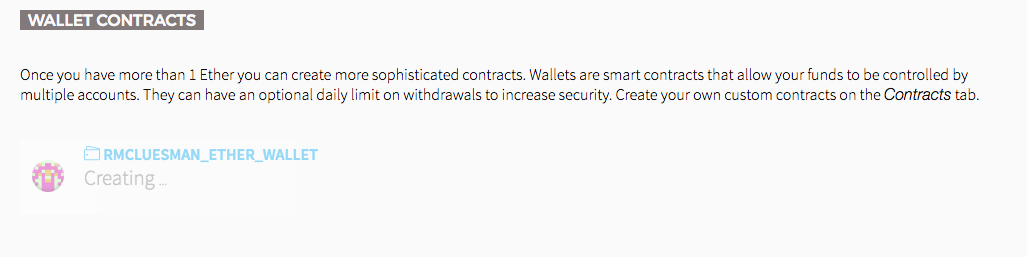
Can anyone help with this?
 rmcluesman
on 7 Jul 2017
rmcluesman
on 7 Jul 2017
Same here, rmcluesman
 slashusr
on 13 Sep 2017
slashusr
on 13 Sep 2017
I have the same problem as rmcluesman above
 user1711
on 24 Dec 2017
user1711
on 24 Dec 2017
Same issue - has said "Creating..." for more than a month. Is there a way to delete this?
 j4ys0n
on 15 Jan 2018
j4ys0n
on 15 Jan 2018
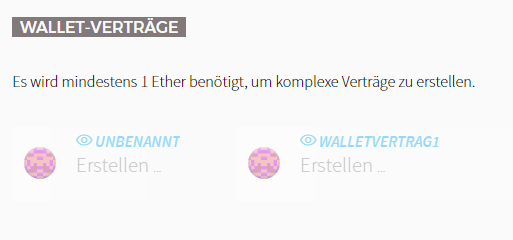
same here
 WurstCommander
on 20 Jan 2018
WurstCommander
on 20 Jan 2018
i'm have the same same issue,
 ghost
on 2 Feb 2018
ghost
on 2 Feb 2018
This thread has been automatically locked because it has not had recent activity. Please open a new issue for related bugs and link to relevant comments in this thread.
![lock[bot] picture](https://avatars.githubusercontent.com/in/6672?v=4&s=40) lock[bot]
on 7 May 2018
lock[bot]
on 7 May 2018
Related issues
 keznerve
·
5Comments
keznerve
·
5Comments
 toby1991
·
6Comments
toby1991
·
6Comments
 sluTTYusr
·
3Comments
sluTTYusr
·
3Comments
 Raindownchips
·
6Comments
Raindownchips
·
6Comments
 stephantual
·
7Comments
stephantual
·
7Comments
Most helpful comment
I cannot complete "Create Wallet Contract" for my account. It constantly says "Creating..."

Can anyone help with this?