Mini-media-player: Uncaught (in promise) /local/custom/mini-media-player.js?v=0.9.8
For some reason I get this error since today:

Do you have any idea why?
If you need more info, let me know
 TheZoker
All 12 comments
There have been some outages on unpkg lately. I was experiencing the same thing last night when working on some new cards.
 iantrich
on 15 Jan 2019
iantrich
on 15 Jan 2019
I have the exact same problem.
The issue does not show up in iPhone App but does show up on latest version of Chrome (desktop)
 ZinkNotTheMetal
on 15 Jan 2019
ZinkNotTheMetal
on 15 Jan 2019
@ZinkNotTheMetal you probably still have the cached lit dependencies in the app
iantrich
on 15 Jan 2019
Ah makes sense. Should I change mine to remove the unpkg reference like you did in your change set? or just wait for unpkg to come back up?
ZinkNotTheMetal
on 15 Jan 2019
@ZinkNotTheMetal your call
iantrich
on 15 Jan 2019
You should switch over to the bundle version of the card (check the readme for the updated instructions) where LitElement and other dependencies are bundled in, that way you won't rely on loading dependencies externally.
I'll take a look at @iantrich PR later.
 kalkih
on 15 Jan 2019
kalkih
on 15 Jan 2019
thanks for the quick response! and this awesome plug-in keep it up!
ZinkNotTheMetal
on 15 Jan 2019
@kalkih I was using the bundled version and still having the issues 🤷♂️
iantrich
on 15 Jan 2019
Me too. Used bundled version
TheZoker
on 15 Jan 2019
Strange, are you really sure you got the bundle?
Did you rename the file, or why is its name mini-media-player.js and not mini-media-player-bundle.js, if you've made the name change intentionally and are using custom updater I recommend you to redownload the latest release (bundle) and keep its default name, since custom updater will grab the non bundle version when it updates the card otherwise.
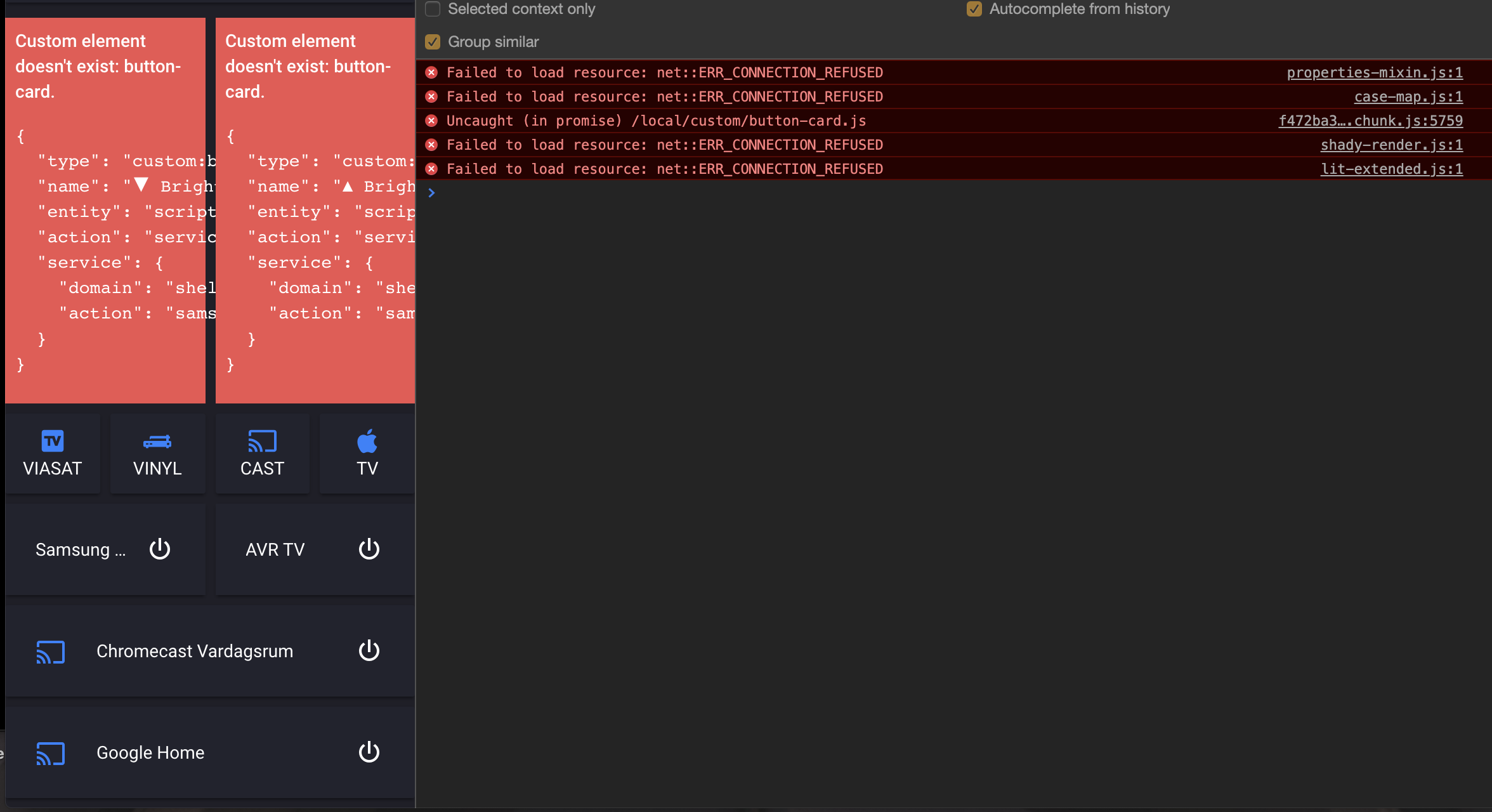
Checked my HA frontend and it does indeed look like unpkg has problems atm, you can see button-card won't load properly but mini media player (bundle) does, since the dependencies are available locally.
kalkih
on 15 Jan 2019
Yes I renamed the file, since I had the file reference (without the bundle) before and just wanted to replace the content. I have a custom folder structure, so I'm not sure if I can use custom updater anyway (also custom updater only changes the ui-lovelace.yaml and I'm using the storage version)
But I remember, that I just copied the content of the file inside the repo and not the one from the release, so probably I used the "not bundled" version but though I used the "bundled" version :P
TheZoker
on 15 Jan 2019
I see!
As long as you're not using custom updater, renaming the file is totally fine!
Try grabbing the bundle version, should both load faster and work offline 👍
kalkih
on 15 Jan 2019
Related issues
 GuyKh
·
4Comments
GuyKh
·
4Comments
 magnusoverli
·
5Comments
magnusoverli
·
5Comments
 hulkhaugen
·
3Comments
hulkhaugen
·
3Comments
 nibblerrick
·
5Comments
nibblerrick
·
5Comments
 fleXible
·
5Comments
fleXible
·
5Comments