Min version 1.7.1
Linux / Debian 10
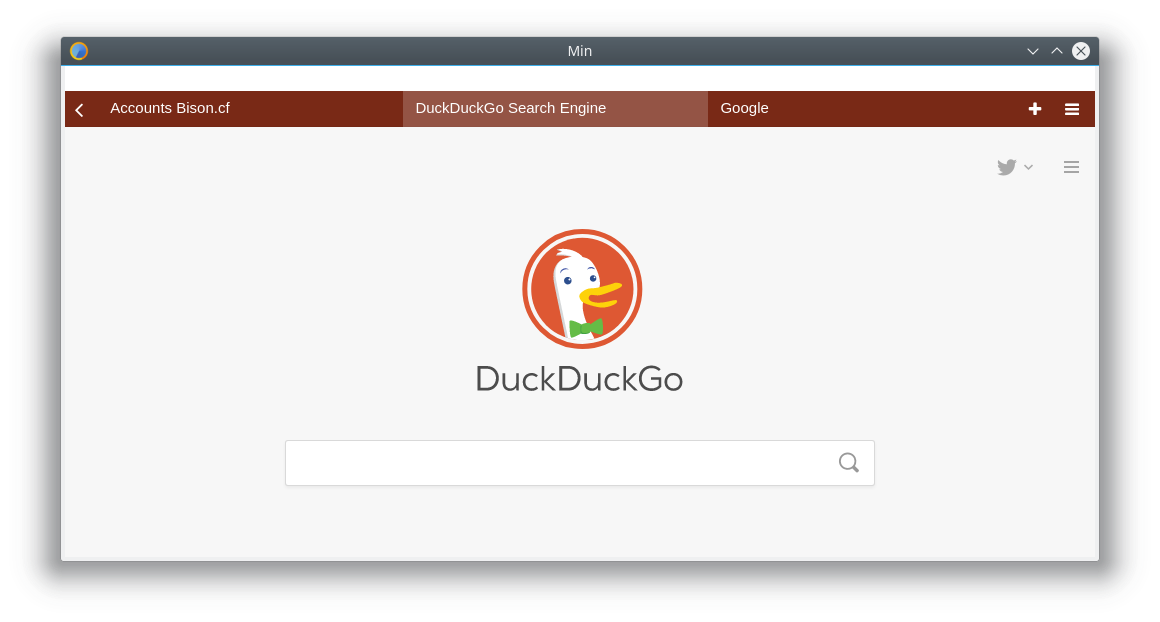
 BlueManCZ
All 10 comments
Looks like this is electron/electron#12331; we need to upgrade to 2.0.0-beta5 to include the fix.
 PalmerAL
on 22 Mar 2018
PalmerAL
on 22 Mar 2018
Hello, I still seem to be having this issue (not sure if it's resolved, and I'm using the latest build available on the Manjaro community repository) Is there a keyboard shortcut to get to the preferences menu?
 lordegeorge
on 14 Dec 2018
lordegeorge
on 14 Dec 2018
@lordegeorge For me it's just alt key now..
BlueManCZ
on 14 Dec 2018
@lordegeorge Which version is that? If you can't get to the about dialog, you can go here: http://my-user-agent.com/ and look for the "Min/1.x.x" section.
ctrl+, should open the settings page, or you can type !settings in the searchbar.
PalmerAL
on 14 Dec 2018
It's Min 1.8.0
lordegeorge
on 14 Dec 2018
The top bar is usable if I press alt but I still can't see any of the labels.
lordegeorge
on 14 Dec 2018
If you're using a theme with a dark title bar, this might be electron/electron#15878 as well.
PalmerAL
on 15 Dec 2018
Yeah, changing my theme fixes it and I can now see the text. Thanks! (using XFCE by the way)
lordegeorge
on 15 Dec 2018
OK, thanks for testing that! This was fixed in a newer Electron release, so this should be fixed the next time we upgrade the version of Electron that we're using.
PalmerAL
on 15 Dec 2018
This is fixed in 1.9.0, you can download it here: https://github.com/minbrowser/min/releases/tag/v1.9.0.
PalmerAL
on 3 Feb 2019
Related issues
 Vulpezz
·
6Comments
Vulpezz
·
6Comments
 kohlrak
·
6Comments
kohlrak
·
6Comments
 shalva97
·
3Comments
shalva97
·
3Comments
 dj-sash
·
7Comments
shalva97
·
5Comments
dj-sash
·
7Comments
shalva97
·
5Comments
Most helpful comment
Looks like this is electron/electron#12331; we need to upgrade to 2.0.0-beta5 to include the fix.