Messagekit: How can I remove the animation when the keyboard dismiss?
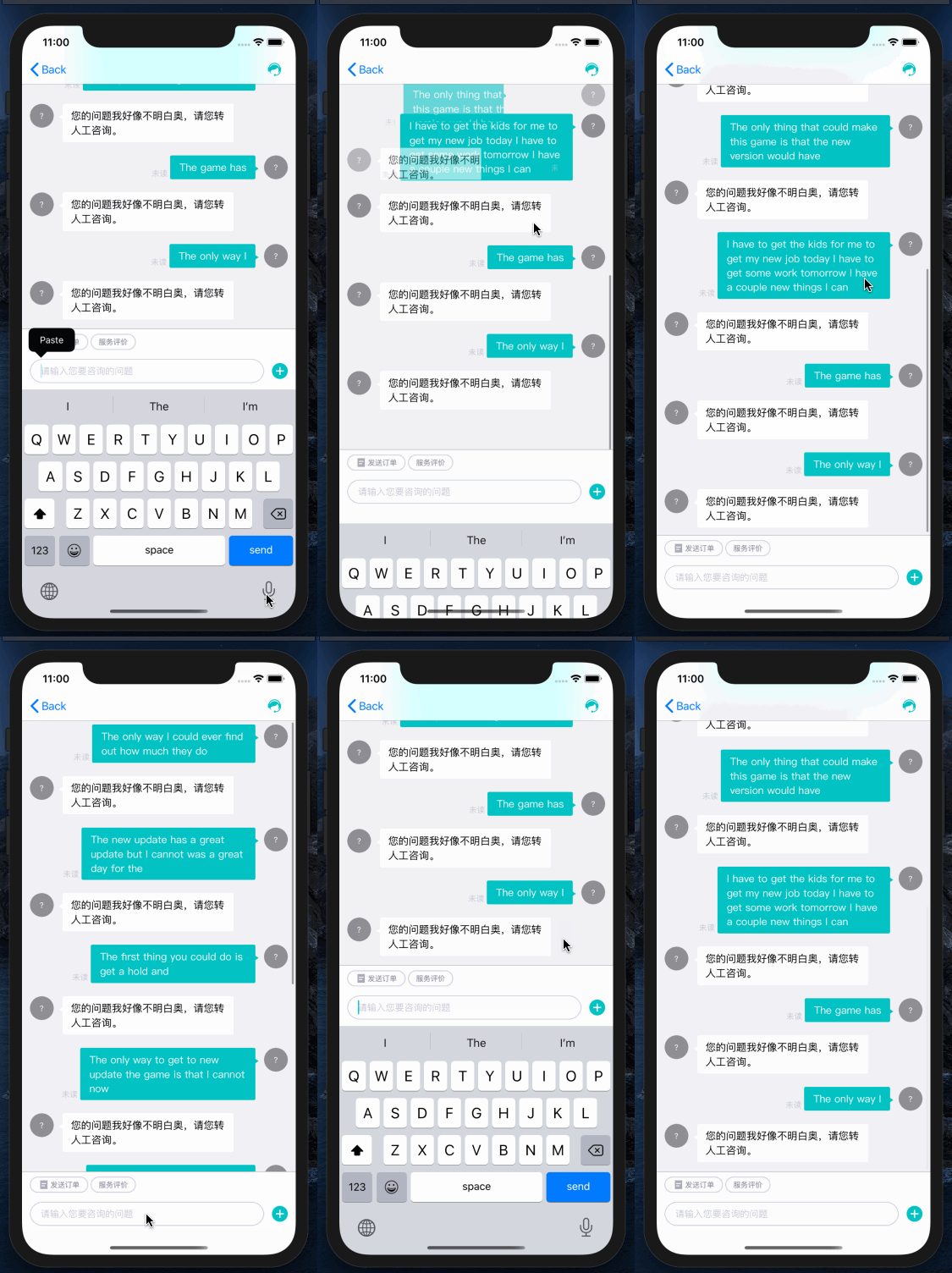
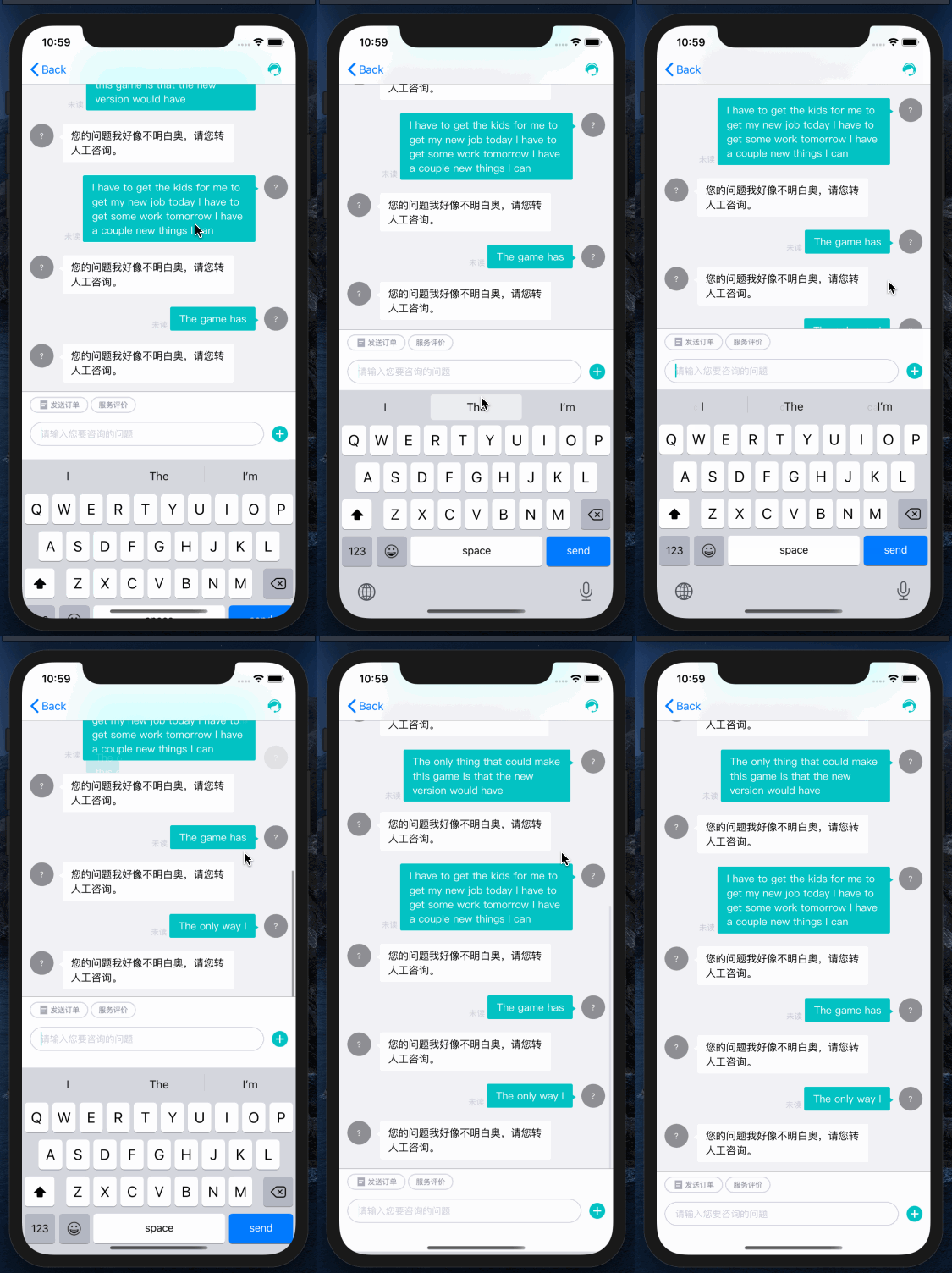
Hi, The lastest version of MessageKit, I changed the keyboardDismissMode to onDrag, and I changed the messageStyle to my custom style, then when the keyboard dismiss, the cell got an animation that loads from left to right, top to bottom,how can I fix that?
 xiaoshuaiyu1993
All 11 comments
Can you please provide at least a screen recording showcasing the issue? And if possible, code that would help us reproduce this?
 kinoroy
on 12 Jul 2020
kinoroy
on 12 Jul 2020
Thanks for your reply, the following is the showcasing, but it doesn't seem obvious, so I also record an slow animation version,
xiaoshuaiyu1993
on 13 Jul 2020
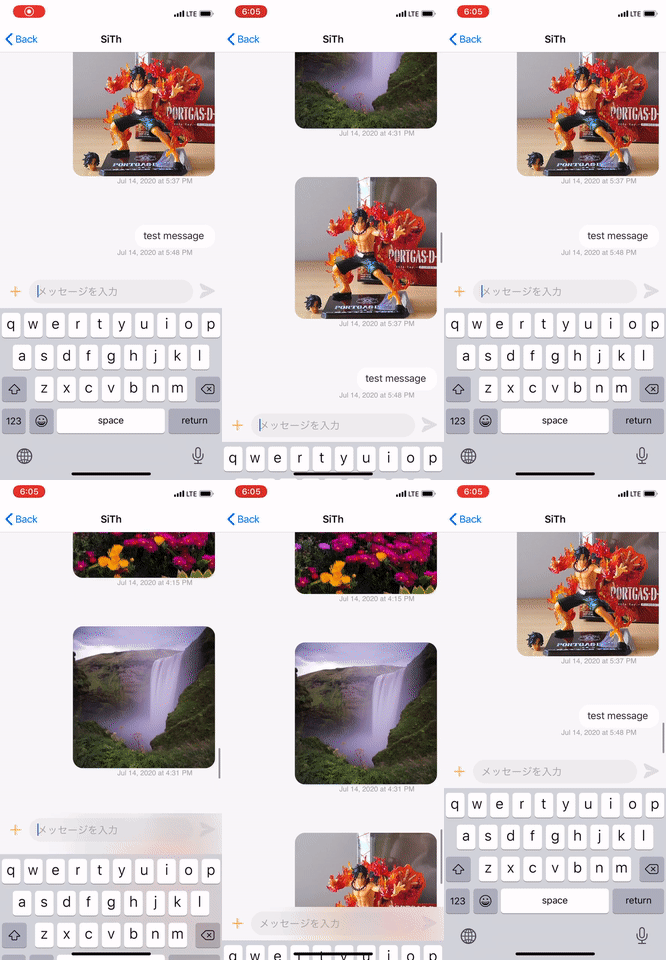
I have a same issue, too
 seasoftvuhphuong
on 14 Jul 2020
seasoftvuhphuong
on 14 Jul 2020
the animation is caused by messageCollectionViewBottomInset
I added this code below in MessagesViewController+Keyboard.swift that fixes the unexpected animation.
 UIView.performWithoutAnimation {
            messageCollectionViewBottomInset = newBottomInset
}
But this is pretty hacking, no sure whether it's the best solution.
 lhr000lhrmega
on 22 Jul 2020
lhr000lhrmega
on 22 Jul 2020
Thanks for the screen recording @xiaoshuaiyu1993 , I'll mark this as a bug.
@lhr000lhrmega Thanks for sharing your solution. Would you like to submit a pull request fixing this? :)
kinoroy
on 30 Jul 2020
Thanks for the screen recording @xiaoshuaiyu1993 , I'll mark this as a bug.
@lhr000lhrmega Thanks for sharing your solution. Would you like to submit a pull request fixing this? :)
No problem.
lhr000lhrmega
on 30 Jul 2020
Has this issue been updated in master? Thanks
 alexanderconstancio
on 3 Aug 2020
alexanderconstancio
on 3 Aug 2020
Has this issue been updated in master? Thanks
try this fork
https://github.com/lhr000lhrmega/MessageKit
lhr000lhrmega
on 11 Aug 2020
Thanks to @lhr000lhrmega the fix has been merged into develop, and will be included in the next release.
kinoroy
on 17 Aug 2020
Thanks to @lhr000lhrmega the fix has been merged into develop, and will be included in the next release.
(^▽^)
lhr000lhrmega
on 17 Aug 2020
Release is just about to happen, closing this now! :)
 Kaspik
on 26 Aug 2020
Kaspik
on 26 Aug 2020
Related issues
 mlequeux
·
3Comments
mlequeux
·
3Comments
 ChandraPrakashJangid
·
3Comments
ChandraPrakashJangid
·
3Comments
 robertoferraz
·
3Comments
robertoferraz
·
3Comments
 ahmedwasil
·
3Comments
ahmedwasil
·
3Comments
 brandon-haugen
·
3Comments
brandon-haugen
·
3Comments