Messagekit: Sticky header for dates
Hello,
I use this library, it's an amazing one congrats
I want to know if it's possible to add a sticky headers for dates like slack on a web browser ?
I also want to know if I can custom completly the design ?
Thanks for you help,
Have a good day
 ghost
ghost
All 13 comments
+1
 hoeness2
on 27 Sep 2018
hoeness2
on 27 Sep 2018
Hello,
if i call this
let layout = messagesCollectionView.collectionViewLayout as? MessagesCollectionViewFlowLayout
layout?.sectionHeadersPinToVisibleBounds = true
it will first displayed but not as sticky and on scrolling up it will after few items crash
hoeness2
on 27 Sep 2018
@hoeness2 Thanks for your help I'll try
ghost
on 2 Oct 2018
Got it working
You need to make some change in the source code of MessageKit.
- You need to edit MessagesCollectionViewFlowLayout.swift and comment out the function "shouldInvalidateLayout" this function blocks the sticky header to be working.
- You need to convert your CollectionSource data in section holds messages for same day not section holds one message by default.
To see a working example i have uploaded the edited MessageKit example project to dropbox for you so you can download and see the changes that i have made.
It has the exactly whatsapp message group sorting algorithm that i have researched over weeks.
Cheers
https://www.dropbox.com/s/c7g6cx18rqk4vi9/MessageKit-master.zip?dl=0
hoeness2
on 3 Oct 2018
@hoeness2 please can you point out where you made the changes?
 tobitech
on 5 Oct 2018
tobitech
on 5 Oct 2018
Which changes do you mean ?
Do you mean Messagekit changes or for the Example project changes ?
hoeness2
on 5 Oct 2018
@hoeness2 i'm talking about the MessagesCollectionViewFlowLayout.swift changes
tobitech
on 5 Oct 2018
You need to comment out the function shouldInvalidateLayout completely and that’s it. They are no more changes made in the MessageKit module.
hoeness2
on 5 Oct 2018
Thanks, it worked fine. Thanks for the source code you shared as well, it helped me implement the grouping of messages
tobitech
on 5 Oct 2018
This issue has been marked as stale because it has not had recent activity. It will be closed if no further activity occurs.
![stale[bot] picture](https://avatars.githubusercontent.com/in/1724?v=4&s=40) stale[bot]
on 28 Oct 2018
stale[bot]
on 28 Oct 2018
This issue has been auto-closed because there hasn't been any activity for at least 21 days. However, we really appreciate your contribution, so thank you for that! 🙏 Also, feel free to open a new issue if you still experience this problem 👍.
stale[bot]
on 3 Nov 2018
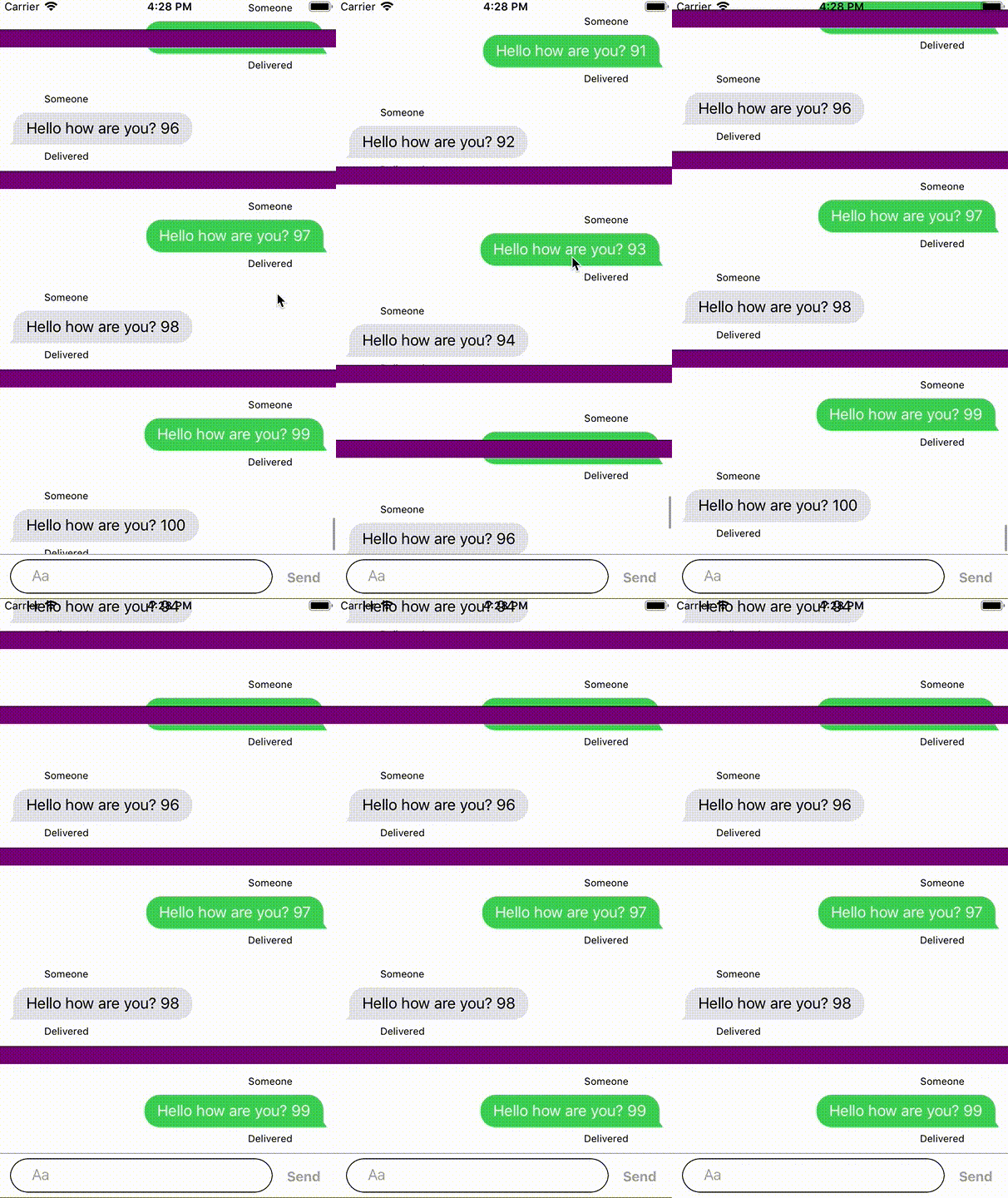
This solution used to work, but now it seems like it is impossible to have sticky section headers anymore (using MessageKit 3.0.0)
Is there a new way to stick section headers like WhatsApp does ?
As it stands, sectionHeadersPinToVisibleBounds = true seems to be "confusing" the collectionView :
the header that is visible when the collection view first appears will be displayed close to the top bound. But then when the user scrolls, all the headers will scroll like all the other cells. And that initial top header will scroll but remains misplaced.
 jayjac
on 17 Jun 2019
jayjac
on 17 Jun 2019
@hoeness2 Can you update the link of the sample project?
 Devinsomnia
on 17 Mar 2020
Devinsomnia
on 17 Mar 2020
Related issues
 bilaalrashid
·
3Comments
bilaalrashid
·
3Comments
 anandatswayam
·
4Comments
anandatswayam
·
4Comments
 emmanuelay
·
3Comments
emmanuelay
·
3Comments
 mlequeux
·
3Comments
mlequeux
·
3Comments
 NiklasWilson
·
4Comments
NiklasWilson
·
4Comments