Hi Currently trying to update from 0.5.95 to 0.6.44, when i normally update i click on the check mark and click on OK takes around 10min and the server updates, but this time i keep getting the 504 NGINX because of the service, i manually start the service and still shows the 0.5.95 any ideas?
I tried checking logs but didnt find any
Thank you
 farzadha2
All 17 comments
here is the error on 0.6.44
-------- 9/23/2020, 2:13:25 AM ---- 0.6.44 --------

/meshcentral/node_modules/meshcentral/certoperations.js:310
        cert.serialNumber = require('crypto').randomInt(1, 100000);
                                              ^

TypeError: require(...).randomInt is not a function
    at Object.obj.GenerateRootCertificate (/meshcentral/node_modules/meshcentral/certoperations.js:310:47)
    at Object.obj.GetMeshServerCertificate (/meshcentral/node_modules/meshcentral/certoperations.js:617:34)
    at CreateMeshCentralServer.obj.StartEx2 (/meshcentral/node_modules/meshcentral/meshcentral.js:1210:35)
    at Server.<anonymous> (/meshcentral/node_modules/meshcentral/redirserver.js:141:13)
    at Object.onceWrapper (events.js:421:28)
    at Server.emit (events.js:315:20)
    at emitListeningNT (net.js:1347:10)
    at processTicksAndRejections (internal/process/task_queues.js:83:21)
 wh1te909
on 23 Sep 2020
wh1te909
on 23 Sep 2020
Oh dear. What version of NodeJS are you using?
 Ylianst
on 23 Sep 2020
Ylianst
on 23 Sep 2020
Ubuntu 20.04, node v12.18.4
wh1te909
on 23 Sep 2020
Just moved "latest" back to MeshCentral v0.6.43 until I investigate this. Thanks for reporting.
Ylianst
on 23 Sep 2020
@wh1te909 were you trying to update?
currenly i check the logs and i dont see any errors
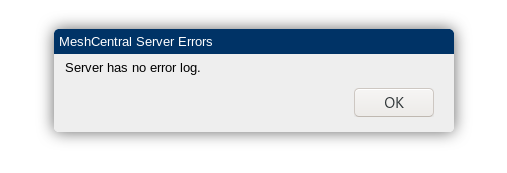
currently running ubuntu server 18.04
with node v8.10.0
farzadha2
on 23 Sep 2020
@farzadha2 no, i have not tried to update my production server yet, although I always update from the command line, not from the web gui.
This error was during a fresh install on my test server, i have a project that integrates with meshcentral, and during the install script it installs and sets up meshcentral and so my tests caught it.
wh1te909
on 23 Sep 2020
Just published MeshCentral v0.6.45 with a fix. Should work on NodeJS 6.0+ now. Let me know if it works.
Ylianst
on 23 Sep 2020
@Ylianst the randomInt error is fixed but now getting this error
am using nginx in front of mesh with a cert from letsencrypt
MeshCentral HTTP redirection server running on port 1024.
MeshCentral v0.6.45, WAN mode.
Loaded web certificate from "https://<REDACTED>:443/", host: "<REDACTED>"
  SHA384 cert hash: <REDACTED>
  SHA384 key hash: <REDACTED>
ERR: _tls_common.js:129
      c.context.setCert(cert);
                ^

Error: error:0D0E20DE:asn1 encoding routines:c2i_ibuf:illegal zero content
    at Object.createSecureContext (_tls_common.js:129:17)
    at Server.setSecureContext (_tls_wrap.js:1321:27)
    at new Server (_tls_wrap.js:1185:8)
    at Object.createServer (_tls_wrap.js:1228:10)
    at Object.module.exports.CreateMpsServer (/meshcentral/node_modules/meshcentral/mpsserver.js:44:26)
    at AsyncWrap.<anonymous> (/meshcentral/node_modules/meshcentral/meshcentral.js:1341:63)
    at AsyncWrap.wrap.ondone (internal/crypto/random.js:63:8) {
  opensslErrorStack: [
    'error:0906700D:PEM routines:PEM_ASN1_read_bio:ASN1 lib',
    'error:0D08303A:asn1 encoding routines:asn1_template_noexp_d2i:nested asn1 error',
    'error:0D08303A:asn1 encoding routines:asn1_template_noexp_d2i:nested asn1 error'
  ],
  library: 'asn1 encoding routines',
  function: 'c2i_ibuf',
  reason: 'illegal zero content',
  code: 'ERR_OSSL_ASN1_ILLEGAL_ZERO_CONTENT'
}
Error: Command failed: /usr/bin/node /meshcentral/node_modules/meshcentral --launch 21981
_tls_common.js:129
      c.context.setCert(cert);
                ^

Error: error:0D0E20DE:asn1 encoding routines:c2i_ibuf:illegal zero content
    at Object.createSecureContext (_tls_common.js:129:17)
    at Server.setSecureContext (_tls_wrap.js:1321:27)
    at new Server (_tls_wrap.js:1185:8)
    at Object.createServer (_tls_wrap.js:1228:10)
    at Object.module.exports.CreateMpsServer (/meshcentral/node_modules/meshcentral/mpsserver.js:44:26)
    at AsyncWrap.<anonymous> (/meshcentral/node_modules/meshcentral/meshcentral.js:1341:63)
    at AsyncWrap.wrap.ondone (internal/crypto/random.js:63:8) {
  opensslErrorStack: [
    'error:0906700D:PEM routines:PEM_ASN1_read_bio:ASN1 lib',
    'error:0D08303A:asn1 encoding routines:asn1_template_noexp_d2i:nested asn1 error',
    'error:0D08303A:asn1 encoding routines:asn1_template_noexp_d2i:nested asn1 error'
  ],
  library: 'asn1 encoding routines',
  function: 'c2i_ibuf',
  reason: 'illegal zero content',
  code: 'ERR_OSSL_ASN1_ILLEGAL_ZERO_CONTENT'
}

    at ChildProcess.exithandler (child_process.js:303:12)
    at ChildProcess.emit (events.js:327:22)
    at maybeClose (internal/child_process.js:1021:16)
    at Process.ChildProcess._handle.onexit (internal/child_process.js:286:5) {
  killed: false,
  code: 1,
  signal: null,
  cmd: '/usr/bin/node /meshcentral/node_modules/meshcentral --launch 21981'
}
Regarding the above, that error only happens on a fresh install.
I tried doing a fresh install using version 0.6.33, then upgrading to 0.6.45 and no errors all working.
But when trying to fresh install 0.6.45 getting the above error.
wh1te909
on 23 Sep 2020
oh gotcha, possible whats the command line to update?
farzadha2
on 23 Sep 2020
Working on this now!
Ylianst
on 23 Sep 2020
@farzadha2 here is what i do, just change the cd to wherever you installed meshcentral. removing node_modules is not needed I just like doing it to clear the cache and sometimes fixes issues. if mesh doesn't start you should see the error in the output of systemctl status meshcentral or you can just run mesh manually, stop the systemd service first and then run node node_modules/meshcentral
sudo systemctl stop meshcentral
cd /meshcentral
rm -rf node_modules/
npm install [email protected] # or meshcentral@latest
sudo systemctl start meshcentral
Just published MeshCentral v0.6.47 with a fix for this. Just update to this version using the command line technique shown above and should work fine. If using the Windows installer, you can uninstall and re-install and it should work. Let us know the results.
Ylianst
on 23 Sep 2020
awesome, 0.6.47 working great for me! let's see if also resolves the upgrade issue for @farzadha2
wh1te909
on 23 Sep 2020
@wh1te909 Nice. Thanks for reporting back. Will wait for @farzadha2 to close this one.
Ylianst
on 23 Sep 2020
thank you the update seemed to work perfectly was also having that issue , but was wondering in the new update i saw that in the change log the webGUI changes a bit? on update 0.6.27
 killmasta93
on 24 Sep 2020
killmasta93
on 24 Sep 2020
worked for me too also thank you again @Ylianst
farzadha2
on 24 Sep 2020
Related issues
 haxmachine
·
3Comments
haxmachine
·
3Comments
 LPJon
·
3Comments
LPJon
·
3Comments
 guerby
·
3Comments
guerby
·
3Comments
 darryl-h
·
3Comments
darryl-h
·
3Comments
 penguinthingie
·
4Comments
penguinthingie
·
4Comments