Meshcentral: Any option to disable keyboard and mouse access and provide only view only mode during remote connection
Any option to disable keyboard and mouse access and provide only view only mode during remote connection
 aimdharma1990
All 4 comments
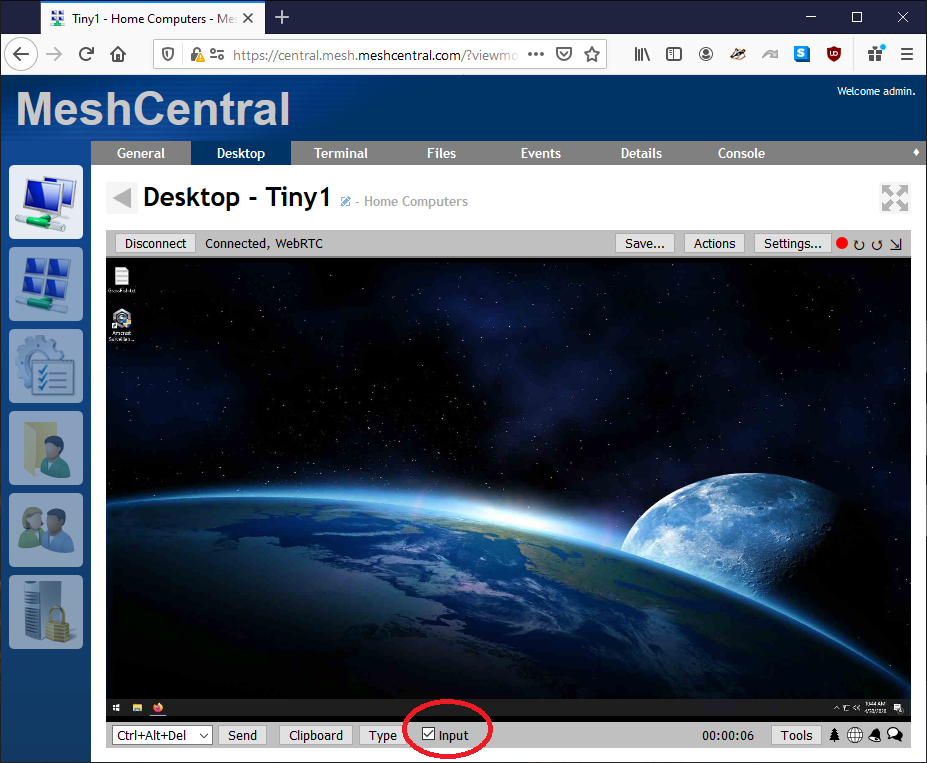
There currently a checkbox at the bottom of the Desktop Tab, that says, "Remote Input". If that checkbox is not checked, then remote input (keyboard/mouse) will be disabled...
Are you referring to something like this, or do you mean a server option, to force that mode, so the user cannot enable it?
 krayon007
on 30 Apr 2020
krayon007
on 30 Apr 2020
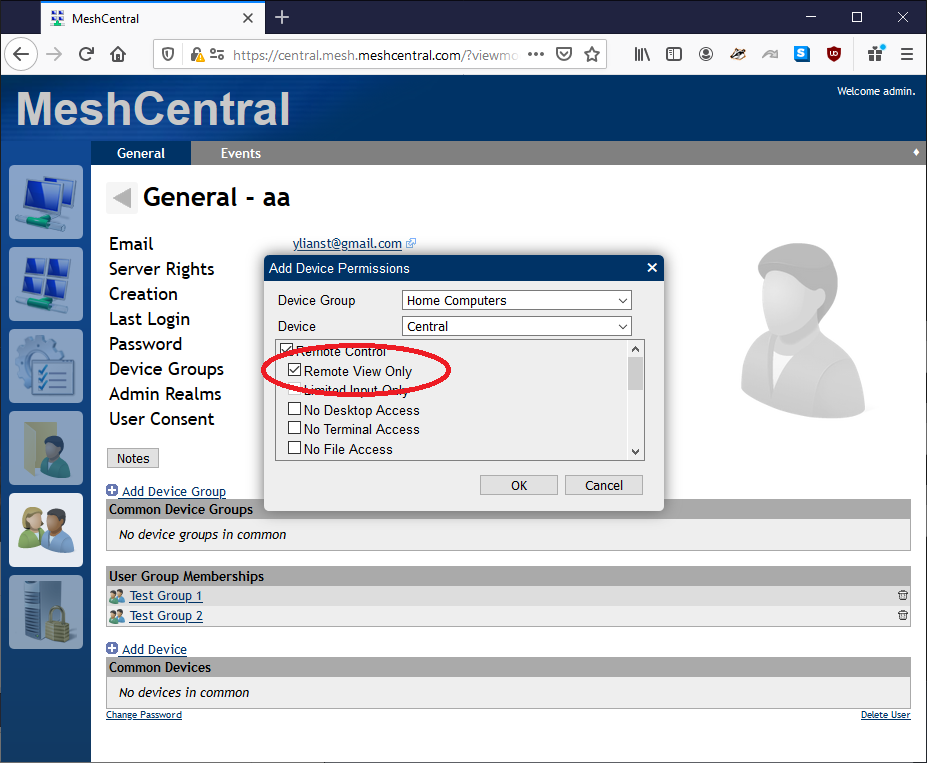
Two solutions for this. Depending on the situation, you can use the "Input" checkbox, or assign "Remote View Only" permission to a user. Let me know if this helps.
 Ylianst
on 30 Apr 2020
Ylianst
on 30 Apr 2020
If understand these these options correctly, they stop someone who is connecting to the remote machine from providing input.
What I'd like to see, is a feature that exists in team viewer, where I as a remote admin, could take over a remote computer, black out the screen at that end (because it may be in a public place, and we like to show a black screen to whomever is physically near the remote machine), and limit input from anyone sitting physically at the machine, until I am done being admin.
If we RDP to the remote machine, that's effectively what happens.
 OutbackMatt
on 1 May 2020
OutbackMatt
on 1 May 2020
@OutbackMatt That is a different ask than the issue above also, it's unlikely it's possible for us to both capture the screen and blank it out. RDP can do it because it's a separate virtual desktop, they can blank out the main desktop and start up a different virtual session. I am going to close this one, but please open again if needed.
Ylianst
on 2 May 2020
Related issues
 vish84
·
3Comments
vish84
·
3Comments
 LPJon
·
3Comments
LPJon
·
3Comments
 nroach44
·
3Comments
nroach44
·
3Comments
 MailYouLater
·
4Comments
MailYouLater
·
4Comments
 petervanv
·
3Comments
petervanv
·
3Comments
Most helpful comment
Two solutions for this. Depending on the situation, you can use the "Input" checkbox, or assign "Remote View Only" permission to a user. Let me know if this helps.