Meshcentral: Can't connect to Linux Desktop anymore
Maybe it's related to #1131, but i can't connect to my Ubuntu Desktops anymore, connection to Windows Desktop works.
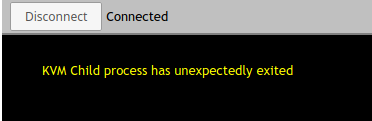
_Originally posted by @krayon007 in https://github.com/Ylianst/MeshCentral/issues/1131#issuecomment-612259720_
 uldiseihenbergs
All 37 comments
i rolled back one by one version back, and 0.5.1-j started working again.
uldiseihenbergs
on 11 Apr 2020
What version of Ubuntu where you using? Also, is there a file /usr/local/mesh/meshagent.log in the remote Ubuntu machine? If so, can you post it here? Thanks.
 Ylianst
on 11 Apr 2020
Ylianst
on 11 Apr 2020
i'm on Ubuntu 18.04, and no, there is no /usr/local/mesh/meshagent.log file on Ubutnu.
uldiseihenbergs
on 11 Apr 2020
how can i roll back MC ?
 tradexsrl
on 11 Apr 2020
tradexsrl
on 11 Apr 2020
You're saying you can't connect to any of your linux desktops? So you are also saying that starting with 0.5.1-K, the KVM to your 18.04 machine stopped working?
That is very strange, becuase none of the commits between 0.5.1-J and 0.5.1-K are in the code path for KVM, except for commit 00b613fcb12e97e500a09d8c640d1a279cca6c3d, but that change if it caused a problem, would cause the desktop tab to not show up on the web ux.
Can you add the following line, to your .msh file and restart the agent?
slaveKvmLog=1
That will cause the child kvm process to write logs to /tmp/slave
If by chance that value is already set, check the permissions on /tmp/slave, I have seen that if that file
get's changed to be owned by root, it will cause the child KVM process to crash, if it's set to write logs, but it can't open the file. (I need to fix that)
The logs written to /tmp/slave should shed some light into what is going on... I have a whole fleet of linux machines, incuding every major version of Ubuntu from 9 to 19.10, and I don't see this problem, so I'm really curious what your logs say...
Bryan
 krayon007
on 11 Apr 2020
krayon007
on 11 Apr 2020
And just to clarify, the code for #1131 is not in 0.5.1-K, it's in 0.5.1-L
The commit 0ce6fa835fba673d6d788434590e6aa4fba66a58, only adds code to set a flag, that causes the kvm to run code that it already has. (It added ability to always remote render the mouse cursor, instead of just when the local user moves the mouse)
krayon007
on 11 Apr 2020
By the way, do you have notification bar turned on? And are you running a custom meshcore?
krayon007
on 11 Apr 2020
slaveKvmLog=1
i added this to agent's msh file, created /tmp/slave with root, restarted agent and no log files, /tmp/slave still empty on Ubuntu.
but i'm just noticed, it something related with Lock screen - if Ubuntu session is already opened, then i can connect to the desktop. if i select Lock/Switch user from Ubuntu, desktop immediately hangs and original error message is displayed.
By the way, do you have notification bar turned on?
no, i don't use any notifications.
And are you running a custom meshcore?
don't even know what is is..
uldiseihenbergs
on 11 Apr 2020
how can i roll back MC ?
it depend what OS you are running your MC. i have MC running on Linux, and i simply edited startmeshcentral.sh. Look for npm install meshcentral and add version tag like npm install [email protected]
uldiseihenbergs
on 11 Apr 2020
but i'm just noticed, it something related with Lock screen
Same behavior here with MC server 0.5.1-m and other previous releases.
The logs written to /tmp/slave should shed some light into what is going on...
Mine:
-rw-r--r-- 1 root root 123 apr 11 16:20 /tmp/slave

SLAVE/KVM CoreDumps DISABLED
Checking $DISPLAY
ENV[DISPLAY] = 0
XAUTHORITY is /home/amenolo/.Xauthority
DisplayString is :0
 amenolo
on 11 Apr 2020
amenolo
on 11 Apr 2020
No, don't create /tmp/slave with root... Erase the file.. The agent will create it by itself... I meant if you create it with root, the log will fail...
krayon007
on 11 Apr 2020
ok, log is the same as above:
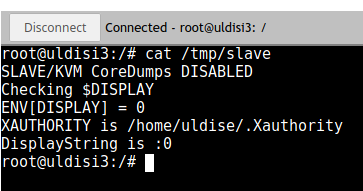
uldiseihenbergs
on 11 Apr 2020
Another thing you can try, is to add the following line to the .msh and restart the agent
coreDumpEnabled=1
This should make it so if the child process exits unexpectedly, it will create a core dump. I can use that to look at where/how it exited.
Curious about your comment about the lock screen. Normally, with Ubuntu 18.04, if no users are logged in, you'll get that exact message. (It actually says nobody is logged in first, but then the disconnect message covers it)
It should work from the lock screen if somebody is logged in.. Now if KVM is already connected, and you switch users, that might cause it to disconnect it as well, because the XAUTHORITY will be wrong for the new user...
What are the steps you are following to reproduce this issue? Once the client boots, you log in, then lock the screen, then try to connect KVM?
krayon007
on 11 Apr 2020
I am seeing the same problem on Ubuntu 18.04.4 TLS. If it works, I restart the agent and try again and it fails. I do have to play around a bit to get it to happen (Like change the position of Windows on the Ubuntu desktop and reconnect), but does not seem difficult to make it happen. I have plain settings, nothing special in the .msh file.
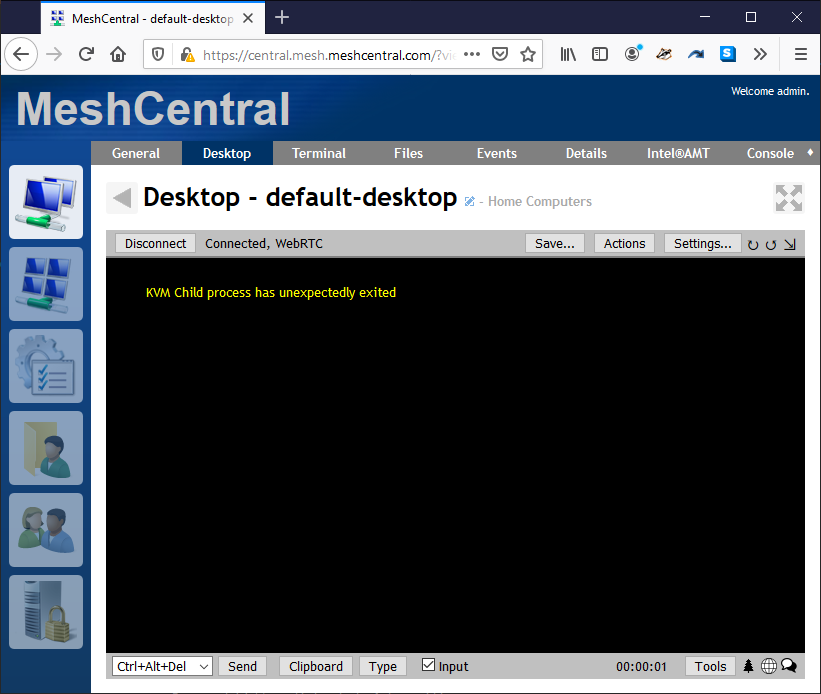
Ylianst
on 11 Apr 2020
Are you guys both running 18.04.4? My test machine is 18.04.1 LTS
krayon007
on 11 Apr 2020
added coreDumpEnabled=1 to .msh, restarted agent, reproduced an error, but nothing new on /tmp/slave file. where a core is dumped?
for me default scenario is that every Ubuntu, when unused, locks itself with screensaver. With MC version 0.5.1-j, when i connect to Ubuntu Desktop, MC opens a page when i can enter a password to unlock current session. With MC version 0.5.1-m it just displays original error and display stays black.
another scenario: when Ubuntu session is unlocked, i can connect it from MC. but when i click on Ubuntu System Menu Lock/Switch account, Desktop hangs, and original error is displayed.
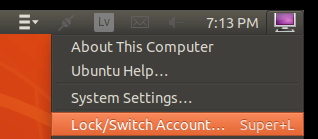
uldiseihenbergs
on 11 Apr 2020
Are you guys both running 18.04.4? My test machine is 18.04.1 LTS
yes, i'm on 18.04.4 LTS
uldiseihenbergs
on 11 Apr 2020
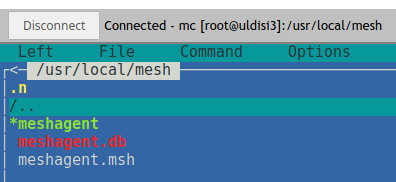
Core dumps into the same folder where the agent binary is...
I'll build an 18.04.4 system, to see if it's specific to that, as for the life of my, can't get it to happen on 18.04.1
krayon007
on 11 Apr 2020
still cant find it.
uldiseihenbergs
on 11 Apr 2020
Does the generated log in /tmp/slave say:
CoreDumps: ENABLED
If so, then the slave process didn't actually crash, it just exited gracefully.
I'm building an 18.04.4 test machine, becuase my 18.04.1 machine's menu looks completely different from yours.
krayon007
on 11 Apr 2020
Does the generated log in /tmp/slave say:
CoreDumps: ENABLED
looks like it is:
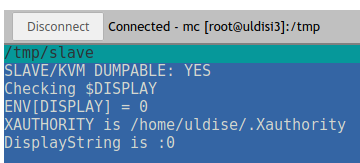
and according menu, i don't think its related, i'm on gnome-flashback in this ubuntu. i have more Ubuntu's with agents installed, another one is with xface desktop, and the error is the same.
uldiseihenbergs
on 11 Apr 2020
No, don't create /tmp/slave with root... Erase the file.. The agent will create it by itself... I meant if you create it with root, the log will fail...
Wasn't clear: the file is being created by MC process indeed.
Once the client boots, you log in, then lock the screen, then try to connect KVM?
As per me, right so.
Meanwhile tried adding coreDumpEnabled=1: generated file now looks as above
SLAVE/KVM DUMPABLE: YES
Checking $DISPLAY
ENV[DISPLAY] = 0
XAUTHORITY is /home/amenolo/.Xauthority
DisplayString is :0
but no coredump created, in /usr/local/mesh at least.
amenolo
on 11 Apr 2020
Just to get some more details... When you get this error, is the display connected to your Ubuntu system powered off? I remember a few days ago, someone reported an issue where if they tried to KVM to their machine while the display was in sleep, it didn't work, but if they woke the display, then the KVM worked....
I'm using a VM, so my display doesn't turn off... I wonder if this issue is related to yours? On my setup, when display is black when I click lock, but when I connect KVM, I still get a cursor, and if I move the mouse on the browser, the lockscreen shows up.
I wonder if these issues are related? (I just setup an 18.04.4 LTS image, and I still can't reproduce).
I'm going to find some spare hardware and install ubuntu the old fashioned way...
krayon007
on 11 Apr 2020
i have both - one Ubuntu on a VM and another one on physical PC with display off.
in both cases error is the same.
uldiseihenbergs
on 11 Apr 2020
Ok, this will take a while to try to figure out... I installed Ubuntu 18.04.4 on a spare laptop... I still can't reproduce the issue. Further, if I click lock, while KVM is connectd, the KVM stays connected, and if I move the mouse on the browser, it wakes the screen, and the lock screen appears....
krayon007
on 11 Apr 2020
i have no physical access to my Ubuntu's. i'm accessing them thru MC web browser only. and for example, with noMachine to the same Ubuntu's works just fine.
if i can help with other tests, just let me know. i think @Ylianst can assist you to reproduce too.
uldiseihenbergs
on 11 Apr 2020
I am going to start compiling different versions of the agent from GitHub, I hope to find the exact commit that caused the issue. Working on this now.
Ylianst
on 11 Apr 2020
What's noMachine?
krayon007
on 11 Apr 2020
Same as TeamViewer and so on...
Anyway my scenario is similar: a bunch of VMs, same issue.
amenolo
on 11 Apr 2020
do you have noMachine/TeamViewer/etc installed in your VM's too? I remember a while ago, someone told me that TeamViewer modifies something on the X configuration, that screwed up KVM, but the issue was a little different (They were getting black screen, but no disconnect, because in his case TeamViewer installed a virtual display, that X thought was the primary display, so when I asked for the primary display, and tried to scrape it, I just got a black screen) This was a while ago tho, not sure if that issue was resolved or not.
krayon007
on 11 Apr 2020
Not my case.
BTW my tests in VMs are performed with hypervisor remote desktop inactive.
amenolo
on 11 Apr 2020
Bryan found the problem, new release coming out shortly!
Ylianst
on 11 Apr 2020
Published MeshCentral v0.5.1-n with Bryan's new new Linux MeshAgents. Let me know if it works.
Ylianst
on 11 Apr 2020
I just noticed an embarrassing misunderstanding of mine: so far I was referring to login/out...my fault...
Anyway at the moment no problem anymore with lock/unlock 👍 but still with login/out:
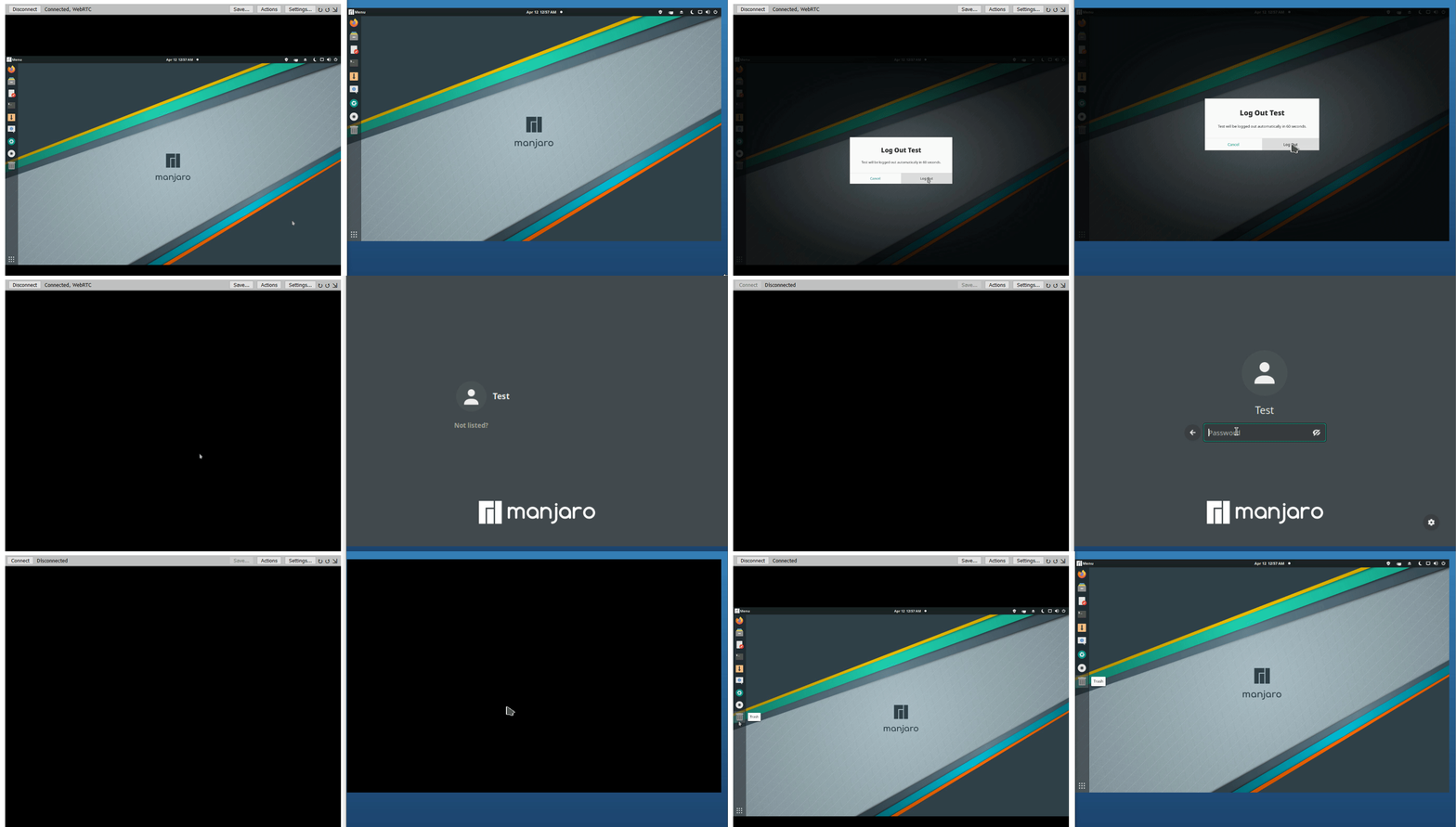
Since with Windows agent all seems to run flawlessly, at this point I wonder if there's some sort of technical limit in Linux OS (maybe in Mac OS too, being also *nix based?) which prevents a similar behavior...in which case I'll put my heart in peace :smile:
amenolo
on 12 Apr 2020
Lol, no worries... But to answer you question, yes... On newer distributions of Linux (or rather newer versions of the XServer), it does not allow client connections when no users are logged in, so as a result, when no users are logged in, KVM cannot function because it is unable to establish a connection to X.
That message that says the child process unexpectedly exited... There is actually a message right before that says that says no users are logged in, but the second message overrode the first... @Ylianst will need to modify the web-app to prevent stacked messages from obscuring previous messages.
On macOS, there is a similar issue. Starting with Sierra (or thereabouts, I forget the exact version), macOS no longer allows remote injection from the login screen. I did recently fix a bug where I misspelled the IPC path, which prevented me from scraping the login screeen, but that has been fixed. So you should be able to KVM to the login screen on macOS, however, you won't be able to login, because remote injection is not supported, so you wont be able to move the mouse or type any keys.
krayon007
on 12 Apr 2020
@krayon007 Did we have a agent console command to send test messages to the remote desktop? If so, let me know, I will use that to add message stacking in the web app. Will make it easy to test.
Ylianst
on 12 Apr 2020
Sorry for late replay, we are in very different time zones, but i just tested and it works as expected with new version. so thanks for your hard work.
uldiseihenbergs
on 12 Apr 2020
Related issues
 M1CK431
·
3Comments
M1CK431
·
3Comments
 unguzov
·
3Comments
unguzov
·
3Comments
 petervanv
·
3Comments
petervanv
·
3Comments
 nroach44
·
3Comments
nroach44
·
3Comments
 whalehub
·
3Comments
whalehub
·
3Comments
Most helpful comment
Bryan found the problem, new release coming out shortly!