Meshcentral: terminal do not support any lang except english
Dear all, I use: 0.4.7-i version of meshcentral. I have linux servers with folder on my native lang (in my case it is Russian (utf8-ru, cp1251 and so on). If I have any folder with name contain my native lang into remote linux system, there is big big problem. I can't type any symbol in my language in terminal at all. Because of this I can't change dir to my folder or use Tab. Please, please, please fix that.
 GusevVictor
All 8 comments
Good report, I will take a look at this. I am traveling next week, but this is something that needs to be working.
 Ylianst
on 12 Jan 2020
Ylianst
on 12 Jan 2020
Enjoy you trip! I'll glad if you can fix that.
Best regards
GusevVictor
on 12 Jan 2020
Just fixed this. Will be doing more testing, so this will be released in an upcoming update, when Ylian returns from his travels.
 krayon007
on 15 Jan 2020
krayon007
on 15 Jan 2020
Published MeshCentral v0.4.7-k with Bryan's fix. Let us know if it works.
Ylianst
on 18 Jan 2020
Published MeshCentral v0.4.7-k with Bryan's fix. Let us know if it works.
Not work.
v0.4.7-L
It looks like a hell... :( Please switch to xterm.js.
When I connect to ubuntu 14.04 from windows clt (firefox), if I have En keyboard lang I can type text but when I switch to Russian lang nothing apper and when I have switch to En lang again I cant type any text more. I need to reconnect every time when I switch keyboard lang.
GusevVictor
on 21 Jan 2020
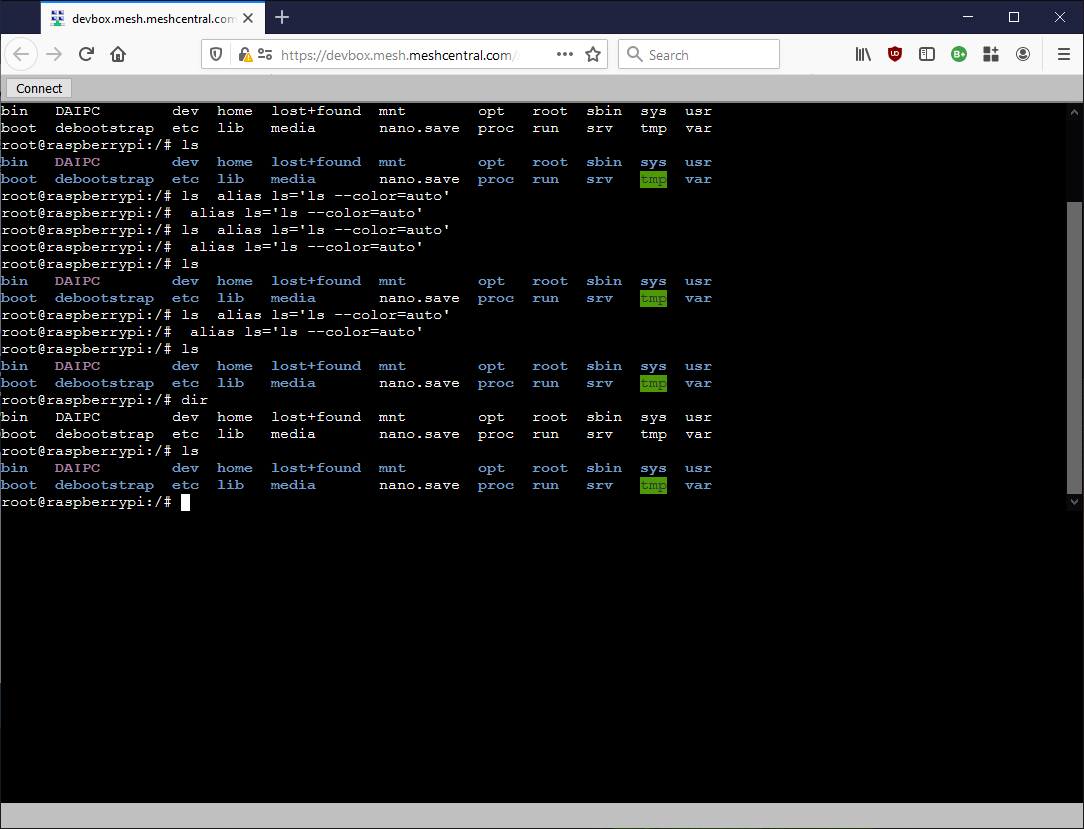
Using xterm is not a bad idea. I just spent the last few hours working on a prototype. This said, it does not look like it's going to fix the keyboard since xterm only does the rendering. This said, there is an early screen. Once I polish this, I should be able to release it and get feedback on it.
Ylianst
on 23 Jan 2020
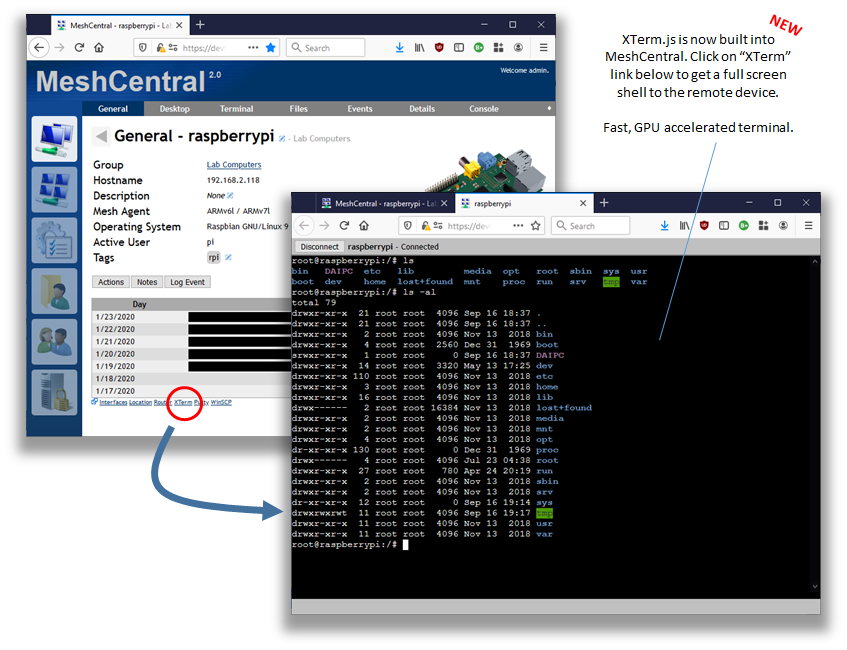
Published MeshCentral v0.4.7-p with XTerm.js support built-in, let me know if this new terminal works for you. Turns out, XTerm.js also handles all the keys, so hopefully all languages should work.
Ylianst
on 24 Jan 2020
Published MeshCentral v0.4.7-p with XTerm.js support built-in, let me know if this new terminal works for you. Turns out, XTerm.js also handles all the keys, so hopefully all languages should work.
WOW... it looks like a very very good attempt to fix many many bugs but this is not works as expected again on ubuntu 14.04.
xterm.js very fast!
There is new bugs. I will create new ticket for it.
So, the main problem not fixed. I mean lang problem... That is very strange problem.
Step to reproduce:
Windows client (firefox ESR)
- Upgrade to 0.4.7-s
- Open xterm.js (connect to ubuntu 14.04.2)
- Switch lang to RU
- The first symbol will be print as : and delete line prompt.
- Please see a screen shot, the first command was mkdir eng, the second was mkdir rus (but want to type rus in russian Русский)

There is no problem with lang in classic terminal and xterm.js when I connect to ubuntu 18.04 server.
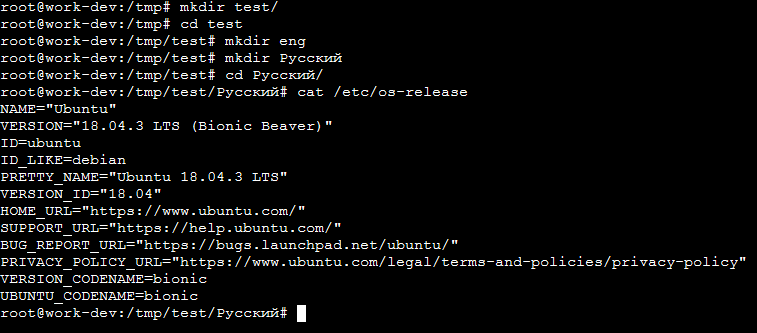
Please fix xterm.js and classic shell works on ubuntu 14 and any other old distr.
GusevVictor
on 24 Jan 2020
Related issues
 coolwormgit
·
3Comments
coolwormgit
·
3Comments
 MailYouLater
·
3Comments
MailYouLater
·
3Comments
 robclay
·
3Comments
robclay
·
3Comments
 petervanv
·
3Comments
petervanv
·
3Comments
petervanv
·
3Comments
petervanv
·
3Comments