Meshcentral: Special symbols not being forwarded correctly
Hi,
I think that this issue is keyboard language specific.
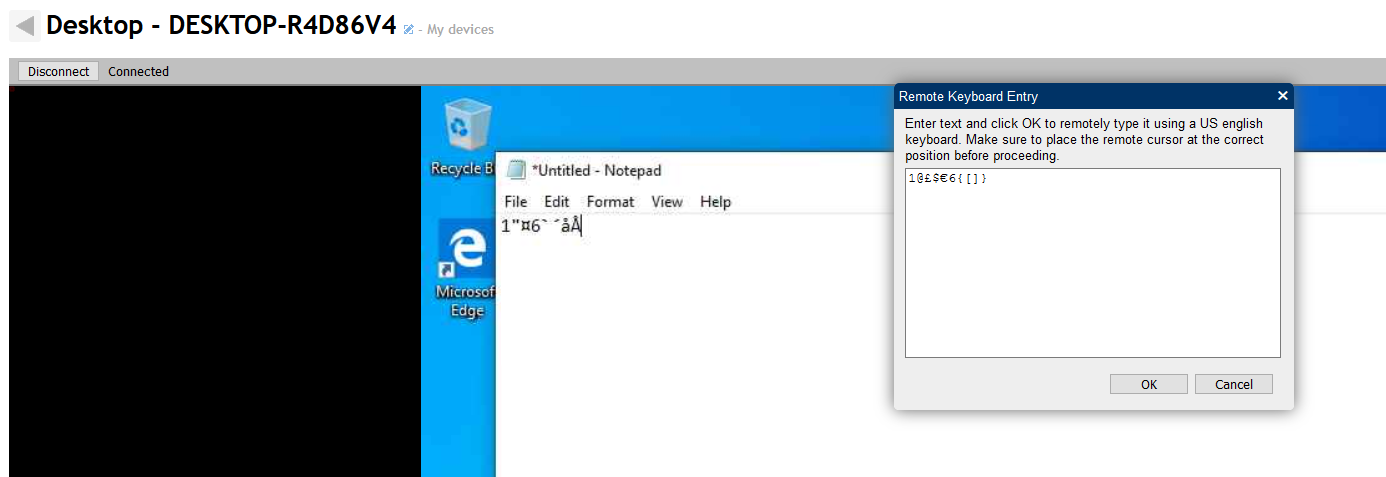
Let's say that I with a danish keyboard hold down right-alt and press 1234567890, it will look like this:
@£$€{[]}
alt+1 and alt+6 does not have any symbol attached to them on a danish keyboard
When I type these into the type field and forward it to the device, it shows up as:
1"¤6`´åÅ
A completely different set of symbols is pasted to the environment.
A screenshot demonstrating:
 GnaXi
GnaXi
All 5 comments
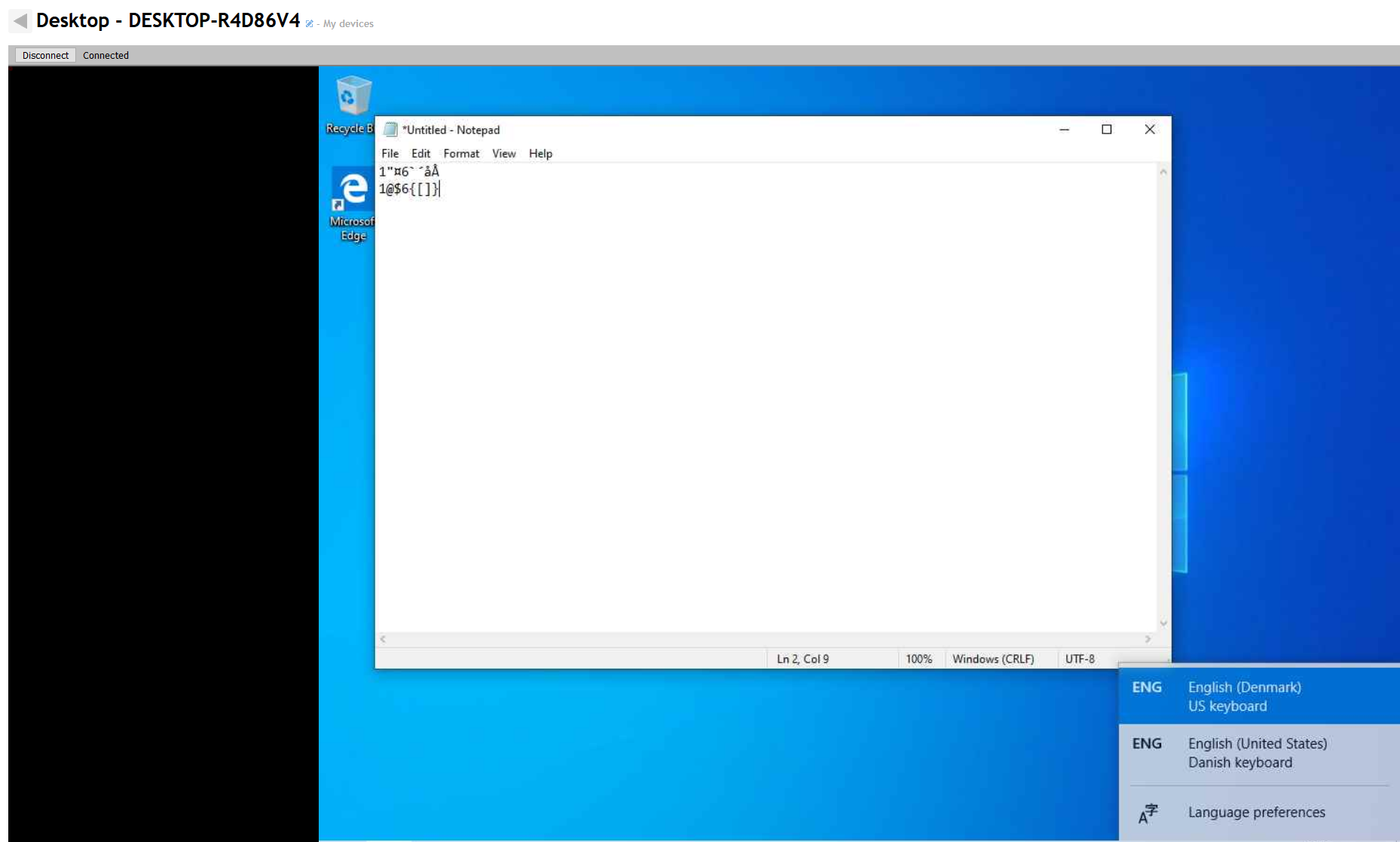
Interesting. When I change to US keyboard on the device that I'm connected to, the symbols are sent correctly:
GnaXi
on 2 Nov 2019
This may or may not be a duplicate of #469 (this one uses "Type" button, that one is for typing while input is enabled), but even if it is, it includes information not preset there, which may be helpful in fixing the issue(s).
 MailYouLater
on 3 Nov 2019
MailYouLater
on 3 Nov 2019
I read through #469 and was not able to duplicate their issue.
If I hold down AltGr and press 1, 2, 3, 4 etc. I do get the correct symbols.
My issue only occurs when using the "Type" feature.
GnaXi
on 3 Nov 2019
This is a problem that @krayon007 needs to look it. We need to be able to send keys to the remote agent that will not be remapped by the remotely set language keyboard. I think this should be possible. Right now, it only works best if the remote keyboard is set to US-EN.
 Ylianst
on 3 Nov 2019
Ylianst
on 3 Nov 2019
I've made another discovery. Not sure if it's going to be helpful, but I'll mention it anyway!
If I instead of using the "Type" feature use the "Clipboard" feature and copy something to the remote machines clipboard and paste it directly on the remote system, it does show it correctly.
So a working workaround at least for me, until a fix is found for the "Type" feature and maybe others having the same issue! :)
GnaXi
on 23 Nov 2019
Related issues
MailYouLater
·
3Comments
 petervanv
·
3Comments
petervanv
·
3Comments
 penguinthingie
·
4Comments
penguinthingie
·
4Comments
 veitw
·
4Comments
veitw
·
4Comments
 vish84
·
3Comments
vish84
·
3Comments