Meshcentral: Using the hotkeys control + c, control + v and etc ...
Hello guys,
Can you help me? I'm not able to use shortchut keys i mentioned in the subject, do you have any settings i can use?
 geanferrani123
All 5 comments
Follow screen print that i try to do the process
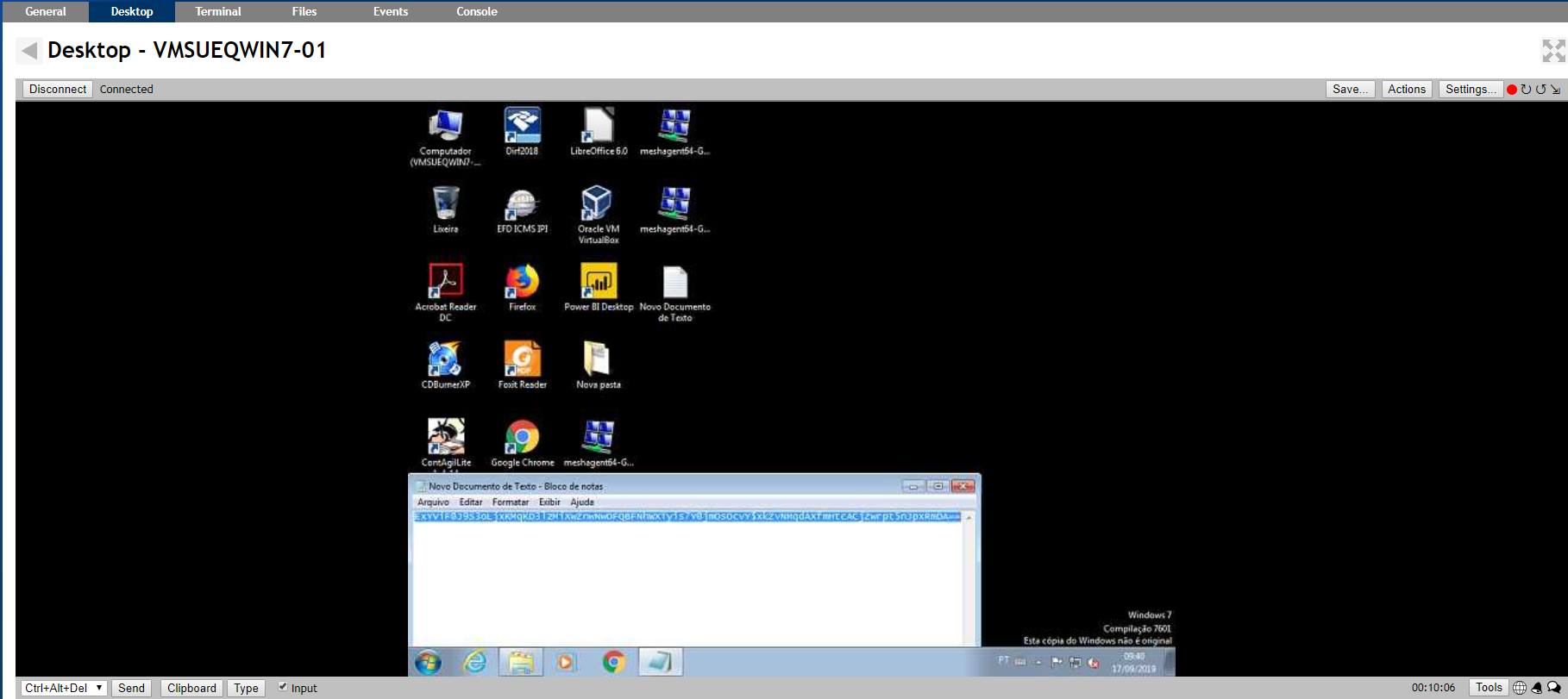
Is exactly during remote connection
geanferrani123
on 17 Sep 2019
Follow screen print that i try to do the process
Is exactly during remote connection
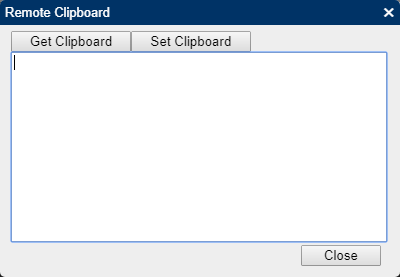
Are you trying to copy text between your host machine and the remote machine? Have you tried the "Clipboard" button at the bottom of your screen, next to the keyboard shortcuts and "Type" button?
 penguinthingie
on 18 Sep 2019
penguinthingie
on 18 Sep 2019
No, i am trying copy text between in host machine.
geanferrani123
on 18 Sep 2019
Ctrl+C & Ctrl+V seem to be forwarded to the remote system as expected for me. I can select some text on the remote computer, press Ctrl+C, switch to a different program (also on the remote computer) and press Ctrl+V, and it pastes normally.
Note: What @penguinthingie was saying is that the clipboard on your local machine and the clipboard on the remote machine are _not synchronized_. If you want to copy something from your local machine and paste it on the remote machine (or vice-versa) you need to click the "Clipboard" button, then use the "Get Clipboard" and "Set Clipboard" buttons to retrieve or set the remote computer's clipboard contents.

 MailYouLater
on 19 Sep 2019
MailYouLater
on 19 Sep 2019
@MailYouLater Thank you so much for helping with these. This support is very much appreciated.
 Ylianst
on 21 Sep 2019
Ylianst
on 21 Sep 2019
Related issues
 Julien-asv
·
3Comments
MailYouLater
·
4Comments
Julien-asv
·
3Comments
MailYouLater
·
4Comments
 unguzov
·
3Comments
unguzov
·
3Comments
 veitw
·
4Comments
veitw
·
4Comments
 nroach44
·
3Comments
nroach44
·
3Comments