Meshcentral: Feature request: Add Ctrl+Alt+Del and keyboard in mobile desktop mode
Hi.
Good work and thankd for this.
Can you insert the command keys like ctrl+alt+canc and visualize the keyboard when i open the remote desktop from mobile phone or Tablet?
Thanks
 fra-pel
All 19 comments
What is the "canc" key? I am not familiar with this key sequence.
 Ylianst
on 18 Jul 2019
Ylianst
on 18 Jul 2019
I'm sorry, canc is del.
Ctrl+alt+del for unlock the rdp session.
Thanks
fra-pel
on 19 Jul 2019
| Desktop |  |
|
| - | - |
| Mobile | 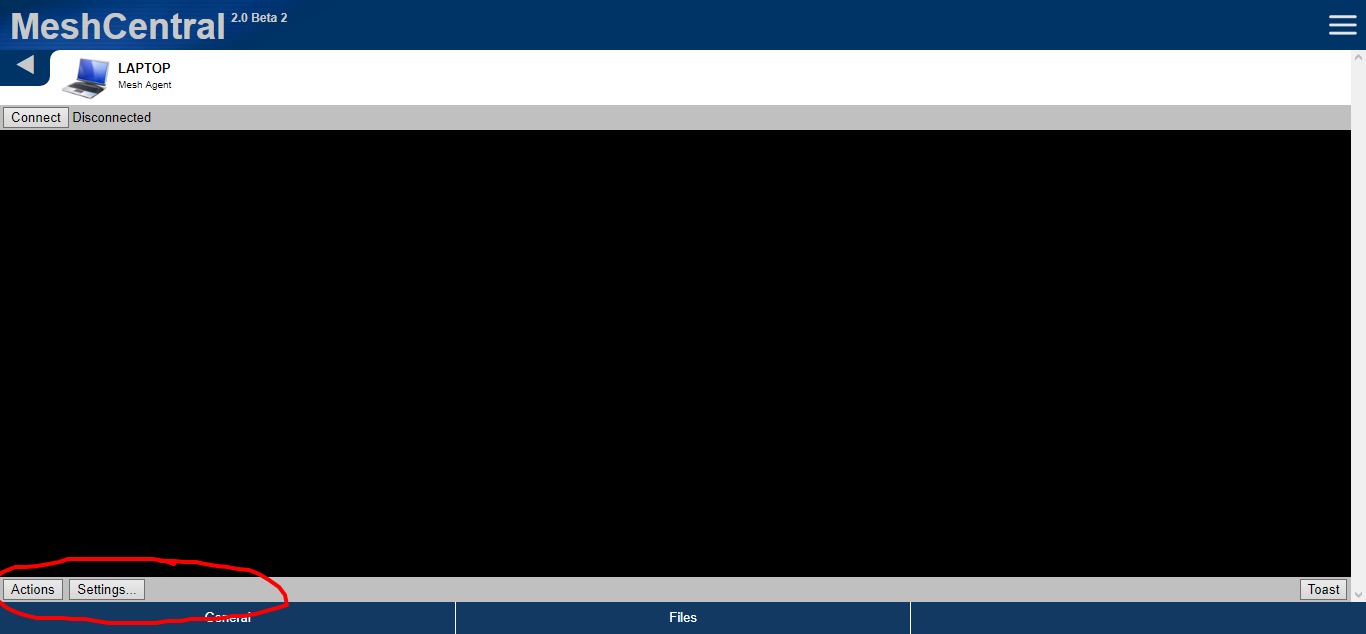 |
|
 MailYouLater
on 19 Jul 2019
MailYouLater
on 19 Jul 2019
Oh! I see, you just want to same on the mobile app... hold on! working on it!
Ylianst
on 19 Jul 2019
Just published MeshCentral v0.3.8-f with a early alpha super experimental soft keyboard support. I also added the ctrl-alt-del button.
Ylianst
on 19 Jul 2019
Can you add the other key sender portion too? For keyboard shortcuts and keys that most phone keyboards don't have. (e.g. Tab)
MailYouLater
on 20 Jul 2019
Ok. I am running out of space on the screen when looking at the web application on a mobile phone... lets see what I can do.
Ylianst
on 23 Jul 2019
Ok, I replaced the "CtrlAltDel" button with a "Special" button that has a drop down with lots of keys including CTRL-ALT-DEL. Will be in the next published version.

Ylianst
on 23 Jul 2019
Great! To be honest, I think including Ctrl+Alt+Del in the drop-down of key combos is the way to go for the desktop interface too, I mean realistically it's a key combo, just like the rest.
MailYouLater
on 23 Jul 2019
Published MeshCentral v0.3.8-k with the special keys in the mobile app. Also improved user permission editing in device groups.
Interesting suggestion. I just made that change and merged "Ctrl-Alt-Del" in the desktop app and removed the separate button. It will be in the next rev.
Ylianst
on 23 Jul 2019
I'm not certain "Special" is the right term for this, as it doesn't really inform the user that it's for keyboard combos, but I can vouch that the functionality of it works perfect for me, both in desktop and mobile views.
MailYouLater
on 24 Jul 2019
Agreed that "Special" is not right. Any suggestions? I will accept any reasonable alternative.
Ylianst
on 25 Jul 2019
I've been thinking about this, and to be accurate it should be something like "Keyboard Shortcuts", "Key Combinations" or "Send Keys", but it could be shortened (since screen real estate is in short supply on mobile) to "Key Combos" or just "Keys", but while "Keys" conveys the meaning, and is short... you're already using "Keys" for the experimental keyboard input (which doesn't work right for me, but that's a different issue). Maybe that should be renamed to "Keyboard" or "Input" or ... something.
MailYouLater
on 27 Jul 2019
Ok, I will make another attempt at this next time I can.
Ylianst
on 27 Jul 2019
What would you think of tackling both functions at once by implementing a full keyboard in web technologies like this "JSVirtualKeyboard" from Microsoft or this Virtual Keyboard implemented in jQuery, maintained by Mottie?
MailYouLater
on 29 Jul 2019
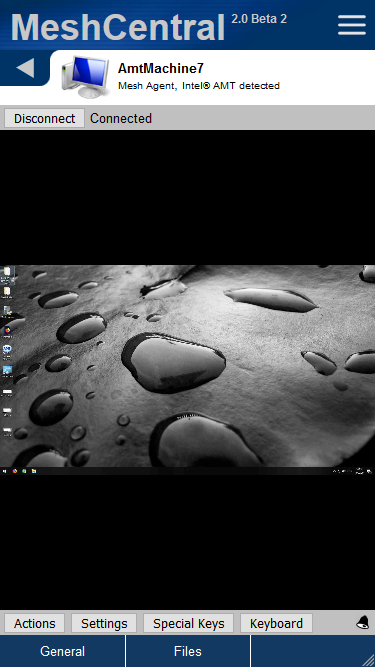
Published MeshCentral v0.3.8-v with changes to the remote desktop buttons. I freed up space by replacing the "toast" button with the notification icon like a new on the desktop version. Gave me more space to use proper button names. Hope this works.
Ylianst
on 30 Jul 2019
In response to @MailYouLater, I am not going to use a HTML keyboard since mobile devices have a functioning one if already configured to the user's preference. Best stick with that.
Ylianst
on 30 Jul 2019
Honestly, I hate how most mobile PC remote control systems don't supply their own keyboard and only allow using whatever soft keyboard your device has installed. Obviously, if you can provide a functioning input that uses the main keyboard, that's great, but there are so many things that just don't work the same on a mobile keyboard, and a real PC keyboard.
This keyboard may be fine for texting with your friends, a PC power user loses _so much_ functionality when they try to control a computer with it, seriously, how am I supposed to push Tab, or Alt+Print Screen, or Ctrl+Shift+Esc. Even if all of the things you can do with a real PC keyboard were to be added to the "Special Keys" list, that would still not be preferable, as then we'd have a _huge_ list to go through, when it could be as simple as importing these, tweaking them to match their physical counterparts, and letting people use that if they like.
Anyway, I suppose this issue is done, and should probably be closed, but it just seems like an HTML keyboard would be a really nice addition for later.
MailYouLater
on 31 Jul 2019
Going to close this issue. However, if a new feature is requested, please open a new issue. I could look at an HTML keyboard for special keys, but given the current work load, it will take a long time to get to.
Ylianst
on 24 Aug 2019
Related issues
 petervanv
·
3Comments
petervanv
·
3Comments
 vish84
·
3Comments
MailYouLater
·
3Comments
vish84
·
3Comments
MailYouLater
·
3Comments
 LPJon
·
3Comments
LPJon
·
3Comments
 coolwormgit
·
3Comments
coolwormgit
·
3Comments
Most helpful comment
Published MeshCentral v0.3.8-k with the special keys in the mobile app. Also improved user permission editing in device groups.
Interesting suggestion. I just made that change and merged "Ctrl-Alt-Del" in the desktop app and removed the separate button. It will be in the next rev.