Meshcentral: MeshAgent crashing on ClearLinux
ClearLinux 4.19.12-674 x86_64, MeshAgent version 0.2.5.d crashes with the following information:
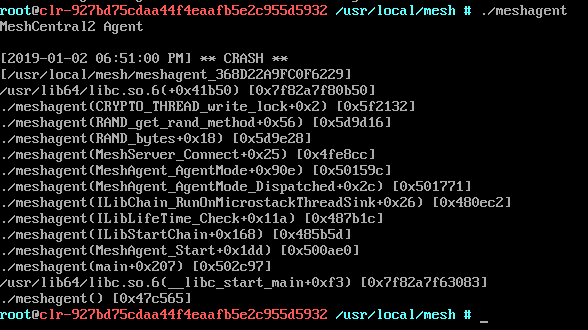
This occurs on both a VirtualBox VM and a I5 NUC bare hardware install. I have installed the Cryptography, network-basic, shells, desktop-dev, kernel-lts, ethtool, dev-utils, curl and c-basic bundles.
Any ideas would be greatly appreciated.
Thanks.
 nlyaple
All 7 comments
Ha yes. We are a fix for this and should be releasing it later today if testing goes well.
 Ylianst
on 4 Jan 2019
Ylianst
on 4 Jan 2019
Excellent, Thanks!
nlyaple
on 4 Jan 2019
Just published MeshCentral v0.2.5-o with a fix for this. Let me know if it works.
Ylianst
on 4 Jan 2019
How can I verify the agent version? It still crashed but I want to double check the version.
nlyaple
on 4 Jan 2019
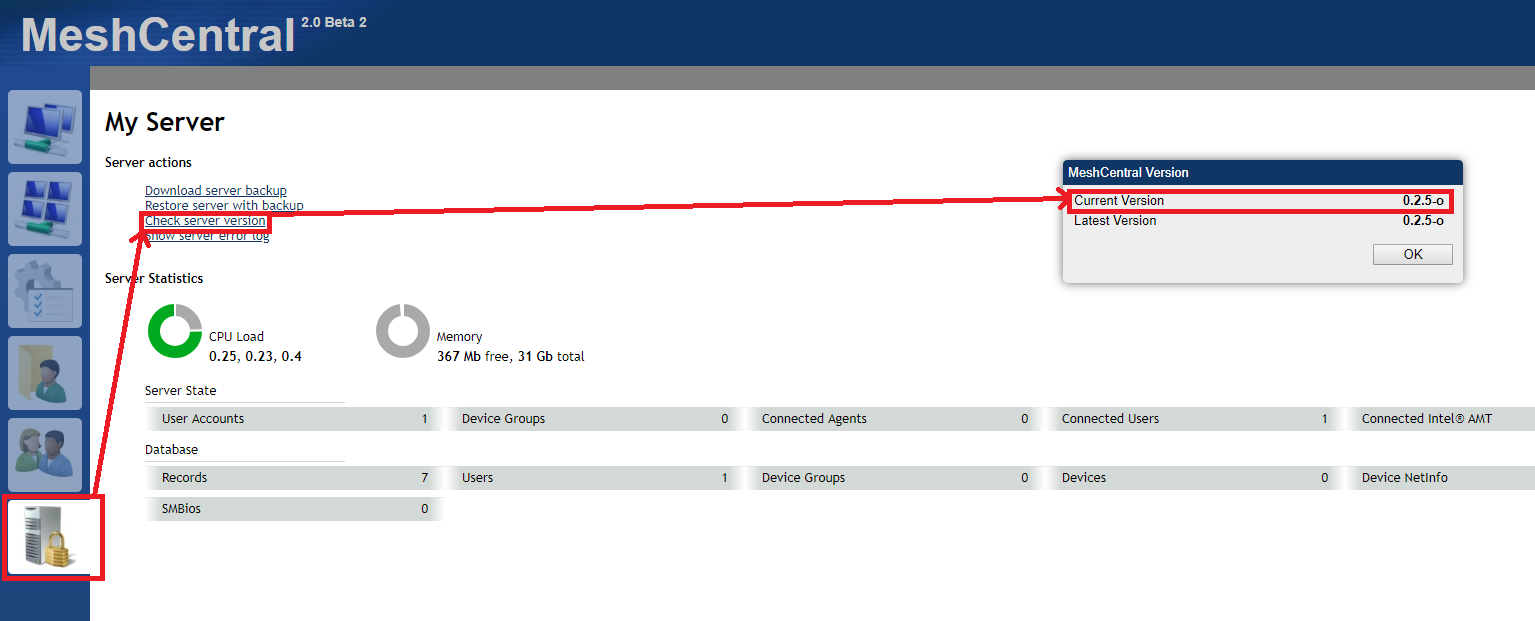
@nlyaple I believe that the server component is the one that was updated, not the agent component. You could still try to reinstall the MeshAgent to see if that resolves the issue.
Edit: You can look up the server component's current and latest version here:
 whalehub
on 4 Jan 2019
whalehub
on 4 Jan 2019
Once the server is updated, all connecting agents will also be updated automatically. However, if the agent is in a really bad state, it will not be able to auto-update. This is the case here. It's crashing on start. Just delete the "meshagent.db" file and relaunch the agent. It will take on a new identity on the server, perform the auto-update and should work fine from now on.
You can delete the old device on the server using the "Delete Device" link on the bottom right on the device page.
Ylianst
on 4 Jan 2019
I am going to close this one given that I pretty sure the issue reported above is fixed. If there is an old agent that crashes like this, it will not auto-update and so, re-installation of the agent is required.
Ylianst
on 6 Jan 2019
Related issues
 LPJon
·
3Comments
LPJon
·
3Comments
 MailYouLater
·
4Comments
MailYouLater
·
4Comments
 veitw
·
4Comments
whalehub
·
3Comments
veitw
·
4Comments
whalehub
·
3Comments
 M1CK431
·
3Comments
M1CK431
·
3Comments
Most helpful comment
Once the server is updated, all connecting agents will also be updated automatically. However, if the agent is in a really bad state, it will not be able to auto-update. This is the case here. It's crashing on start. Just delete the "meshagent.db" file and relaunch the agent. It will take on a new identity on the server, perform the auto-update and should work fine from now on.
You can delete the old device on the server using the "Delete Device" link on the bottom right on the device page.