Mermaid: Flowchart shapes do not resize to the text correctly
It only seems to be with flowchart, all the other types are rendering correctly.
Trying to dig deeper, it doesnt seem to correlate to a specific version though... I went back as far as 8.6.4 and it didnt fix it and i'm sure it did work correctly before.
The only thing i can think of now, is that something changed with an update of the browsers? Windows itself? as it's globally on this system. More people should have this issue right?
Describe the bug
Flowchart shapes do not resize to the text correctly
Expected behavior
Text should be contained by the shapes.
Screenshots

Desktop (please complete the following information):
- OS: Windows 10
- Browser: Chrome / Edge (Probably not browser specific)
 ViezeVingertjes
All 6 comments
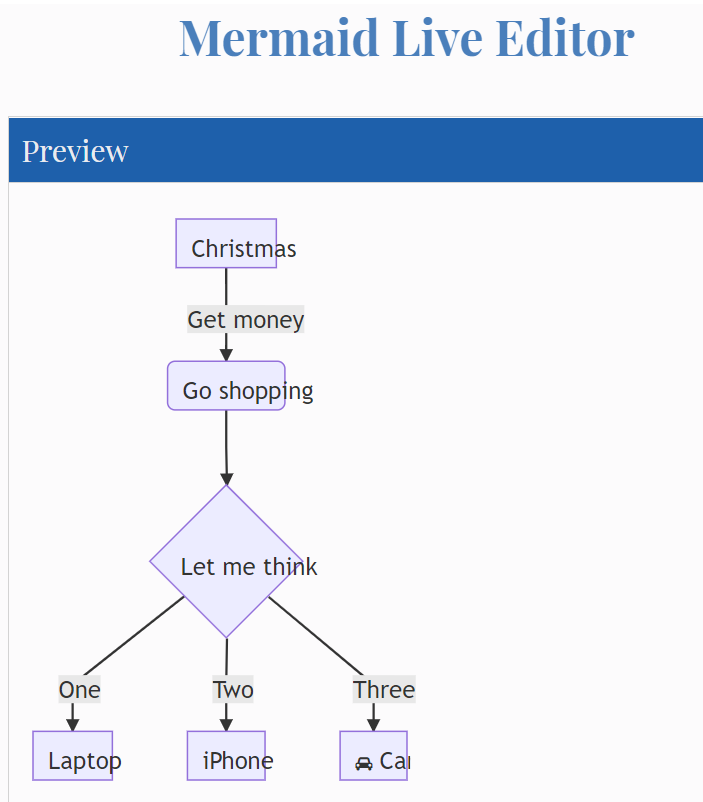
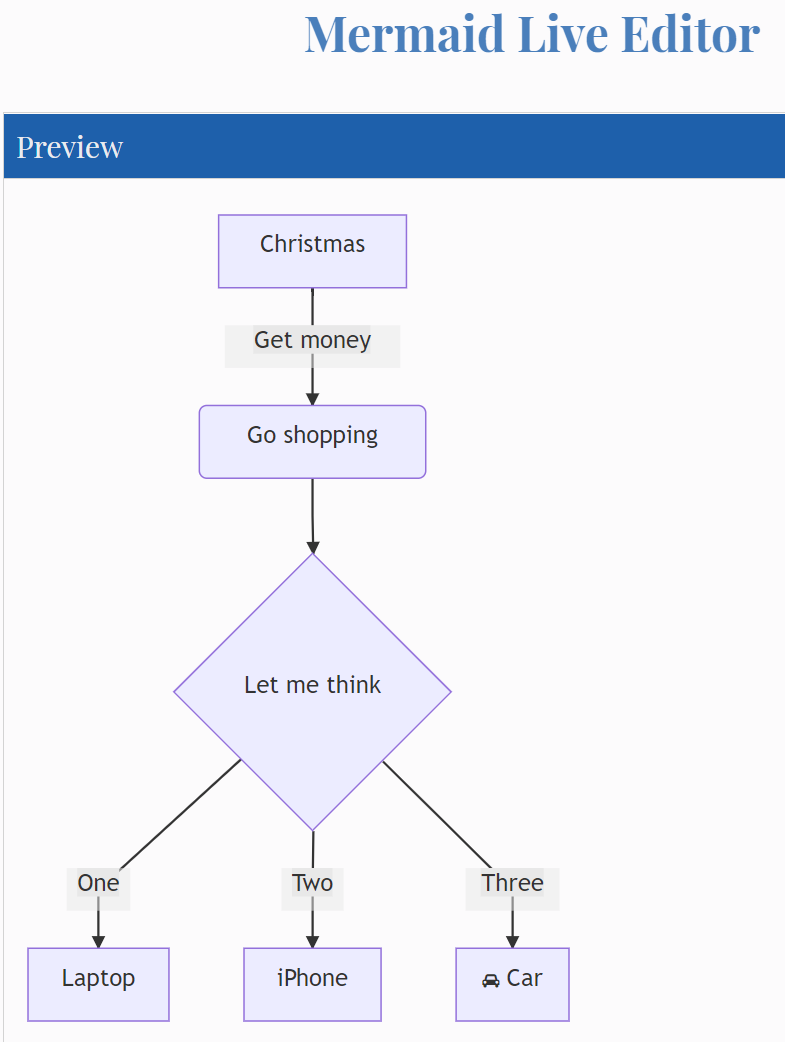
Yep. I'm seeing the same issue. In my case it seems to happen in Microsoft Edge (Chromium) but not in Google Chrome.
OS: Windows 10 Pro v 1909 (Build: 18363.1198)
MS Edge Chromium: Version 87.0.664.41 (Official build) (64-bit)
Google Chome: Version 86.0.4240.198 (Official Build) (64-bit)
MS Edge Chromium:
Google Chrome:
 saketcap
on 25 Nov 2020
saketcap
on 25 Nov 2020
Hi Thanks for reporting! Could you please check your browsers zoom level.
 knsv
on 26 Nov 2020
knsv
on 26 Nov 2020
No problem, in my case, zoom level is at 100% (default).
In the meantime, i did discover by accident that using flowchart instead of using graph does seem to fix it in our case.
That's probably using the new implementation? I remember something like a flowchart-v2 when i through the source code.
ViezeVingertjes
on 26 Nov 2020
I don't know the exact reason.
I noted this problem after updating chrome or edge to version 87
no problem in version 86
 mohamed-seada-1994
on 29 Nov 2020
mohamed-seada-1994
on 29 Nov 2020
Hi Thanks for reporting! Could you please check your browsers zoom level.
Thanks for responding!
I switched through various zoom levels (including at 100%) and it made no difference.
saketcap
on 29 Nov 2020
Hi, I am having the same issue using chrome Version 87.0.4280.66 (Official Build) (64-bit)
Changing the zoom level has no impact. However, I have found that the issue only occurs on high-resolution monitors.
 jlixi
on 2 Dec 2020
jlixi
on 2 Dec 2020
Related issues
 sinedied
·
21Comments
sinedied
·
21Comments
 queses
·
17Comments
knsv
·
22Comments
queses
·
17Comments
knsv
·
22Comments
 asgoth
·
14Comments
asgoth
·
14Comments
 chetanvsharma
·
17Comments
chetanvsharma
·
17Comments