Mentorship-android: Adding a better screen when the email confirmation link is pressed
Describe the bug
Currently, when the user fills his/her credentials in the signup page and presses the signup button, he/she gets a confirmation link on his/her registered email. When it is pressed, it leads us to a simple JSON response. Instead of that we can have a better-looking confirmation screen.
Expected behavior
- Create the design for the confirmation screen
- Implement it in code
Screenshots
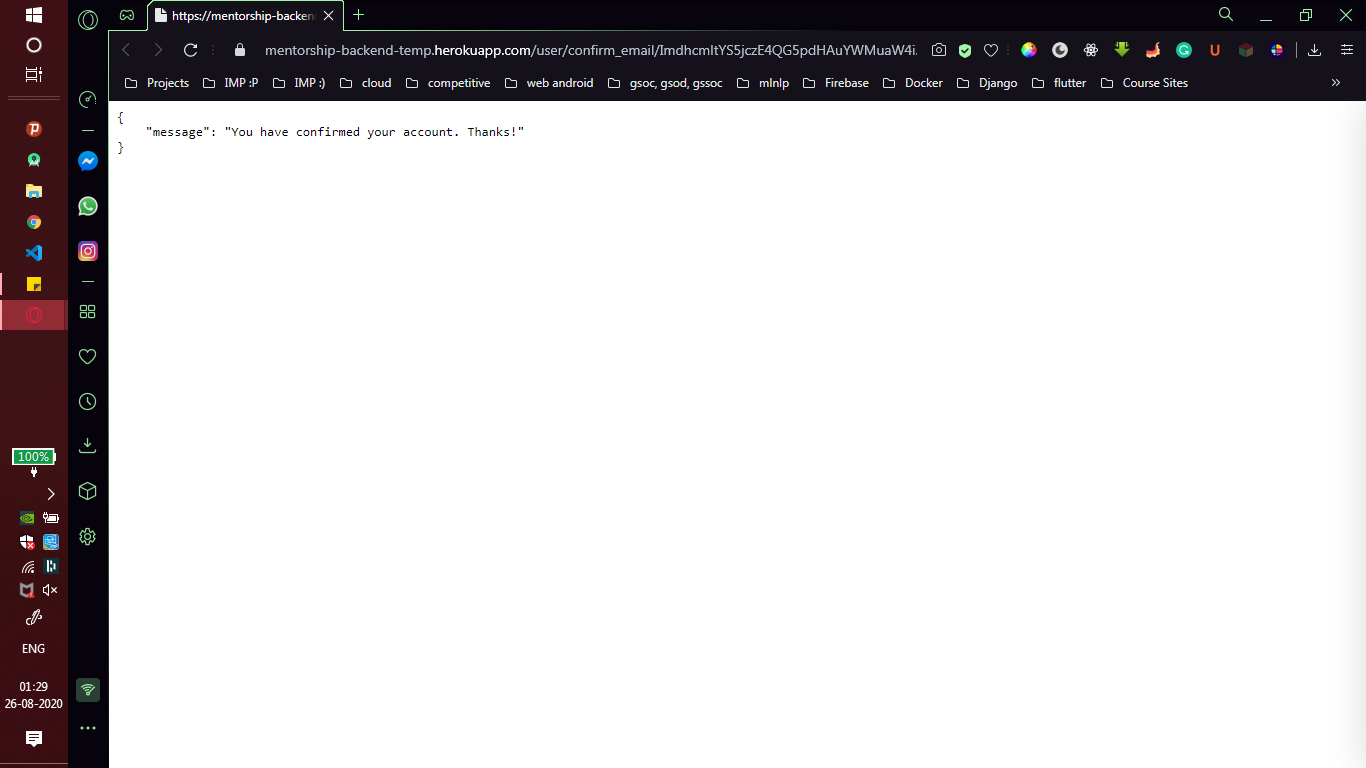
Laptop description (please complete the following information):
- Device: Lenovo 330
- Version: Windows 10
Additional context
Provide a re-design of the email confirmation screen
TIP: You can download the apk from here and play around with the app, to understand what elements we want in this screen.
Kindly follow the AnitaB.org Branding Guidelines
Describe the solution you'd like
Submission format: png/jpeg / Figma URL and its implementation in code after pressing the email confirmation link
In the PR add 1 image of the design to /docs/UI folder.
 garimasingh128
All 52 comments
@garimasingh128 I am willing to work on this issue.
 raksh543
on 31 Aug 2020
raksh543
on 31 Aug 2020
@anna4j Can you suggest some design or ask the @anitab-org/design-team for some ideas for this?
garimasingh128
on 31 Aug 2020
@garimasingh128 you could checkout the redesign issues I've opened and include the branding guidelines in this issue. That'll defenitely help :)
 anna4j
on 31 Aug 2020
anna4j
on 31 Aug 2020
If this issue is still open I would like to work on it-OSH
 Pranjal9999999
on 2 Sep 2020
Pranjal9999999
on 2 Sep 2020
Can I work on this if it's available?
 yash2189
on 2 Sep 2020
yash2189
on 2 Sep 2020
@Pranjal9999999 assigning you
anna4j
on 2 Sep 2020
Can I work on this if it's available?
Hey! Please look for another issue :)
anna4j
on 2 Sep 2020
I just updated the Additional content. @Pranjal9999999 Please check it out before progressing!
garimasingh128
on 2 Sep 2020
Yes I will take care of the description.Any other specific requirements, shall I add a background image.
Pranjal9999999
on 2 Sep 2020
Ya, you can be as creative as you want. Just follow the branding guidelines and try to be a little simple in design as the rest of the app is! :)
garimasingh128
on 2 Sep 2020
Can I give the solution in a png format.
Pranjal9999999
on 2 Sep 2020
Ya png/jpeg is the minimum requirement but you can also try a Figma URL or an Adobe XD link if you want to proceed further as it would be easier for us to make changes in the future.
garimasingh128
on 2 Sep 2020
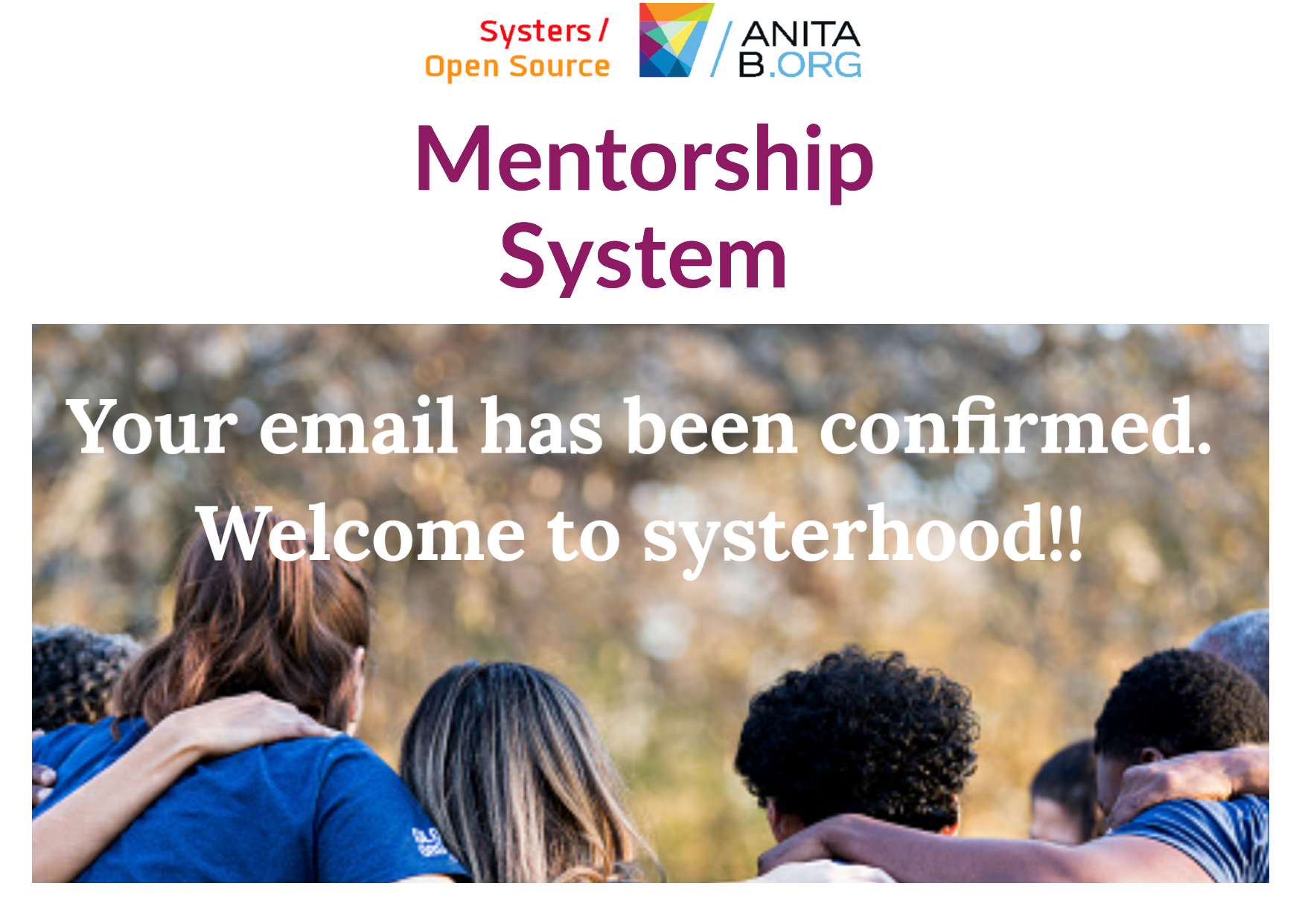
Is it okay do you require any changes @garimasingh128
Pranjal9999999
on 2 Sep 2020
Looks good. I have a few suggestions:
- You can add a text like "Kindly go to the app and login again" or something like this
- Instead of having a square image in the centre, a blurred image in the whole background will be okay and the logo can be put at the side. But make sure it is clearly visible.
@anna4j @vj-codes You have any suggestions?
garimasingh128
on 2 Sep 2020
@Pranjal9999999 @anna4j @garimasingh128 I am not sure about using the word systerhood as the content was done when the organization was Systers and not Anitab.org.
@Pranjal9999999 please provide a web mode and phone mode comparative image too just to make sure it looks good on all sizes:)
And what is the source of image?
 vj-codes
on 2 Sep 2020
vj-codes
on 2 Sep 2020
Ok I will instead put a blurred backdrop with the logo. Please tell me the exact text you want on the screen. I will provide you with the source.
Pranjal9999999
on 3 Sep 2020
Can you provide me the text that you want in the message @garimasingh128
Pranjal9999999
on 3 Sep 2020
Yeah! Sorry for the late response. I think it should say something like "Your email is confirmed. Welcome to AnitaB mentorship initiative. Please progress to the application to login." Of course, you can change words and take inspiration from confirmation mails we get normally.
garimasingh128
on 3 Sep 2020
Where do I add the path for the image, in which file.
Pranjal9999999
on 5 Sep 2020
@anna4j Can you tell? There's no docs/UI present currently.
garimasingh128
on 5 Sep 2020
Where do I add the path for the image, in which file.
You can add the png of image to docs/ui folder. You'll have to create that folder on your fork.
Also if you want to specify details you can write that in a .md file which will also be added to docs/ui folder
anna4j
on 5 Sep 2020
Is it okay do you require any changes @garimasingh128
One small change I completely didn't notice it before. It's "AnitaB.org Open Source" instead of "Systers"
anna4j
on 5 Sep 2020
i have taken this logo from the project itself
Pranjal9999999
on 5 Sep 2020
i have taken this logo from the project itself
Ya the project one is getting updated too. I guess you can leave this as it is now
anna4j
on 5 Sep 2020
Can you please review the pr.
Pranjal9999999
on 7 Sep 2020
Hey @Pranjal9999999 If you have created a PR then you can move on to the next issue. The pull requests would be reviewed over the course of time.
garimasingh128
on 7 Sep 2020
Yeah sure. Thanx!.
Pranjal9999999
on 7 Sep 2020
Hi is this issue available ?
 swaraj961
on 11 Sep 2020
swaraj961
on 11 Sep 2020
Yeah. I think I can assign multiple assignees to this one. Let me know in case you are interested!
garimasingh128
on 11 Sep 2020
Yeah. I think I can assign multiple assignees to this one. Let me know in case you are interested!
Great i would love to work on this can you elaborate this issue a bit or correct me i have to code for this screen and update the png in docs folder right ? Also it should be responsible for both web and mobile version .
swaraj961
on 11 Sep 2020
Yah *responsive for all screens. You have to do both the design part and coding the screen to link it to the confirmation screen. Take help from the previous comments. As it's mostly a design issue so multiple people can be assigned.
garimasingh128
on 11 Sep 2020
Yah *responsive for all screens. You have to do both the design part and coding the screen to link it to the confirmation screen. Take help from the previous comments. As it's mostly a design issue so multiple people can be assigned.
Yeah i'll go through them you can assigned it to me looking forward to work on this thanks
swaraj961
on 11 Sep 2020
Can I also work on this @garimasingh128 ?
yash2189
on 11 Sep 2020
Okay @yash2189. 3 are fine for this issue. Not more than that. All the best!
garimasingh128
on 11 Sep 2020
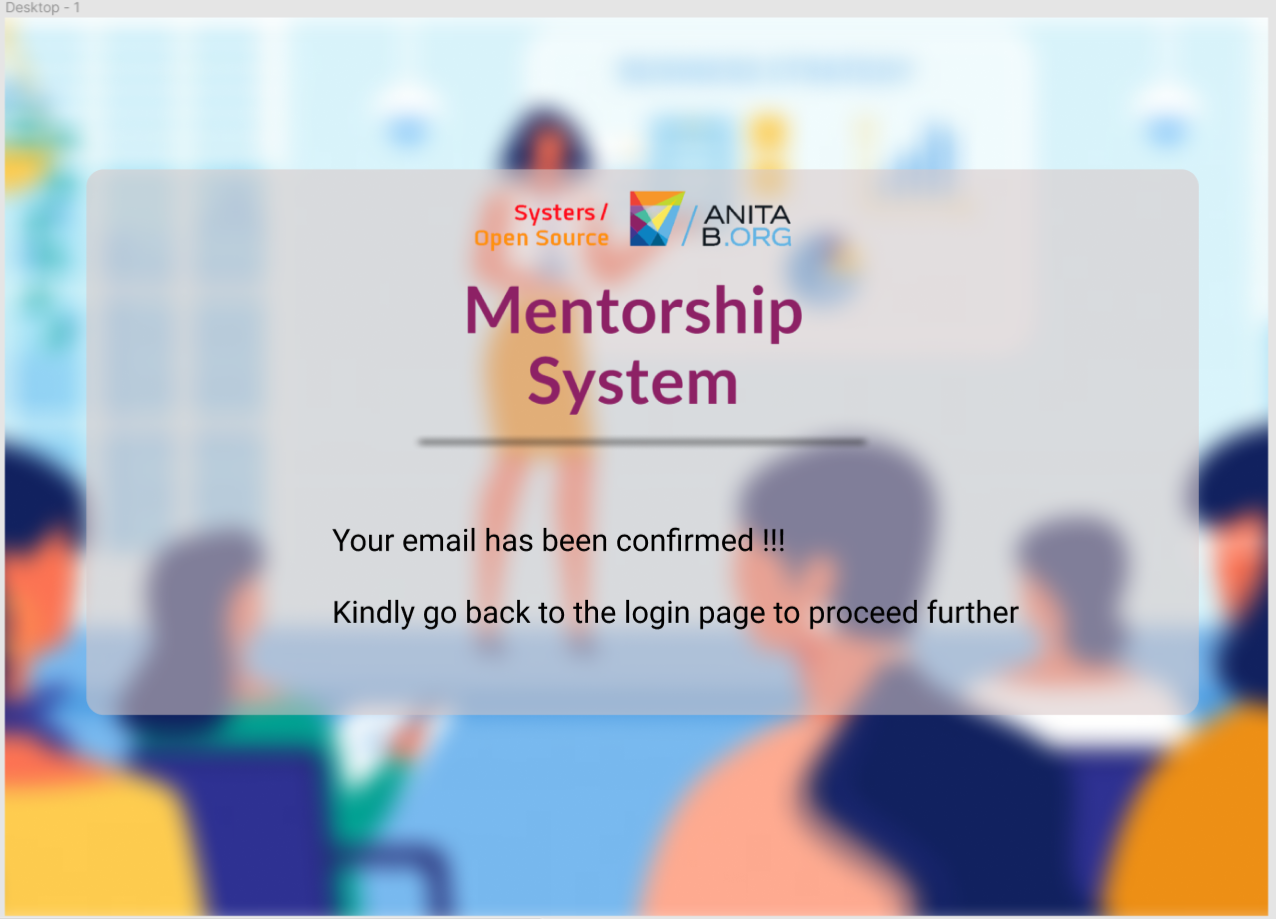
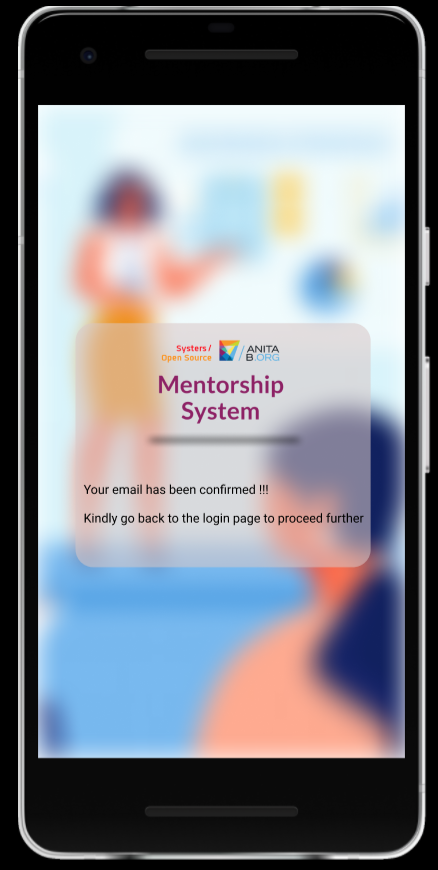
@garimasingh128 @anna4j
I have created a mockup in Figma . How does this look for desktop and mobile?
yash2189
on 12 Sep 2020
@anna4j thoughts? I actually like this one.
garimasingh128
on 12 Sep 2020
It's wonderful @yash2189
anna4j
on 12 Sep 2020
@yash2189 looks good , image source?
vj-codes
on 12 Sep 2020
@yash2189 looks good , image source?
https://builtin.com/sites/default/files/styles/ckeditor_optimize/public/inline-images/women-in-tech-pillar-page-conferences-events-for-women_0.png
yash2189
on 12 Sep 2020
@vj-codes should I start with coding part? Also where should I add the template after coding.. Can you please tell me where template should be added?
yash2189
on 13 Sep 2020
@vj-codes should I start with coding part? Also where should I add the template after coding.. Can you please tell me where template should be added?
Sure go ahead
anna4j
on 13 Sep 2020
Yes thanks @anna4j @vj-codes it will approx >3 days as my final exams are near. Please do tell me where do I add the template.
yash2189
on 13 Sep 2020
I think as of now a simple JSON string is returned but you can create a simple HTML page or a component and put it in the root or app folder for a time being. Is that okay @anna4j @vj-codes ?
garimasingh128
on 13 Sep 2020
So is it fine if I keep the css and html file in the same folder @garimasingh128 ?
yash2189
on 13 Sep 2020
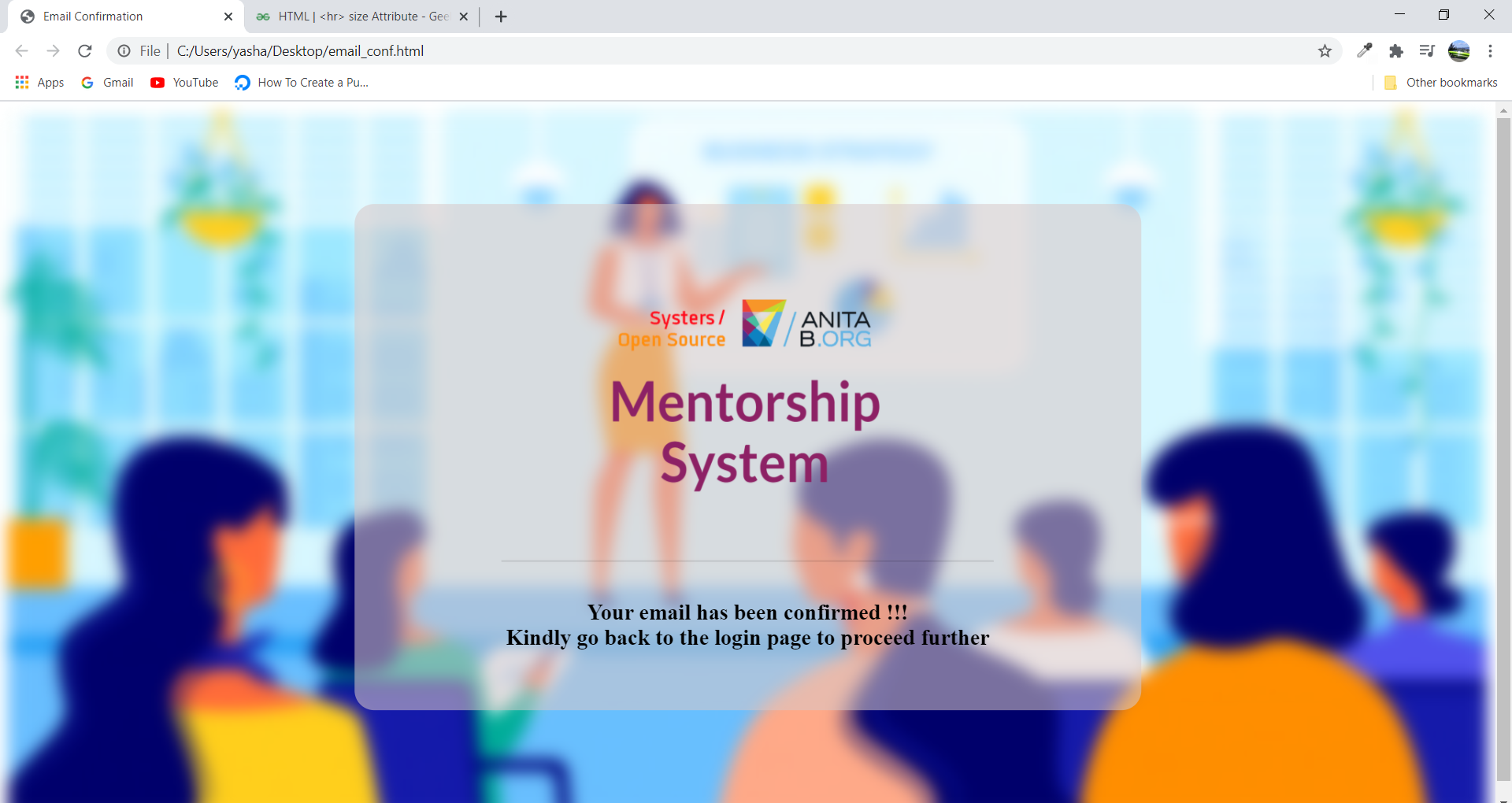
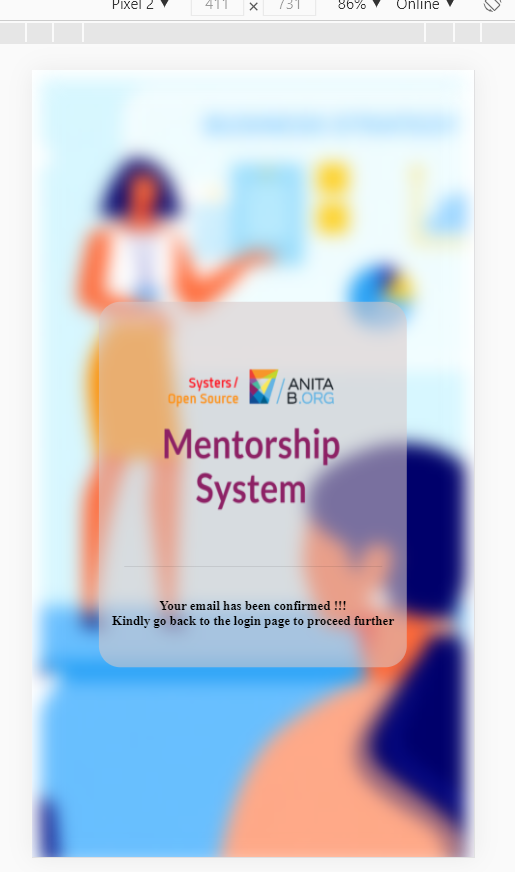
@garimasingh128 @vj-codes @anna4j I have completed the coding part,added responsiveness as well.
Please have a look at this. If it's correct then may I raise a PR for the same?
yash2189
on 15 Sep 2020
Yes please go ahead
anna4j
on 15 Sep 2020
So is it fine if I keep the
cssandhtmlfile in the same folder @garimasingh128 ?
For a time being, put all the files(assets, css, html etc) in a folder and keep it in app or root of the project. We will see how to integrate it later on.
garimasingh128
on 15 Sep 2020
@anna4j @garimasingh128 what should I write in the commit message since this is a coding and UI issue
yash2189
on 15 Sep 2020
Yeah mention it in the pull request description!
garimasingh128
on 15 Sep 2020
Should mention as fix or style @garimasingh128 ?
yash2189
on 15 Sep 2020
Please review my PR #912 @garimasingh128 @anna4j @vj-codes . Please tell me whether I need to change the location of email_verfication_template folder or is it correct?
yash2189
on 15 Sep 2020
@garimasingh128 @vj-codes @anna4j
Hey mentors please look into my PR thanks :)
swaraj961
on 21 Sep 2020
Related issues
 annabauza
·
8Comments
annabauza
·
8Comments
 isabelcosta
·
4Comments
isabelcosta
·
4Comments
 iofall
·
4Comments
isabelcosta
·
6Comments
iofall
·
4Comments
isabelcosta
·
6Comments
 epicadk
·
5Comments
epicadk
·
5Comments
Most helpful comment
I think as of now a simple JSON string is returned but you can create a simple HTML page or a component and put it in the root or app folder for a time being. Is that okay @anna4j @vj-codes ?