Mbed-os: Reported SD card capacity differs when formatted by FATFileSystem::format() compared to Windows PC
Description
- Type: Question
- Related issue:
#5780 - Priority: Unknown
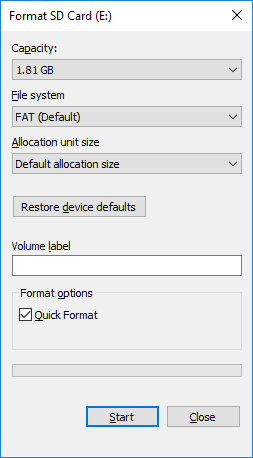
The capacity of SD cards formatted by my Windows 10 PC differs compared to when they are formatted by mbed's FATFileSystem::format() function. Why are they different? Is this expected behavior?
I have two 2 GB cards. Capacity after formatting:
Formatter | Capacity (bytes)
------------ | -------------
Windows | 1,954,185,216
FATFileSystem::format() | 1,954,349,056
(EDIT: revised table a few minutes after initial posting.)
I did not pass a cluster_size parameter to FATFileSystem::format().
Target
LPC4088
Embedded Artists' LPC4088 QuickStart Board with Experiment Base Board
Toolchain:
GCC_ARM
Toolchain version:
mbed-cli version:
1.3.0
mbed-os sha:
Cherry-picked PR #5829 onto
eca67ca7d (tag: mbed-os-5.7.2)
 bmcdonnell-ionx
All 13 comments
The capacity of SD cards formatted by my Windows 10 PC differs compared to when they are formatted by mbed's FATFileSystem::format() function. Why are they different? Is this expected behavior?
Yes it is the expected behavior. We do not recommend formatting SD cards with windows. Windows format will not give best performance from SD cards.
SDformatter ultility should be used to format SD cards available at: https://www.sdcard.org/downloads/formatter_4/.
Format using this utility and FATFileSystem::format() will also give somewhat different capacity.
I have collected few boot block parameters after format with different utilities for 8GB card.
Windows default format
FAT32
BytesPerSector = 512
SectorsPerCluster = 8
ClusterSize = 4096
ReservedSectors = 2276
FatCopies = 2
TotalSectors = 15644609
SectorsPerFAT = 15246
RootDirectory = 2
FATStartSector = 2276
RootDirStartSector = 32768
ClustersInUserArea = 1951480
DataAreaStartSector = 32768

Windows format 32Kb ClusterSize
FAT32
BytesPerSector = 512
SectorsPerCluster = 64
ClusterSize = 32768
ReservedSectors = 4374
FatCopies = 2
TotalSectors = 15644609
SectorsPerFAT = 1909
RootDirectory = 2
FATStartSector = 4374
RootDirStartSector = 8192
ClustersInUserArea = 244319
DataAreaStartSector = 8192

SD Format Utilty format
FAT32
BytesPerSector = 512
SectorsPerCluster = 64
ClusterSize = 32768
ReservedSectors = 4376
FatCopies = 2
TotalSectors = 15636480
SectorsPerFAT = 1908
RootDirectory = 2
FATStartSector = 4376
RootDirStartSector = 8192
ClustersInUserArea = 244192
DataAreaStartSector = 8192

Format Card with Filesystem::format
FAT32
BytesPerSector = 512
SectorsPerCluster = 64
ClusterSize = 32768
ReservedSectors = 32
FatCopies = 1
TotalSectors = 15644609
SectorsPerFAT = 1910
RootDirectory = 2
FATStartSector = 32
RootDirStartSector = 1942
ClustersInUserArea = 244416
DataAreaStartSector = 1942
 deepikabhavnani
on 17 Jan 2018
deepikabhavnani
on 17 Jan 2018
Thanks for the info/details.
We do not recommend formatting SD cards with windows. Windows format will not give best performance from SD cards.
I see that the page you linked also says a bit about that:
In general, formatting tools provided with operating systems can format various storage media including SD/SDHC/SDXC Cards, but it may not be optimized for SD/SDHC/SDXC Cards and it may result in lower performance.
Out of curiosity: any idea what the optimizations are, or where I might find details about that?
SDformatter ultility should be used to format SD cards available at: https://www.sdcard.org/downloads/formatter_4/.
Is this noted somewhere in mbed documentation?
bmcdonnell-ionx
on 17 Jan 2018
Out of curiosity: any idea what the optimizations are, or where I might find details about that?
More information related to this can be found in SD Card specification document, it is related to AU size and how multiple flash banks are accessed in SD cards.
Is this noted somewhere in mbed documentation?
No, Its not noted in mbed documentation.
deepikabhavnani
on 17 Jan 2018
Thanks.
SDformatter ultility should be used to format SD cards available at: https://www.sdcard.org/downloads/formatter_4/.
No, Its not noted in mbed documentation.
Do you think it would be an appropriate addition? Somewhere.
bmcdonnell-ionx
on 17 Jan 2018
Yeah it should be added somewhere, will see if I can find the right document for that.
deepikabhavnani
on 18 Jan 2018
@AnotherButler - Do we have any web document where we can add additional information about the usage and format behavior of SD cards? See above conversation for more info.
deepikabhavnani
on 18 Jan 2018
@deepikabhavnani We have a task assigned to create FATFileSystem documentation. We could place it there. We could also create a new page for this content in the tutorials. What do you think?
 AnotherButler
on 18 Jan 2018
AnotherButler
on 18 Jan 2018
It's not only related to FATFileSystem, since SD cards can contain other file systems. LittleFS, for example. :)
EDIT: see below.
bmcdonnell-ionx
on 18 Jan 2018
Ah. Thank you for the clarification. Would it make sense to include this information on the storage API overview page? Or would it be better as its own page in tutorials that we could link to the relevant storage API pages?
AnotherButler
on 18 Jan 2018
I'm not sure if you meant to ask me...
as its own page in tutorials that we could link to the relevant storage API pages
This option makes sense to me, but I defer to the mbed team.
EDIT: see below.
bmcdonnell-ionx
on 18 Jan 2018
Hmm, actually, I think I might've made a mistake earlier. I think this is both FATFileSystem _and_ SD card specific, since we're talking about tools that format SD cards with FAT file systems. So perhaps the upcoming FATFileSystem documentation would be a good place.
But again, I defer to the mbed team.
bmcdonnell-ionx
on 18 Jan 2018
@AnotherButler - FATFileSystem document seems right place.
@bmcdonnell-ionx - Document work is in progress and will be tracked internally. I hope your initial query is resolved.
deepikabhavnani
on 18 Jan 2018
@deepikabhavnani, yes, that's what I was waiting for to close the issue. Thanks. :)
bmcdonnell-ionx
on 18 Jan 2018
Related issues
 toyowata
·
4Comments
toyowata
·
4Comments
 hasnainvirk
·
3Comments
hasnainvirk
·
3Comments
 DuyTrandeLion
·
3Comments
DuyTrandeLion
·
3Comments
 cesarvandevelde
·
4Comments
cesarvandevelde
·
4Comments
 0xc0170
·
3Comments
0xc0170
·
3Comments