Material: since v1.2.0 the theme is totally messed up
Bug, enhancement request, or proposal
Demo and steps to reproduce the issue
This blank StackBlitz demo can be used to create a reproduction that demonstrates your issue.
Demo URL (required)*: https://p3x.redis.patrikx3.com/ - this is in the last v1.1.x - this is the expected colors are they have been in the last 2 years.
You just switch the theme on the bottom right. The colors are totally messed up.
Detailed Reproduction Steps
# terminal 1
git clone https://github.com/patrikx3/redis-ui-material.git
cd redis-ui-material

# here switch the package.json angular-material version from 1.1.x to 1.2.0

npm install
npm run dev

# terminal 2
git clone https://github.com/patrikx3/redis-ui-server.git
cd redis-ui-server
npm install
npm run dev

# @ http://localhost:8080/
Explain the expected behavior
The colors are as they were.
Explain the current behavior
I understand the contrast is important, but in the other hand for example you compare the theme on https://p3x.redis.patrikx3.com or the described localhost:8000 , why it is not working anymore, the contrast is good, but for example the secondary toolbar it becomes a n ugly darker background, which is not matching the configured theme.
Discuss the use-case or motivation for changing the existing behavior
List the affected versions of AngularJS, Material, OS, and browsers
- AngularJS: 1.8.0
- AngularJS Material: 1.1.x and 1.2.0
- OS: Linux
- Browsers: Chrome
Add anything else we should know
The themes are in this folder:
https://github.com/patrikx3/redis-ui-material/tree/master/src/angular/provider/theme-generator
Screenshots
The same code totally messed up since v1.2.0...
v1.1.x:
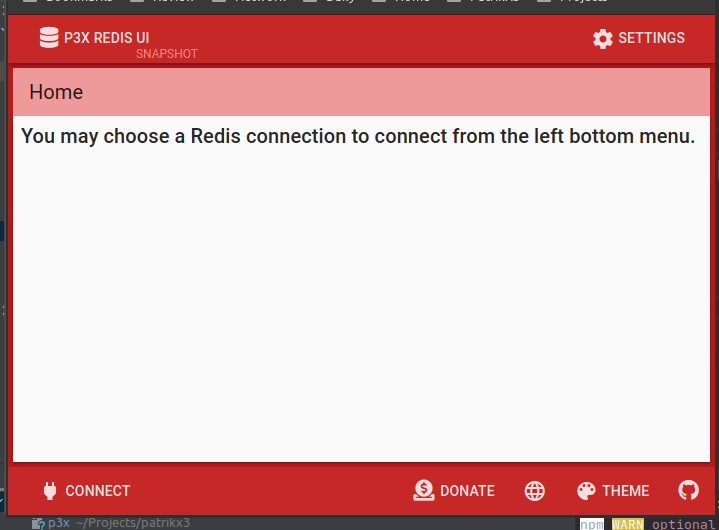
v1.2.0:
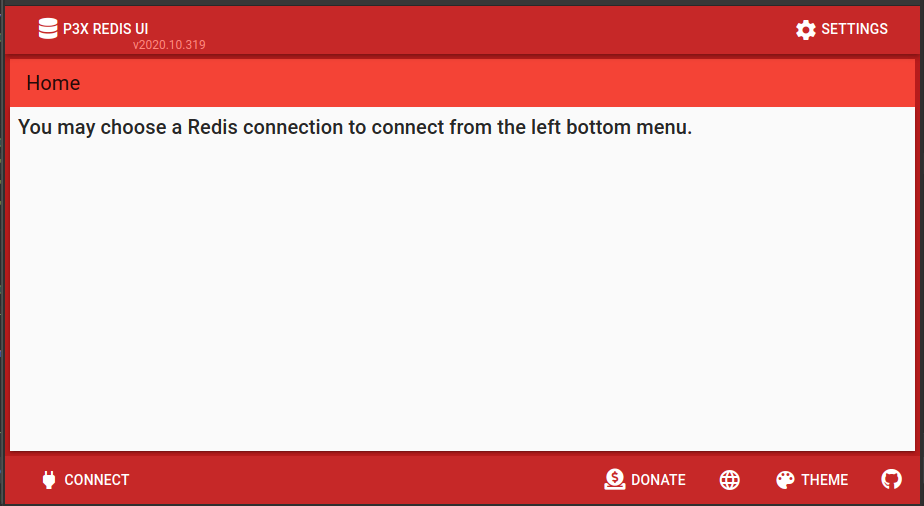
v1.1.x:
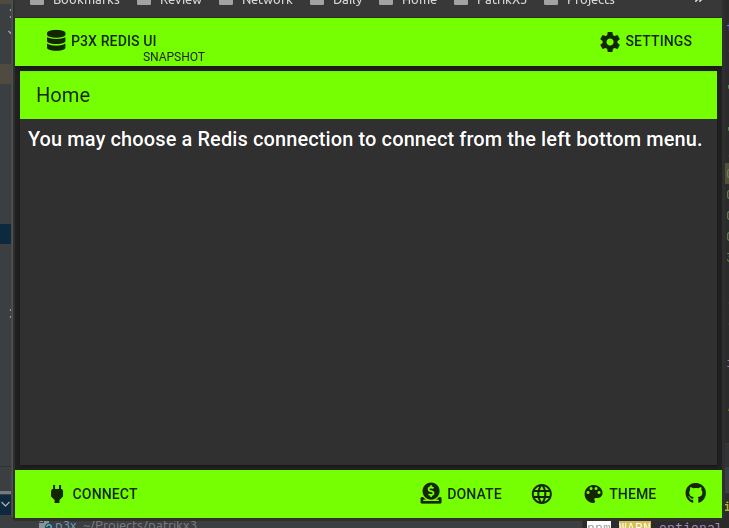
v1.2.0 - the secondary toolbar becomes so ugly and no matter what i change, it uses the same hue! no matter what i change
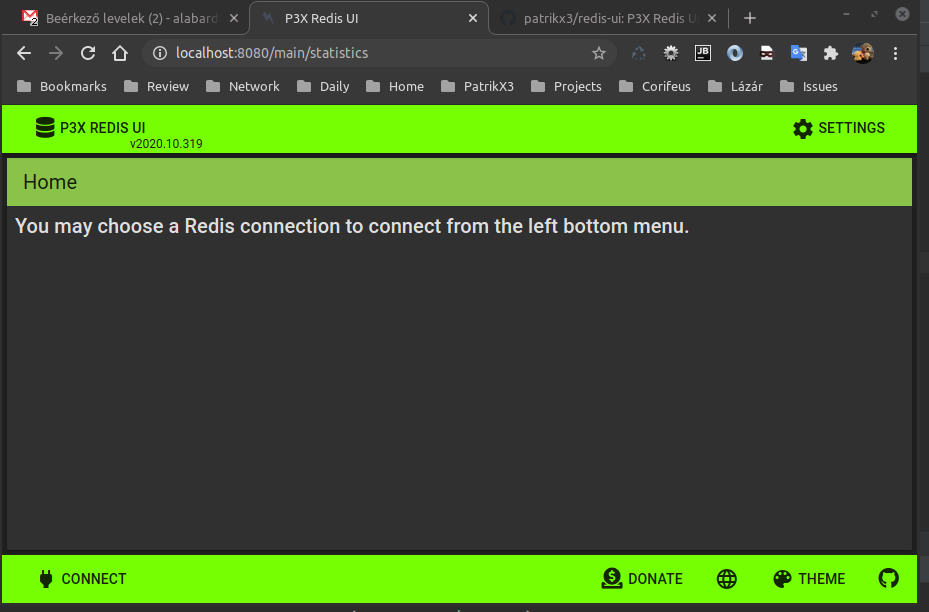
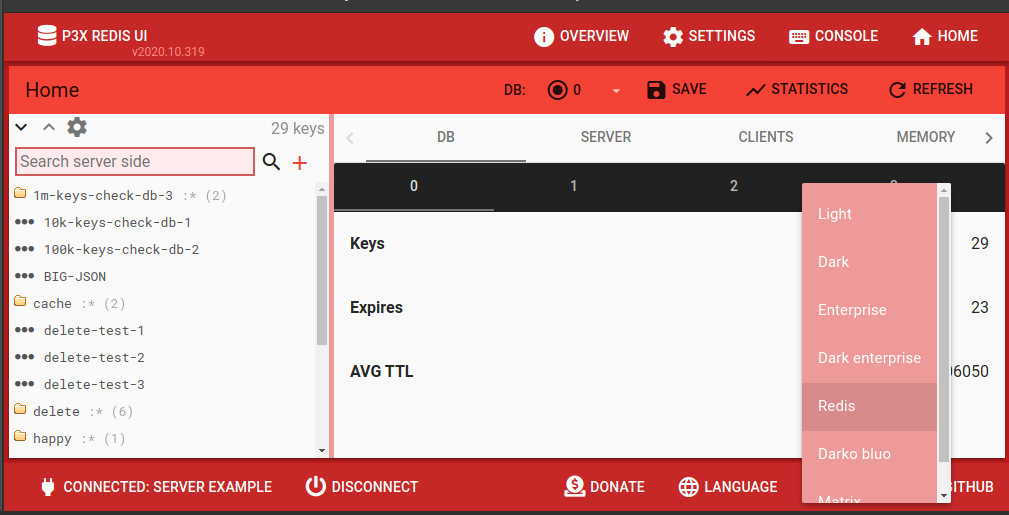
v1.1.x - the menu contrast is right
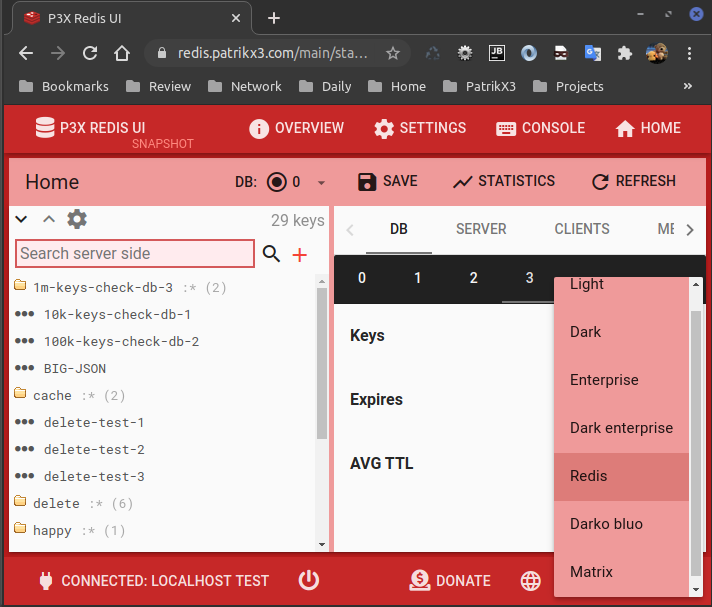
v1.2.0 - the new contrast system i think it should be better to be dark:
 p3x-robot
>All comments
I assume that since you closed this, you were able to figure things out.
For anyone else who runs into this, please see
- the updated Configuring a theme docs
- the related breaking change notes
 Splaktar
on 7 Aug 2020
Splaktar
on 7 Aug 2020
Related issues
 epelc
·
3Comments
epelc
·
3Comments
 pablorsk
·
3Comments
pablorsk
·
3Comments
 sbondor
·
3Comments
sbondor
·
3Comments
 rtprakash
·
3Comments
rtprakash
·
3Comments
 reggiepangilinan
·
3Comments
reggiepangilinan
·
3Comments
Most helpful comment
I assume that since you closed this, you were able to figure things out.
For anyone else who runs into this, please see