Material-ui: [DatePicker] Display week numbers
I would like to have the possibility to display week numbers in the picker. Maybe as the first column before the first day of the week. Something like this would fit my needs:

https://jqueryui.com/datepicker/#show-week
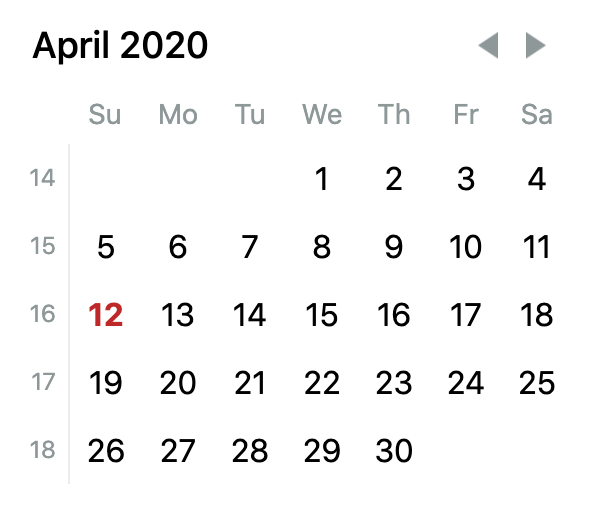
http://react-day-picker.js.org/examples/customization-week-numbers
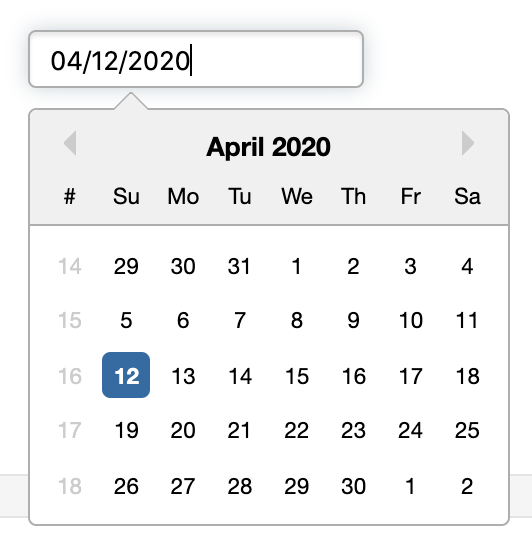
https://reactdatepicker.com/#example-display-week-numbers
Your Environment 🌎
| Tech | Version |
| ----------- | ------- |
| @material-ui/lab | v5.0.0-alpha.16 |
 dkarnutsch
All 6 comments
Actually it so unpopular issue - so I think we will not integrate it as part of the library. I can imagine only one workaround. You can create your own renderer of day and check if - this is the first day of week - show the number of week at the left
 dmtrKovalenko
on 23 Jul 2018
dmtrKovalenko
on 23 Jul 2018
In case someone is running into this requirement.
As suggested I used a custom dayRenderer with an absolute positioned div.
renderDay(date, selectedDate, dayInCurrentMonth) {
    return (
        <div>
            {date.day() === 0 && <div className={'week'}>{date.isoWeek()}</div>}
            <Day
                current={date.isSame(moment(), 'day')}
                hidden={!dayInCurrentMonth}
                selected={date.isSame(selectedDate, 'day')}
            >
                {date.date()}
            </Day>
        </div>
    );
}
and
.week {
    position: absolute;
    font-size: 0.6em;
    color: red;
}
@oliviertassinari I want to start looking into adding this feature.
Are there design / UX guidelines here for this matter?
 dvh91
on 11 Jul 2020
dvh91
on 11 Jul 2020
@dvh91 Could you explore on what's missing from the current customization API to have this working :)?
 oliviertassinari
on 11 Jul 2020
oliviertassinari
on 11 Jul 2020
@oliviertassinari If we going in the path of allowing it as API and not a proper feature of the library, then renderCalendarWeek or renderCalendar along with renderCalendarHeader (the row with the weekday names as it's sticky and not part of the Calendar component) should be enough.
dvh91
on 12 Jul 2020
@dvh91 From my perspective, a prop to display the week number could be interesting. The alternative would be to improve the customization API to allow it, a demo in the documentation would be great.
oliviertassinari
on 12 Jul 2020
Related issues
 revskill10
·
3Comments
revskill10
·
3Comments
 pola88
·
3Comments
pola88
·
3Comments
 zabojad
·
3Comments
zabojad
·
3Comments
 FranBran
·
3Comments
FranBran
·
3Comments
 activatedgeek
·
3Comments
activatedgeek
·
3Comments
Most helpful comment
In case someone is running into this requirement.
As suggested I used a custom dayRenderer with an absolute positioned div.
and