Material-ui: Select Input label causing error with certain IDs
A recent change introduced in pull request 20833 is failing on certain ids.
- [x] The issue is present in the latest release.
- [X] I have searched the issues of this repository and believe that this is not a duplicate.
Current Behavior 😯
This pull request makes naive use of querySelector() (simply prepending "#" to the id name verbatim).
Because querySelector() uses CSS selectors, and because CSS selectors have slightly different rules to HTML element ids, this is causing ids with certain symbols to fail.
In the worst case, material ui crashes entirely. In other cases, it just causes the functionality itself to fail.
Expected Behavior 🤔
This code should be able to handle symbols in ids, as they are valid in html ids, and as worked in previous versions.
For example, is there any reason for using querySelector() over getElementById(), considering what the code has is an id and what it wants to get is an element?
If there's some reason for using querySelector(), it should sanitize the input it passes by escaping any special characters.
Steps to Reproduce 🕹
I've created three examples on codesandbox:
- First example: This exhibits an actual crash using
<Select>and<InputLabel>with a failing labelId. - Second example: This exhibits how it can fail using
<TextField>. - Third example: This exhibits an id which fails but does not cause an outright crash. Here, one label fails because it has a special character, another works as-is.
All of these examples should work as-is in the previous version.
Steps:
- Use a select-style
<TextField>with a special character in its id property.
OR
- Use a
<Select>with a special character in its labelId property.
Context 🔦
We currently use some of these special characters in auto-generated ids.
Your Environment 🌎
It happens with @material-ui/core 4.9.14. It did not happen prior to this version.
 cdisbrow
All 5 comments
Oh wow, it's good to know :)
 oliviertassinari
on 15 May 2020
oliviertassinari
on 15 May 2020
There will be a 4.19.5 with this bugfix?
 gpietro
on 15 May 2020
gpietro
on 15 May 2020
@gpietro Yes, this weekend.
oliviertassinari
on 15 May 2020
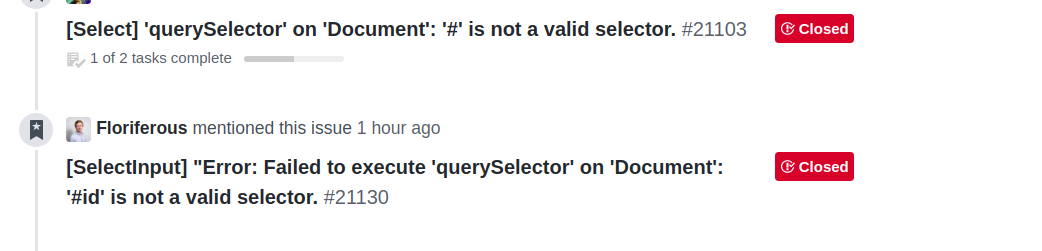
@oliviertassinari I think it's better to rename the issue ( to include 'querySelector' )
it will make it easier to find in the search results, and avoiding duplication
 hadasmaimon
on 20 May 2020
hadasmaimon
on 20 May 2020
Thanks for fixing it! now it works on "@material-ui/core": "4.10.0",
hadasmaimon
on 24 May 2020
Related issues
 TimoRuetten
·
3Comments
TimoRuetten
·
3Comments
 newoga
·
3Comments
newoga
·
3Comments
 mb-copart
·
3Comments
mb-copart
·
3Comments
 revskill10
·
3Comments
revskill10
·
3Comments
 rbozan
·
3Comments
rbozan
·
3Comments
Most helpful comment
@gpietro Yes, this weekend.