Material-ui: Autocomplete doesn't delete first letter on input.
- [x] The issue is present in the latest release.
- [ ] I have searched the issues of this repository and believe that this is not a duplicate.
Current Behavior 😯
Hello there, i wish you can
help me please, i have troubles trying to implement autocomplete, it worked perfectly days before :( that's why i writting because I don't know what happen if it's me, or if the new release mixed sth :(
I'm already using version @material-ui/[email protected]
When I delete letters inside the input the last one gets stucked and it doesnt allow me to use the autocomplete correctly, also the delete button doesnt work too.
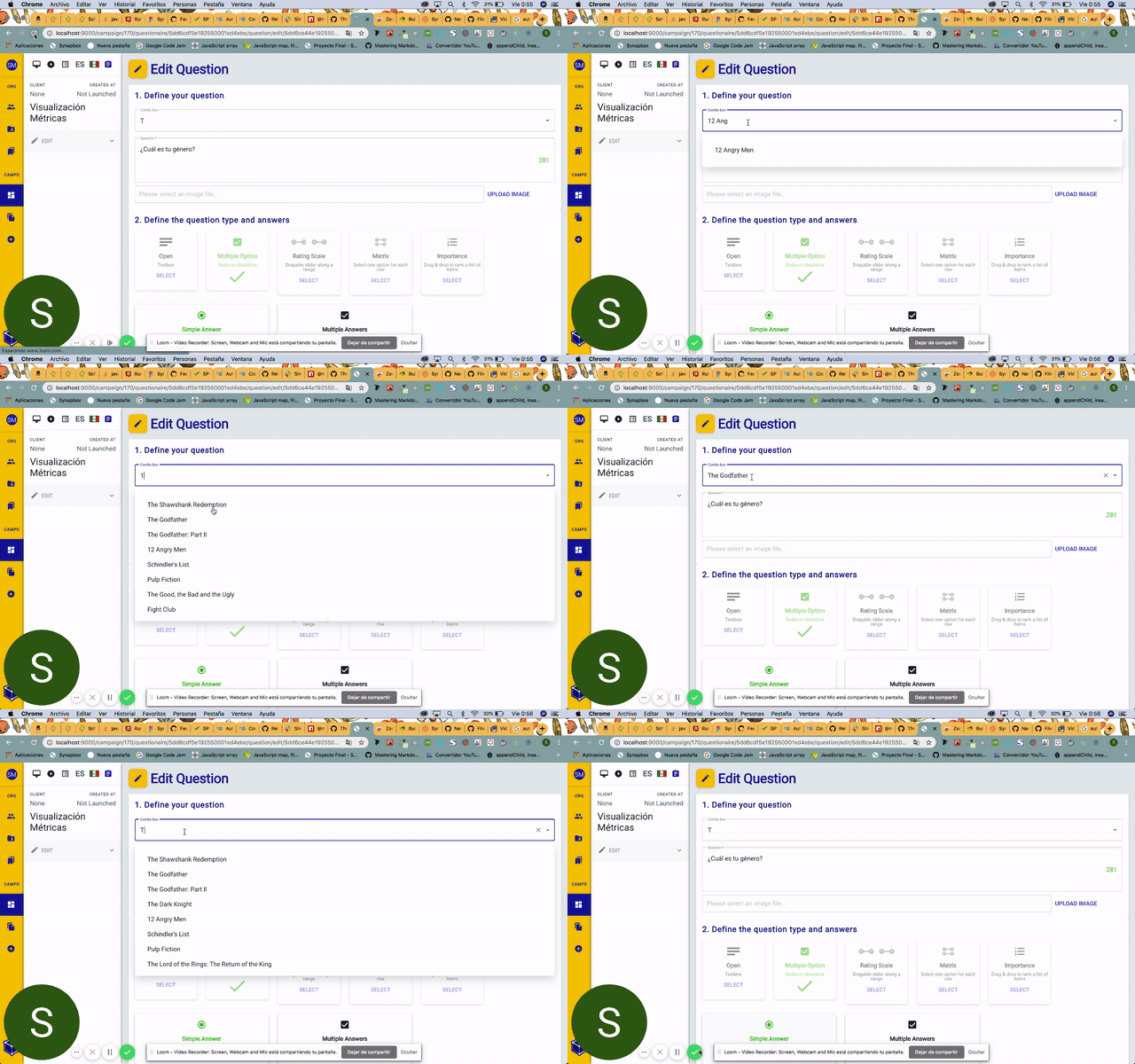
I tried to create a sandbox closed to my app.
I really think the trouble could be on the event, but really it did work before :(
https://codesandbox.io/embed/patient-butterfly-9riyd?fontsize=14&hidenavigation=1&theme=dark
I'm sorry to bother, but i super struggling with this bug and I need to solve out this so much :(
I so pleased with your help and work. greetings <3
| Tech | Version |
| ----------- | ------- |
| Material-UI | v4.?.? |
| React | |
| Browser | |
| TypeScript | |
| etc. | |
 sueherrera30
All 6 comments
From what I understand, the example works in codesandbox but doesn't in your app. You need to make sure you are using the latest version of both core and lab. It should solve your problem.
However, if you manage to create a reproduction on Codesandbox, please share it. We will have a look at it. In the meantime, we can't action your problem. I'm closing.
 oliviertassinari
on 22 Nov 2019
oliviertassinari
on 22 Nov 2019
From what I understand, the example works in codesandbox but doesn't in your app. You need to make sure you are using the latest version of both core and lab. It should solve your problem.
However, if you manage to create a reproduction on Codesandbox, please share it. We will have a look at it. In the meantime, we can't action your problem. I'm closing.
- i did attach a sandcode reproduction up 🥺
sueherrera30
on 22 Nov 2019
i did attach a sandcode example :(
https://codesandbox.io/embed/patient-butterfly-9riyd?fontsize=14&hidenavigation=1&theme=dark
it doesn't have my same data but it get stuck too. if i dont use hooks, it works :S
sueherrera30
on 22 Nov 2019
@sueherrera30 Thanks for the codesandbox. You are not controlling the component correctly. They are two controllable props:
value=>onChangeinputValue=>onInputChange
Don't mix the two :)
oliviertassinari
on 22 Nov 2019
@sueherrera30 Thanks for the codesandbox. You are not controlling the component correctly. They are two controllable props:
value=>onChangeinputValue=>onInputChangeDon't mix the two :)
What if i need to use both oh them?
 PabloMontoya
on 16 Jun 2020
PabloMontoya
on 16 Jun 2020
What if i need to use both oh them?
Keep them isolated, use two different states.
oliviertassinari
on 16 Jun 2020
Related issues
 FranBran
·
3Comments
FranBran
·
3Comments
 iamzhouyi
·
3Comments
iamzhouyi
·
3Comments
 chris-hinds
·
3Comments
chris-hinds
·
3Comments
 ryanflorence
·
3Comments
ryanflorence
·
3Comments
 rbozan
·
3Comments
rbozan
·
3Comments
Most helpful comment
@sueherrera30 Thanks for the codesandbox. You are not controlling the component correctly. They are two controllable props:
value=>onChangeinputValue=>onInputChangeDon't mix the two :)