Material-ui: [ButtonGroup] + [IconButton] Warning: React does not recognize the fullWidth prop on a DOM element.
- [x] This is not a v0.x issue.
- [x] I have searched the issues of this repository and believe that this is not a duplicate.
Expected Behavior 🤔
No warning in console, when using ButtonGroup and IconButton.
Current Behavior 😯
Warning in console, when using ButtonGroup and IconButton.
Warning: React does not recognize the
fullWidthprop on a DOM element. If you intentionally want it to appear in the DOM as a custom attribute, spell it as lowercasefullwidthinstead. If you accidentally passed it from a parent component, remove it from the DOM element.
in button (created by ForwardRef(ButtonBase))
in ForwardRef(ButtonBase) (created by WithStyles(ForwardRef(ButtonBase)))
in WithStyles(ForwardRef(ButtonBase)) (created by ForwardRef(IconButton))
in ForwardRef(IconButton) (created by WithStyles(ForwardRef(IconButton)))
in WithStyles(ForwardRef(IconButton)) (created by GroupedButtons)
in div (created by ForwardRef(ButtonGroup))
in ForwardRef(ButtonGroup) (created by WithStyles(ForwardRef(ButtonGroup)))
in WithStyles(ForwardRef(ButtonGroup)) (created by GroupedButtons)
in GroupedButtons
Steps to Reproduce 🕹
Link: Codesandbox
- Render the following component
import React from "react";
import IconButton from "@material-ui/core/IconButton";
import ButtonGroup from "@material-ui/core/ButtonGroup";
import ArrowLeft from "@material-ui/icons/ArrowLeft";
import ArrowRight from "@material-ui/icons/ArrowRight";

export default function GroupedButtons() {
  return (
    <ButtonGroup size="small" aria-label="Small outlined button group">
      <IconButton>
        <ArrowLeft />
      </IconButton>
      <IconButton>
        <ArrowRight />
      </IconButton>
    </ButtonGroup>
  );
}
- Open the console and notice the warning-message.
Your Environment 🌎
| Tech | Version |
|--------------|---------|
| Material-UI | latest (v4.1.0) |
| React | latest (v16.8.6) |
| Browser | Google Chrome (v75.0.3770.80) |
 BC-M
BC-M
All 2 comments
@BC-M This use case is not supported, don't do that.
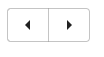
What's wrong with?
import React from "react";
import Button from "@material-ui/core/Button";
import ButtonGroup from "@material-ui/core/ButtonGroup";
import ArrowLeft from "@material-ui/icons/ArrowLeft";
import ArrowRight from "@material-ui/icons/ArrowRight";

export default function GroupedButtons() {
  return (
    <ButtonGroup size="small" aria-label="Small outlined button group">
      <Button>
        <ArrowLeft />
      </Button>
      <Button>
        <ArrowRight />
      </Button>
    </ButtonGroup>
  );
}
 oliviertassinari
on 11 Jun 2019
oliviertassinari
on 11 Jun 2019
It doesn't match our design. We only use an arrow icon to label the button, which is why we chose the IconButton component. The function of the IconButton sounded most suitable for us.
Probably it will be enough for us to simply place the IconButtons one by one.
Many thanks for the quick feedback.
BC-M
on 11 Jun 2019
Related issues
 FranBran
·
3Comments
FranBran
·
3Comments
 revskill10
·
3Comments
revskill10
·
3Comments
 newoga
·
3Comments
newoga
·
3Comments
 chris-hinds
·
3Comments
chris-hinds
·
3Comments
 anthony-dandrea
·
3Comments
anthony-dandrea
·
3Comments
Most helpful comment
@BC-M This use case is not supported, don't do that.
What's wrong with?