Material-ui: [styles] Production build hook classes conflict with component classes
- [x] This is not a v0.x issue.
- [x] I have searched the issues of this repository and believe that this is not a duplicate.
Expected Behavior 🤔
When making a production build the compiled styles should be non-conflicting.
Current Behavior 😯
Hook classes start at jss1 while Mui* classes also start at jss1.
In our application, in the production build all classes get messed up.
Steps to Reproduce 🕹
https://codesandbox.io/s/ykkxym6w3x
- Download sandbox
- yarn install
- yarn build
- serve -s build (serve build folder as static)
- inspect card div
- observe double class declaration (
<div class="jss2 jss5 jss3 jss1 jss1">) - see
<head>tag:
</style><style data-jss="" data-meta="MuiCard">
.jss1 {
  overflow: hidden;
}
</style>
<style data-jss="" data-meta="Hook">
.jss1 {
  width: 500px;
  height: 500px;
  display: flex;
  align-items: center;
  justify-content: center;
}
</style>
Your Environment 🌎
  "dependencies": {
    "@material-ui/styles": "3.0.0-alpha.2",
    "@material-ui/core": "3.6.1",
    "react": "16.7.0-alpha.2",
    "react-dom": "16.7.0-alpha.2",
    "react-scripts": "2.1.1"
  },
 wilcoschoneveld
All 7 comments
Same problem here.
Here provides a discussion link:
https://github.com/mui-org/material-ui/issues/8223
And there we lost many styles in production building.
This is a snapshot of production env:
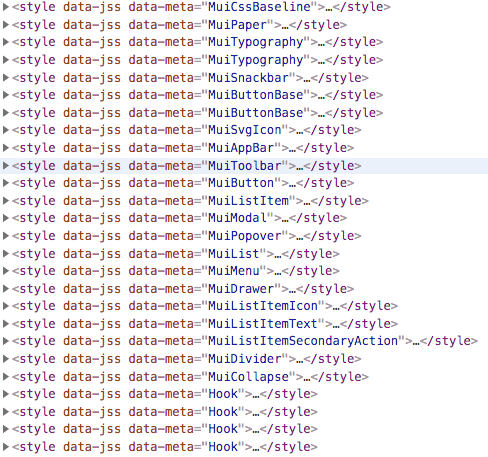
This two snapshots is of dev env:
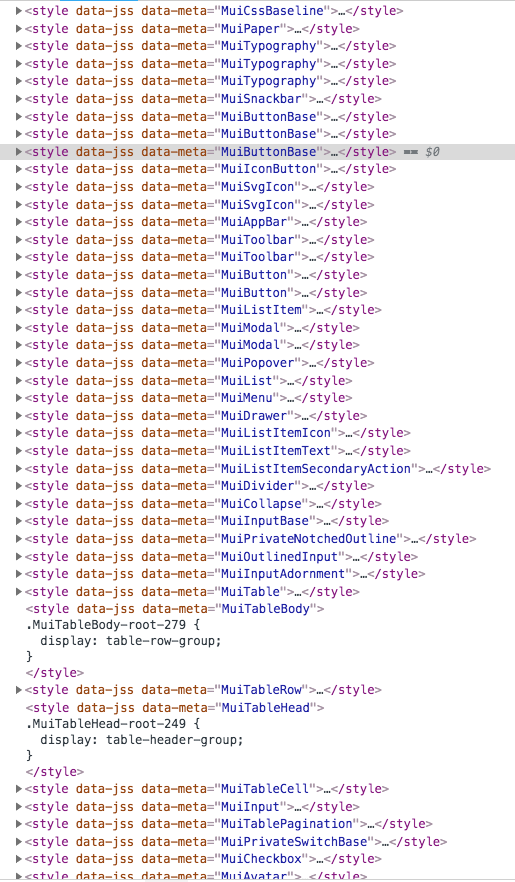
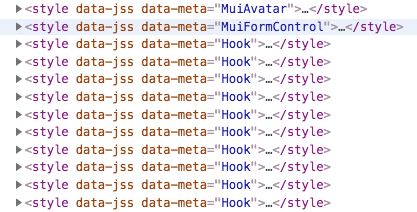
 zheeeng
on 4 Dec 2018
zheeeng
on 4 Dec 2018
Does following: https://github.com/mui-org/material-ui/issues/8223#issuecomment-443910044 fix it?
 joshwooding
on 4 Dec 2018
joshwooding
on 4 Dec 2018
@joshwooding Yes, it works well for me. I tried this way 'https://github.com/mui-org/material-ui/issues/8223#issuecomment-443940061' only get error caused by theme is empty.
This time I tried
// bootstrap.ts

import { install } from '@material-ui/styles'

install()
and
// index.ts
import './bootstrap'
import other...
It solves my problems. I have found my mistake where I took. Thx you very much!
zheeeng
on 4 Dec 2018
Maybe we should add more details on guiding ppl to install styles correctly in the documentation.
zheeeng
on 4 Dec 2018
@wilcoschoneveld https://codesandbox.io/s/6ykwxx51nn
joshwooding
on 4 Dec 2018
Awesome! Thanks for the help.
I also now use the ThemeProvider from styles package instead of the MuiThemeProvider as seen here: https://codesandbox.io/s/64vkl83vzn
Thanks again!
wilcoschoneveld
on 4 Dec 2018
@oliviertassinari I agree with @zheeeng , seeing how many people are confused the migration instructions should probably be made more explicit and perhaps contain a note that failure to do call install before all MUI components will cause classnames to conflict?
joshwooding
on 4 Dec 2018
Related issues
 newoga
·
3Comments
newoga
·
3Comments
 sys13
·
3Comments
sys13
·
3Comments
 chris-hinds
·
3Comments
chris-hinds
·
3Comments
 revskill10
·
3Comments
revskill10
·
3Comments
 finaiized
·
3Comments
finaiized
·
3Comments
Most helpful comment
@joshwooding Yes, it works well for me. I tried this way 'https://github.com/mui-org/material-ui/issues/8223#issuecomment-443940061' only get error caused by
themeis empty.This time I tried
and
It solves my problems. I have found my mistake where I took. Thx you very much!