Material-ui: styling with styled-components doesn't work
Styled-components doesn't work with Material UI
I'm trying to style material-ui component using styled components and doesn't work
Example of code:
import Button from 'material-ui/Button';
const StyledButton = styled(Button)`
    background: red;
    border: 1px solid red;
    font-size: 2rem;
    font-weight: bold;
`;

class ButtonTemplate extends Component {
    render() {
        return(
            <div>
                <StyledButton />
            </div>
        )
    }
}
I get only the normal styling of material UI button...what's is the issue?
Thanks,
Lucas
 unutoiul
All 12 comments
I'm guessing this is a result of the precedence of the CSS rules? I saw similar behavior trying to use glamorous with material-ui
 tfuqua
on 2 Nov 2017
tfuqua
on 2 Nov 2017
I am having a similar problem and is indeed caused by what @tfuqua pointed out. Any idea on how to solve this ?
Edit: this section of the documentation solves the issue.
 dispix
on 8 Nov 2017
dispix
on 8 Nov 2017
A pattern I found helpful is to create a wrapper component with styled-components or glamorous and have the selector target the child material-ui component
const ButtonWrapper = glamorous.div({
  '& button': {
    color: '#FFF',
    background: 'red'
  }
});
tfuqua
on 8 Nov 2017
Just edited my previous comment, there is a section in the documentation to handle the order of the css.
dispix
on 8 Nov 2017
 mbrookes
on 12 Nov 2017
mbrookes
on 12 Nov 2017
@mbrookes If you don't mind, I will reopen this issue. I have been encouraging adding a documentation section about how to handle this issue here https://github.com/paypal/glamorous/issues/354#issuecomment-341970253. I wish we could do the same for styled-components. It's important :).
 oliviertassinari
on 13 Nov 2017
oliviertassinari
on 13 Nov 2017
Is there a way to do this as simple (or almost as simple) as what @unutoiul desired? It will make things much very nicer.
 fuzzthink
on 25 Jan 2018
mbrookes
on 25 Jan 2018
fuzzthink
on 25 Jan 2018
mbrookes
on 25 Jan 2018
By changing the JSS-insertion-point I'm able to easily override the material-ui styles using glamorous. I'm assuming styled components works the same way
tfuqua
on 25 Jan 2018
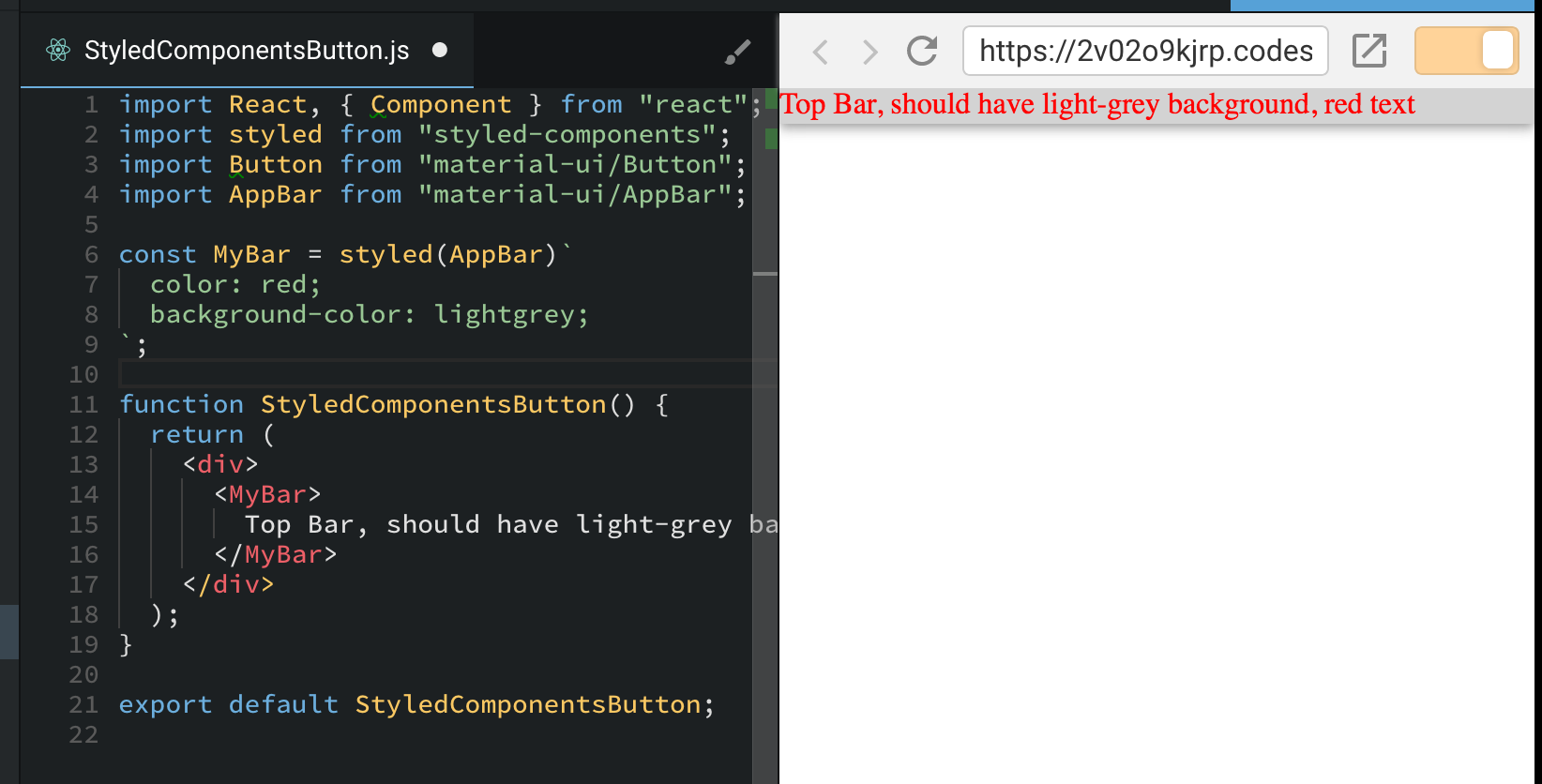
@mbrookes Thanks. It doesn't seem to work on AppBar https://codesandbox.io/s/2v02o9kjrp
fuzzthink
on 25 Jan 2018
@fuzzthink Your example seems to work fine:
mbrookes
on 25 Jan 2018
@mbrookes Thanks! See it working. Maybe it didn't update for me at first.
fuzzthink
on 25 Jan 2018
Related issues
 newoga
·
3Comments
newoga
·
3Comments
 chris-hinds
·
3Comments
chris-hinds
·
3Comments
 reflog
·
3Comments
reflog
·
3Comments
 iamzhouyi
·
3Comments
iamzhouyi
·
3Comments
 mb-copart
·
3Comments
mb-copart
·
3Comments