Material-ui: [Tooltip] Forced reflows on scroll
Hello! Thank you for your great job!
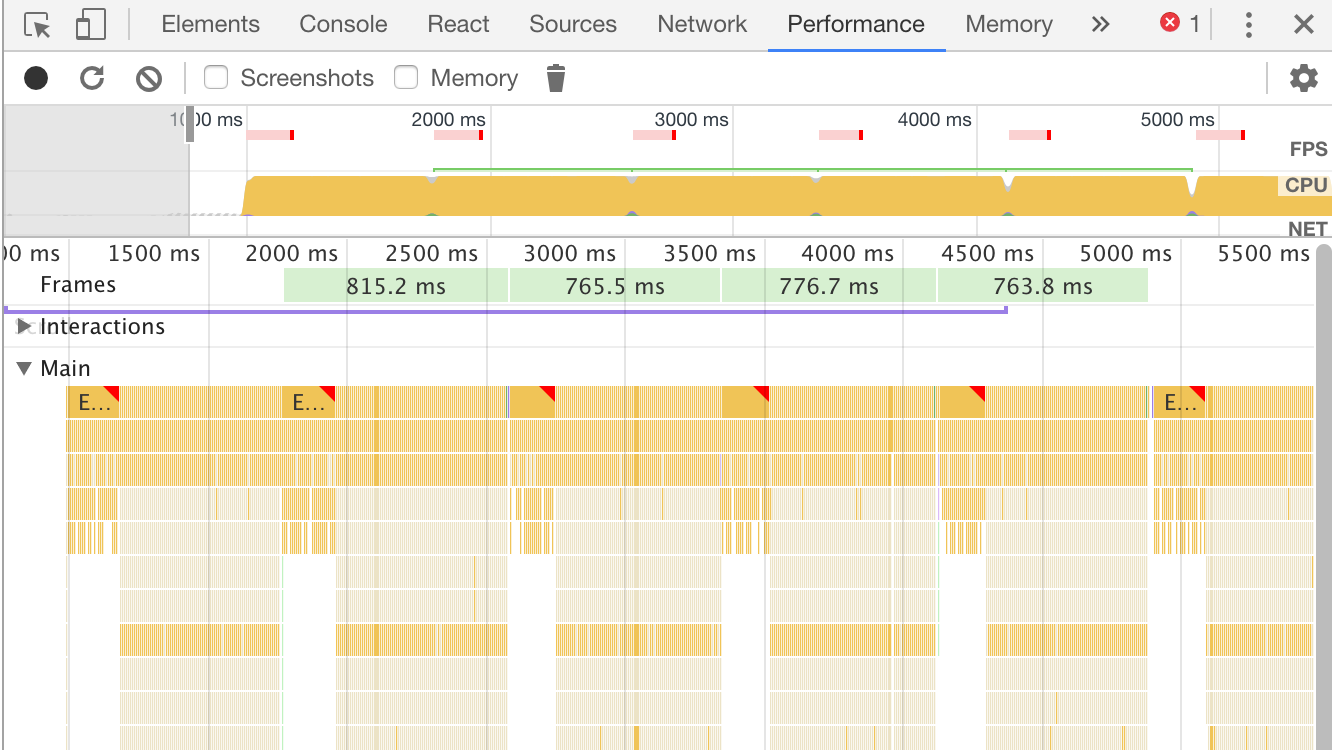
Popper.js read tooltip offsets on every scroll event (also react-popper makes setState on each update). So it makes forced reflows, high CPU usage and low page performance on scroll.
Expected Behavior
Tooltip renders react-popper component only on element hover or opened (I think it needs to use react-transition-group). Also tooltip.js in popper.js create Popper instance only when tooltip opened.
Current Behavior
Tooltip component renders react-popper constantly. In my case (~200 tooltips) profiling record looks like this:
Steps to Reproduce (for bugs)
Project sample: https://codesandbox.io/s/vxq869l55
Code:
import React from "react";
import { render } from "react-dom";
import Tooltip from "material-ui/Tooltip";
import Button from "material-ui/Button";
import Grid from "material-ui/Grid";
import Card, { CardActions } from "material-ui/Card";

const styles = {
  fontFamily: "sans-serif",
  textAlign: "center"
};

const COUNT = 100;

const App = () => (
  <Grid container style={{ maxWidth: 600, margin: "0 auto" }}>
    {new Array(COUNT).fill(null).map((_, i) => (
      <Grid item xs={6} key={i}>
        <Card>
          <CardActions>
            <Tooltip placement="right" title="Left">
              <Button>Left</Button>
            </Tooltip>
            <Tooltip placement="right" title="Right">
              <Button>Right</Button>
            </Tooltip>
          </CardActions>
        </Card>
      </Grid>
    ))}
  </Grid>
);

render(<App />, document.getElementById("root"));
Your Environment
| Tech | Version |
|--------------|---------|
| Material-UI | 1.0.0-beta.11 |
| React | 15.5.3 |
| browser | Chrome 60 |
 mctep
mctep
All 9 comments
When I use pure tooltip.js https://codepen.io/mctep/pen/GMZaQQ.
It looks pretty good:

mctep
on 20 Sep 2017
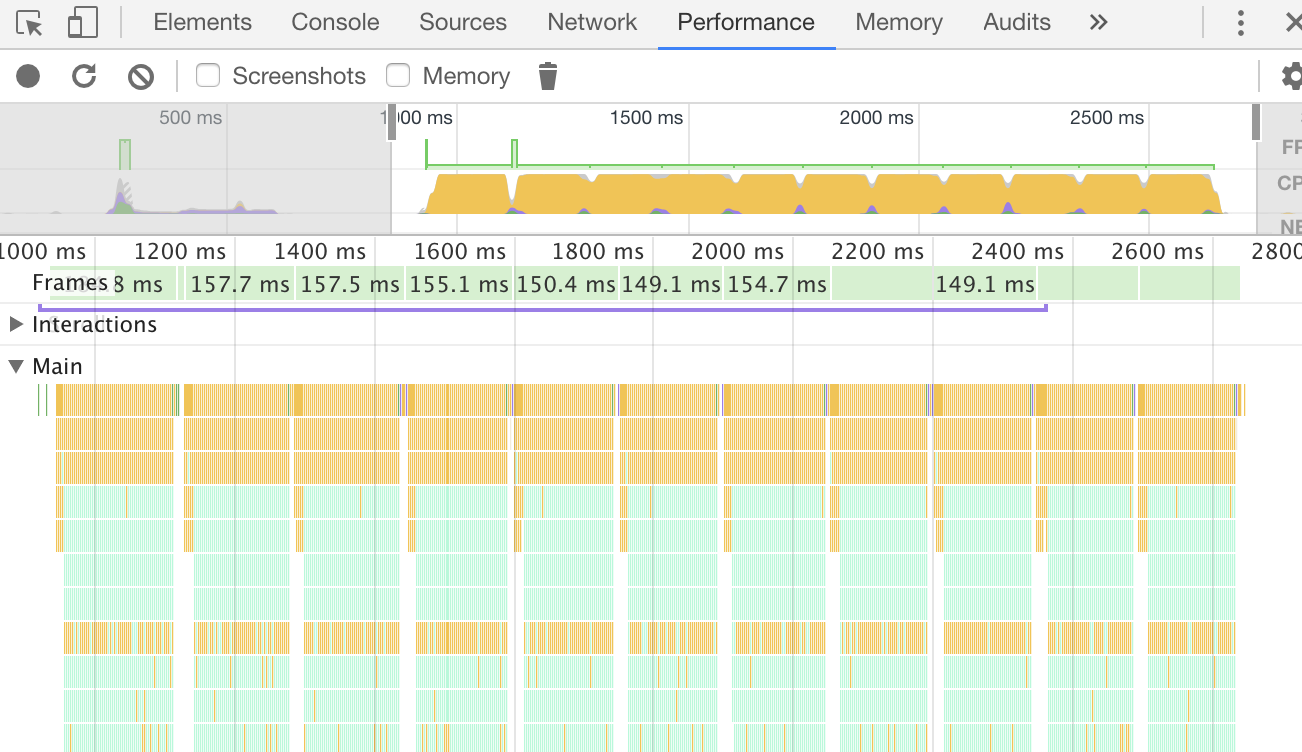
When I use pure popper.js constantly like in material-ui lags happen https://codepen.io/mctep/pen/veGQrb
mctep
on 20 Sep 2017
Popper.js has a method to disable/enable event listeners that could be used in this case
 FezVrasta
on 20 Sep 2017
FezVrasta
on 20 Sep 2017
@FezVrasta thank you.
Adding eventsEnabled: false fixes the problem.
@oliviertassinari May it should be default option? Or the best I think it is PopperProps.eventsEnabled = open
mctep
on 21 Sep 2017
I will have a look at it. I was also considering the option to only render the tooltip title when open. But this might have some SEO and accessibility implications.
 oliviertassinari
on 21 Sep 2017
oliviertassinari
on 21 Sep 2017
As far as I'm concerned, I think that we can be doing the following change:
<Popper
+ eventsEnabled={false}
If we are still facing issues with this solution we can move forward with only rending in the page the active tooltips. This is the pattern used by Bootstrap.
@mctep Do you want to give it a go?
oliviertassinari
on 21 Sep 2017
note that doing so the tooltips will not update on scroll or page resize. The events should get disabled only when the tooltip is hidden
FezVrasta
on 22 Sep 2017
According to @FezVrasta message I think it is better to be:
        <Popper
+         eventsEnabled={open}
I can make PR: https://github.com/callemall/material-ui/pull/8325
mctep
on 22 Sep 2017
Related issues
 anthony-dandrea
·
3Comments
anthony-dandrea
·
3Comments
 mb-copart
·
3Comments
mb-copart
·
3Comments
 iamzhouyi
·
3Comments
iamzhouyi
·
3Comments
 finaiized
·
3Comments
finaiized
·
3Comments
 mattmiddlesworth
·
3Comments
mattmiddlesworth
·
3Comments
Most helpful comment
According to @FezVrasta message I think it is better to be: