Material-theme-jetbrains: Tab Editor Height Not Persisting.
Summary
With the installation of the new IntelliJ Community Edition v. 2019.2.1 there seems to have been some sort of compatibility issue that broke several things. The first issue that happened was upon restarting after the update, the Plugin installer was not able to initialize Material Theme. I was forced to uninstall Material Theme and re-download it.
After re-downloading the plugin, the tab height in the editor shrank to a non-existant size, not displaying any of the text for the files that were open.
I found a solution by changing the tab editor height from 32 to 10 (shrinking the height increases the size of the tab) inside of the settings/material_theme.xml file. However, I don't believe this should be a good fix.
 JarrodBlanton
All 16 comments
TLDR: please download 4.4.5
There have been some troubles with the release of the EAP, because they changed the way tabs work. Therefore the plugin’s version for the IDE’s RC is 4.3 whereas it is 4.4 for the EAP.
For now it is still a bit confusing since I have to manage two versions simultaneously, therefore you would get the 4.3 update even though you are on the EAP and so on.
I’ll do a cleanup soon, removing all extra versions and leaving only the 4.3 for the RC while continuing from 4.4 for the EAP.
 mallowigi
on 22 Aug 2019
mallowigi
on 22 Aug 2019
@mallowigi Upgrading does not fix the problem for this build:
IntelliJ IDEA 2019.2.1 (Ultimate Edition)
Build #IU-192.6262.58, built on August 20, 2019
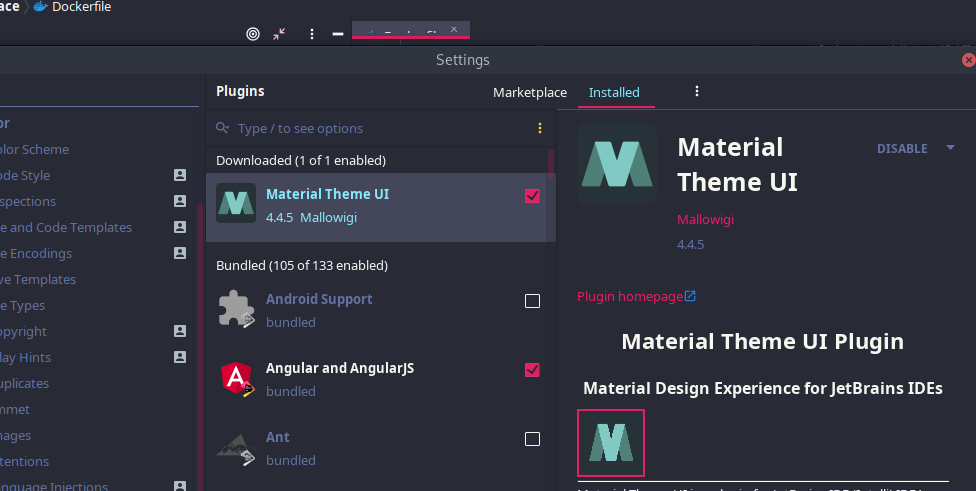
 matheussilva-hotmart
on 22 Aug 2019
matheussilva-hotmart
on 22 Aug 2019
Experiencing same issue. Just updated a few seconds ago, tried restarting IDE, still nothing.
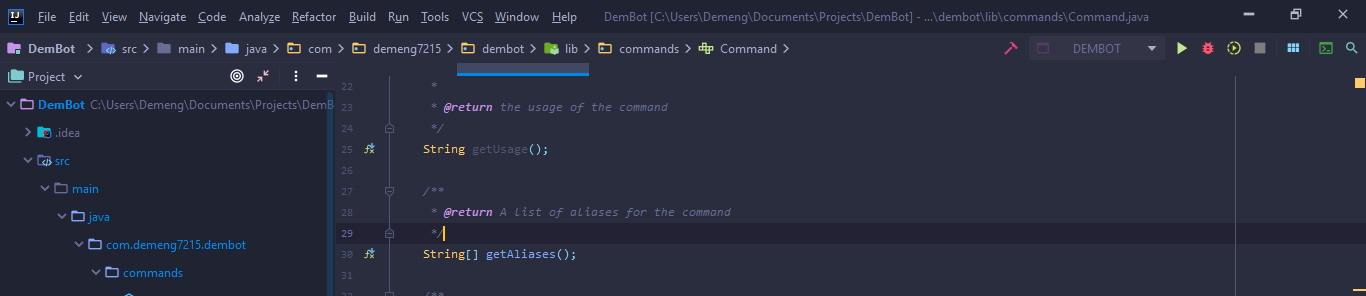
Ill be changing tab height for now I guess.
 Demeng7215
on 22 Aug 2019
Demeng7215
on 22 Aug 2019
I’ll check that again tomorrow. Maybe they changed it again...
For the time being you can use the Material Theme UI Lite
mallowigi
on 22 Aug 2019
Experiencing same issue. Just updated a few seconds ago, tried restarting IDE, still nothing.
Ill be changing tab height for now I guess.
same issue here... 2019.2.1
Theme version: 4.3.5
 willjosefi
on 22 Aug 2019
willjosefi
on 22 Aug 2019
Just in case it helps, same problem here

Version: 4.3.5
Using IntelliJ Ultimate 2019.2.1
 gmax9803
on 22 Aug 2019
gmax9803
on 22 Aug 2019
Have the same problem.
Material Theme: 4.3.5
WebStorm: 2019.2.1
But I found a temporary solution
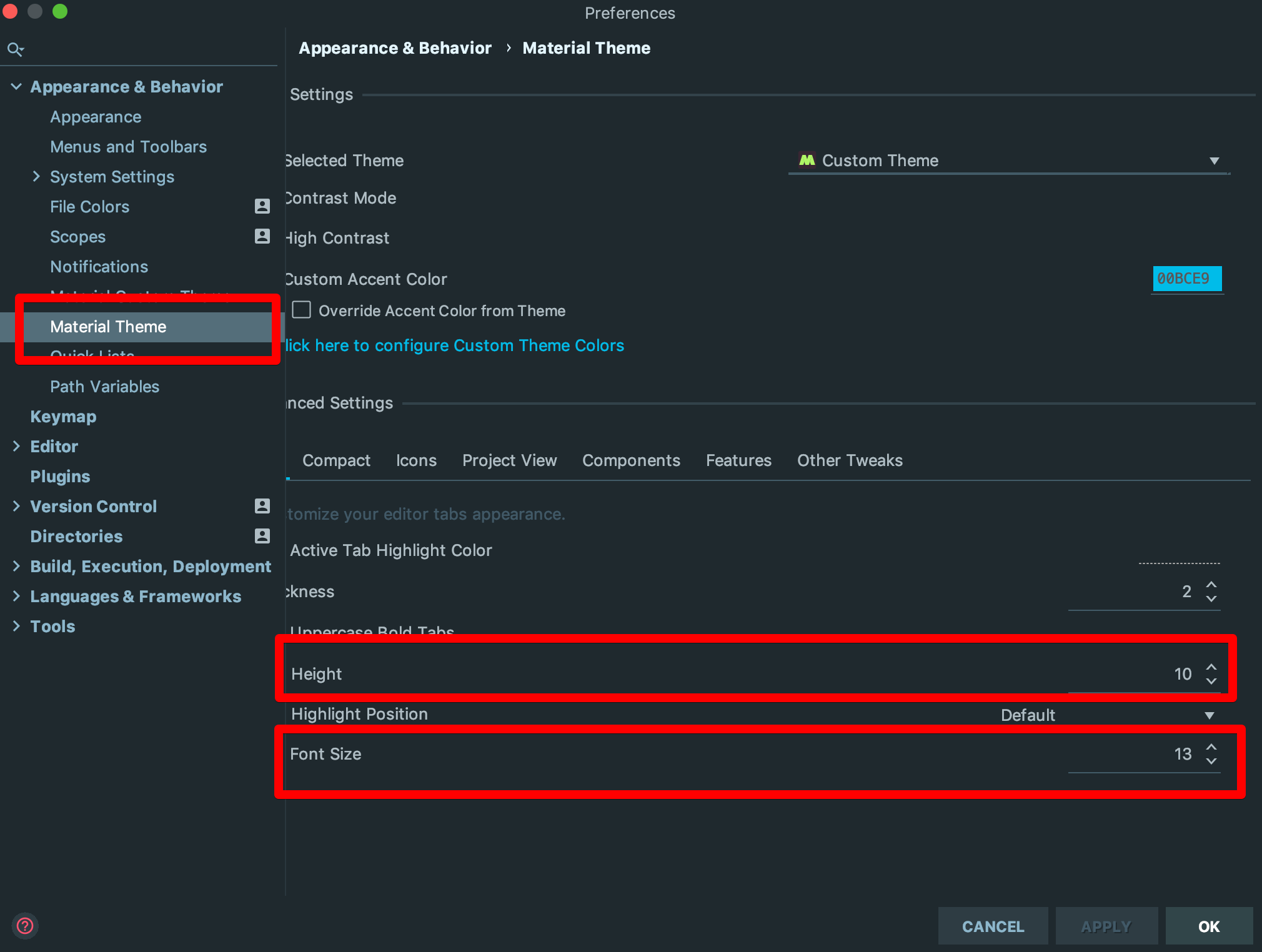
 Fulminant
on 23 Aug 2019
Fulminant
on 23 Aug 2019
The same to me with Idea Version 2019.2.1 And Material Theme 4.3.5
 chinaerserver
on 23 Aug 2019
chinaerserver
on 23 Aug 2019
fixed in version 4.4.5 my intellij version 2019.2.1,
just reset to default, and re-setup again.
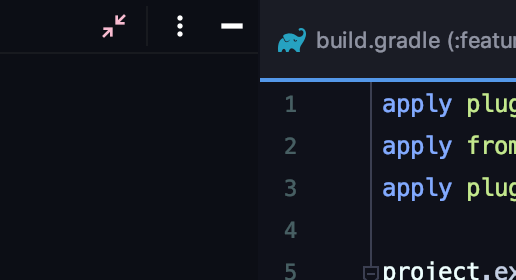
 lukaskris
on 23 Aug 2019
lukaskris
on 23 Aug 2019
It looks like the RC caught up with the EAP. Please download 4.4.6 and tell me if the problem is solved
mallowigi
on 23 Aug 2019
@mallowigi
It works. Thanks!
 blackst0ne
on 23 Aug 2019
blackst0ne
on 23 Aug 2019
@mallowigi Still not working here in 4.4.6
I tried to remove all intellij configuration files and setup again, but it doesn't work.
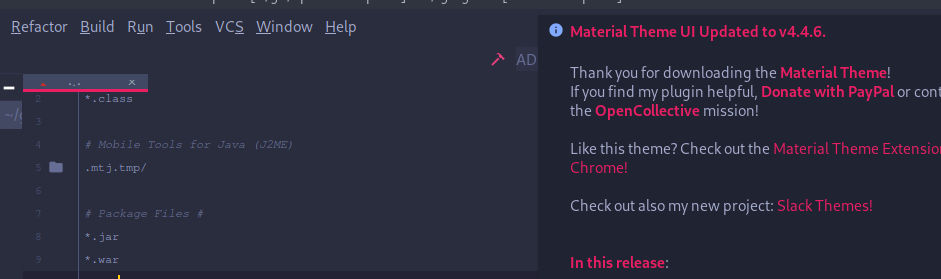
IntelliJ IDEA 2019.2.1 (Ultimate Edition)
Build #IU-192.6262.58, built on August 20, 2019
matheussilva-hotmart
on 23 Aug 2019
Then make sure you have the right tab height in the settings
mallowigi
on 23 Aug 2019
@mallowigi Thank you for your fast response.
I think it's something related to jdk12. My past installation was from the Arch User Repository using jdk12.
I installed intellij again from the toolbox(wich uses jre11) and it works fine!
matheussilva-hotmart
on 23 Aug 2019
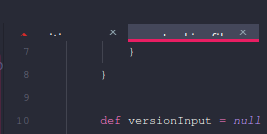
Confirmed. Just switching the jre fix the issue.
IntelliJ IDEA 2019.2.1 (Ultimate Edition)
Build #IU-192.6262.58, built on August 20, 2019
Runtime version: 11.0.4+11 amd64
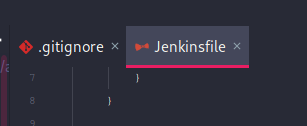
IntelliJ IDEA 2019.2.1 (Ultimate Edition)
Build #IU-192.6262.58, built on August 20, 2019
Runtime version: 12.0.2+10 amd64
matheussilva-hotmart
on 23 Aug 2019
Can confirm it is now working
IntelliJ IDEA 2019.2.1 (Ultimate Edition)
Build #IU-192.6262.58, built on August 20, 2019
Runtime version: 11.0.3+12-b304.39 amd64
VM: OpenJDK 64-Bit Server VM by JetBrains s.r.o
Windows 10 10.0
gmax9803
on 24 Aug 2019
Related issues
 anstarovoyt
·
3Comments
anstarovoyt
·
3Comments
 martinaguilar
·
4Comments
martinaguilar
·
4Comments
 sheinfeld
·
4Comments
sheinfeld
·
4Comments
 wolf99
·
3Comments
wolf99
·
3Comments
 un000
·
4Comments
un000
·
4Comments
Most helpful comment
Have the same problem.
Material Theme: 4.3.5
WebStorm: 2019.2.1
But I found a temporary solution
