Material-dialogs: Re-think max width
Library Version:
2.1.0
Affected Device(s):
Google Pixel 2 XL with Android 9.0
Describe the Bug:
The dialog width changed (got smaller) when upgrading from 2.0.3 to 2.1.0.
Does this have a particular reason?
How can I change the width of the dialog, as the new width is a bit too small (for me)?
 guger
guger
All 12 comments
This is matching Google's newer spec
 afollestad
on 18 Mar 2019
afollestad
on 18 Mar 2019
Is there a way to override this width to be more like 2.0.3? It is definitely too small for me too.
By the way, all your screenshots still reflect the larger widths :)
 joey-harward
on 25 Mar 2019
joey-harward
on 25 Mar 2019
I'd also like to customize the width, especially for the datepicker, this width is too small.
guger
on 27 Mar 2019
I'd also like to customize the width, especially for the datepicker, this width is too small.
yes, there's quite a few scenarios where large margins are not suitable. also it doesn't look good.
@afollestad which spec btw looking@ https://material.io/design/components/dialogs.html# does not show such margins.
 masc3d
on 29 Mar 2019
masc3d
on 29 Mar 2019
The specs show a width of 280dp
afollestad
on 29 Mar 2019
I have a lot of custom dialog scenarios where that width does not work. And I agree with @guger definitely not for datepicker. Is there any way to expose md_dialog_max_width so we can override?
I really appreciate your work on this library. One of the best!
joey-harward
on 29 Mar 2019
Yes, but it may get a more complex than that - the value is different for values, values-land, values-sw600dp, etc.
It seems unideal to make consumers have to remember to have different values for different screen dimens.
afollestad
on 29 Mar 2019
You are correct, normal consumers should not have to remember different values, but power users should at least have the option to override?
No worries I'll stick with 2.0.3 :) Thanks again for your work!
joey-harward
on 29 Mar 2019
thanks @afollestad
customization option is great.
inconsistency with spec is probably because your library can do much more than spec is designated for, so my suggestion would be custom size > spec width in case measured view is within bounds > previous version standard width which would neatly cover all use cases with minor consumer impact.
masc3d
on 31 Mar 2019
Agree, this library shouldn't strictly follow all the specs since some of them don't really make sense if applied over here.
Great work anyways :)
 cioccarellia
on 3 Apr 2019
cioccarellia
on 3 Apr 2019
I agree there should be either a way to set a custom max width, or some changes done to the library ... It looked so much better before @afollestad 😕 😞
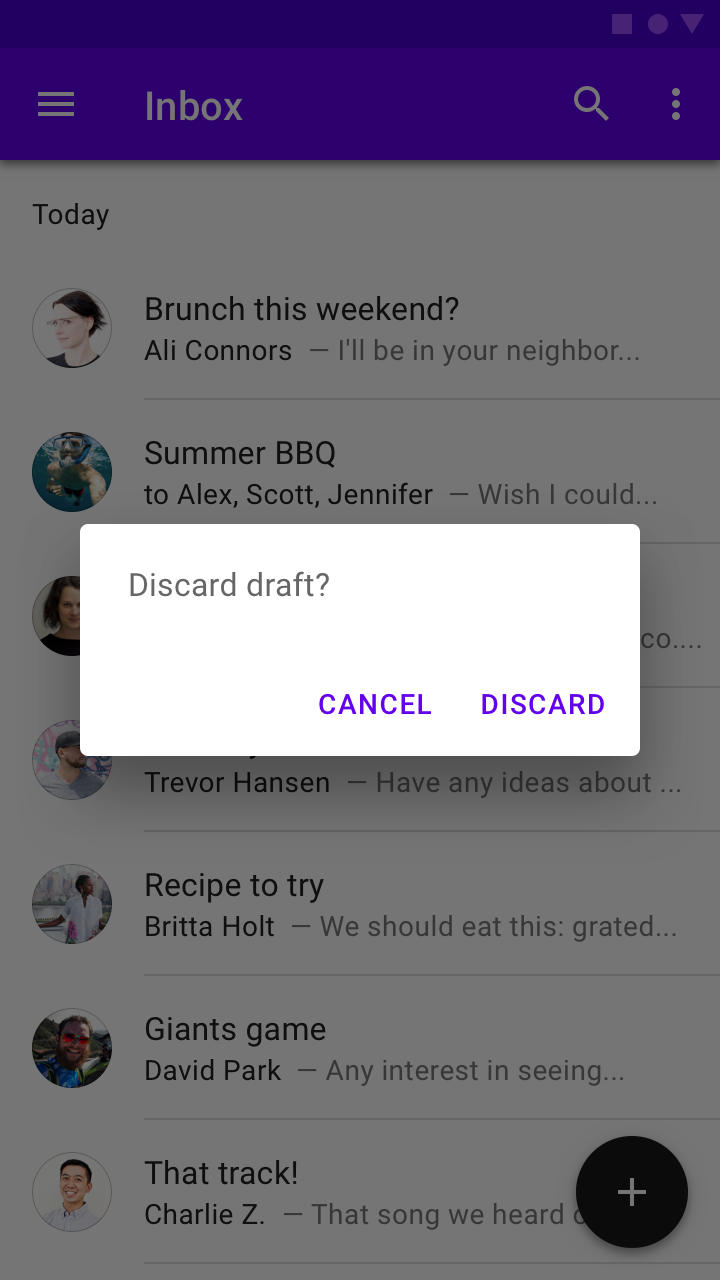
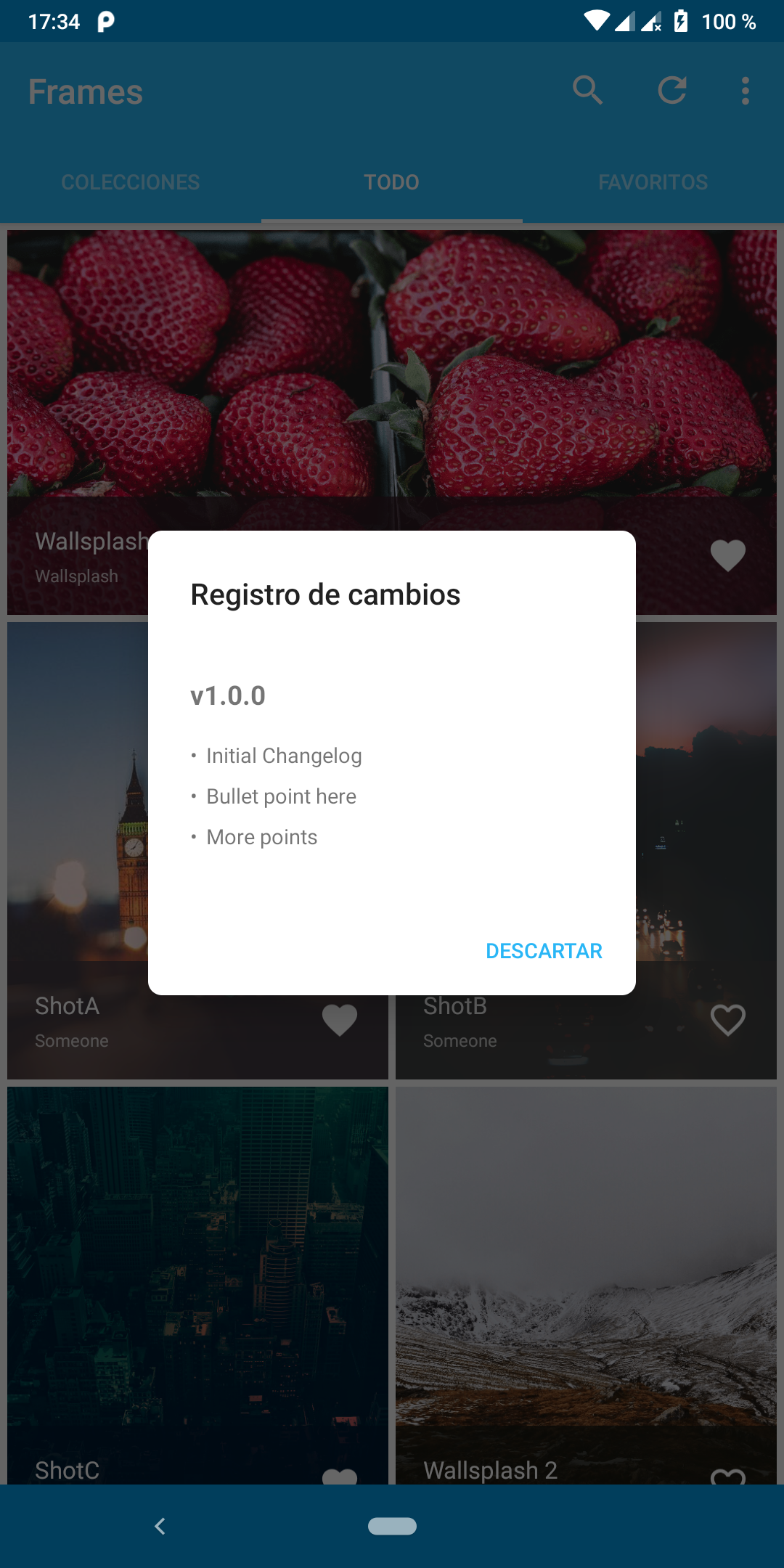
Here's a comparison from a picture in the Material Design specs and one from my app
| Material Design Specs | My App using v 2.6.0 |
|-----------------------|----------------------|
|  |
|  |
|
 jahirfiquitiva
on 6 Apr 2019
jahirfiquitiva
on 6 Apr 2019
I've restored the previous max width values before they shrunk. Keeping the maxWidth() setter around as well.
afollestad
on 6 Apr 2019
Related issues
 ghost
·
4Comments
jahirfiquitiva
·
6Comments
ghost
·
4Comments
jahirfiquitiva
·
6Comments
 imcloud
·
5Comments
imcloud
·
5Comments
 azizimusa
·
4Comments
azizimusa
·
4Comments
 ghost1372
·
5Comments
ghost1372
·
5Comments
Most helpful comment
I've restored the previous max width values before they shrunk. Keeping the
maxWidth()setter around as well.