Material-components-web-components: Rollup "mwc-notched-outline" has already been used with this registry** when importing `mwc-select`
Describe the bug
Using rollup to build a bundle fails when adding mwc-select
I am importing following components
import { LitElement, html, css } from 'lit-element';
import '@material/mwc-icon'
import '@material/mwc-icon-button'
import '@material/mwc-button'
import '@material/mwc-menu';
import '@material/mwc-list/mwc-list-item.js';
import '@material/mwc-fab';
import '@material/mwc-circular-progress';
import '@material/mwc-dialog';
import '@material/mwc-textfield';
Rollup config
export const translateAddonPageScriptConfig = {
  input: `src/contentscript/taskview/translate-addon.js`,
  output: {
    file: `dist/translate_addon.js`,
    format: 'iife',
  },
  plugins: [resolve()]
};
The bundle builds fine. Now installing and adding mwc-select to the imports
import '@material/mwc-select';
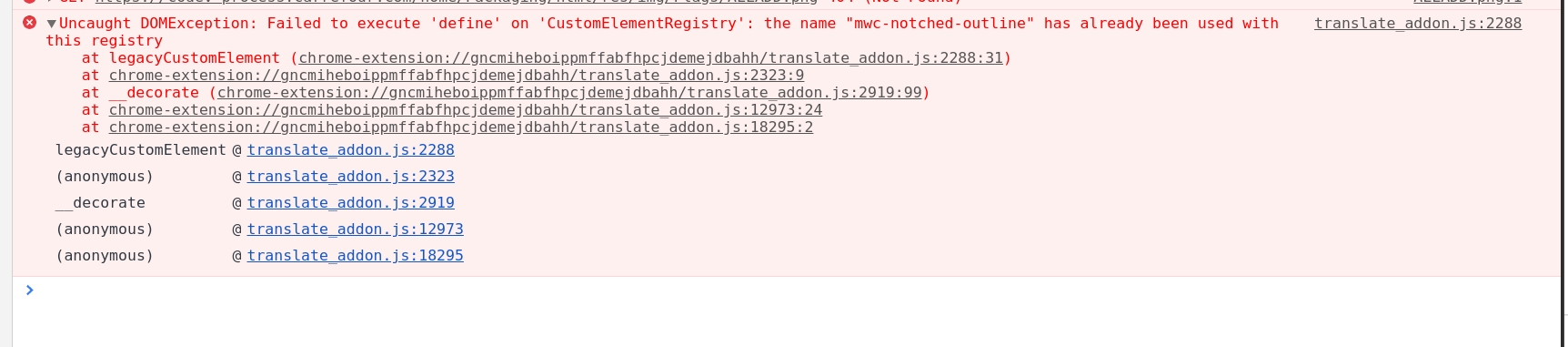
translate_addon.js:2288 Uncaught DOMException: Failed to execute 'define' on 'CustomElementRegistry': the name "mwc-notched-outline" has already been used with this registry
 komasoftware
>All comments
This issue often presents itself when multiple components are installed with different versions. Most likely @material/mwc-textfield and @material/mwc-select have different versions in your package.json or package-lock.json file. Since they require different versions of the notched outline, they both bundle it, causing the duplicate registry at runtime.
The solution is to ensure all @material/mwc-* dependencies are the same version. When installing, be sure to add a version number. For example:
npm i @material/[email protected]
To resolve this, uninstall mwc-select and re-install it with the same version as your other mwc components. Alternatively, you may update your other mwc components to the same version as the new mwc-select that you installed (which is likely the latest version).
Let us know if you have any questions!
 asyncLiz
on 22 Sep 2020
asyncLiz
on 22 Sep 2020
Related issues
 bennypowers
·
4Comments
bennypowers
·
4Comments
 pandres95
·
4Comments
pandres95
·
4Comments
 e111077
·
3Comments
e111077
·
3Comments
 mhamrah
·
3Comments
mhamrah
·
3Comments
 kr05
·
3Comments
kr05
·
3Comments
Most helpful comment
This issue often presents itself when multiple components are installed with different versions. Most likely
@material/mwc-textfieldand@material/mwc-selecthave different versions in your package.json or package-lock.json file. Since they require different versions of the notched outline, they both bundle it, causing the duplicate registry at runtime.The solution is to ensure all
@material/mwc-*dependencies are the same version. When installing, be sure to add a version number. For example:To resolve this, uninstall mwc-select and re-install it with the same version as your other mwc components. Alternatively, you may update your other mwc components to the same version as the new mwc-select that you installed (which is likely the latest version).
Let us know if you have any questions!