Material-components-ios: [BottomSheet] When styled with rounded corners, the rounded corners go square when dragging
Reproduction steps
Set up the component like this:
let controller = BlankViewController()
let bottomSheet = MDCBottomSheetController(contentViewController: controller)

let shapeScheme = MDCShapeScheme()
shapeScheme.largeComponentShape = MDCShapeCategory(cornersWith: .rounded, andSize: 8)

MDCBottomSheetControllerShapeThemer.applyShapeScheme(shapeScheme, to: bottomSheet)
present(bottomSheet, animated: true, completion: nil)
Where BlankViewController is just a completely empty white view controller for testing.
Expected behavior
- When dragging the component up and down, the 8dp rounded corners should remain
Actual behavior
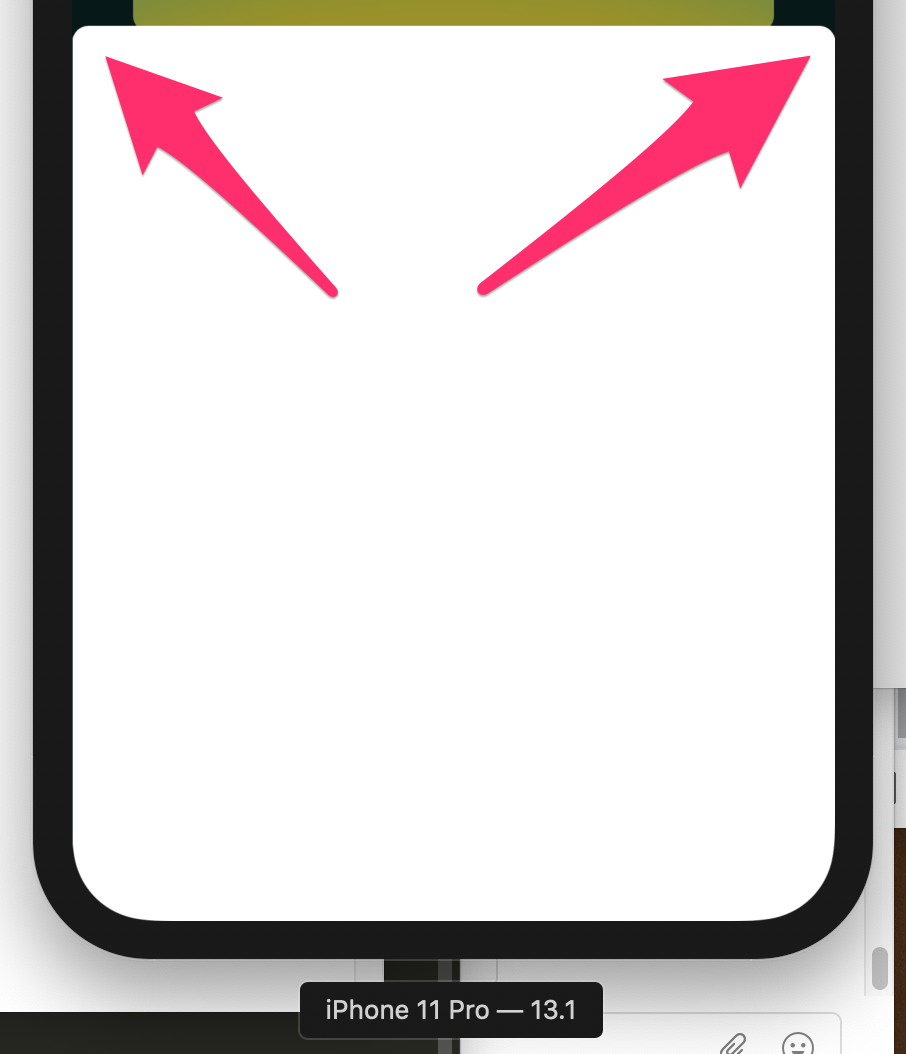
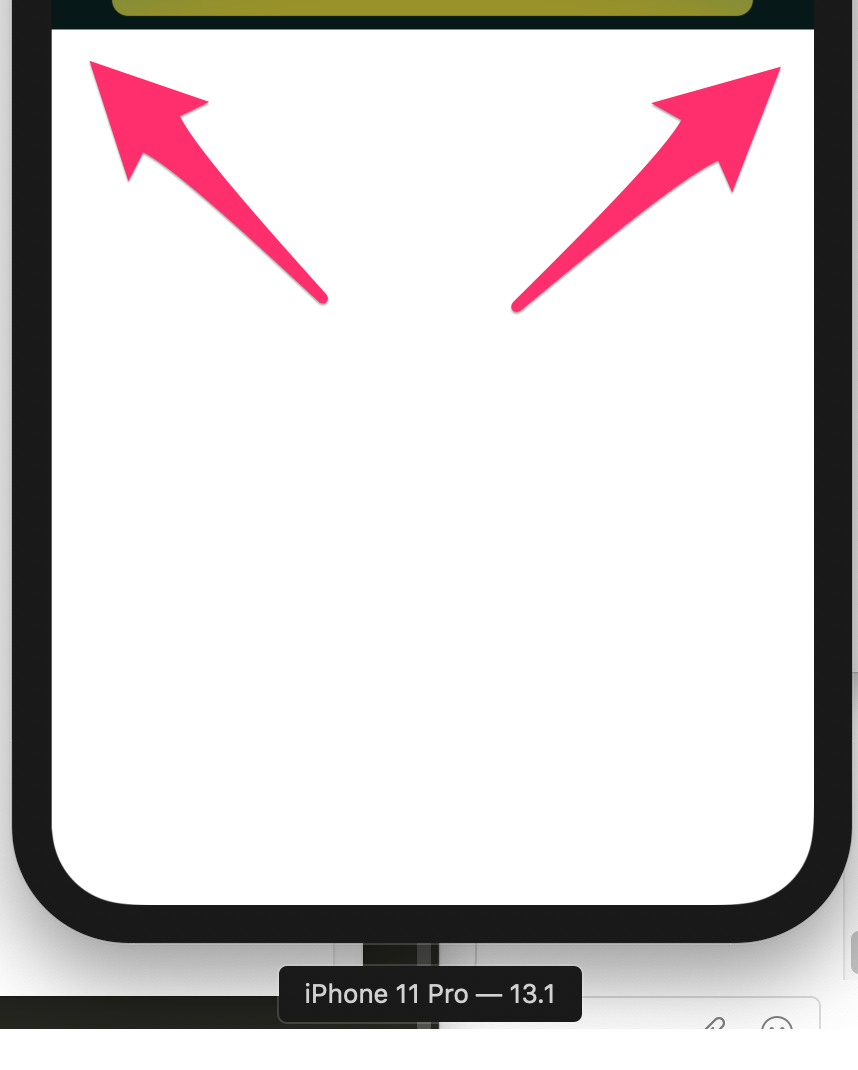
- Instead when dragging up and down the corners revert to being squared off. As soon as you let go they go back to being rounded.
Screenshots:
- At rest:
- On drag:
Platform
- Device: iOS Simulator
- OS: iOS 13.1
Internal data
- Associated internal bug: b/143526206
 rustyshelf
All 2 comments
It seems that if the rounded corners are added as a Shape Generator instead of using the shape styling library then it works correctly:
let shapeGenerator = MDCCurvedRectShapeGenerator(cornerSize: CGSize(width: 8, height: 8))
bottomSheet.setShapeGenerator(shapeGenerator, for: .preferred)
bottomSheet.setShapeGenerator(shapeGenerator, for: .extended)
bottomSheet.setShapeGenerator(shapeGenerator, for: .closed)
Instead of
let shapeScheme = MDCShapeScheme()
shapeScheme.largeComponentShape = MDCShapeCategory(cornersWith: .rounded, andSize: 8)
MDCBottomSheetControllerShapeThemer.applyShapeScheme(shapeScheme, to: bottomSheet)
👍2
@rustyshelf, to complete your solution, you can only round the top corners if you want:
let shapeGenerator = MDCRectangleShapeGenerator()

let cornerTreatment = MDCRoundedCornerTreatment(radius: 8)
shapeGenerator.topLeftCorner = cornerTreatment
shapeGenerator.topRightCorner = cornerTreatment

bottomSheet.setShapeGenerator(shapeGenerator, for: .preferred)
bottomSheet.setShapeGenerator(shapeGenerator, for: .extended)
bottomSheet.setShapeGenerator(shapeGenerator, for: .closed)
 vermotr
on 8 Jan 2020
vermotr
on 8 Jan 2020
👍3
Was this page helpful?
0 / 5 - 0 ratings
Related issues
 romoore
·
5Comments
romoore
·
5Comments
 Morpheu5
·
7Comments
Morpheu5
·
7Comments
 steviemo
·
7Comments
steviemo
·
7Comments
 temkich
·
8Comments
temkich
·
8Comments
 appsforartists
·
5Comments
appsforartists
·
5Comments
Most helpful comment
@rustyshelf, to complete your solution, you can only round the top corners if you want: