Material-components-ios: [TextField] How to change color in leadingUnderlineLabel.textColor of TextField?
I do it like:
self.myTextField.leadingUnderlineLabel.TextColor = [UIColor greenColor];
But nothing changes, the inscription remains black. How to change its color?
 temkich
All 8 comments
I need to change the color of the text that is under the line. The color of the helper text. Any ideas how to do this? Is it a bug? Why does not the color change?
temkich
on 18 Aug 2017
I will let @willlarche weigh-in with more detail, but I found out that if you change the controller's underlineViewMode property, it will reset both underline labels' textColor to the default gray. I was able to achieve a garish purple text color by setting the color AFTER setting the underline view mode on the controller.
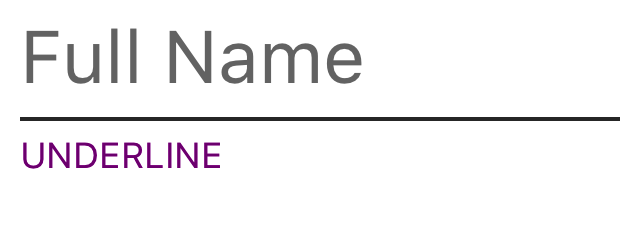
Sample code based on the Manual Layout example in the MDC Catalog.
MDCTextField *textFieldName = [[MDCTextField alloc] init];
MDCTextInputControllerDefault *nameController = [[MDCTextInputControllerDefault alloc] initWithTextInput:textFieldName];
self.nameController.underlineViewMode = UITextFieldViewModeAlways;
textFieldName.leadingUnderlineLabel.textColor = UIColor.purpleColor;
textFieldName.leadingUnderlineLabel.text = @"UNDERLINE";
 romoore
on 18 Aug 2017
romoore
on 18 Aug 2017
Hi, @temkich ! Thanks for being an MDC-iOS user.
@romoore is on the right track:
tl:dr: Controllers need more customizable API.
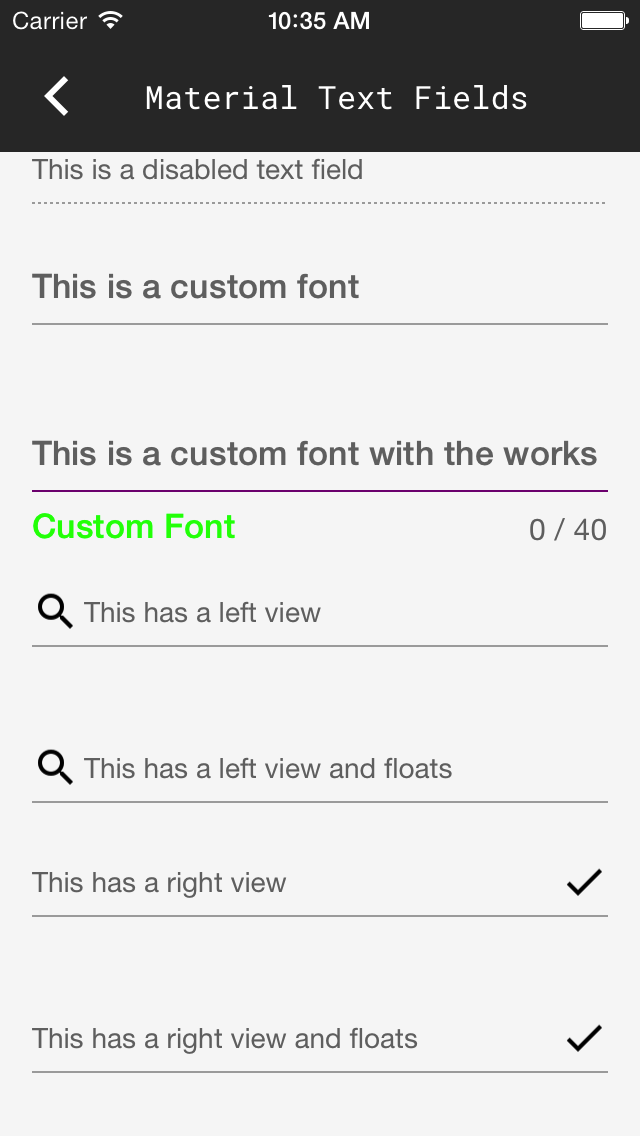
The MDCTextInputControllers bring a lot of style with them and certain events trigger it to apply or reapply that style to your textfield. I don't see your code but I'm guessing you're probably using the default controller.
Not having a way to persist a text color change for underline labels was an oversight on my part so, yes, consider it a bug.
Expect a fix for this to be in the develop branch quickly. It will then be a few days until it gets into the stable branch so I'll post instructions for changing your cocoapods to point to develop temporarily when my PR has been merged.
Workaround: Adjust updateLeadingUnderlineLabel() in MDCTextInputControllerDefault.m
In the meanwhile, you can unlock and edit MDCTextInputControllerDefault.m's method updateLeadingUnderlineLabel.
Replace MDCTextInputDefaultInlinePlaceholderTextColorDefault() with your intended color.
- (void)updateLeadingUnderlineLabel {
  if (!self.customLeadingFont) {
    self.textInput.leadingUnderlineLabel.font = [[self class] underlineLabelsFont];
  }

  self.textInput.leadingUnderlineLabel.textColor =
      (self.isDisplayingErrorText || self.isDisplayingCharacterCountError)
          ? self.errorColor
          : MDCTextInputDefaultInlinePlaceholderTextColorDefault();
}
Becomes:
- (void)updateLeadingUnderlineLabel {
  if (!self.customLeadingFont) {
    self.textInput.leadingUnderlineLabel.font = [[self class] underlineLabelsFont];
  }

  self.textInput.leadingUnderlineLabel.textColor =
      (self.isDisplayingErrorText || self.isDisplayingCharacterCountError)
          ? self.errorColor
          : [UIColor greenColor];
}
 willlarche
on 18 Aug 2017
willlarche
on 18 Aug 2017
A pull request has been created with new API for the colors of the leading and trailing underline labels when not in error. #1846
willlarche
on 18 Aug 2017
@willlarche Yes i use MDCTextInputControllerDefault. I checked, now the text color has changed, but there is a problem if I use the mode .floatingEnabled = YES; Then, after I start typing the text in the field, the color of the helper text changes again to the default text.
temkich
on 19 Aug 2017
Change ur Podfile to have this:
pod 'MaterialComponents', git: => 'https://github.com/material-components/material-components-ios', :branch => 'develop'
And let me know if it helps.
In the kitchen sink example, the helper text is staying the right color:
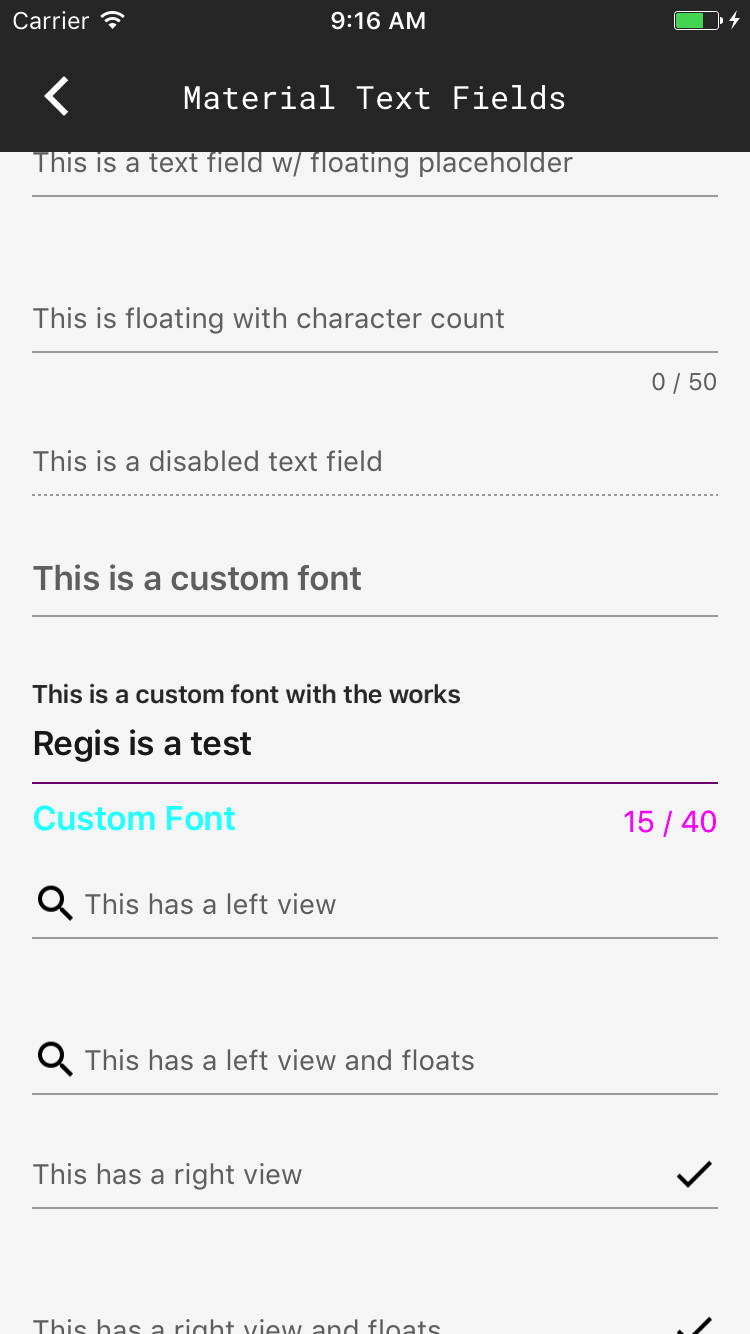
willlarche
on 19 Aug 2017
@willlarche If I use this version now works nice. But now the properties have ceased to work
.underlineColorActive and .underlineColorNormal to change the color of the line itself. How can I change the color of the line now? :)
temkich
on 19 Aug 2017
.underlineColorActive and .underlineColorNormal were replaced a version ago with .active and .normal. They work same way as before. You can see in the example that the underline is purple when normal and green when active.
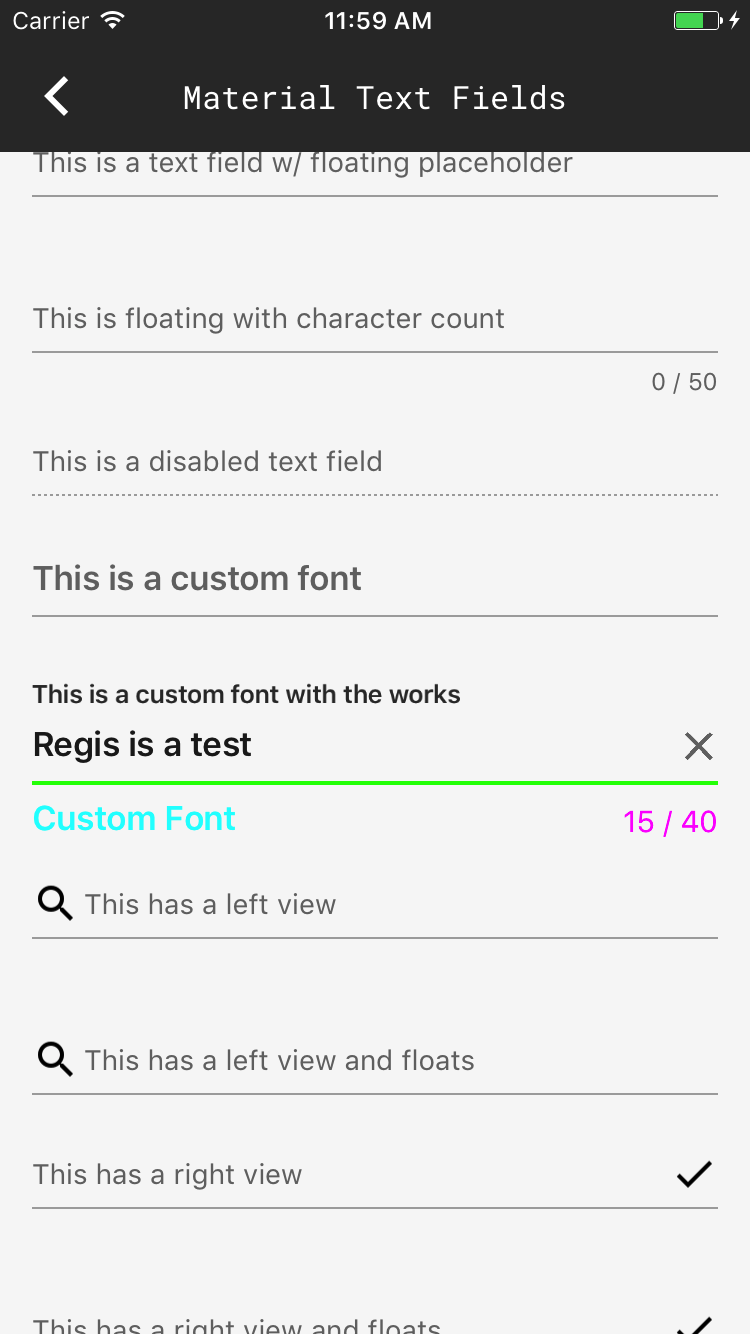
willlarche
on 19 Aug 2017
Related issues
 pokurivijay
·
5Comments
willlarche
·
6Comments
pokurivijay
·
5Comments
willlarche
·
6Comments
 brianjmoore
·
5Comments
brianjmoore
·
5Comments
 appsforartists
·
5Comments
appsforartists
·
5Comments
 zishanj
·
4Comments
zishanj
·
4Comments