Maptool: HTML5 data: URIs not working in Frame5, Dialog5, or Overlay
Describe the bug
The data: URI allows embedding the data for an element rather than a link to the data.
Using code like
[h: imgSrc='"data:image/png;base64,'+picCode+'"']
I should be able to use images like this:
CSS {background-image:url('+imgSrc+');}
HTML <img id="img" src='+imgSrc+' alt="I see nothing" width="500px" height="500px">
JS document.getElementById("img").src="'+imgSrc+'";
To Reproduce
- Take this file test2.html.txt
- Copy file contents
- Rename to .html
- Test by opening in browser.
- Paste into HTML5 macro function, e.g.
[dialog5("Weather"): { [r: strformat(' <!-- paste HTML here --> ')] }] - Run macro.
- Look at the ugly.
Expected behavior
Images should be displayed as they would in a browser.
Screenshots
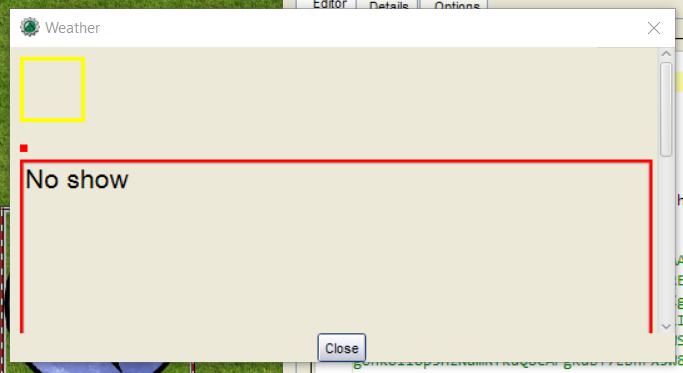
Attached HTML used in dialog5()
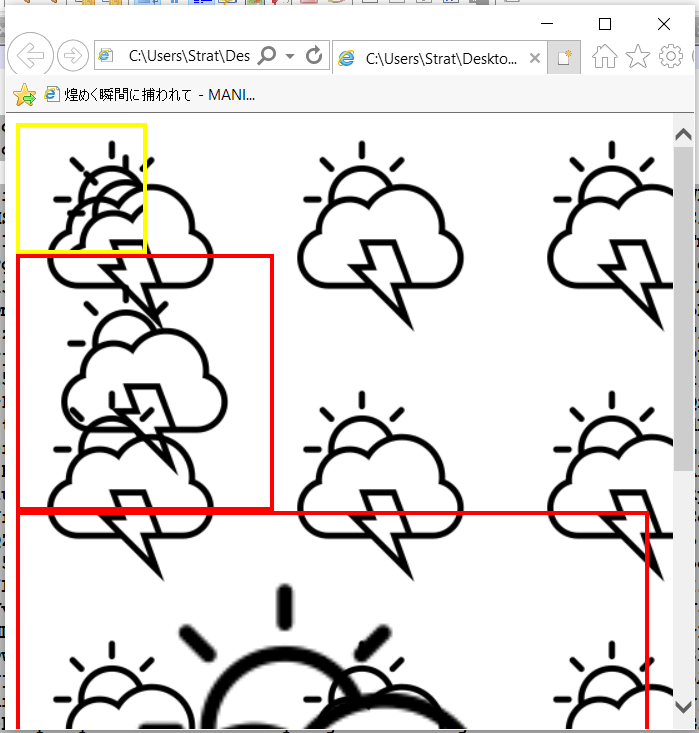
Attached HTML viewed in browser
MapTool Info
- Version: 1.7.0
Desktop (please complete the following information):
- OS: Win10
 bubblobill
All 23 comments
Hey!
I'd like to look into this issue, but, I don't know where to start.
Which file should I look into in order to resolve this?
 dat-adi
on 6 Oct 2020
dat-adi
on 6 Oct 2020
@dat-adi
Check HTMLWebViewManager.java
The Content-Security-Policy determines what can be loaded and probably needs to be modified to allow data:
 cwisniew
on 7 Oct 2020
cwisniew
on 7 Oct 2020
Can we assume that MT is an unlikely vector for the security concerns?
quote:The data URI can be utilized to construct attack pages that attempt to obtain usernames and passwords from unsuspecting web users. It can also be used to get around cross-site scripting (XSS) restrictions, embedding the attack payload fully inside the address bar, and hosted via URL shortening services rather than needing a full website that is controlled by a third party.[8] As a result, some browsers now block webpages from navigating to data URIs.[9]
bubblobill
on 7 Oct 2020
@cwisniew thanks for pointing that out.
I'll try looking into it.
Also, @bubblobill I didn't quite get that, but, what I do understand is that you mean that the data:uri component is vulnerable?
dat-adi
on 7 Oct 2020
I'm not able to get my javafx to work on my system unfortunately, but I want to test something out T_T
In the HTMLWebViewManager.java, adding the below line allowing the image should fix it?
+ " img-src 'self' data: ;"
I'd test it out, but, like I've mentioned earlier, the JavaFX module is proving to be painful to deal with.
dat-adi
on 7 Oct 2020
You should review the guide for development. https://github.com/RPTools/maptool/wiki/Contributor-Setup-Instructions-For-MapTool
All PRs and development are done against the develop branch.
See https://github.com/RPTools/maptool/blob/main/doc/Code_Style_and_Guidelines.md also
 Phergus
on 9 Oct 2020
Phergus
on 9 Oct 2020
Thank you for your response.
I'll attempt to test it out again.
dat-adi
on 9 Oct 2020
Closing PR.
dat-adi
on 9 Oct 2020
With changes the example given produces this:

Appears to be working as expected.
Phergus
on 10 Oct 2020
This change seems to have made it so that local images (via asset://) won't display in form5/dialog5/overlay, at least on my end. Can anyone else confirm?
 Irarara
on 12 Nov 2020
Irarara
on 12 Nov 2020
Confirmed.
@dat-adi you want to look at this?
Phergus
on 12 Nov 2020
I'll look into it.
However, I haven't worked with that area.
How do you display local images exactly?
Did the local images work before this development?
dat-adi
on 13 Nov 2020
You can link to images in HTML frames/dialogs/overlays using syntax like this:
[overlay("Image"):{
    <img src=[r: getImage('c7')]>
}]
Works in 1.8.0-beta.2 but not in current code. Broken for frame5(), dialog5() and overlay() but working for older frame() and dialog().
Phergus
on 13 Nov 2020
Adding asset: to the img-src CSP directive might fix it? (ie img-src * asset: ;)
Irarara
on 13 Nov 2020
That would do it. Go ahead and put in a PR with the fix.
Phergus
on 13 Nov 2020
Glad to see that the issue has been sorted, will @Irarara be taking over now?
dat-adi
on 14 Nov 2020
@dat-adi Oh, I wasn't really intending to, but I don't mind if you'd prefer. I was just offering that as a suggestion. The issue made me curious, so I looked into it a little, and that seemed like it might be the right direction, but I haven't really done any thorough testing or anything.
Irarara
on 16 Nov 2020
@dat-adi @Irarara Still waiting on a PR to fix this.
Phergus
on 25 Nov 2020
Oh, my bad. I'll work on it.
dat-adi
on 25 Nov 2020
@Phergus I've looked into it, but, the assets don't seem to load up even after the addition of the asset:.
I'm not sure as to whether I'm running the right command, can you direct me to working with frame()/overlay()?
dat-adi
on 25 Nov 2020
Overlays are described here: https://wiki.rptools.info/index.php/overlay_(roll_option)
frame5() is documented here: https://wiki.rptools.info/index.php/frame5_(roll_option)
This code will work for both (just change overlay to frame5).
[overlay("Image"):{
    <img src=[r: getImage('someTokenOnTheMap')]>
}]
@dat-adi were you going to finish this?
Phergus
on 12 Dec 2020
I apologize, I will not be working on this.
dat-adi
on 14 Dec 2020
Related issues
 jfranciscoap
·
8Comments
jfranciscoap
·
8Comments
 melek
·
3Comments
melek
·
3Comments
 Merudo
·
4Comments
Merudo
·
4Comments
Merudo
·
7Comments
Merudo
·
4Comments
Merudo
·
4Comments
Merudo
·
7Comments