Maptool: States and Bars do not follow off-center top-down tokens as their facing is rotated.
Describe the bug
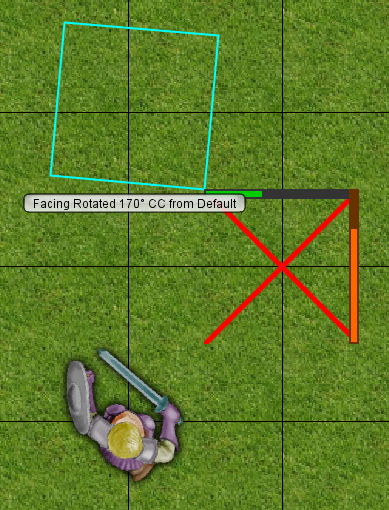
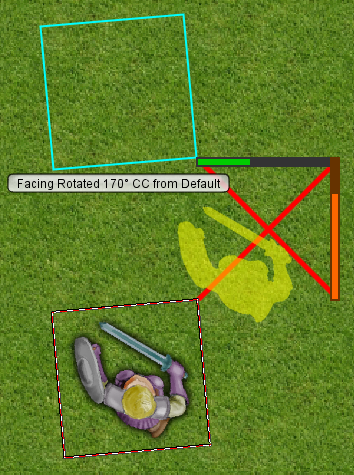
States and Bars do not follow the bounding box of a top-down image with an off-center layout as it's facing is rotated.
This seems related to other top-down token issues with the token layout setting and token facing in #1060 and #1049.
To Reproduce
Steps to reproduce the behavior:
- On a new map, create a new token.
- In
Token Editor > Config Tab > Shape, select Top Down. - In
Token Editor > Config Tab > Layout, drag the token to a corner of the layout area . - In
Token Editor > States Tab, check Dead and unhide the Health bar, setting it to 100% value. - Rotate the facing on the token.
- Observe the bar and state do not move with either the Halo, or the Token image.
- Optionally, add Token VBL and observe that they don't follow Token VBL rotation either.
Expected behavior
States and bars should remain centered on the center of the token image as it has its facing rotated.
Screenshots
The error with token labels visible and a halo applied:
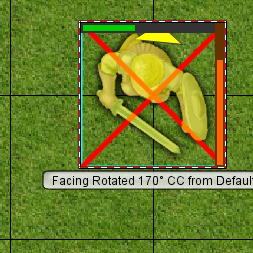
When set to 'Circle', the same token renders perfectly:
This image shows how Halos/Labels/Selection area, Token image, Token VBL, and States and Bars misalign in off-center, top-down tokens when their facing is rotated:
MapTool Info
- Version: 1.5.10
- Install: Upgrade throughout 1.5.x
Desktop (please complete the following information):
- OS: Windows 10
Additional context
Bars and States do scale correctly on tokens that are scaled in the Token Layout settings.
If this is fixed, it might be logical that it be fixed along with #1060 and #1049.
 melek
melek
All 3 comments
PR #1393 fixes this issue.
 Merudo
on 19 Mar 2020
Merudo
on 19 Mar 2020
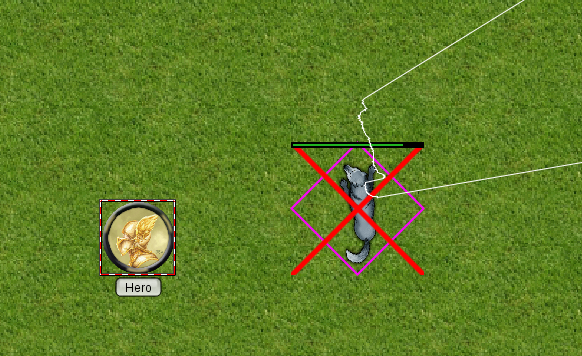
Tested new code. States, Halos and Bars correctly moving with rotating token. VBL still offset.
 Phergus
on 20 Mar 2020
Phergus
on 20 Mar 2020
As #1049 covers the VBL issue. Considering this one complete.
Phergus
on 20 Mar 2020
Related issues
 JakeVDTS
·
4Comments
JakeVDTS
·
4Comments
 cwisniew
·
10Comments
cwisniew
·
10Comments
 si-lang
·
4Comments
melek
·
8Comments
si-lang
·
4Comments
melek
·
8Comments
 dstein766
·
7Comments
dstein766
·
7Comments