Maptool: add lumens support to Sight (Light already has it)
Describe the bug
Lights are currently capable of expressing "negative lumens", causing darkness. There's a note in the Help text of the Campaign Property's Light tab that says the dark vision Sight is equivalent to 100 lumens. The problem is that I have a creature that can cast darkness at lumens=-100 (per the Light tab) but needs to be able to see through it and can't (because the Sight tab doesn't have a "lumens" keyword).
Expected behavior
Since the Light tab allows negative lumens, the Sight tab should allow the definition of vision types that can see through it.
MapTool Info
- Version: 1.6.1
Desktop (please complete the following information):
- OS: macOS
- Version 10.15
Additional context
I haven't looked at the code (I have no development environment installed, currently) but this may or may not be a lot of work. Since the Light tab says darkvision (which should be any vision type with the r modifier) effectively has "lumens=100", I'm hoping there's already a field in the structure and it just needs the proper parsing in the Sight tab to be active. 🤞
 Azhrei
All 9 comments
I'll update the various Sight/Light wiki pages to reflect these changes coming in 1.8
 selquest
on 11 Jul 2020
selquest
on 11 Jul 2020
Updated the "Introduction to Lights and Sights" wiki page to include the existing option of Lumens for Light Sources, and advise of the upcoming option to add them to Sight.
selquest
on 11 Jul 2020
I don't think this is working as desired.
Map Vision set to Night. No FoW. Info token has Darkness Light with lumens=-120
GM Client - Hero token selected
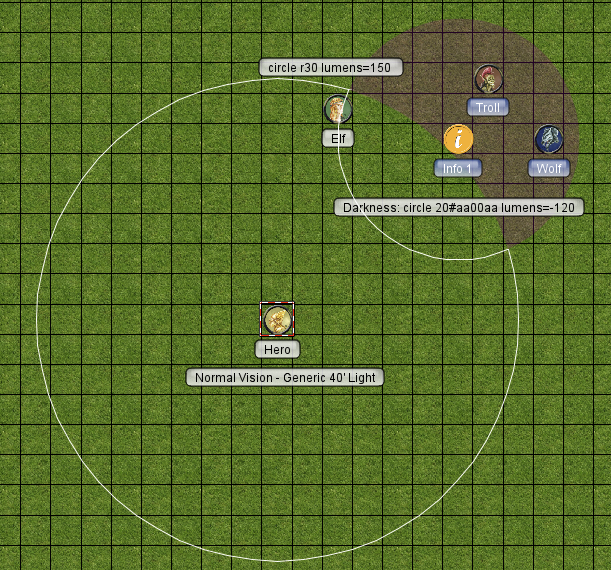
GM Client - Elf token selected
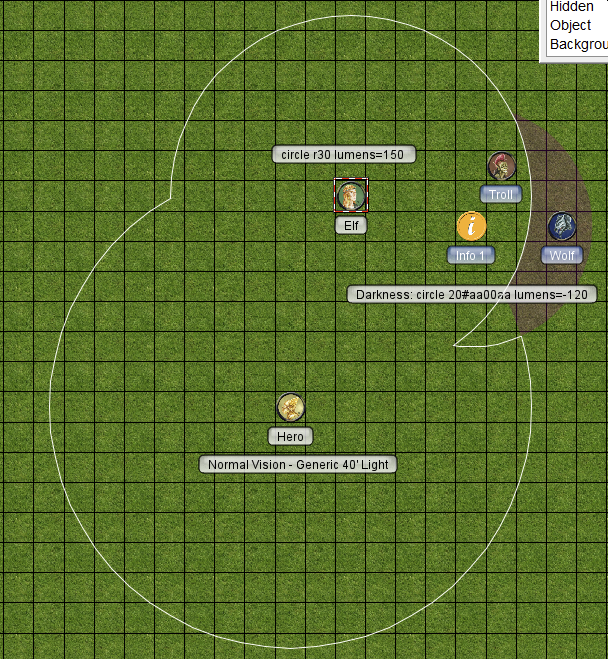
Hero Client - Nothing is visible in the area covered by the darkness as his light source is only a Lumens 100 and he has Normal vision. The problem is that the darkness area itself is also not visible. No indication that there is an area within his view that is covered by darkness.
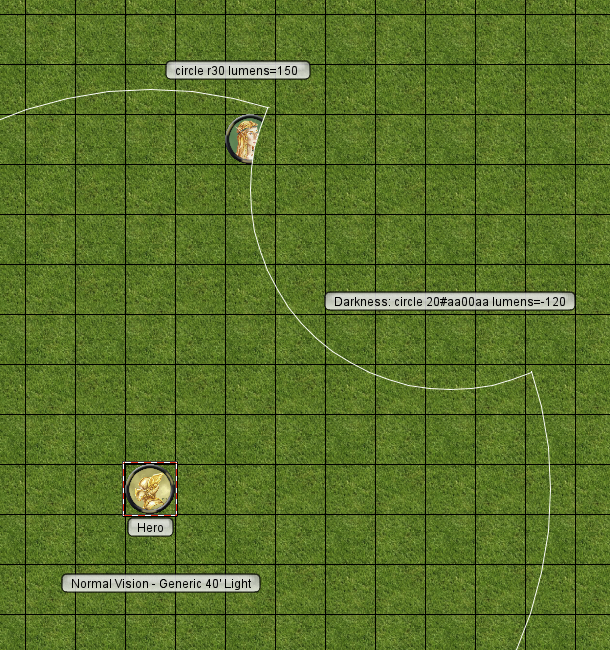
Elf Client - Has personal light with lumens=150. Same issue as Hero. Can't see that there is an area of darkness.
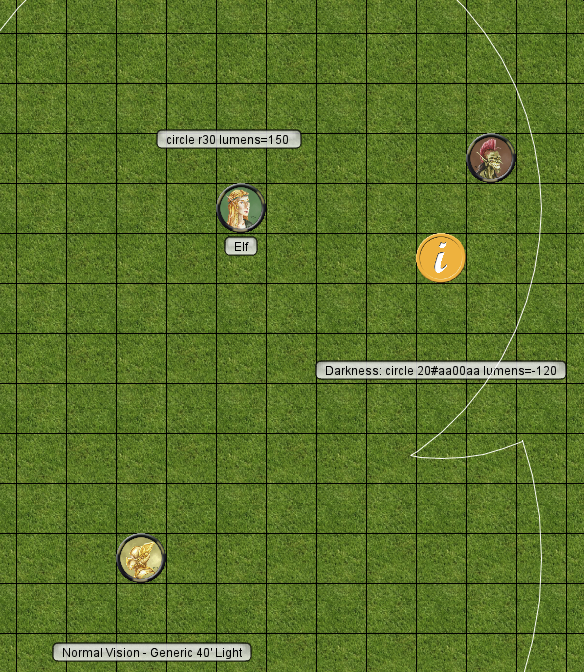
Setting the Map Vision to Day has similar issues. The darkness area isn't visible at all on the GM client. Only the Elf can see the darkness area that is outside of his personal light range but he can see the Wolf token which shouldn't happen unless the Day lumens value is > 120. The Hero can't see any indication there is an area of darkness at all. His vision isn't clipped.
Campaign File
SightLumensTest.cmpgn.zip
 Phergus
on 14 Jul 2020
Phergus
on 14 Jul 2020
@Phergus it looks like it's handling the visible area calculation as expected, but the color of the Elf's personal light source is covering the color of the darkness source underneath it. You can see this happening even for the generic 40' light source applied to the Hero here.
That doesn't seem to be related to this particular change though. I tried reverting to the dev commit just before this PR was merged (f451a7ef26d2ea192165aaccad2440b55aeb4ce6), and we can see the same behavior there (although obviously the "Extra Darkvision" sight defined just uses the default 100 lumens at that point):
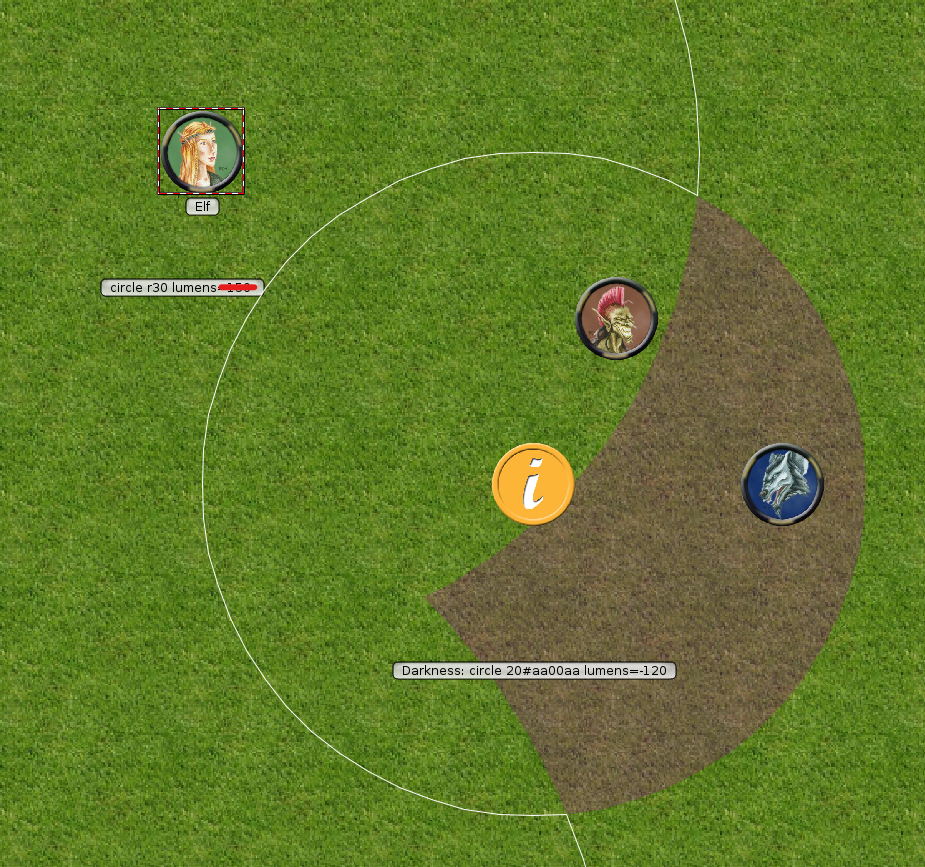
Interestingly, adding an explicit color to the Elf's personal light source made it actually blend the colors as expected. The only change made between the last screenshot and this one was setting the darkvision light source to #000000 color:
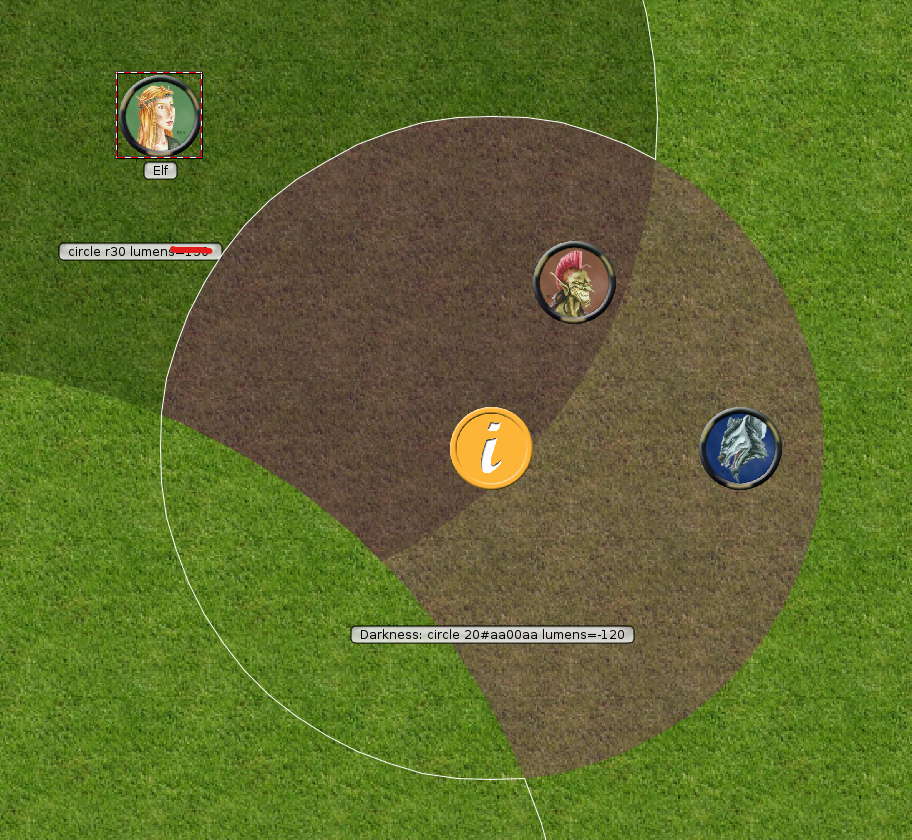
I think the strangeness here then is more related to the interactions with the light source colors than any problems with adjudicating light/darkness to work out a vision area. Maybe #1893 playing a role?
For reference, this is what it looks like on 1.7:
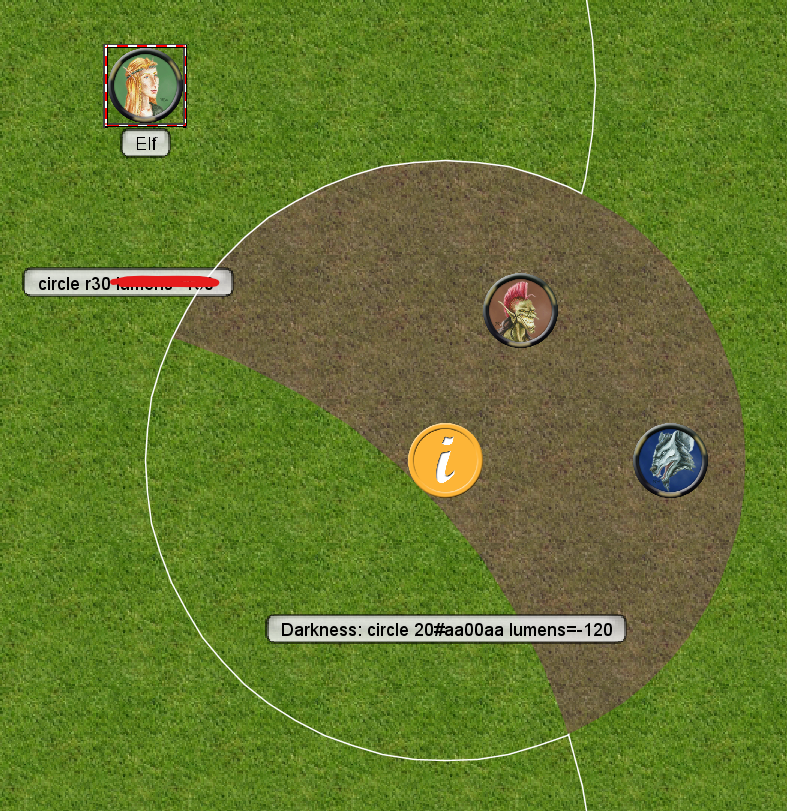
selquest
on 14 Jul 2020
@Phergus it looks like it's handling the visible area calculation as expected,..
Yes. Was only commenting on how the area of darkness is not visible.
...but the color of the Elf's personal light source is covering the color of the darkness source underneath it.
Yup and that produces the result that you can't tell where the areas of darkness are at without adding a color to each light source. It's more of what was discussed in #1893 as you say.
Phergus
on 15 Jul 2020
Yeah, it looks like this is a direct result of decisions made there - care is taken specifically to prevent the "dim light" with a color from applying its color to the pure white default light. If all the lights involved have color, none of them are considered "bright" and we get the mix of visual indicators. The fact that in this case that "dim light" actually has negative lumens doesn't change the behavior at all. I can see arguments either way as to whether it should - I'd prefer to have the visual cue, but the initial premise of #1893 was that if your Daylight spell can overcome the darkness, you want the bright light to extend all the way into the darkness. to avoid drawing any colors over top of the default light.
selquest
on 15 Jul 2020
The problem is that the visual implies that the Hero's light source is illuminating the area of darkness. The Hero player could move his token right up to or into the area of darkness without realizing there even was an area of darkness or that the apparently clear area might not be empty. I think this will be problem.
Phergus
on 15 Jul 2020
Well the Hero player not being able to see the darkness has always been the case - the area covered by the darkness is explicitly subtracted out of his visible area. Now we've lost the GM's visual feedback to help explain why that's the case though. I think it probably makes sense to have sources of darkness treated as an exception from the rendering changes in #1893. I'll make a new issue for it, but I haven't dug into any of the actual UI painting code yet, so I'm probably not the best to try and change it.
Added #2094
selquest
on 15 Jul 2020
Tested. Working as designed.
Phergus
on 20 Jul 2020
Related issues
 Merudo
·
4Comments
Merudo
·
7Comments
Merudo
·
4Comments
Merudo
·
7Comments
 melek
·
8Comments
melek
·
8Comments
 cwisniew
·
9Comments
melek
·
3Comments
cwisniew
·
9Comments
melek
·
3Comments
Most helpful comment
Updated the "Introduction to Lights and Sights" wiki page to include the existing option of Lumens for Light Sources, and advise of the upcoming option to add them to Sight.