I have 3 data files which are:
* .shp
* .shx
* .dbf
I need to load this vector tiles in the map.
I heard it is possible to load vector tiles by using this project because this script
Mapsui/Samples/Mapsui.Samples.Common.Desktop/ShapefileSample.cs uses .shp file.
I run whole project. This is the result:
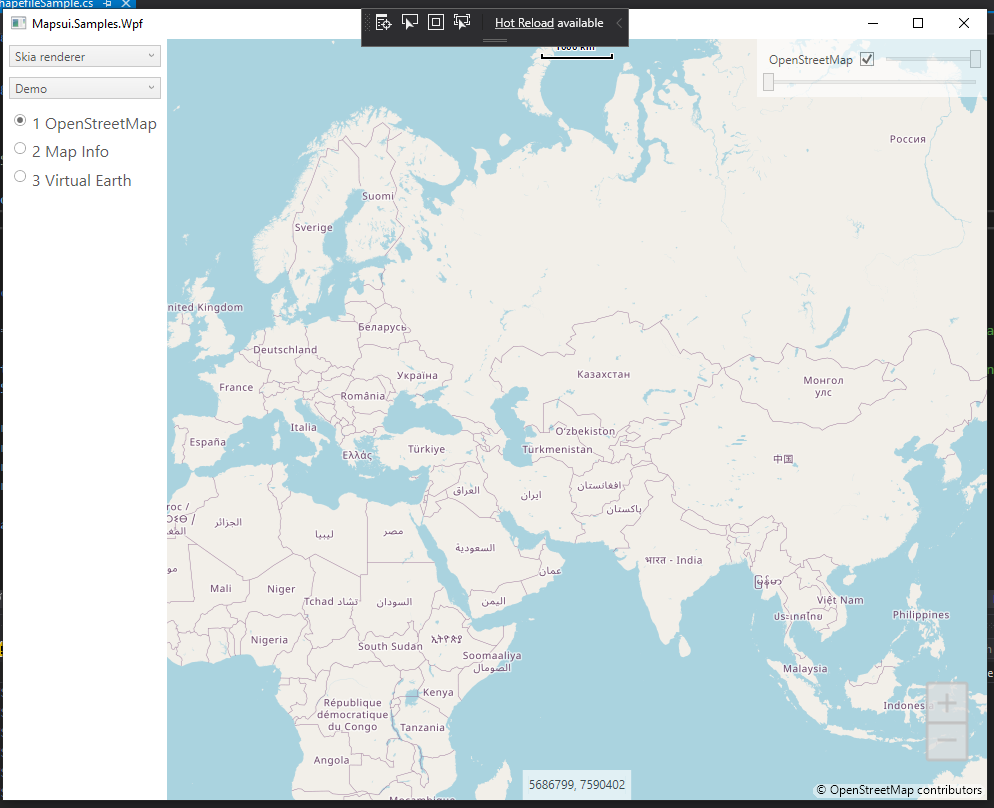
However, I don't know exactly which part is loading .shp file.
Can anybody help me to load vector tiles in easy way?
This project is little bit hard to review and analyse codes.
 Kayumiy
All 14 comments
Ok, that was my fault. I didn't know, that the Common.Desktop samples are not working.
What to do? Copy the file "ShapefileSample.cs" from Project "Mapsui.Samples.Common.Desktop" to the project "Mapsui.Sample.Common". The same with the folder "GeoData" (from "Common.Desktop" to "Common"). And a last file: copy "Icon.png" from "Common.Desktop.Images" to "Common.Images". All files are now copyied.
We have to change one more thing: Open the file "ShapefileSample.cs" and go to line 85. It is like
var bitmapStream = localAssembly.GetManifestResourceStream("Mapsui.Samples.Common.Desktop.Images.icon.png");
Change it to
var bitmapStream = localAssembly.GetManifestResourceStream("Mapsui.Samples.Common.Images.icon.png");
That's it. Now set the project "Mapsui.Samples.Wpf" as startup project and it. You should now have another entry in the demo list: "Desktop". Select it and use "1 Shapefile". Now you could see a shapefile.
Sorry, but I couldn't say anything else, because I don't know anything about this part of Mapsui. You have to look into the sample code to learn more.
 charlenni
on 11 May 2020
charlenni
on 11 May 2020
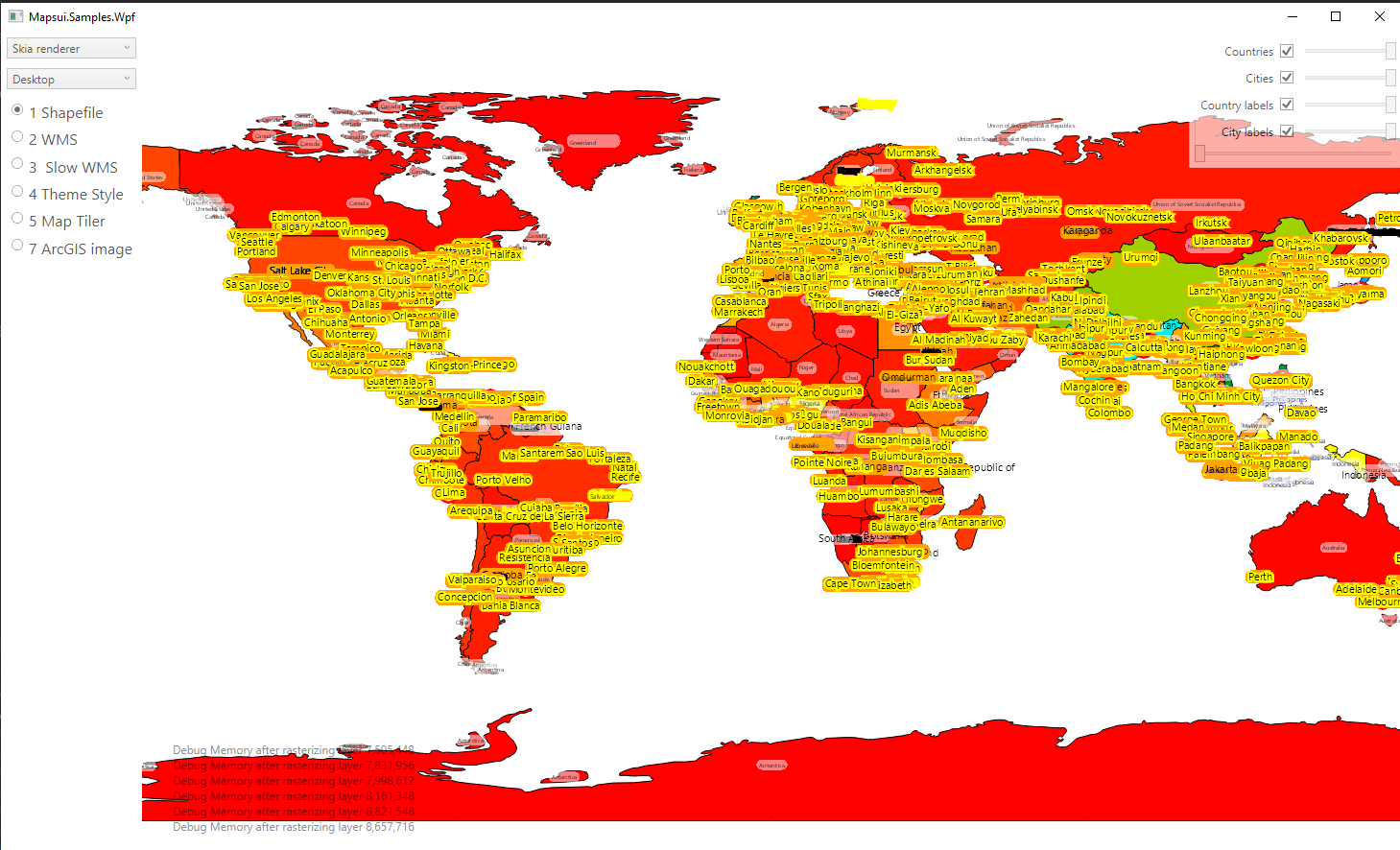
It is working well. When I click 2nd dropdown menu and select Desktop, it loads vector tiles.
It is working in offline mode.
However, Common.Desktop sample is part of the whole project. It is not separate project.
If it is separated, it would be easy to analyse the code.
Kayumiy
on 11 May 2020
I would say, that you should learn to use Mapsui API if you want to use it. Someone before you wrote some code to read shape files and convert them to features, which then could be displayed with Mapsui. Mapsui is a library to display raster/bitmap maps and features (lines, polygons and so on).
So, if you want to display shapefiles, then you have to use Mapsui as library (load it from NuGet as a dependency) and an own written program to load shape files and add them to Mapsui. And you need some code to add Mapsui to your platform code. All this parts could be found in the sample code.
What Mapsui isn't? It isn't a ready made program to display shape files out of the box. But this isn't difficult. To create a layer with a shape file as source you have to do the following
map.Layers.Add(return new Layer {
            Name = "Countries",
            DataSource = new ShapeFile(GetAppDir() + "\\GeoData\\World\\countries.shp", true),
            Style = CreateCountryTheme()
        };
Perhaps the most difficult part is to give the right path to the shape file. To setup projects for Mapsui, see the documentation.
charlenni
on 11 May 2020
I tried to create a starter project for you. It is a minimal project to display shape files.
@pauldendulk There is a problem with the ZoomHelper. Investigate this not further, but assume, that the problem is, that Resolutions isn't null, but empty. Than Resolution[0] is undefined. Then I get a out of range exception.
charlenni
on 11 May 2020
Tank You very much Sir. I am really grateful to you.
Kayumiy
on 11 May 2020
Will be fixed in 2.0.1.
 pauldendulk
on 12 May 2020
pauldendulk
on 12 May 2020
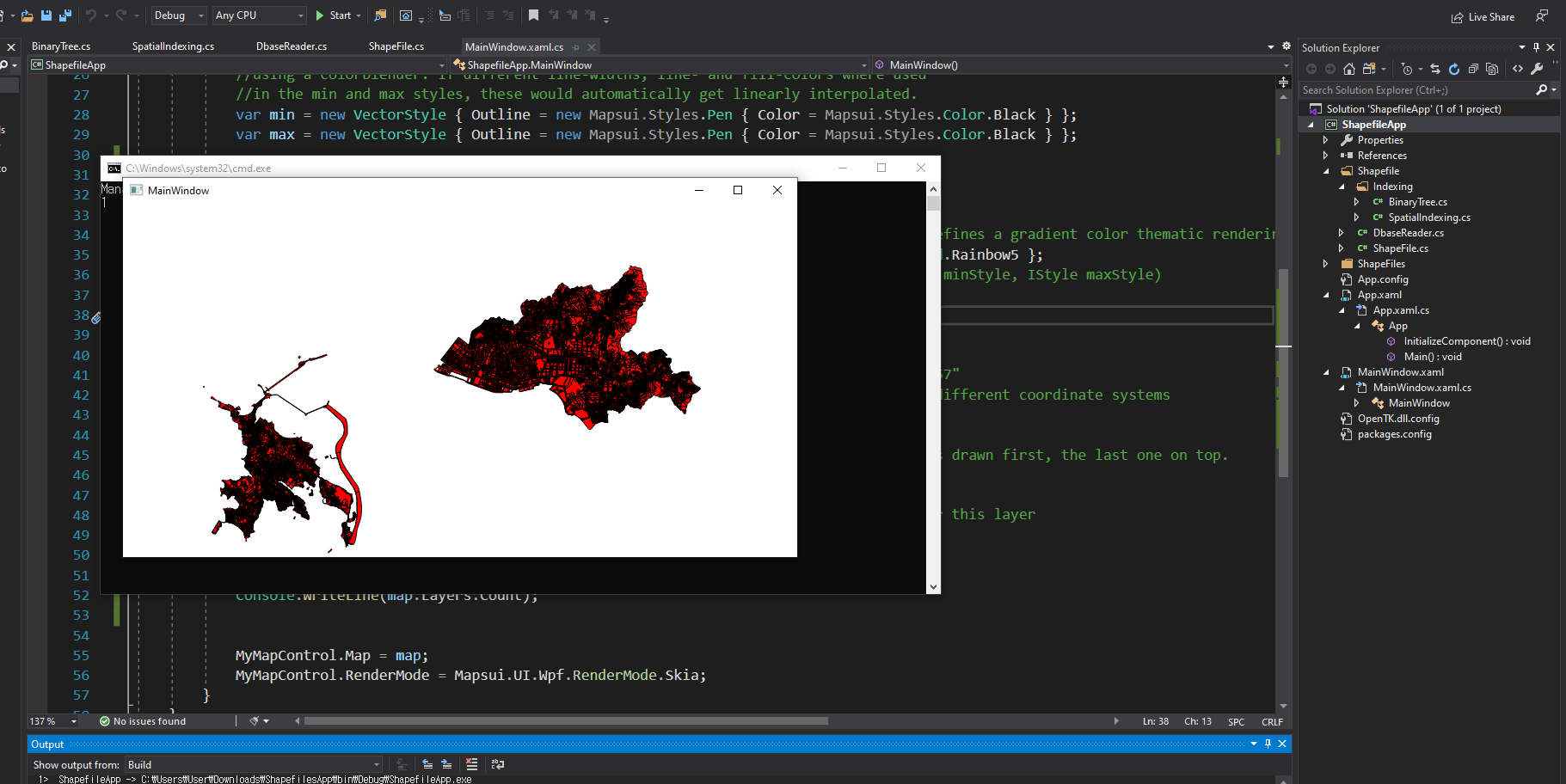
I can load my vector tiles by using your project.
However, it is working too slow. I don't know cause issue.
Maybe my map data is big.
.shp file is 25 MB

Is there any idea how to optimize it?
Kayumiy
on 12 May 2020
Look into the ShapefileSample. There is a RasterizedLayer or so used. This should make the whole a little bit faster.
charlenni
on 12 May 2020
You should replace in my sample in file MainWindow.xaml.cs the line 39 with the following
map.Layers.Add(new RasterizingLayer(new Layer
Don't forget the closing ) at the end of line 44.
And if you issue is answered, please close this issue.
charlenni
on 13 May 2020
Yes it is answered. I will close it.
RasterizedLayer made it little bit faster.
However, it is still slow.
Kayumiy
on 13 May 2020
In terms of Zoom in and zoom out function.
Zoom out works well, but when I zoom in, it shows this Exception:
Unhandled Exception: System.ArgumentOutOfRangeException: Index was out of range. Must be non-negative and less than the size of the collection.
Kayumiy
on 13 May 2020
See my above comment for @pauldendulk and his answer, that this will be fixed in Mapsui 2.0.1.
charlenni
on 13 May 2020
You mean this issue will be fixed in the future?
Kayumiy
on 13 May 2020
Yes
charlenni
on 13 May 2020
Related issues
 lukaszpitulski
·
5Comments
lukaszpitulski
·
5Comments
 othmaniav
·
7Comments
lukaszpitulski
·
8Comments
pauldendulk
·
7Comments
Kayumiy
·
9Comments
othmaniav
·
7Comments
lukaszpitulski
·
8Comments
pauldendulk
·
7Comments
Kayumiy
·
9Comments