Mapbox-gl-native: Extrusion layer is drawn on top of the symbol layer
Steps to reproduce
- Run "git clone https://github.com/mapbox/mapbox-gl-native.git"
- Go to the cloned folder build the file and start the test app.
- In the test app, select the setting button -> Add Building Extrusions
Expected behaviour
Symbol layer is on top of building extrusion layer.
Actual behaviour
Building extrusion layer is above the symbol layer.

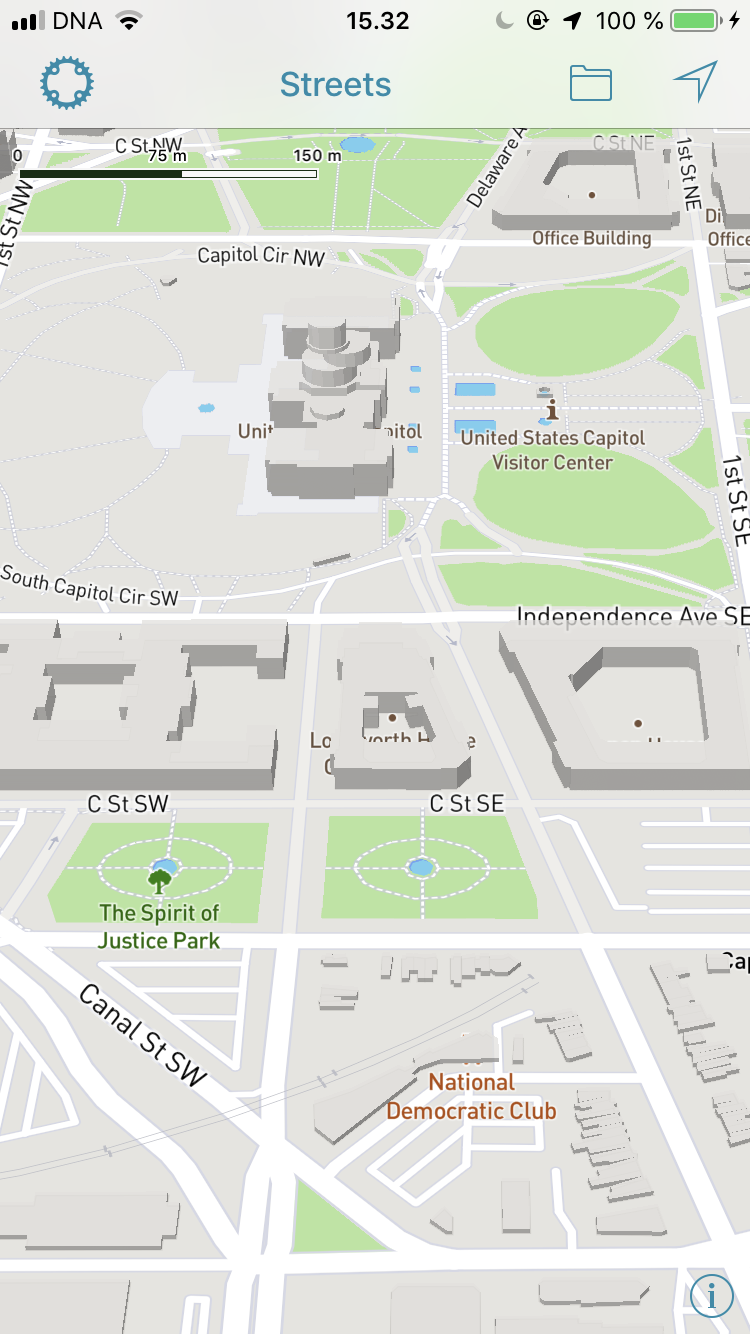
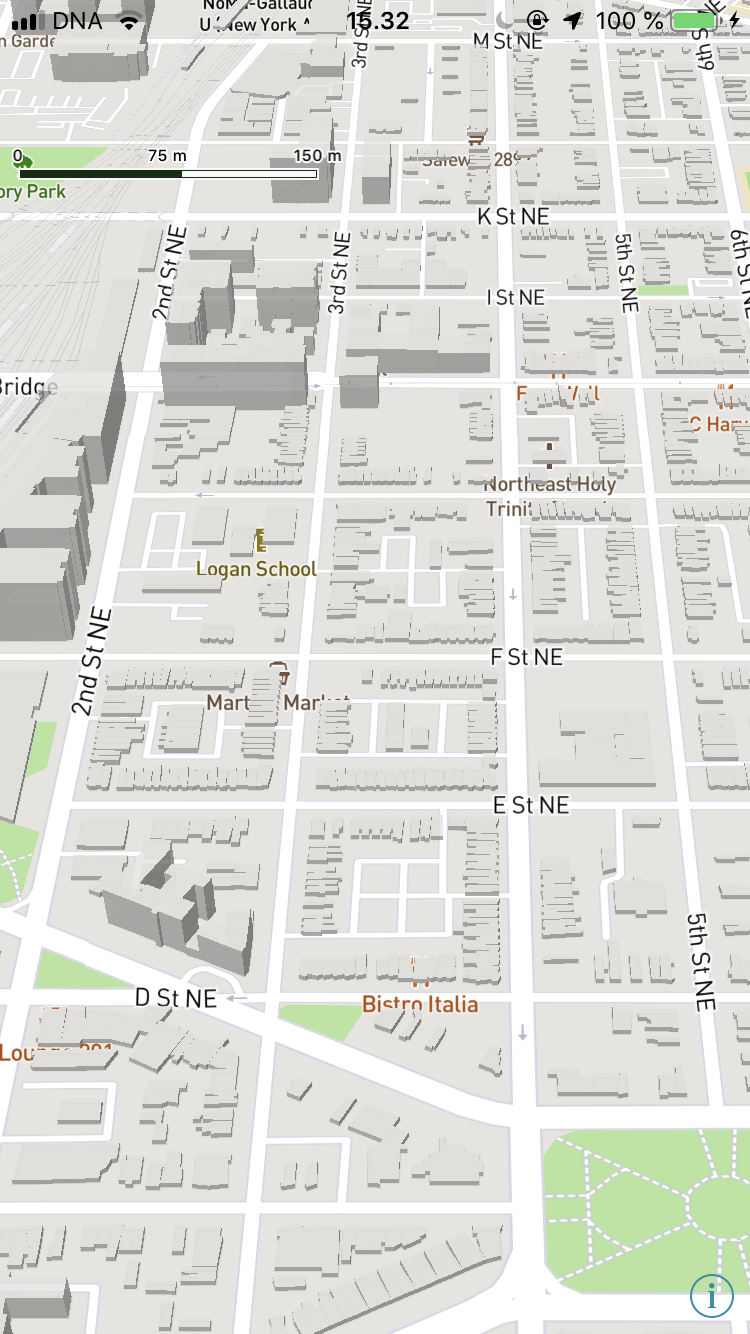
Configuration
Mapbox SDK versions: 5.2.0-alpha.1
iOS/macOS versions: 10.14.6 beta
Device/simulator models: iPhone 8 (12.2)
Xcode version: 10.2
 harrynguyenlong
All 7 comments
Thanks for the report @harrynguyenlong. Root cause could be the same as https://github.com/mapbox/mapbox-gl-native/issues/15006, though interestingly the behavior is the opposite.
cc: @tmpsantos
 chloekraw
on 2 Jul 2019
chloekraw
on 2 Jul 2019
May be related to https://github.com/mapbox/mapbox-gl-native/issues/14779
 jmkiley
on 2 Jul 2019
jmkiley
on 2 Jul 2019
We are facing the same issue in mapbox Android SDK. Do you have any timeline on this?
 Amerkumar
on 4 Jul 2019
Amerkumar
on 4 Jul 2019
@Amerkumar we will start to work on this issue Jul/8.
 tmpsantos
on 5 Jul 2019
tmpsantos
on 5 Jul 2019
Same cause as #14844 and #14779.
 astojilj
on 6 Jul 2019
astojilj
on 6 Jul 2019
PR for this issue here: https://github.com/mapbox/mapbox-gl-native/pull/15065
tmpsantos
on 8 Jul 2019
Fixed.
tmpsantos
on 9 Jul 2019
Related issues
 JobGetabu
·
3Comments
JobGetabu
·
3Comments
 ChrisLoer
·
3Comments
ChrisLoer
·
3Comments
 melihcolpan
·
3Comments
melihcolpan
·
3Comments
 brunoabinader
·
4Comments
brunoabinader
·
4Comments
 klblk
·
4Comments
klblk
·
4Comments
Most helpful comment
@Amerkumar we will start to work on this issue Jul/8.