Manim: Latex is not recognized as an internal or external command, Later error converting to dvi
@Elteoremadebeethoven need your help again
Examples other than SquareToCircle don't work. I have seen people on github posting similar queries but they are a bit confusing. Mind helping me?

 gargVader
All 43 comments
I downloaded the basic version of MikTex. Is that an issue? How large is the full version?
gargVader
on 8 Jul 2019
Yes, you have to download the full version. Like 4 GB
 Elteoremadebeethoven
on 8 Jul 2019
Elteoremadebeethoven
on 8 Jul 2019
The full version is not really required. You just need to download all packages specified in manimlib/tex_template.tex
 Kolloom
on 8 Jul 2019
Kolloom
on 8 Jul 2019
You're right, but it's easier once you install all the packages, in case you want to use more packages you do not have to install them every time.
Elteoremadebeethoven
on 9 Jul 2019
thanks, I will download the full version and then check it again.
gargVader
on 9 Jul 2019
@Elteoremadebeethoven I downloaded and installed the complete version of miktex. still same problem is occuring

gargVader
on 14 Jul 2019
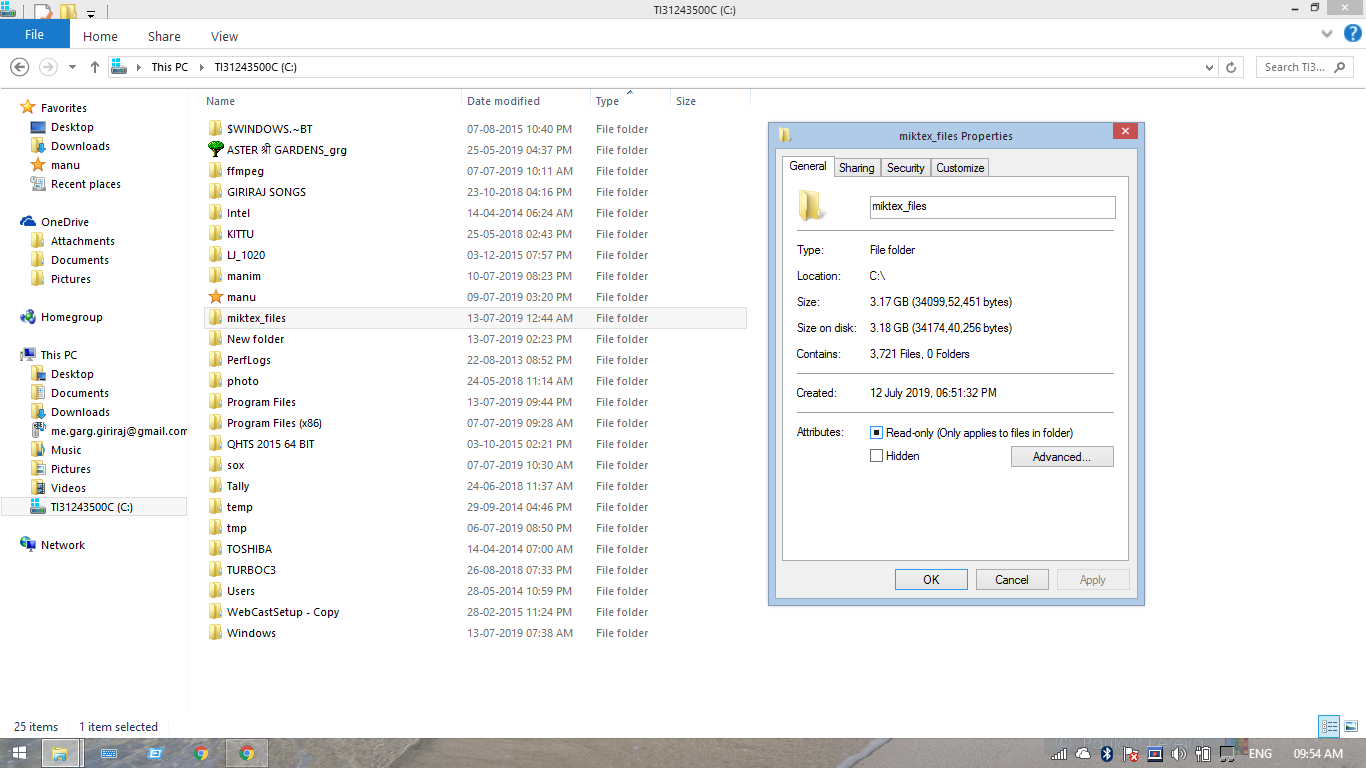
Please check if there are 3721 number of files
gargVader
on 14 Jul 2019
The full version is not really required. You just need to download all packages specified in
manimlib/tex_template.tex
how do i do that?
gargVader
on 14 Jul 2019
i have gone through #610 #300 #36 #49 #64 #110 #207 and #209 . But its very confusing
gargVader
on 14 Jul 2019
Let me see your path variables again
Elteoremadebeethoven
on 14 Jul 2019
you need to add the directory containing latex.exe to the system path.
https://github.com/3b1b/manim/blob/master/docs/source/installation/windows.rst
Kolloom
on 15 Jul 2019
I have exactly the same problem, and I am sure it's not about environment variables 'cause mine are all set correctly. the same question was asked on stack overflow https://stackoverflow.com/questions/56725031/manim-textmobject-not-work-with-exception-latex-error-converting-to-dvi and no one has the right answer.
 hjtoh
on 16 Jul 2019
hjtoh
on 16 Jul 2019
Sorry, I have fever. I will get back soon
gargVader
on 18 Jul 2019
Path variables. @Elteoremadebeethoven
C:\Program Files (x86)\Intel\TXE Components\TCS\;C:\Program Files\Intel\TXE Components\TCS\;%SystemRoot%\system32;%SystemRoot%;%SystemRoot%\System32\Wbem;%SYSTEMROOT%\System32\WindowsPowerShell\v1.0\;C:\Program Files (x86)\Common Files\Roxio Shared\DLLShared\;C:\Program Files (x86)\Common Files\Roxio Shared\10.0\DLLShared\;C:\MinGW\bin;C:\Program Files\MiKTeX 2.9\miktex\bin\;C:ffmpeg\bin;C:\sox\sox-14-4-2;
gargVader
on 25 Jul 2019
I don't think path variables is a problem. Even though I downloaded the full version of miktex, some packages are missing as suggested by this. Please tell how can get them.


Missing packages:
english
amssymb
dsfont
textcomp
mathrsfs
ragged2e
gargVader
on 25 Jul 2019
Edit: First try run the tex_template.tex file with the program of the images, that could help to install the packages. Click in the green arrow.
Ok, you are going to do this, download TeXmaker and install it, then open the manimlib / tex_template.tex file with TeXMaker, then in the toolbar click on the arrow to the left of "QuickBuild", that It should generate a .pdf file and it will also ask you to install the missing packages. You accept all the boxes that come out and when a .pdf file is generated (which should say "YourTextHere") try again to run manim.
Elteoremadebeethoven
on 25 Jul 2019
@girishgargcool Heh, I had the same problem, and I _somewhat_ temporarily resolved it. This is pretty funny, but the problem is due to the fact that the latex does not work with the relative paths to the files if they are recorded in the windows form (with _backslashes_, e.g. .\Tex\test.tex), but if you provide an absolute path, since TexLive 2015, latex will understand it. I think it is a bug from their side, so I will write them.
How I solved that:
You need to change this code from tex_file_writing.py file:
def tex_to_dvi(tex_file):
    result = tex_file.replace(".tex", ".dvi" if not TEX_USE_CTEX else ".xdv")
    if not os.path.exists(result):
        commands = [
            "latex",
            "-interaction=batchmode",
            "-halt-on-error",
            "-output-directory=\"{}\"".format(consts.TEX_DIR),
            "\"{}\"".format(tex_file),
            ">",
            os.devnull
        ] if not TEX_USE_CTEX else [
            "xelatex",
            "-no-pdf",
            "-interaction=batchmode",
            "-halt-on-error",
            "-output-directory=\"{}\"".format(consts.TEX_DIR),
            "\"{}\"".format(tex_file),
            ">",
            os.devnull
        ]
        exit_code = os.system(" ".join(commands))
        if exit_code != 0:
            log_file = tex_file.replace(".tex", ".log")
            raise Exception(
                ("Latex error converting to dvi. " if not TEX_USE_CTEX
                else "Xelatex error converting to xdv. ") +
                "See log output above or the log file: %s" % log_file)
    return result
to this
def tex_to_dvi(tex_file):
    result = tex_file.replace(".tex", ".dvi" if not TEX_USE_CTEX else ".xdv")
    if not os.path.exists(result):
        commands = [
            "latex",
            "-interaction=batchmode",
            "-halt-on-error",
            "-output-directory=\"{}\"".format(consts.TEX_DIR.replace('\\', '/')),
            "\"{}\"".format(tex_file.replace('\\', '/')),
            ">",
            os.devnull
        ] if not TEX_USE_CTEX else [
            "xelatex",
            "-no-pdf",
            "-interaction=batchmode",
            "-halt-on-error",
            "-output-directory=\"{}\"".format(consts.TEX_DIR.replace('\\', '/')),
            "\"{}\"".format(tex_file.replace('\\', '/')),
            ">",
            os.devnull
        ]
        exit_code = os.system(" ".join(commands))
        if exit_code != 0:
            log_file = tex_file.replace(".tex", ".log")
            raise Exception(
                ("Latex error converting to dvi. " if not TEX_USE_CTEX
                else "Xelatex error converting to xdv. ") +
                "See log output above or the log file: %s" % log_file)
    return result
See I've added .replace('\\', '/') in some places. Hope this will help you!
p.s.: by latex I meant the version which is provided as latex under TexLive distribution.
 godaygo
on 25 Jul 2019
godaygo
on 25 Jul 2019
@godaygo Did it. Same problem exists.
gargVader
on 28 Jul 2019
@Elteoremadebeethoven What do you mean by "run the tex_template.tex file with the program of the images"? What is PROGRAM OF THE IMAGES ?
gargVader
on 28 Jul 2019
This program

Elteoremadebeethoven
on 28 Jul 2019
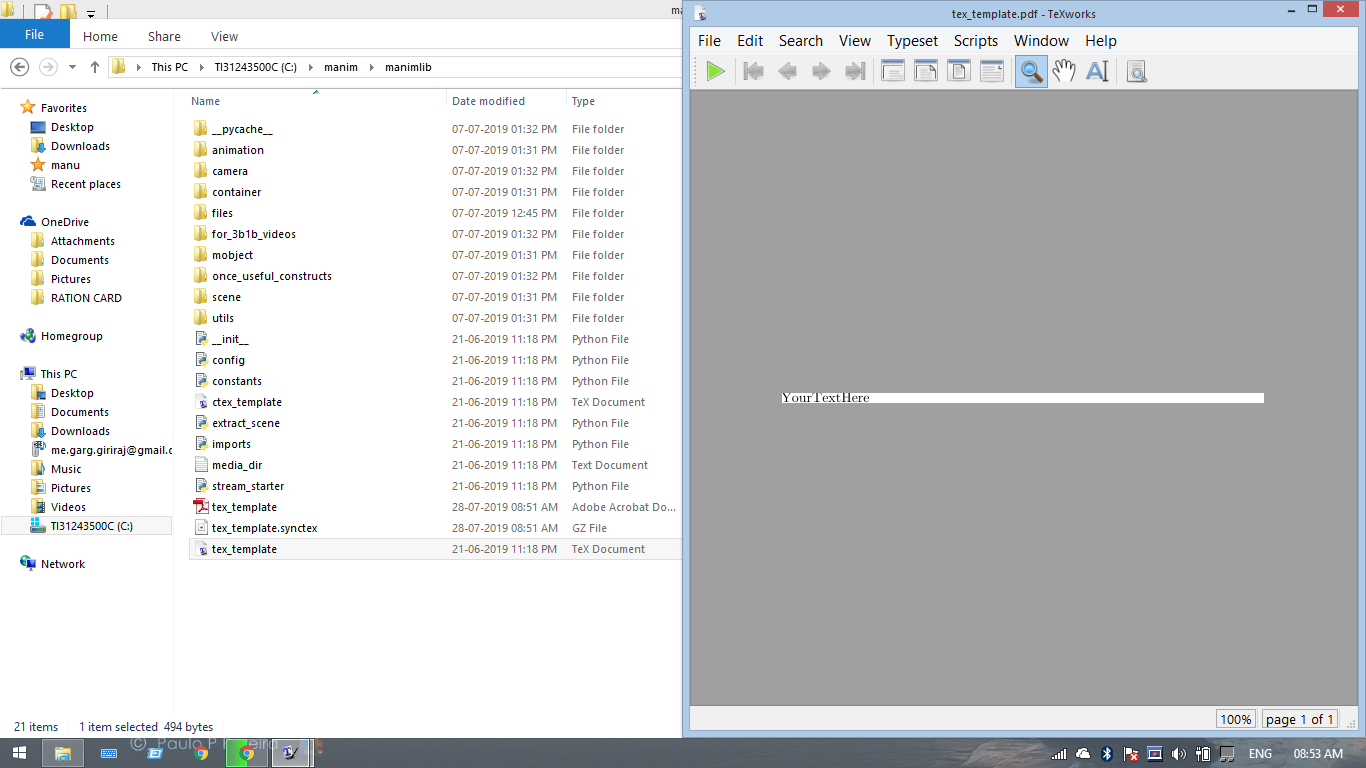
@Elteoremadebeethoven I run the program. This showed up and a pdf was saved in the manim folder
gargVader
on 28 Jul 2019
Missing packages have still not been installed
english
amssymb
dsfont
textcomp
mathrsfs
ragged2e
gargVader
on 28 Jul 2019
Open the manimlib folder in a terminal, aun run this:
C:\...\manimlib> pdflatex tex_texmplate.tex
and
C:\...\manimlib> latex tex_texmplate.tex
And send a screenshot of both.
Note: Do not write this in the terminal C:\...\manimlib> just I add it to specify that it must be in the manimlib folder
Elteoremadebeethoven
on 28 Jul 2019


gargVader
on 28 Jul 2019
Ok, let me see your path variables again, that means that you don't have latex and pdflatex in the path variable.
Elteoremadebeethoven
on 28 Jul 2019
C:\Program Files (x86)\Intel\TXE Components\TCS\;C:\Program Files\Intel\TXE Components\TCS\;%SystemRoot%\system32;%SystemRoot%;%SystemRoot%\System32\Wbem;%SYSTEMROOT%\System32\WindowsPowerShell\v1.0\;C:\Program Files (x86)\Common Files\Roxio Shared\DLLShared\;C:\Program Files (x86)\Common Files\Roxio Shared\10.0\DLLShared\;C:\MinGW\bin;C:\Program Files\MiKTeX 2.9\miktex\bin\;C:ffmpeg\bin;C:\sox\sox-14-4-2;
gargVader
on 28 Jul 2019
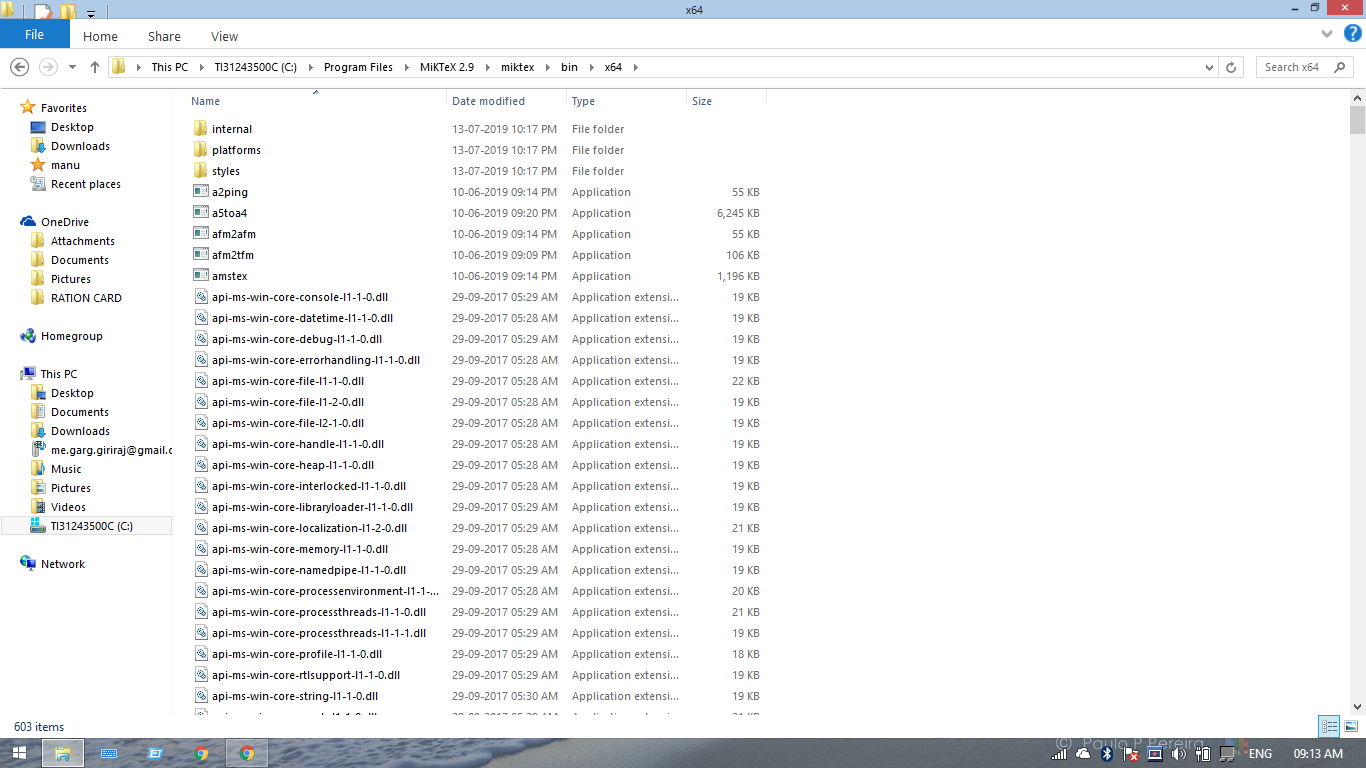
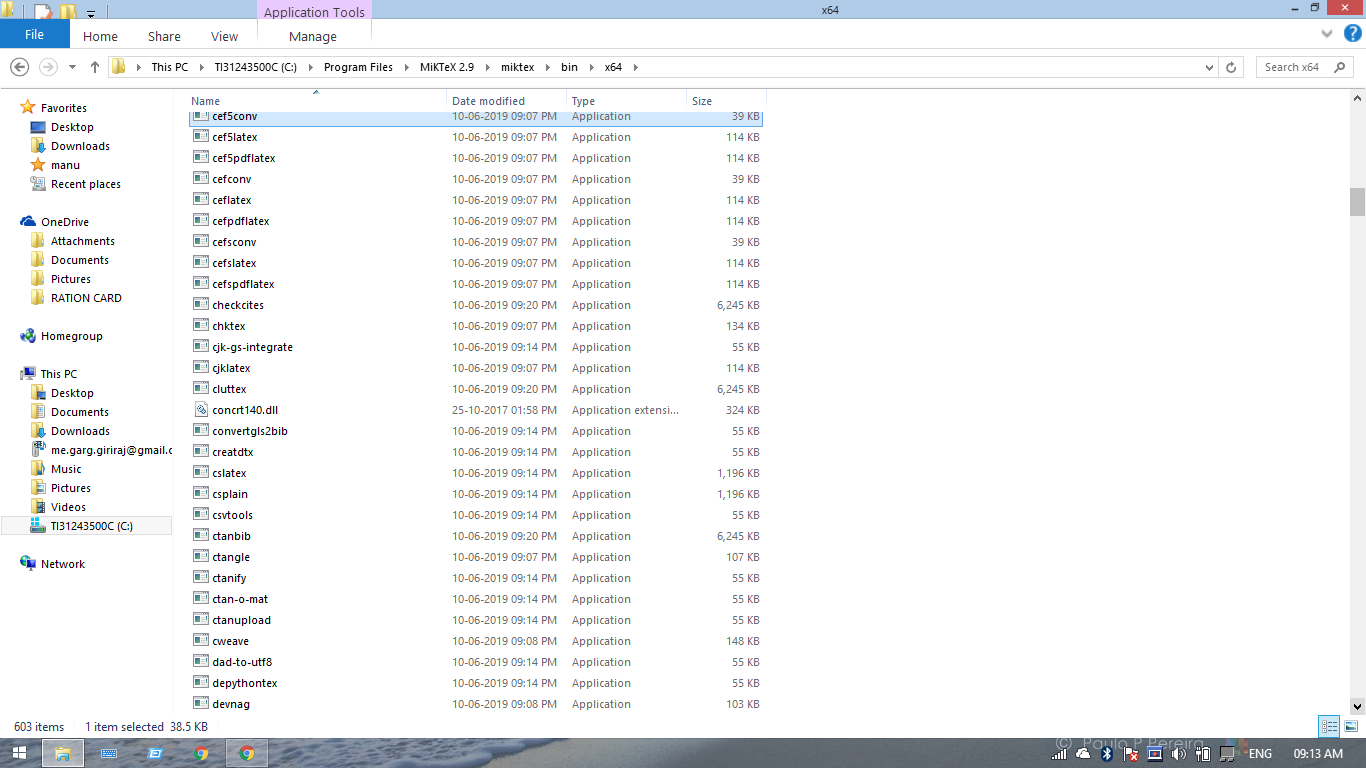
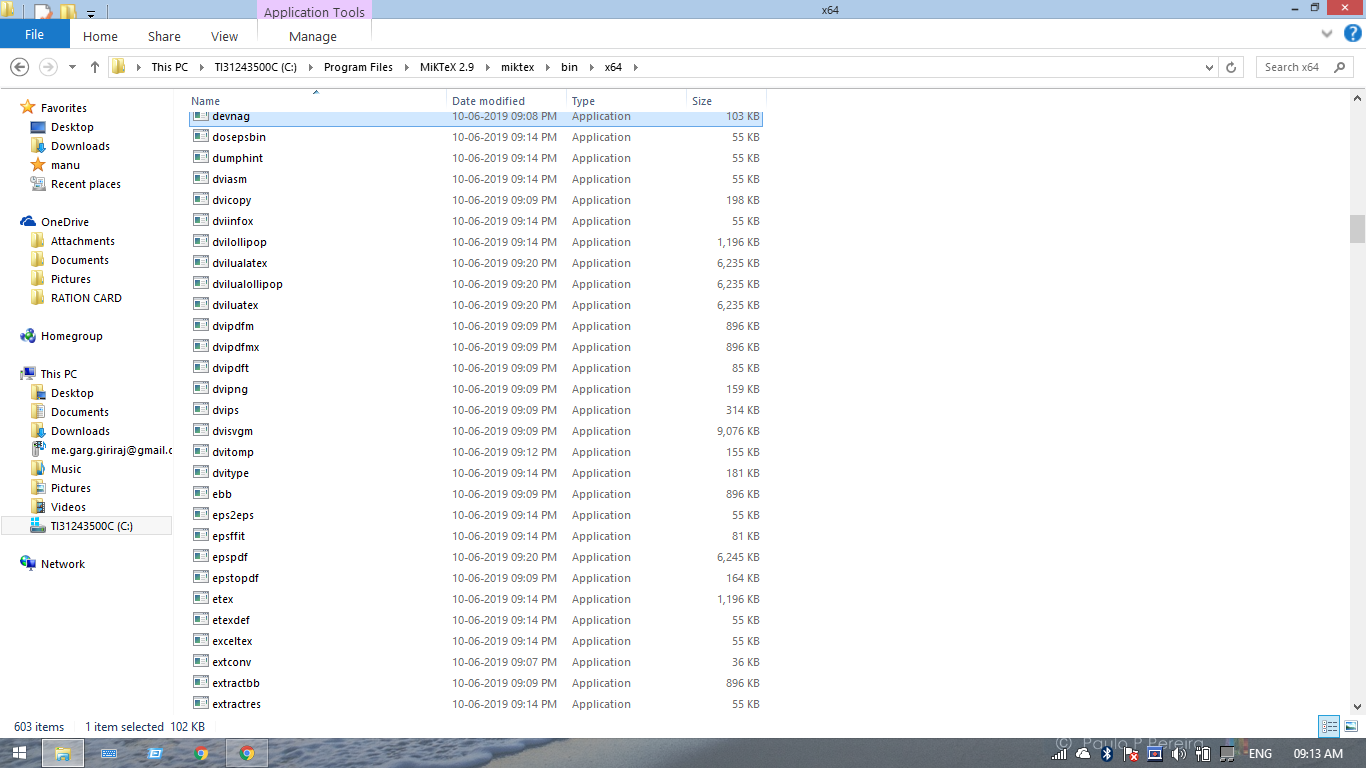
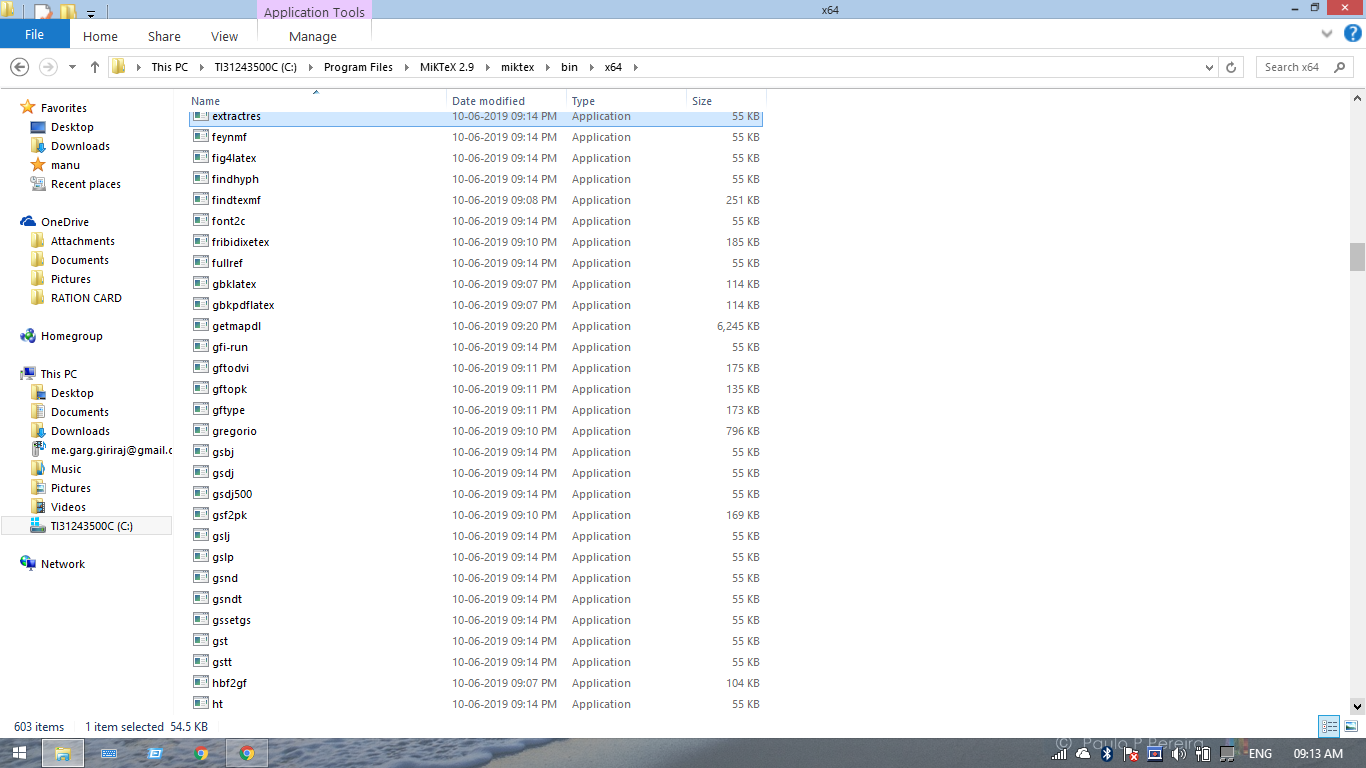
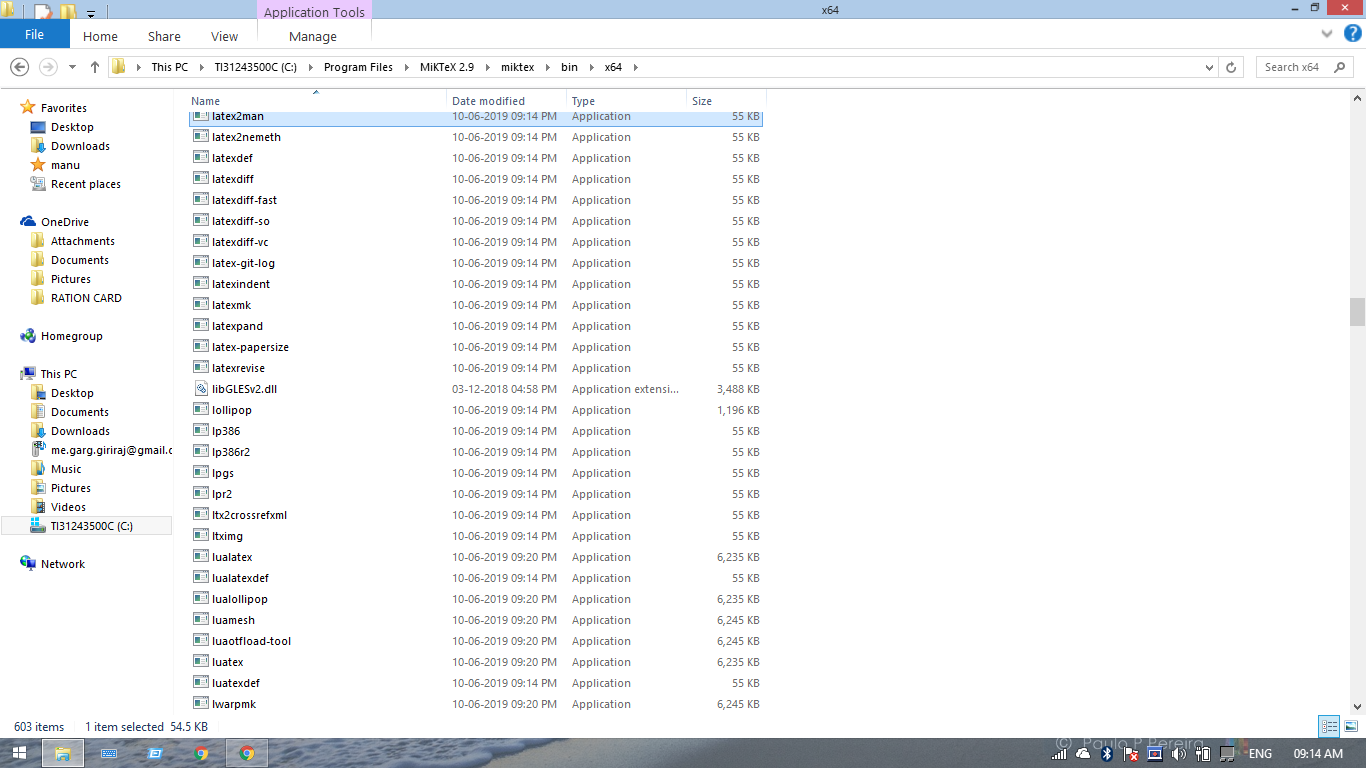
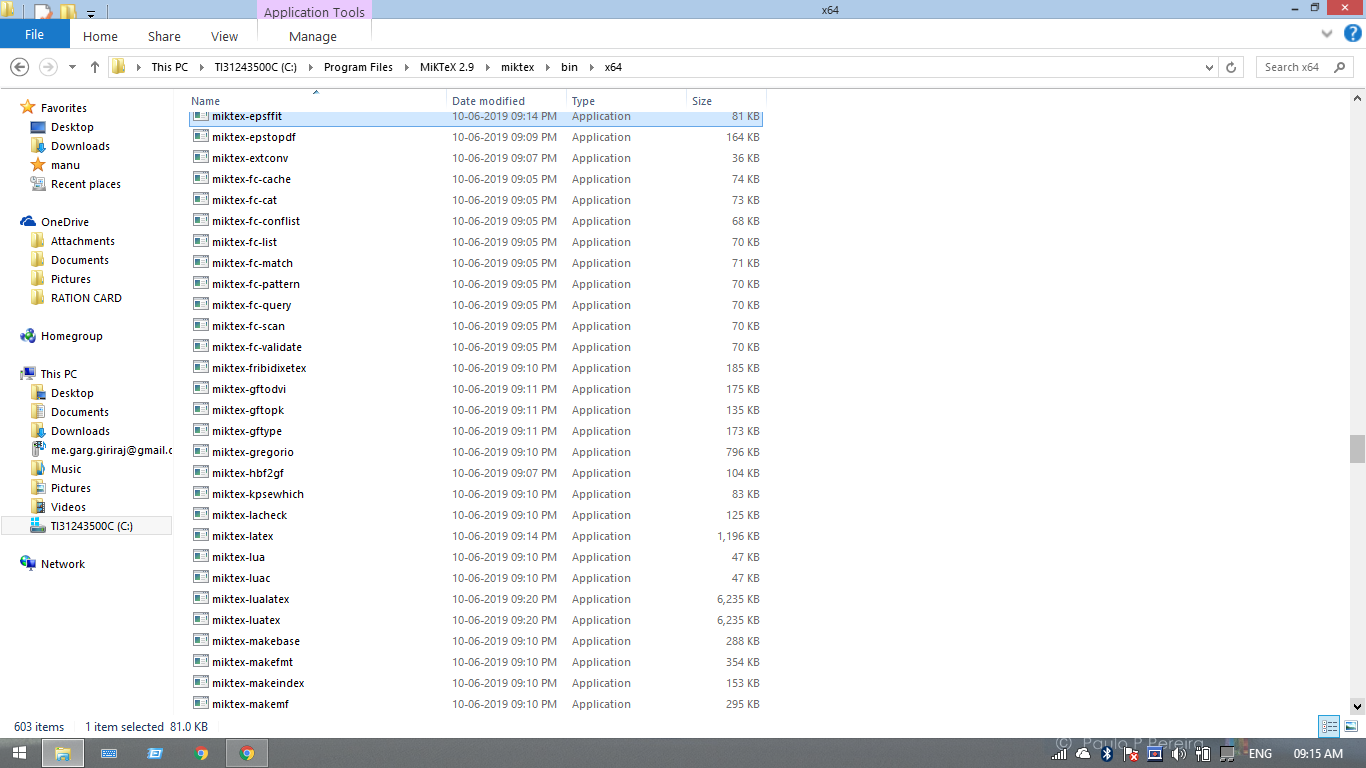
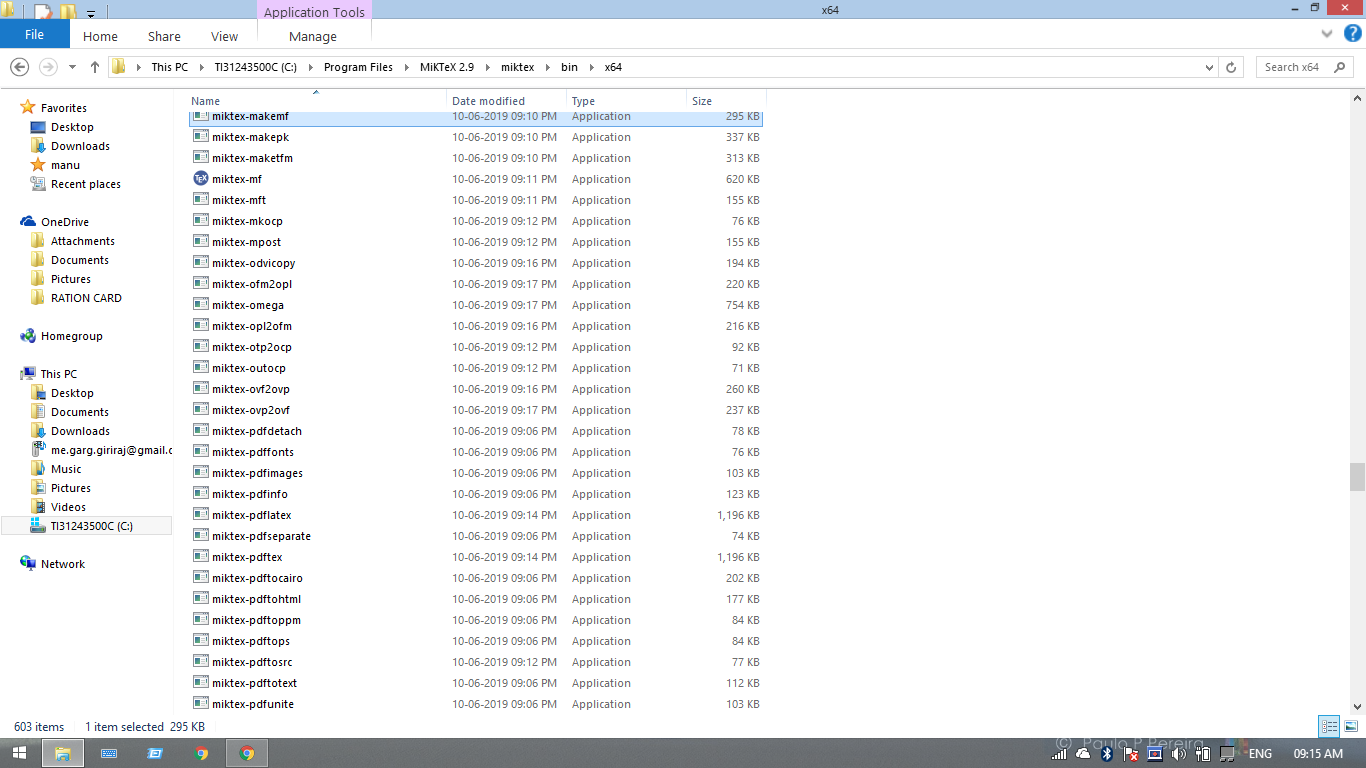
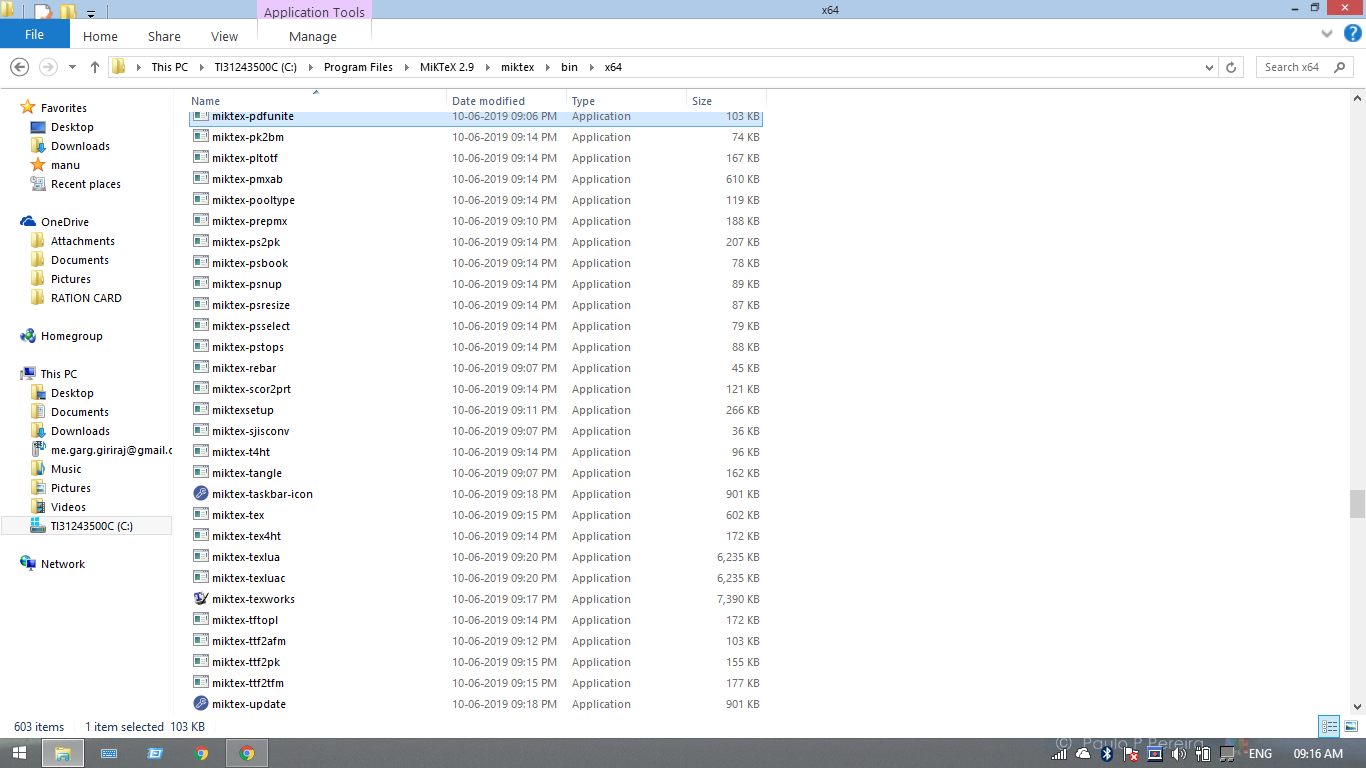
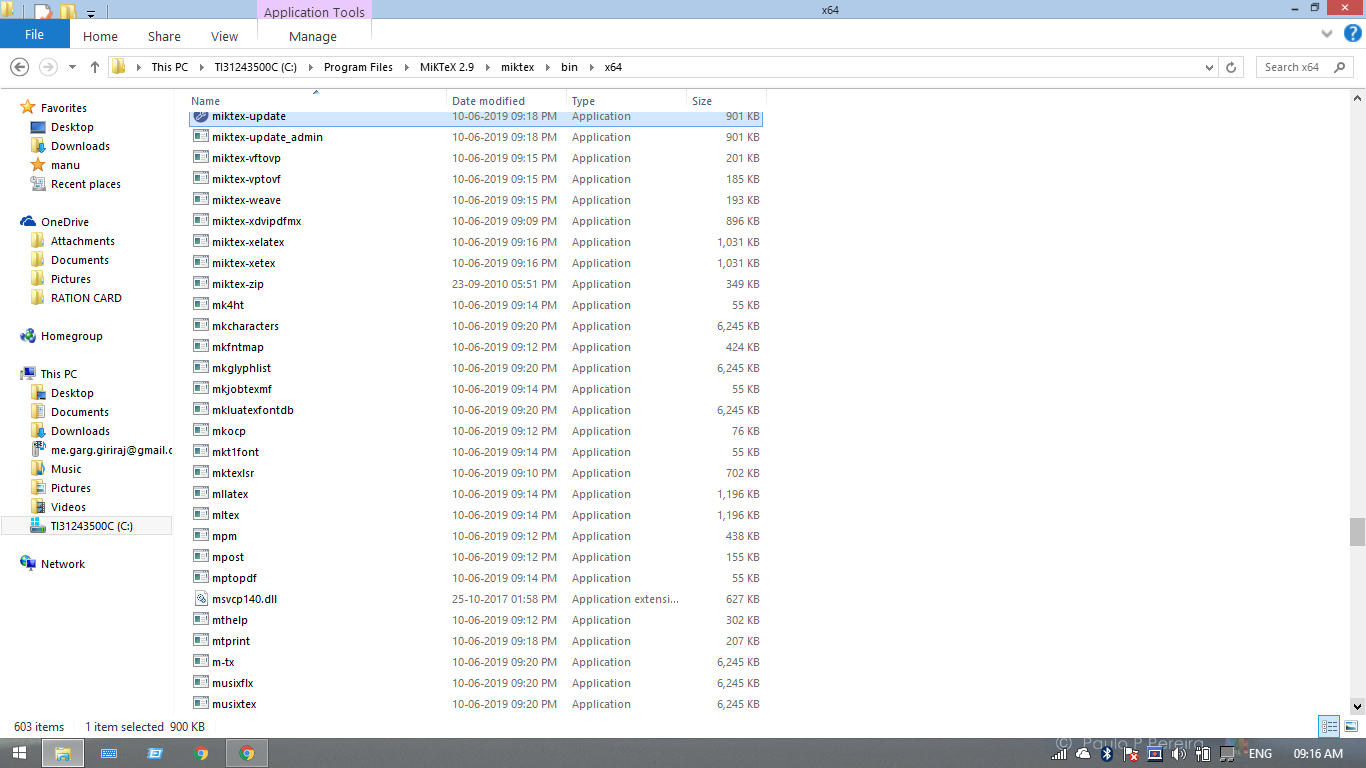
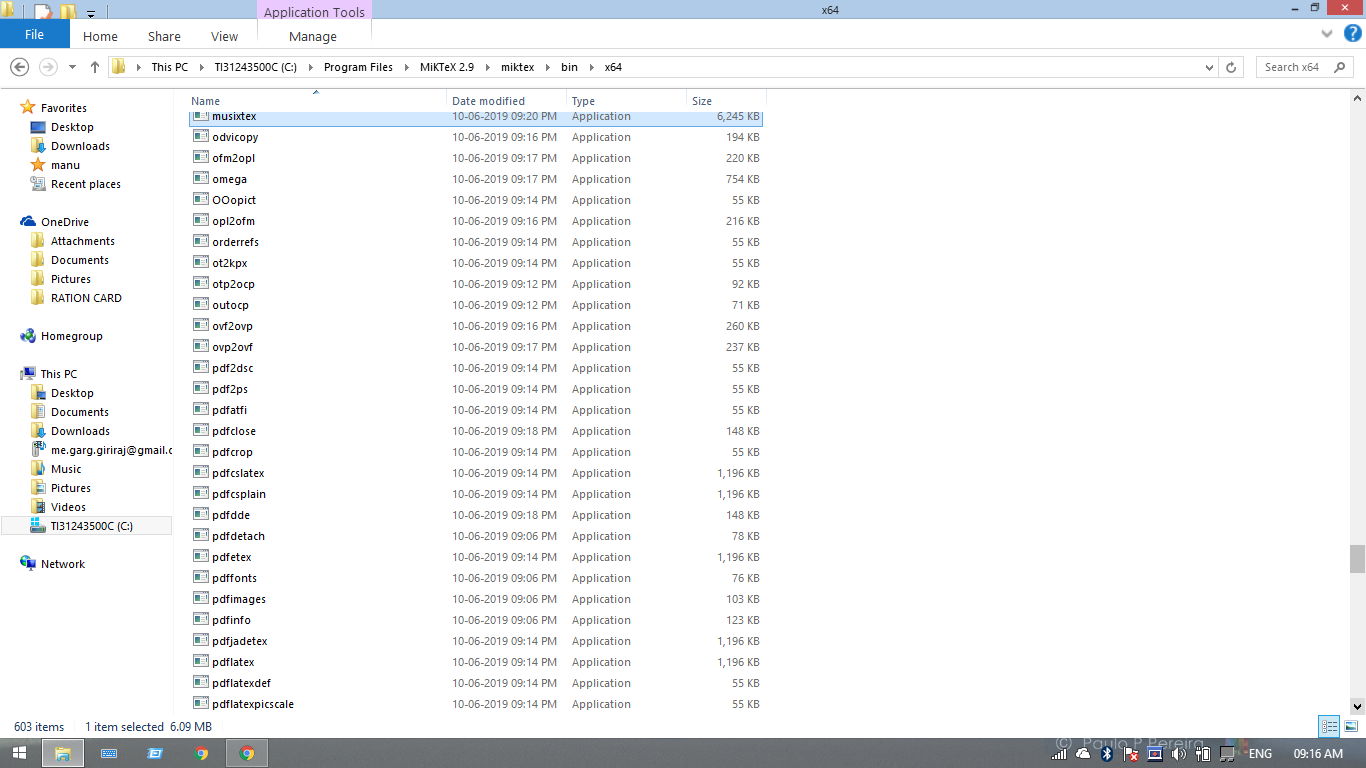
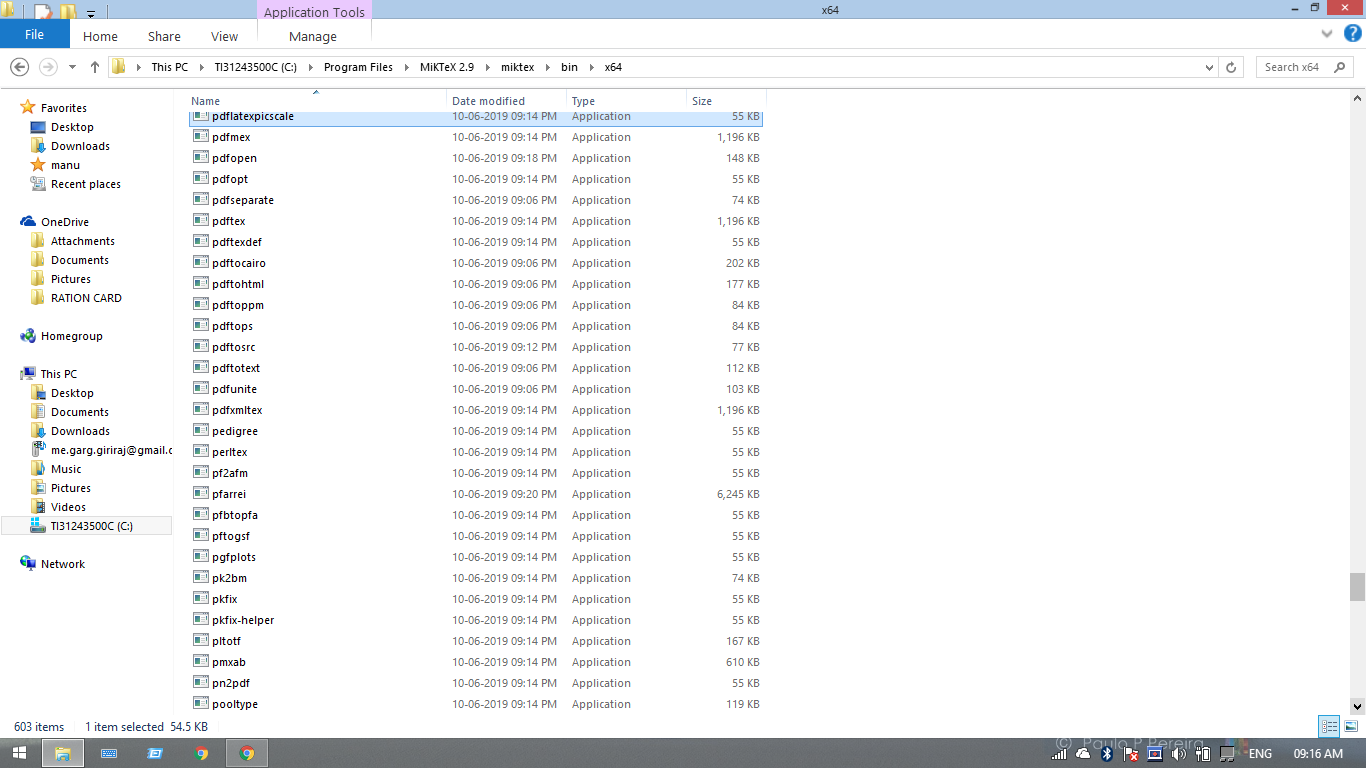
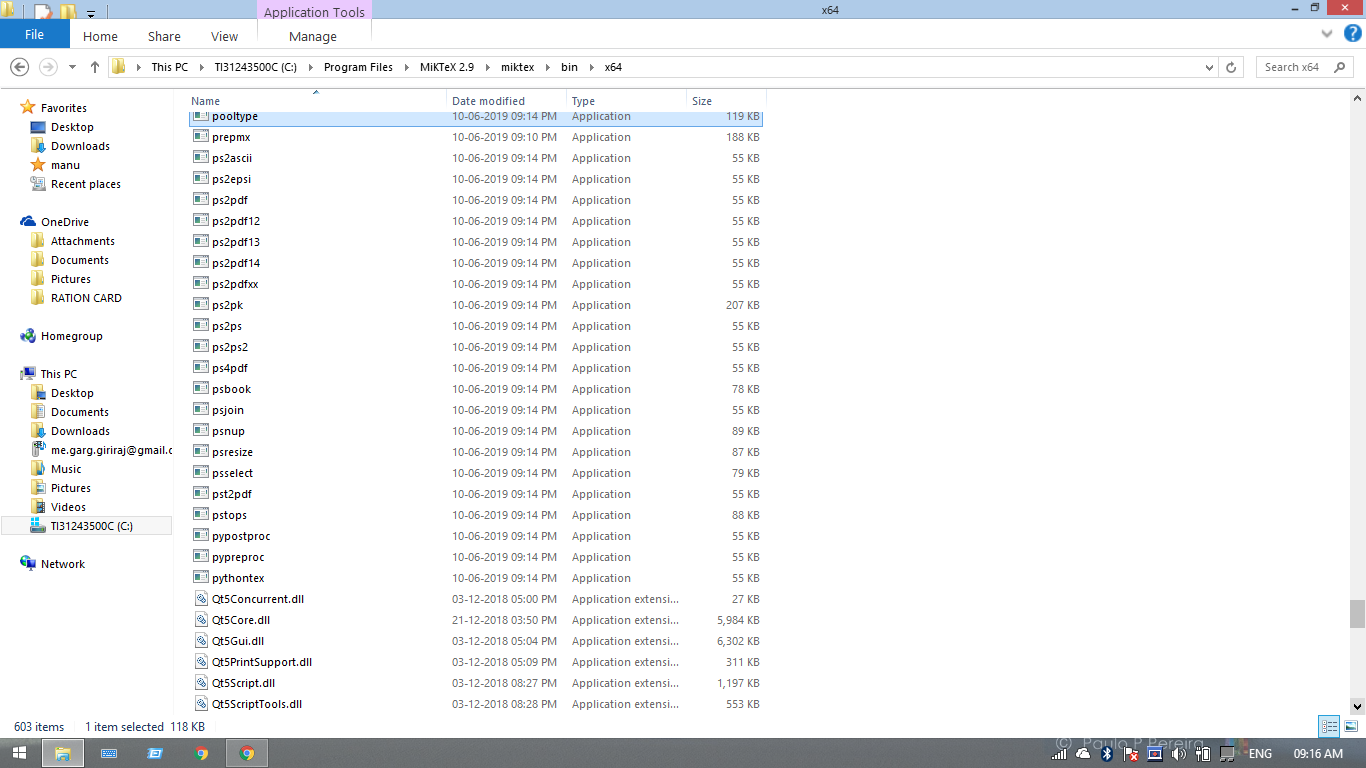
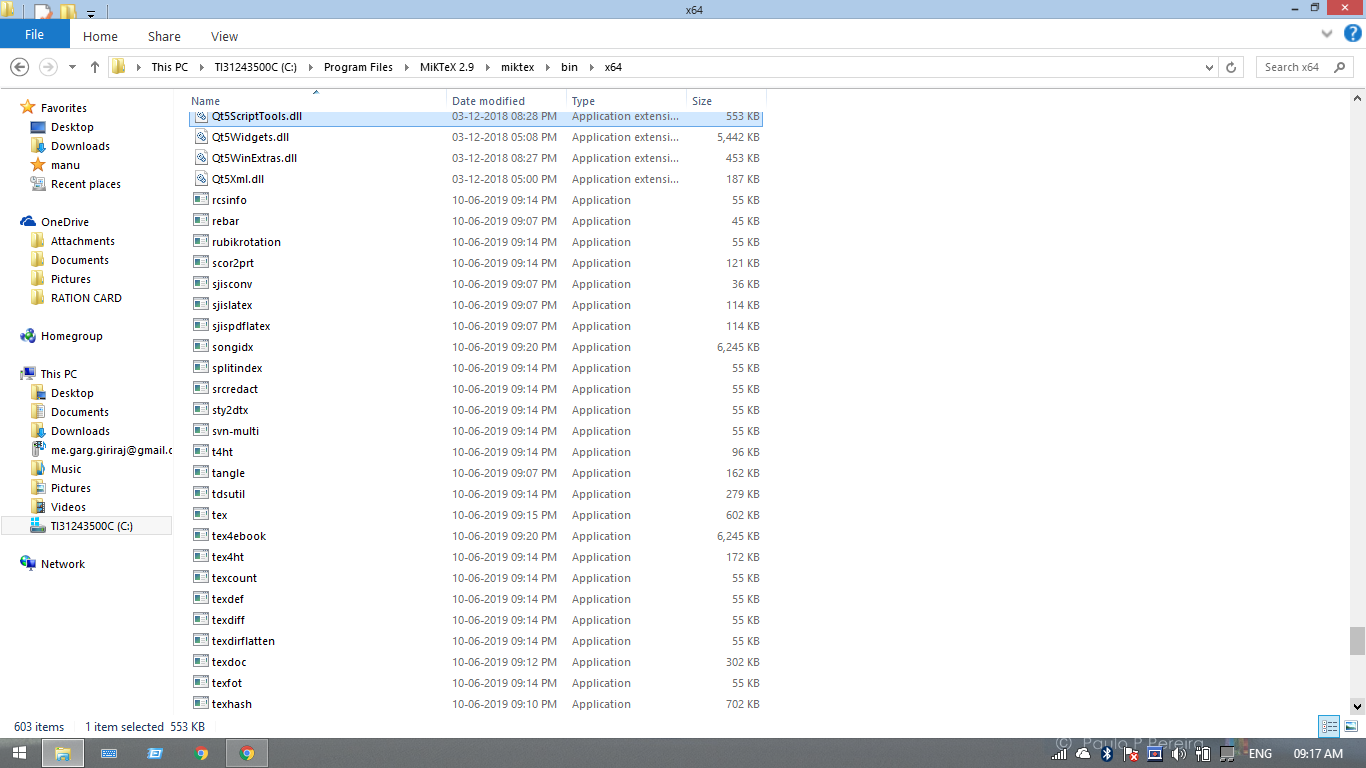
Perfect, open C:\Program Files\MiKTeX 2.9\miktex\bin and show me the content
Elteoremadebeethoven
on 28 Jul 2019
I am also trying with the alternative method you told using TexMaker. I downloaded the .exe file and when I opened it, there was no install option. There were many files and one file with file type "application". I opened it and TexMaker opened. I opened the tex_template file and did as you told. This showed.

gargVader
on 28 Jul 2019
Ok, but the problem is the path variable, show me the folder that I said before.
This: C:\Program Files\MiKTeX 2.9\miktex\bin
Elteoremadebeethoven
on 28 Jul 2019
sending.
gargVader
on 28 Jul 2019
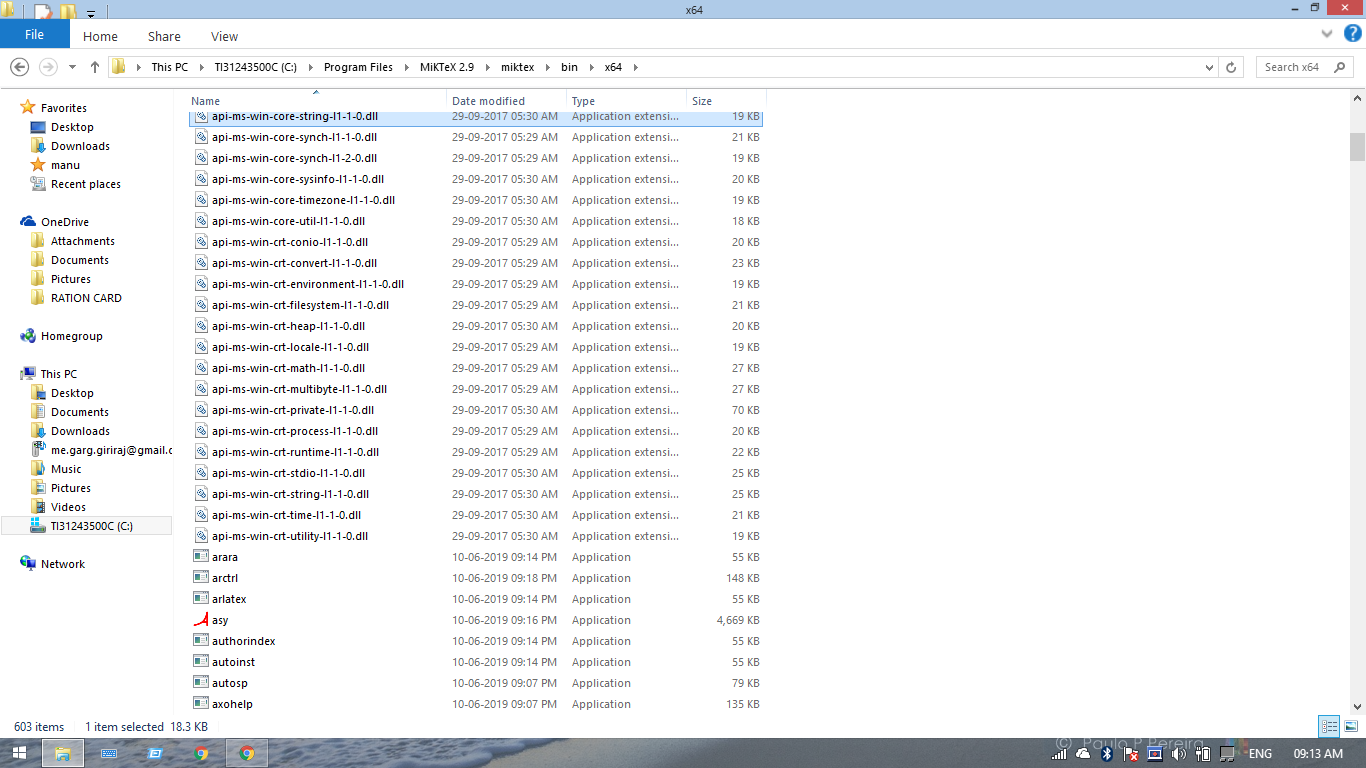
Search if the latex.exe file exists there
Elteoremadebeethoven
on 28 Jul 2019


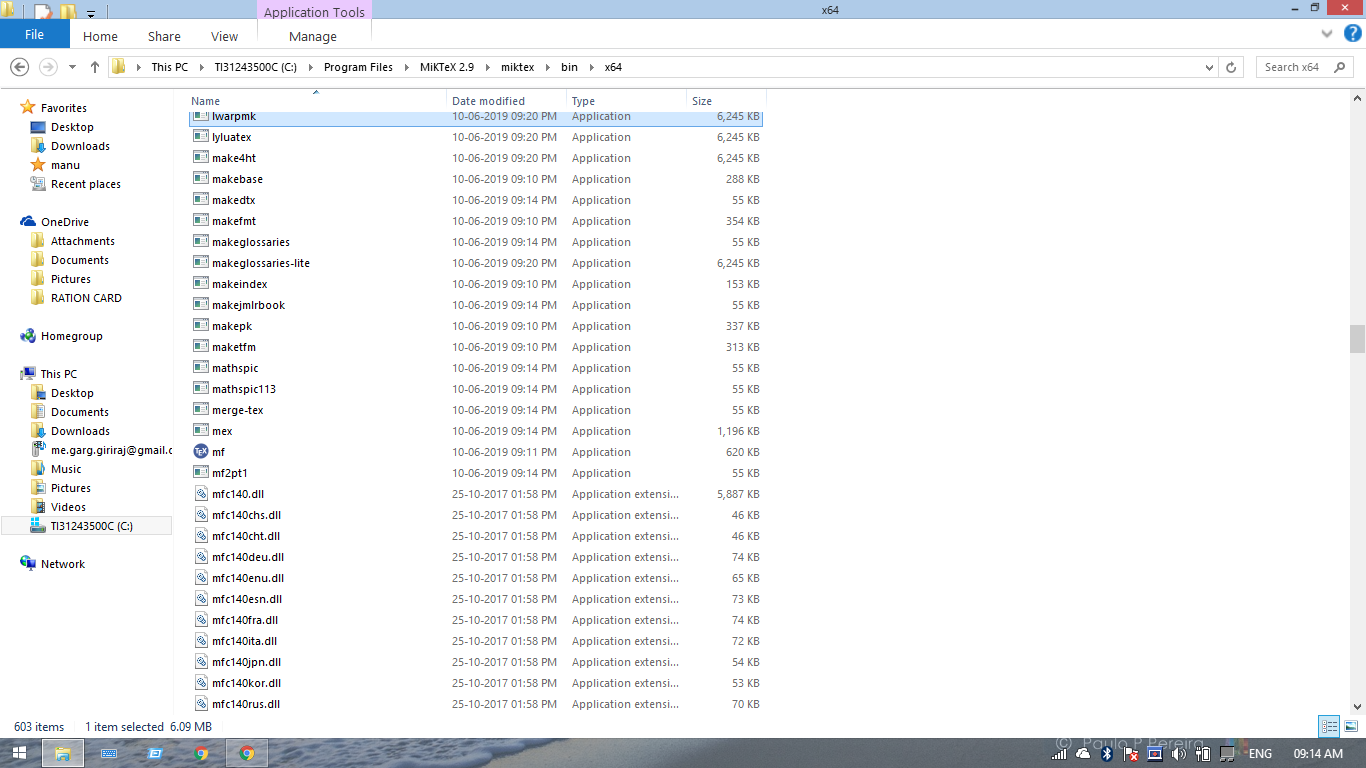
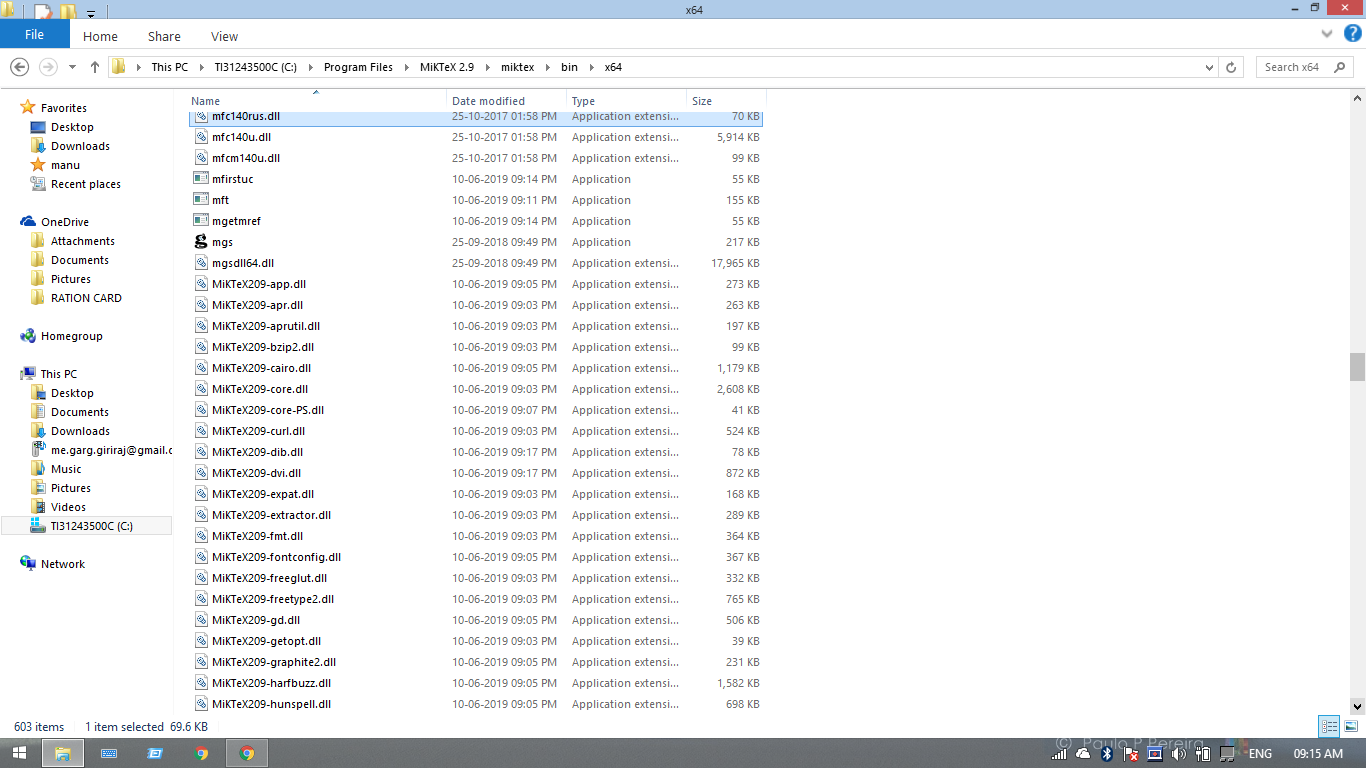
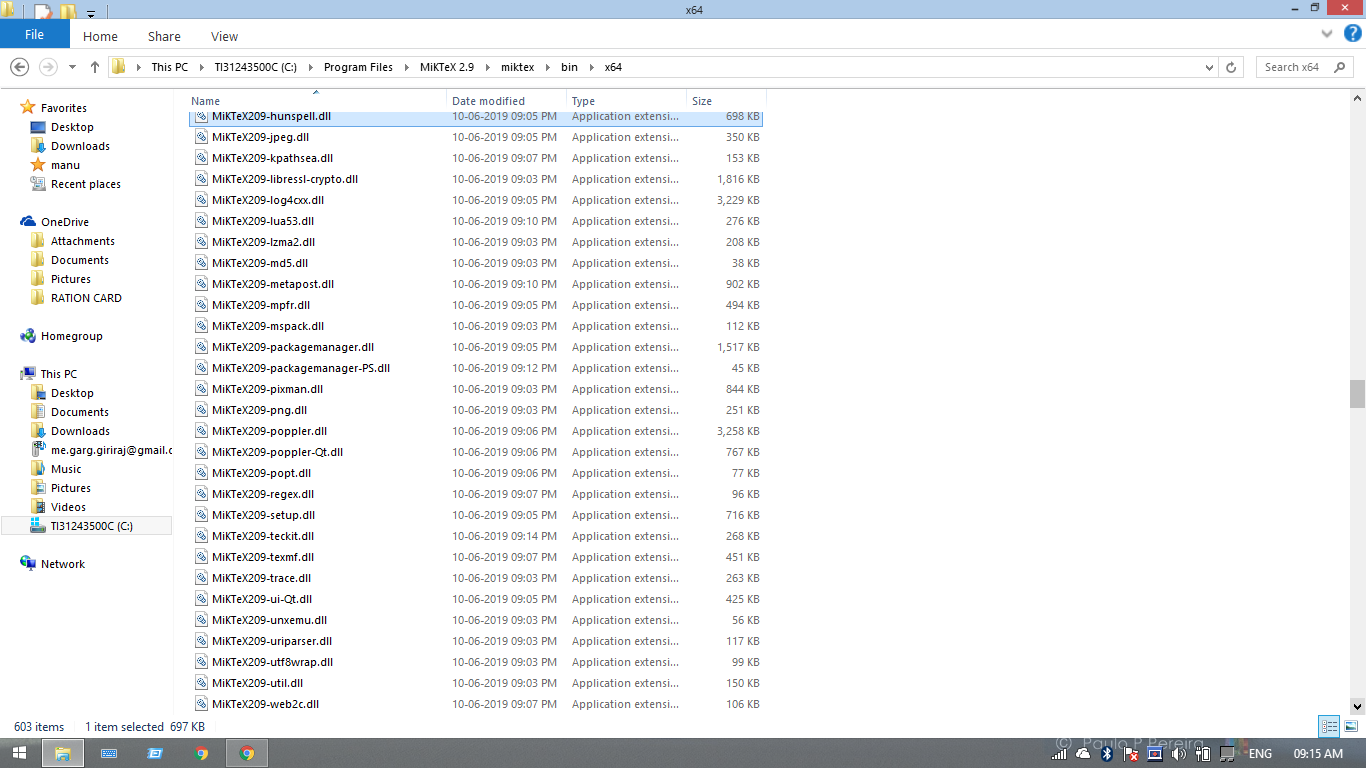
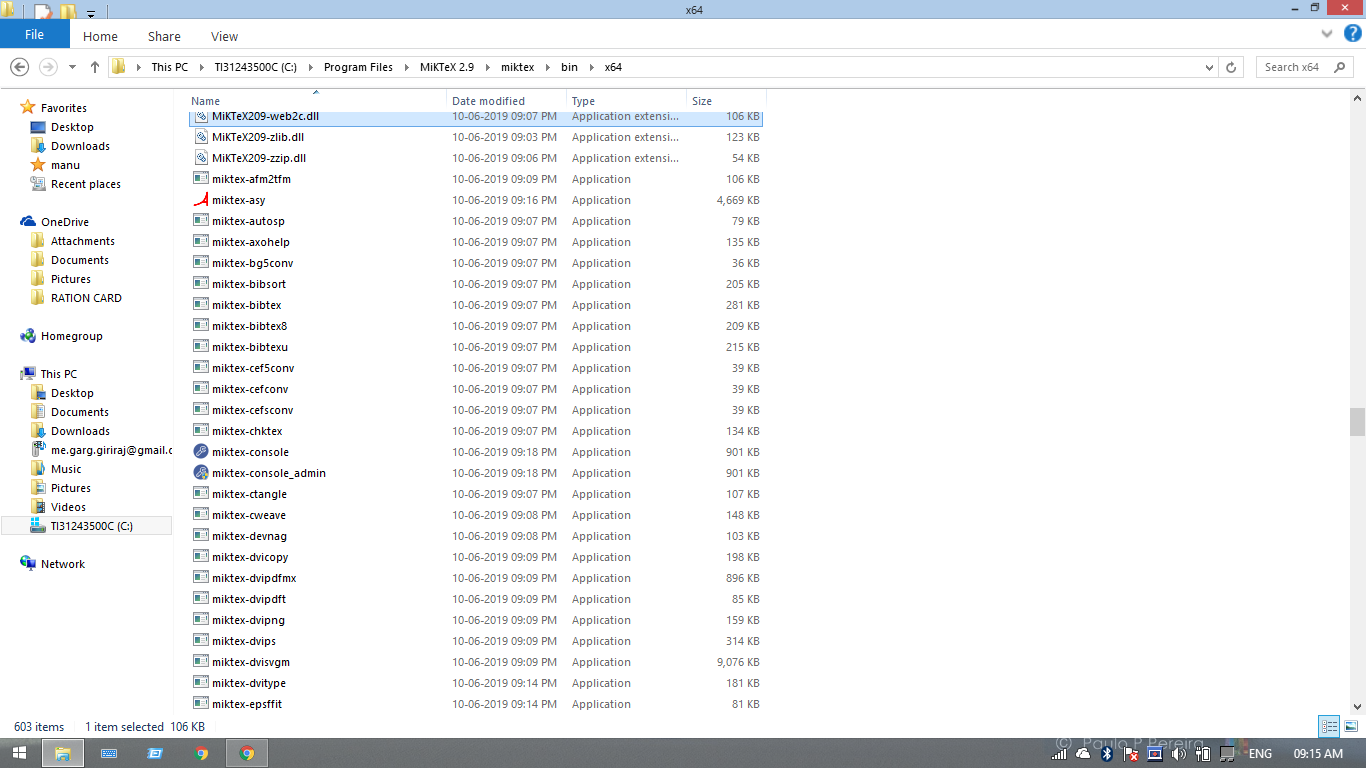

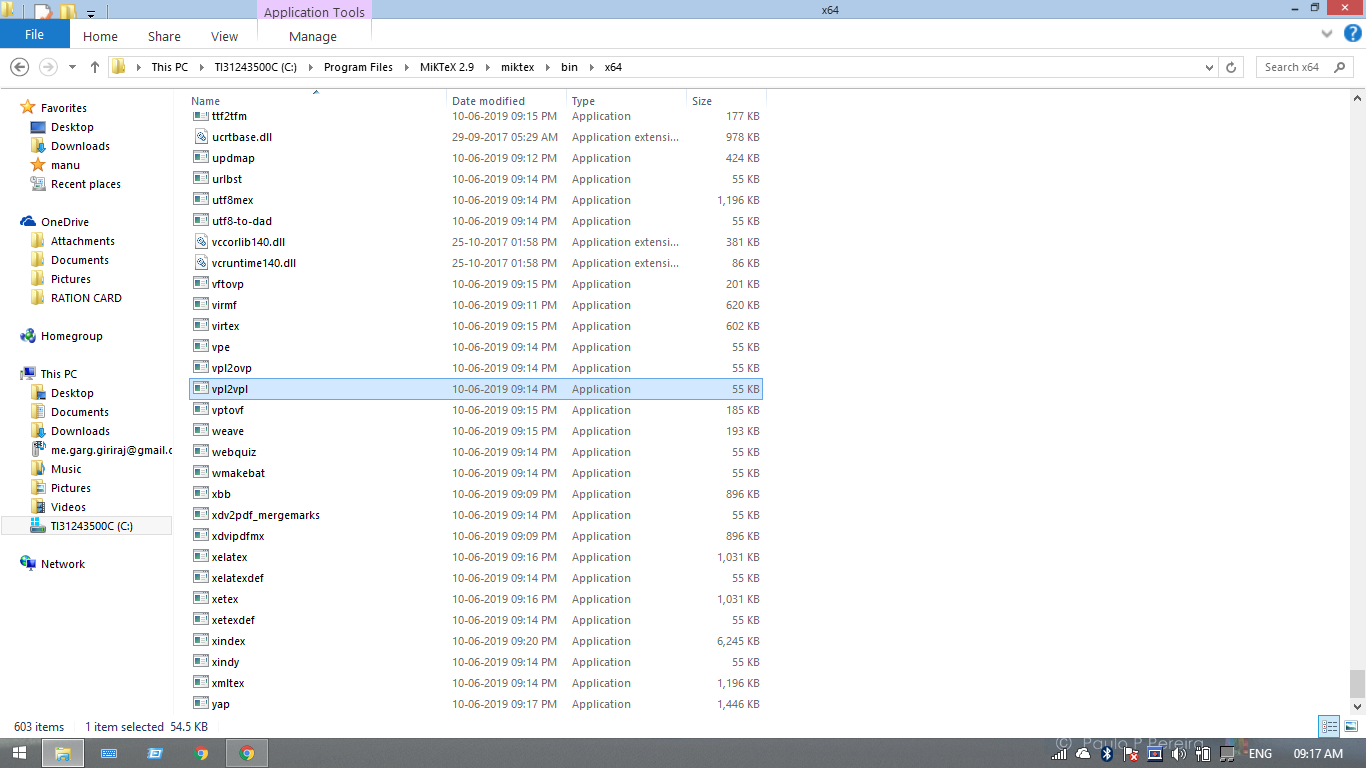
gargVader
on 28 Jul 2019
Searching for latex.exe

gargVader
on 28 Jul 2019
I see, change C:\Program Files\MiKTeX 2.9\miktex\bin in the path variable with C:\Program Files\MiKTeX 2.9\miktex\bin\x64, (add the \x64 to the end) then, your path variable will be:
C:\Program Files (x86)\Intel\TXE Components\TCS;C:\Program Files\Intel\TXE Components\TCS;%SystemRoot%\system32;%SystemRoot%;%SystemRoot%\System32\Wbem;%SYSTEMROOT%\System32\WindowsPowerShell\v1.0;C:\Program Files (x86)\Common Files\Roxio Shared\DLLShared;C:\Program Files (x86)\Common Files\Roxio Shared\10.0\DLLShared;C:\MinGW\bin;C:\Program Files\MiKTeX 2.9\miktex\bin\x64;C:\ffmpeg\bin;C:\sox\sox-14-4-2;
Then try run manim again, the first animation can take time.
Elteoremadebeethoven
on 28 Jul 2019
HURRAH! HURRAH! ITS WORKING. WriteStuff animation is working
gargVader
on 28 Jul 2019
All animations are working fine. Alexander, I am indebted to you. Thank you so much.
gargVader
on 28 Jul 2019
Perfect, you are using the latest version of manim. In my tutorials I use the February 3 version, to use it you simply have to download the file in another folder and run it as the other version, you don't have to install anything again.
Elteoremadebeethoven
on 28 Jul 2019
@godaygo your method of adding ".replace('\','/')" works for me .
 msteamc
on 14 Oct 2019
msteamc
on 14 Oct 2019
I'm still having this issue, nothing discussed in this issue has helped it. I have checked the path and that (should be) perfectly fine, so I don't know where to go from here.
Edit: Complete reinstall yielded the same results. At least this time it didn't have problems with SquareToCircle in example_scenes.py
Edit 2: I believe it is a problem with the environment variables, latex doesn't work, nor does ffmpeg. Im on Win10 so I don't know how to do it for this OS, as in your (@Elteoremadebeethoven) tutorial you use Win8.
Edit 3: I just verified that all the variables should be working with path and this came up. It should be working, but it's not.
C:\Manim\manim_3_feb>path
PATH="C:\MikTeX_pack\miktex\bin\x64\;C:\FFmpeg\bin\;C:\sox-14-4-2\;C:\Manim\manim_3_feb\;";"C:\MikTeX_pack\miktex\bin\x64\;C:\FFmpeg\bin\;C:\sox-14-4-2\;C:\Manim\manim_3_feb\;";C:\Program Files (x86)\Common Files\Oracle\Java\javapath;C:\ProgramData\Oracle\Java\javapath;C:\Program Files (x86)\Razer Chroma SDK\bin;C:\Program Files\Razer Chroma SDK\bin;"C:\Windows\system32;C:\MikTeX_pack\miktex\bin\x64\;C:\FFmpeg\bin\;C:\sox-14-4-2\;C:\Manim\manim_3_feb\;";C:\Windows;C:\Windows\System32\Wbem;C:\Windows\System32\WindowsPowerShell\v1.0\;C:\Users\(name)\AppData\Local\Microsoft\WindowsApps;C:\WINDOWS\system32;C:\WINDOWS;C:\WINDOWS\System32\Wbem;C:\WINDOWS\System32\WindowsPowerShell\v1.0\;C:\WINDOWS\System32\OpenSSH\;C:\Users\(name)\AppData\Local\Programs\Python\Python37-32\Scripts\;C:\Users\(name)\AppData\Local\Programs\Python\Python37-32\;C:\Users\(name)\AppData\Local\Microsoft\WindowsApps;"C:\MikTeX_pack\miktex\bin\x64\;C:\FFmpeg\bin\;C:\sox-14-4-2\;C:\Manim\manim_3_feb\;";
 Weirdguyz
on 19 Nov 2019
Weirdguyz
on 19 Nov 2019
Heh, I had the same problem, and I _somewhat_ temporarily resolved it. This is pretty funny, but the problem is due to the fact that the
latexdoes not work with the relative paths to the files if they are recorded in the windows form (with _backslashes_, e.g..\Tex\test.tex), but if you provide an absolute path, since TexLive 2015,latexwill understand it. I think it is a bug from their side, so I will write them.How I solved that:
You need to change this code from tex_file_writing.py file:
def tex_to_dvi(tex_file):
    result = tex_file.replace(".tex", ".dvi" if not TEX_USE_CTEX else ".xdv")
    if not os.path.exists(result):
        commands = [
            "latex",
            "-interaction=batchmode",
            "-halt-on-error",
            "-output-directory=\"{}\"".format(consts.TEX_DIR),
            "\"{}\"".format(tex_file),
            ">",
            os.devnull
        ] if not TEX_USE_CTEX else [
            "xelatex",
            "-no-pdf",
            "-interaction=batchmode",
            "-halt-on-error",
            "-output-directory=\"{}\"".format(consts.TEX_DIR),
            "\"{}\"".format(tex_file),
            ">",
            os.devnull
        ]
        exit_code = os.system(" ".join(commands))
        if exit_code != 0:
            log_file = tex_file.replace(".tex", ".log")
            raise Exception(
                ("Latex error converting to dvi. " if not TEX_USE_CTEX
                else "Xelatex error converting to xdv. ") +
                "See log output above or the log file: %s" % log_file)
    return result
to this
def tex_to_dvi(tex_file):
    result = tex_file.replace(".tex", ".dvi" if not TEX_USE_CTEX else ".xdv")
    if not os.path.exists(result):
        commands = [
            "latex",
            "-interaction=batchmode",
            "-halt-on-error",
            "-output-directory=\"{}\"".format(consts.TEX_DIR.replace('\\', '/')),
            "\"{}\"".format(tex_file.replace('\\', '/')),
            ">",
            os.devnull
        ] if not TEX_USE_CTEX else [
            "xelatex",
            "-no-pdf",
            "-interaction=batchmode",
            "-halt-on-error",
            "-output-directory=\"{}\"".format(consts.TEX_DIR.replace('\\', '/')),
            "\"{}\"".format(tex_file.replace('\\', '/')),
            ">",
            os.devnull
        ]
        exit_code = os.system(" ".join(commands))
        if exit_code != 0:
            log_file = tex_file.replace(".tex", ".log")
            raise Exception(
                ("Latex error converting to dvi. " if not TEX_USE_CTEX
                else "Xelatex error converting to xdv. ") +
                "See log output above or the log file: %s" % log_file)
    return result
See I've added
.replace('\\', '/')in some places. Hope this will help you!p.s.: by
latexI meant the version which is provided aslatexunder TexLive distribution.
When I use your edit, it comes up with
Traceback (most recent call last):
File "C:\Manim\manim_3_feb\manimlib\extract_scene.py", line 153, in main
scene = SceneClass(**scene_kwargs)
File "C:\Manim\manim_3_feb\manimlib\scene\scene.py", line 54, in __init__
self.construct()
File "example_scenes.py", line 100, in construct
tex_to_color_map={"text": YELLOW}
File "C:\Manim\manim_3_feb\manimlib\mobject\svg\tex_mobject.py", line 144, in __init__
self, self.arg_separator.join(tex_strings), **kwargs
File "C:\Manim\manim_3_feb\manimlib\mobject\svg\tex_mobject.py", line 45, in __init__
self.template_tex_file_body
File "C:\Manim\manim_3_feb\manimlib\utils\tex_file_writing.py", line 19, in tex_to_svg_file
dvi_file = tex_to_dvi(tex_file)
File "C:\Manim\manim_3_feb\manimlib\utils\tex_file_writing.py", line 51, in tex_to_dvi
] if not TEX_USE_CTEX else [
NameError: name 'consts' is not defined
So I don't know what to do...
Weirdguyz
on 19 Nov 2019
@girishgargcool Heh, I had the same problem, and I _somewhat_ temporarily resolved it. This is pretty funny, but the problem is due to the fact that the
latexdoes not work with the relative paths to the files if they are recorded in the windows form (with _backslashes_, e.g..\Tex\test.tex), but if you provide an absolute path, since TexLive 2015,latexwill understand it. I think it is a bug from their side, so I will write them.How I solved that:
You need to change this code from tex_file_writing.py file:
def tex_to_dvi(tex_file):
    result = tex_file.replace(".tex", ".dvi" if not TEX_USE_CTEX else ".xdv")
    if not os.path.exists(result):
        commands = [
            "latex",
            "-interaction=batchmode",
            "-halt-on-error",
            "-output-directory=\"{}\"".format(consts.TEX_DIR),
            "\"{}\"".format(tex_file),
            ">",
            os.devnull
        ] if not TEX_USE_CTEX else [
            "xelatex",
            "-no-pdf",
            "-interaction=batchmode",
            "-halt-on-error",
            "-output-directory=\"{}\"".format(consts.TEX_DIR),
            "\"{}\"".format(tex_file),
            ">",
            os.devnull
        ]
        exit_code = os.system(" ".join(commands))
        if exit_code != 0:
            log_file = tex_file.replace(".tex", ".log")
            raise Exception(
                ("Latex error converting to dvi. " if not TEX_USE_CTEX
                else "Xelatex error converting to xdv. ") +
                "See log output above or the log file: %s" % log_file)
    return result
to this
def tex_to_dvi(tex_file):
    result = tex_file.replace(".tex", ".dvi" if not TEX_USE_CTEX else ".xdv")
    if not os.path.exists(result):
        commands = [
            "latex",
            "-interaction=batchmode",
            "-halt-on-error",
            "-output-directory=\"{}\"".format(consts.TEX_DIR.replace('\\', '/')),
            "\"{}\"".format(tex_file.replace('\\', '/')),
            ">",
            os.devnull
        ] if not TEX_USE_CTEX else [
            "xelatex",
            "-no-pdf",
            "-interaction=batchmode",
            "-halt-on-error",
            "-output-directory=\"{}\"".format(consts.TEX_DIR.replace('\\', '/')),
            "\"{}\"".format(tex_file.replace('\\', '/')),
            ">",
            os.devnull
        ]
        exit_code = os.system(" ".join(commands))
        if exit_code != 0:
            log_file = tex_file.replace(".tex", ".log")
            raise Exception(
                ("Latex error converting to dvi. " if not TEX_USE_CTEX
                else "Xelatex error converting to xdv. ") +
                "See log output above or the log file: %s" % log_file)
    return result
See I've added
.replace('\\', '/')in some places. Hope this will help you!p.s.: by
latexI meant the version which is provided aslatexunder TexLive distribution.
Thanks! i've solved it
 yangys1
on 21 Apr 2020
yangys1
on 21 Apr 2020
For anyone who still encountered an error after the code change try:
Getting a new environment and removing any other installations of MikTeX and following this tutorial exactly worked for me.
If you encounter a pop up message after running python -m manim example_scenes.py WriteStuff -pl
saying there are MikTeX packages missing. Exit the session, run MikTeX console with admin privileges, go to the Packages section here:

- and search for the package that is required and install them/it.
Everything should work as expected from there on out.
 MeatBoyed
on 23 Jun 2020
MeatBoyed
on 23 Jun 2020
my case, 2 steps: (1)add the latex folder to system environment path, speciically, "...\MiKTeX 2.9\miktex\binx64" and if you are using pycharm restart it (2) install necessary latex packages. When installing MikTex, I chose the option "always install missing packages on-the-fly", so when executing manim WriteStuff, MikTex automatically install the needed packages (I guess, based on the waiting time and net speed). If you didn't choose the option, you can toggle it in MikeTex Console→settings→general→the option, or maybe you can install those packages manually.
 shitou333111
on 28 Jun 2020
shitou333111
on 28 Jun 2020
Related issues
 SuperVegetaSon
·
4Comments
SuperVegetaSon
·
4Comments
 quark67
·
6Comments
quark67
·
6Comments
 Glidos
·
5Comments
Glidos
·
5Comments
 AliNear
·
3Comments
AliNear
·
3Comments
 liangpu597
·
5Comments
liangpu597
·
5Comments
Most helpful comment
@girishgargcool Heh, I had the same problem, and I _somewhat_ temporarily resolved it. This is pretty funny, but the problem is due to the fact that the
latexdoes not work with the relative paths to the files if they are recorded in the windows form (with _backslashes_, e.g..\Tex\test.tex), but if you provide an absolute path, since TexLive 2015,latexwill understand it. I think it is a bug from their side, so I will write them.How I solved that:
You need to change this code from tex_file_writing.py file:
to this
See I've added
.replace('\\', '/')in some places. Hope this will help you!p.s.: by
latexI meant the version which is provided aslatexunder TexLive distribution.