Manageiq: Second selection of tag in Tag control fails
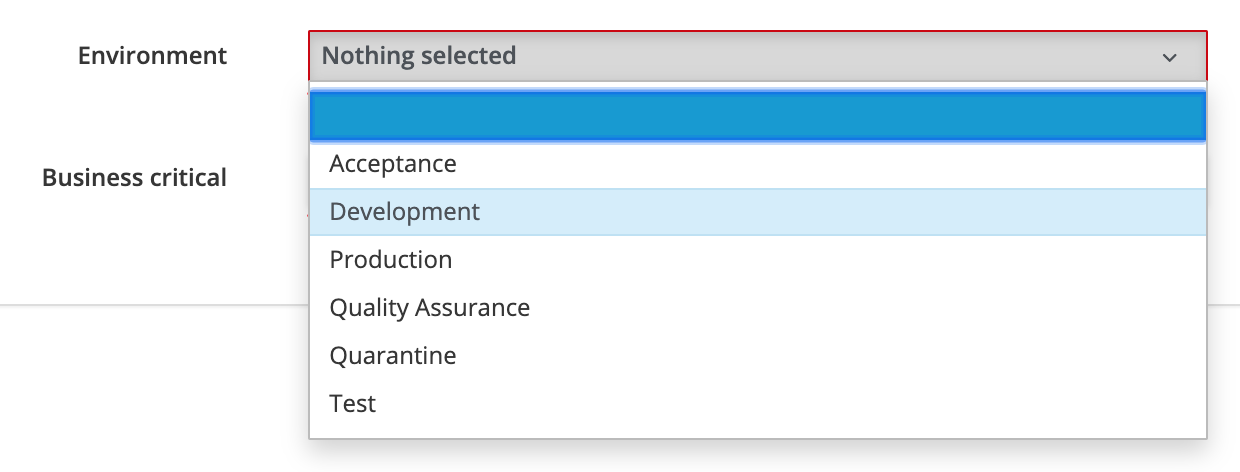
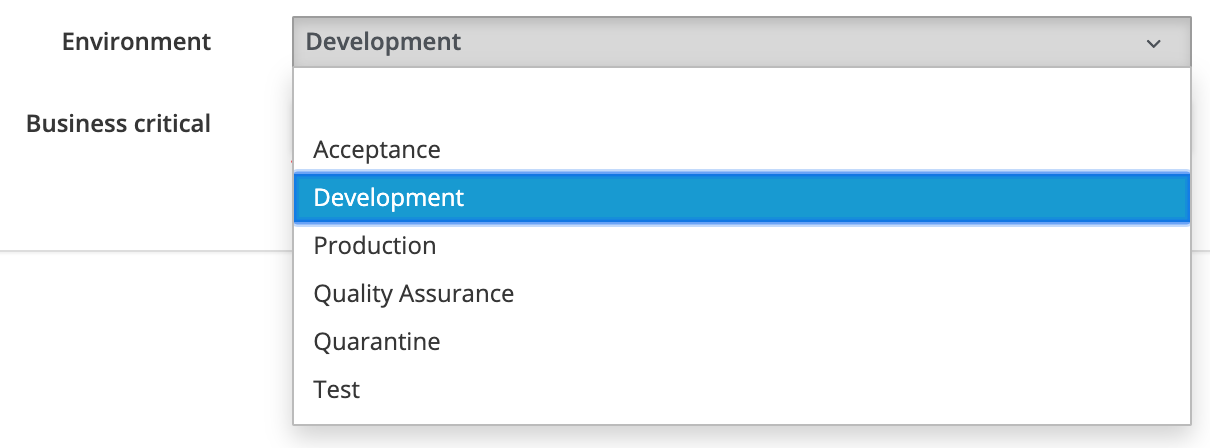
In our portal we experience an issue with the tag control fields in the dialogs. When the user chooses a tag for the first time, it works as expected. However, when a value is selected for the second time, the value beneath the chosen tag is consistently selected by ManageIQ (images provided below for clarity). Is this a known issue? How can this be solved?


 Nadkine
All 7 comments
cc @himdel
 Fryguy
on 14 Nov 2019
Fryguy
on 14 Nov 2019
@Nadkine just to clarify, what is this form and how do I get there?
Is this somewhere in the UI?
Is this your service dialog? If so, can you share the dialog definition please? Is the tag control component set to multiselect or single value?
And, is this happening on master, or one of the earlier releases?
Thanks, will look into it :)
 himdel
on 14 Nov 2019
himdel
on 14 Nov 2019
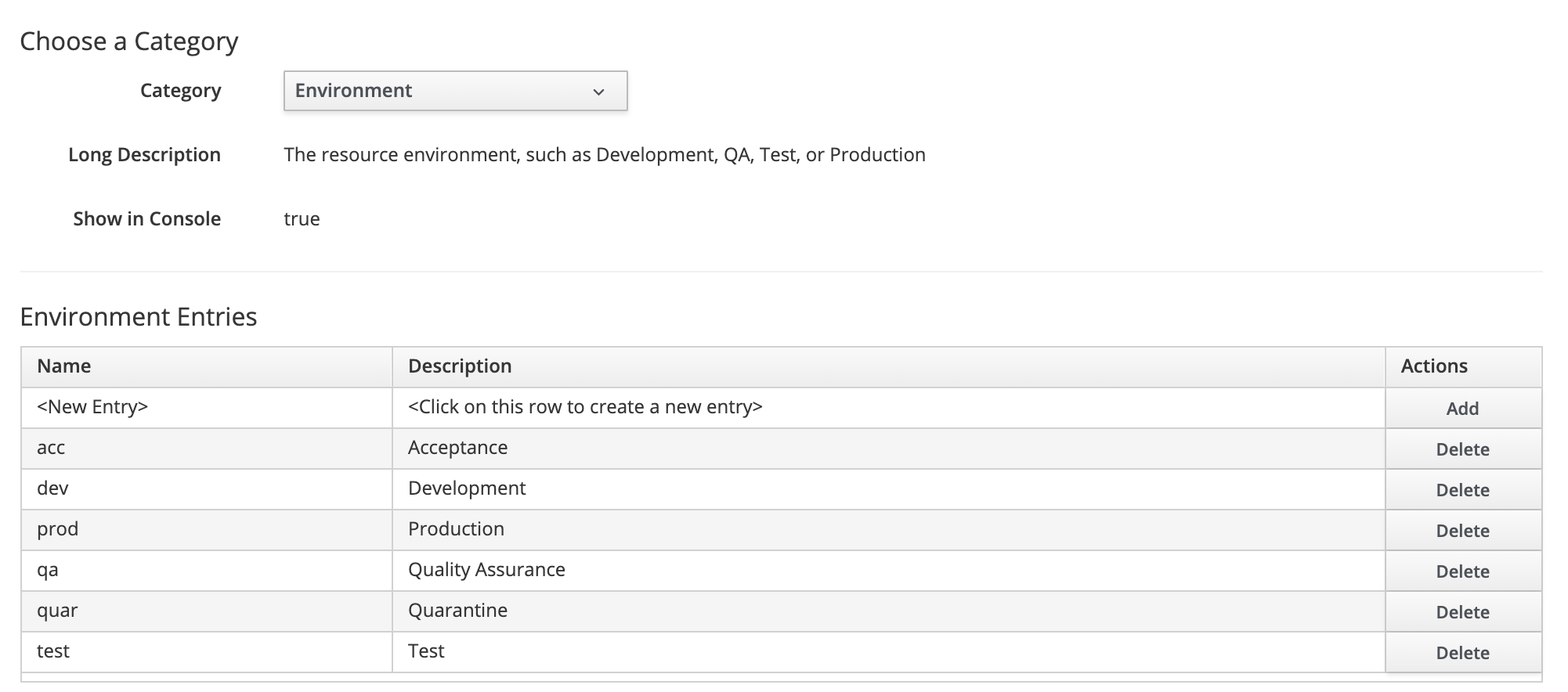
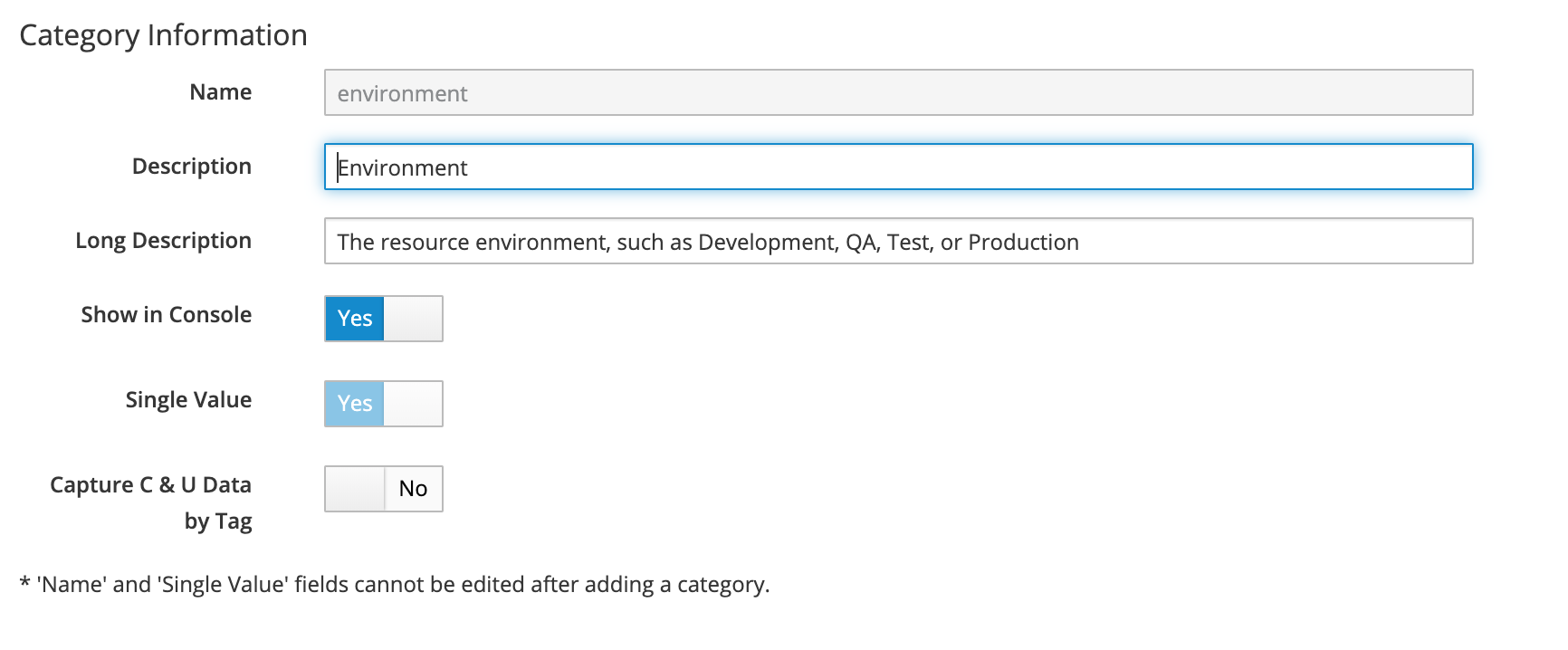
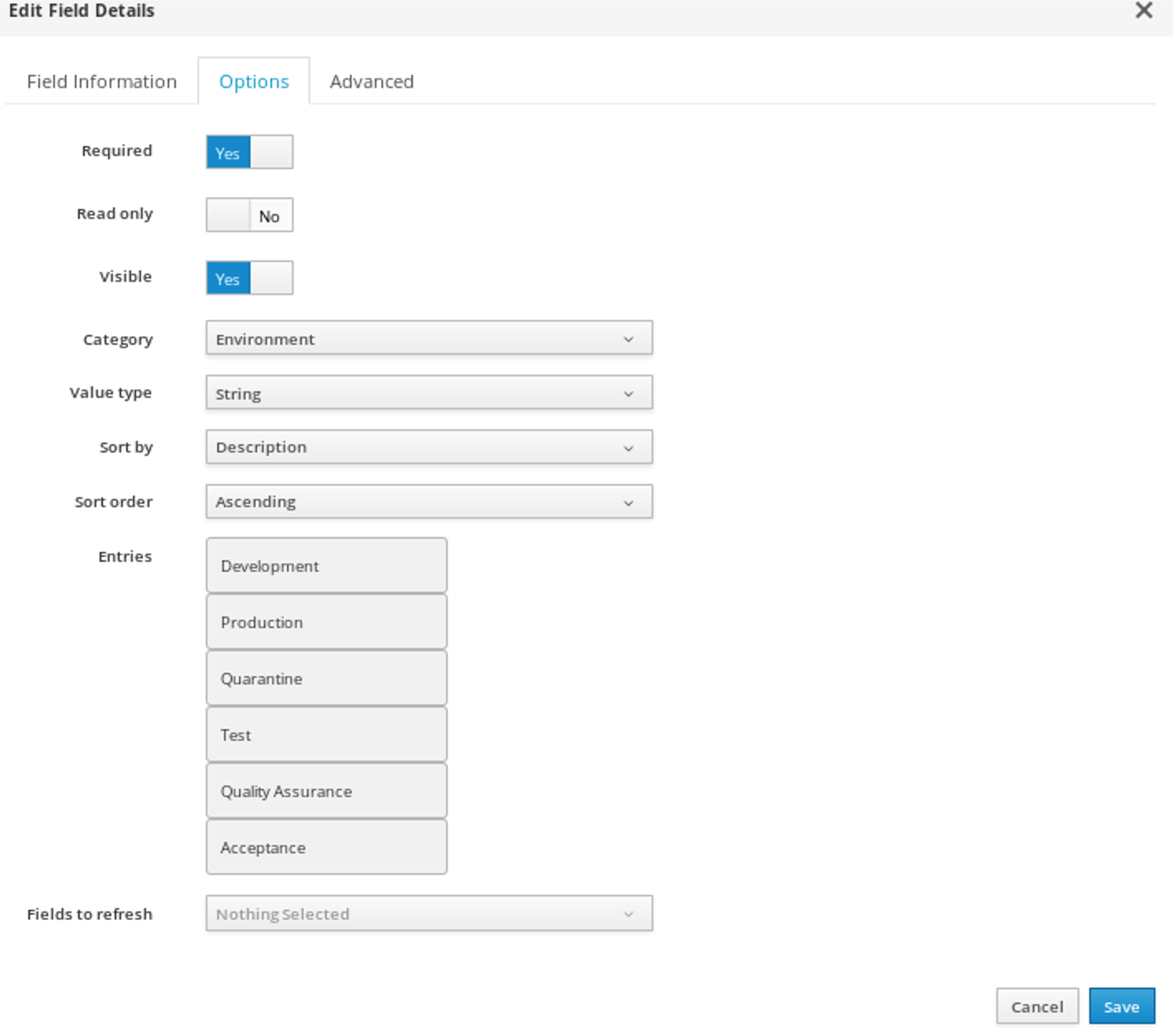
The problems indeed regards the service dialog in de UI. Below some screenshots are provided of the service dialog definition and of the configuration of the tags we use. The version we use is the latest release one (ivanchuk-1). If you got any more questions, I'm glad to answer them.
Nadkine
on 15 Nov 2019
This could possibly be fixed in this ui-components PR:
https://github.com/ManageIQ/ui-components/pull/427
 gubbe505
on 18 Nov 2019
gubbe505
on 18 Nov 2019
Agreed @gubbe505 , @Nadkine looks like this issue is fixed now that ManageIQ/ui-components#427 is merged.
Are you able to test that change so that we can close this issue please?
(Also, I think we need a bugzilla ticket in order for the fix to be backported to ivanchuk, I assume that's desirable?)
himdel
on 20 Nov 2019
The solution proposed by @gubbe50 indeed fixed the problem. Thanks!
Nadkine
on 21 Nov 2019
@miq-bot close_issue
himdel
on 21 Nov 2019
Related issues
 ThomasBuchinger
·
6Comments
ThomasBuchinger
·
6Comments
 jrafanie
·
5Comments
jrafanie
·
5Comments
 jawatts
·
8Comments
jawatts
·
8Comments
 anrusakov
·
5Comments
anrusakov
·
5Comments
 jithju31
·
3Comments
jithju31
·
3Comments