Manageiq-ui-classic: [RFE] Allow the addition of standalone object storage managers
IBM Cloud is looking to add the ability to add a standalone object storage manager: https://github.com/ManageIQ/manageiq-providers-ibm_cloud/pull/159 This isn't currently available in the UI
Similar to https://github.com/ManageIQ/manageiq-ui-classic/pull/7345
TODO:
- [x] Combine Object/Block Storage Mixins into base StorageManager class (https://github.com/ManageIQ/manageiq/pull/21213)
- [x] Update API product features (https://github.com/ManageIQ/manageiq-api/pull/1041)
- [x] Schema migration for product features (https://github.com/ManageIQ/manageiq-schema/pull/581)
- [x] UI changes, removing Object Manager (Combine both block and object storage https://github.com/ManageIQ/manageiq-ui-classic/pull/7746).
 agrare
All 14 comments
cc @h-kataria @DavidResende0
agrare
on 22 Mar 2021
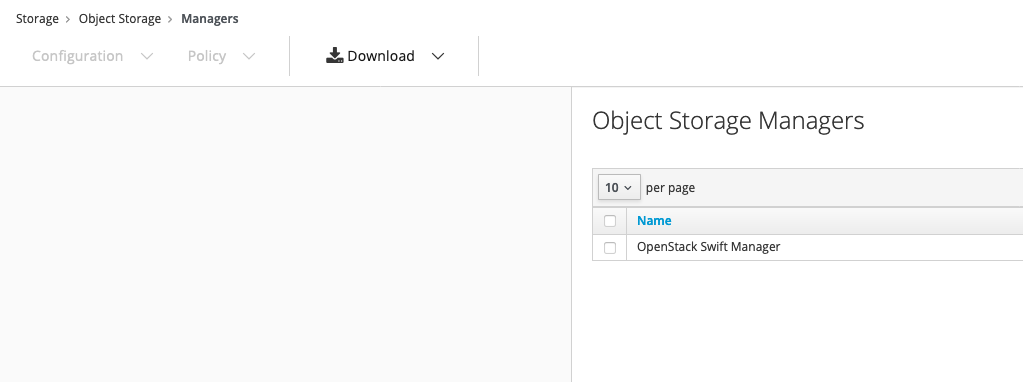
@agrare @iv1111 i am not sure what is needed for this, do we need add new Storage Manager button on
 h-kataria
on 22 Mar 2021
h-kataria
on 22 Mar 2021
@h-kataria The button to add a new provider is typically under Configuration / Add a new whatever provider and an Add a Provider button on the empty list view.
Here is what it looks like for the block storage side:
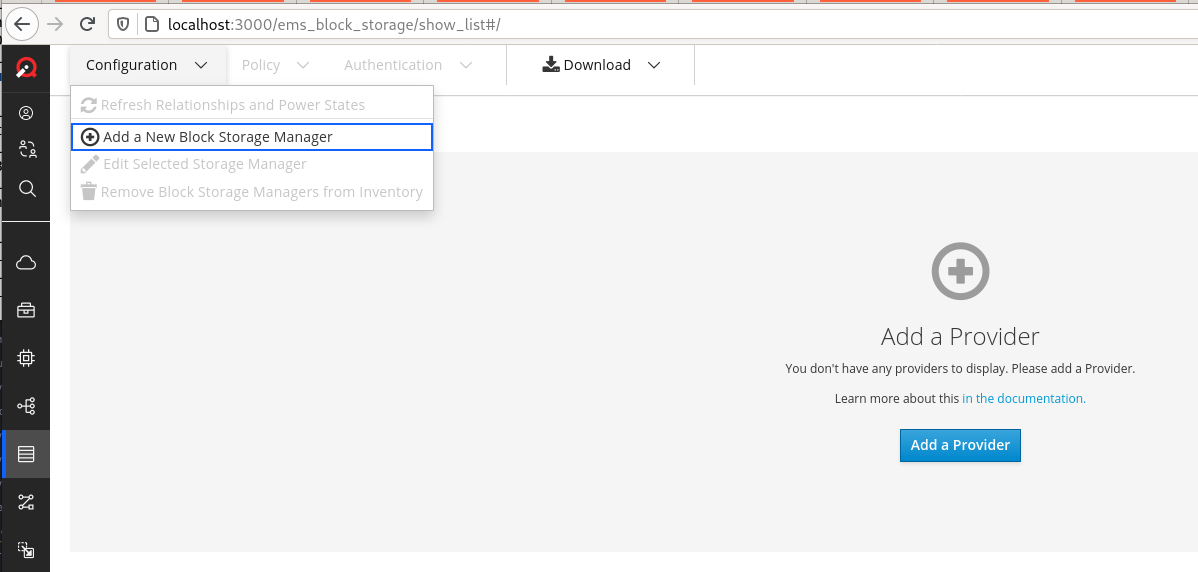
Which I believe was enabled by the PR I linked in the description (but I could be wrong)
agrare
on 23 Mar 2021
@h-kataria Right. Basically we need a way to register Object Storage type providers via UI just as is the case with Cloud Providers. Adam's picture shows it.
 iv1111
on 26 Mar 2021
iv1111
on 26 Mar 2021
@h-kataria We're targeting for including the image import workflow into the next release May/June and the missing Form blocks us from proceeding with the implementation. Do you know when we'll be able to use the form?
iv1111
on 8 Apr 2021
@h-kataria has moved onto another project at Red Hat. Maybe @kavyanekkalapu can pick this up
 chessbyte
on 8 Apr 2021
chessbyte
on 8 Apr 2021
@chessbyte Thanks for telling. @kavyanekkalapu Hi. Could you tell us if you're able to take this issue?
iv1111
on 8 Apr 2021
@iv1111 i can take a look, what is the target date for this?
 kavyanekkalapu
on 8 Apr 2021
kavyanekkalapu
on 8 Apr 2021
@kavyanekkalapu Hey. Thanks. End of next week would be great.
iv1111
on 9 Apr 2021
Something like 16 of April.
iv1111
on 9 Apr 2021
@kavyanekkalapu You might be interested in this: https://github.com/ManageIQ/manageiq-ui-classic/pull/7611
That is a PR, where the corresp. form was removed.
iv1111
on 9 Apr 2021
@iv1111 @agrare I can add a button for new object storage manage, but in create form, what are the fields that needs to be there? fields are same as storage manager?
kavyanekkalapu
on 9 Apr 2021
Parameters should be coming from the provider's DDF params_for_create, any common fields (name, zone, etc...) should be the same
agrare
on 9 Apr 2021
Closing as this is now implemented
agrare
on 21 Jun 2021
Related issues
 epwinchell
·
5Comments
agrare
·
5Comments
epwinchell
·
5Comments
agrare
·
5Comments
 skateman
·
11Comments
skateman
·
11Comments
 himdel
·
8Comments
himdel
·
8Comments
 Glutexo
·
7Comments
Glutexo
·
7Comments