Mailspring: Email list view stuck on loading animation - Release 1.7.0
TEMPORARY FIX: Click "Drafts" on the Sidebar, and then click back to inbox or another conversations view
After updating to Release 1.7.0, the email list view on Mailspring can get stuck on the loading animation:

What operating system are you using?
Windows 10
What version of Mailspring are you using?
1.7.0
 karpawich
All 17 comments
Hello There,
Same, whenever I click I have the same problem after the last update (win10 as well). I don't have any mail that I can access.
It's stuck right away when starting the software
 Lyptik
on 14 Oct 2019
Lyptik
on 14 Oct 2019
@Lyptik Have you tried the temporary fix listed at the top of the Issue? That should resolve it.
karpawich
on 14 Oct 2019
+1
 lecooliver
on 14 Oct 2019
lecooliver
on 14 Oct 2019
Happens to me across all email accounts and panes - can't access anything (Inbox, Sent, etc). Also Win10 and latest (v1.70-65435390). @karpawich temp workaround also seems to work, but have to do it everytime I want to check for new mail/see new messages.
 adefee
on 14 Oct 2019
adefee
on 14 Oct 2019
Happening to me too:

 josiasmat
on 14 Oct 2019
josiasmat
on 14 Oct 2019
+1
 kevinphys
on 14 Oct 2019
kevinphys
on 14 Oct 2019
Hi.
Same issue here.
Even with my microsoft account
 herreraemanuel
on 14 Oct 2019
herreraemanuel
on 14 Oct 2019
I'm also having the same issue. The temporary fix works but it's very inconvenient.
 GamerMedic
on 14 Oct 2019
GamerMedic
on 14 Oct 2019
Having issues with all my 4 gmail accounts. Fix it!!!
 chung5829
on 14 Oct 2019
chung5829
on 14 Oct 2019
Same issue for all my accounts (even SMTP accounts) :(
 RemyyB
on 14 Oct 2019
RemyyB
on 14 Oct 2019
Tasks must have an accountId. Check your instance of ChangeStarredTask.
    at MailsyncBridge._onQueueTask (mailsync-bridge.ts:351)
    at EventEmitter.eventHandler (C:\Users\remyb\AppData\Local\Mailspring\app-1.7.0\resources\app.asar\node_modules\reflux\src\PublisherMethods.js:36)
    at EventEmitter.emit (C:\Users\remyb\AppData\Local\Mailspring\app-1.7.0\resources\app.asar\node_modules\eventemitter3\index.js:93)
    at Function.trigger (C:\Users\remyb\AppData\Local\Mailspring\app-1.7.0\resources\app.asar\node_modules\reflux\src\PublisherMethods.js:52)
    at Object.functor [as queueTask] (C:\Users\remyb\AppData\Local\Mailspring\app-1.7.0\resources\app.asar\node_modules\reflux\src\createAction.js:32)
    at click (thread-list-context-menu.ts:238)
    at CallbacksRegistry.apply (C:\Users\remyb\AppData\Local\Mailspring\app-1.7.0\resources\electron.asar\renderer\callbacks-registry.js:47)
    at handleMessage (C:\Users\remyb\AppData\Local\Mailspring\app-1.7.0\resources\electron.asar\renderer\api\remote.js:285)
    at EventEmitter.ipcRenderer.on.args (C:\Users\remyb\AppData\Local\Mailspring\app-1.7.0\resources\electron.asar\renderer\api\remote.js:275)
    at EventEmitter.emit (events.js:182)
    at EventEmitter.emit (domain.js:442)
    at EventEmitter.topLevelDomainCallback (domain.js:121) Object
RemyyB
on 14 Oct 2019
happening to me on windows 10, too
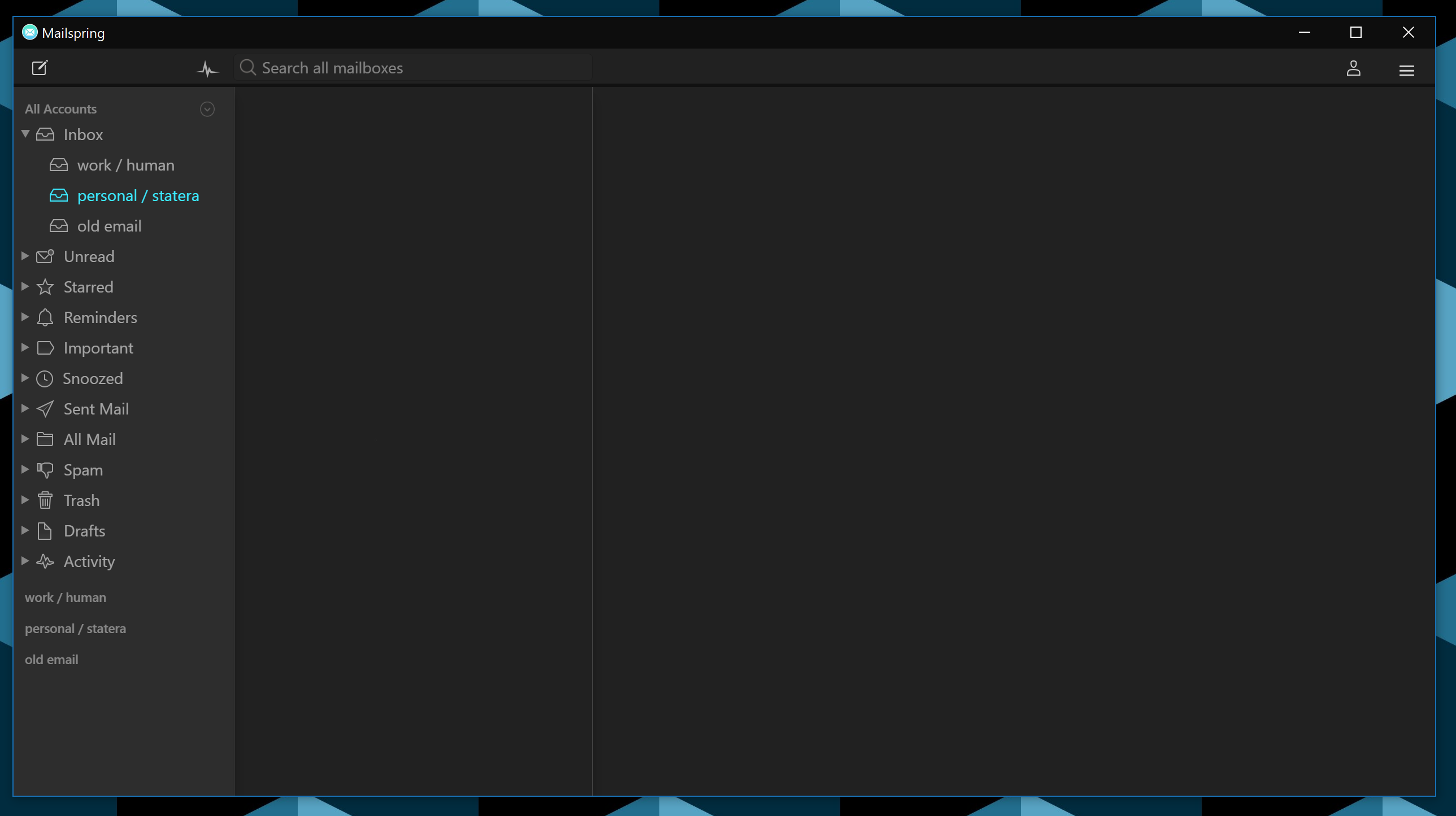
 wayoutware
on 14 Oct 2019
wayoutware
on 14 Oct 2019
happening to me on windows 10, too
Sorry for offtopic but what's that theme? :)
RemyyB
on 14 Oct 2019
I confirm that the temporary fix works on my setup
Lyptik
on 14 Oct 2019
+1 same issue here... temporary fix also works for me, win 10, mailspring ver 1.7.0
 lvtz
on 14 Oct 2019
lvtz
on 14 Oct 2019
Hey folks! just want to thank everyone for filing this - it looks like this is a timing issue in Mailspring's JavaScript that only happens on Windows, which is really surprising and allowed it to skip through the release testing. (At this time I've been able to reproduce it and the fix is in 9c763dac, but I still haven't gotten it to happen on Mac or Linux). I'm planning to ship the fixes for this and #1660 in a patch today because this is a fairly critical bug. Stay tuned!
 bengotow
on 14 Oct 2019
bengotow
on 14 Oct 2019
Hey folks—just a heads up that the fix for this has shipped in 1.7.1. Decided to push it out along with the fix for #1660 because there have been quite a few reports of this happening via Twitter and our support channel.
The app should auto-update in an hour or two, or you can choose "Check for Updates" from the menu or visit https://github.com/Foundry376/Mailspring/releases/tag/1.7.1 to get it now. Thanks - sorry for the hassle on this one!
bengotow
on 14 Oct 2019
Related issues
 ghost
·
3Comments
ghost
·
3Comments
 DanielRios549
·
3Comments
DanielRios549
·
3Comments
 liam-wiltshire
·
3Comments
liam-wiltshire
·
3Comments
 KristerV
·
3Comments
KristerV
·
3Comments
 imbrn
·
3Comments
imbrn
·
3Comments
Most helpful comment
Hey folks—just a heads up that the fix for this has shipped in 1.7.1. Decided to push it out along with the fix for #1660 because there have been quite a few reports of this happening via Twitter and our support channel.
The app should auto-update in an hour or two, or you can choose "Check for Updates" from the menu or visit https://github.com/Foundry376/Mailspring/releases/tag/1.7.1 to get it now. Thanks - sorry for the hassle on this one!