Mailspring: Reading Option : Auto-Expand All Emails of a Conversation
It always confuses me if the emails are not expanded in a multiple reply conversation, so I'd like them to be expanded by default. I see no option for this.
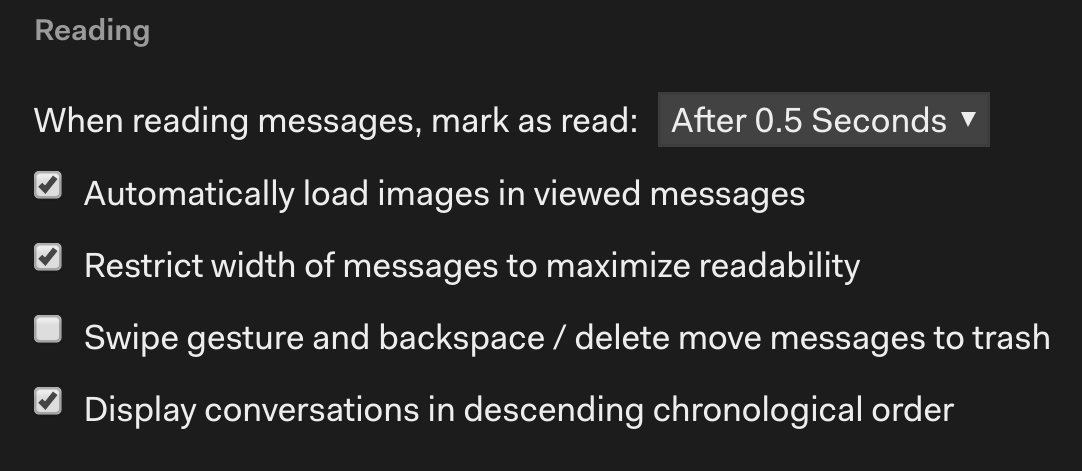
Can this option be added? Thanks in advance.
 Lonniebiz
All 4 comments
Hey! This will not likely be an option in the future because it's hard to keep the app's performance smooth when it expands really long conversations. There is a solution though! If you go to Preferences >Keymaps and choose "Edit Custom Shortcuts" at the bottom of the window, it will reveal a keymap.json file in the Finder.
If you open that file in a text editor and add a line like this, you can choose any shortcut you'd like for the "Toggle expanded" menu item:
{
  "message-list:toggle-expanded": "mod+Y"
}
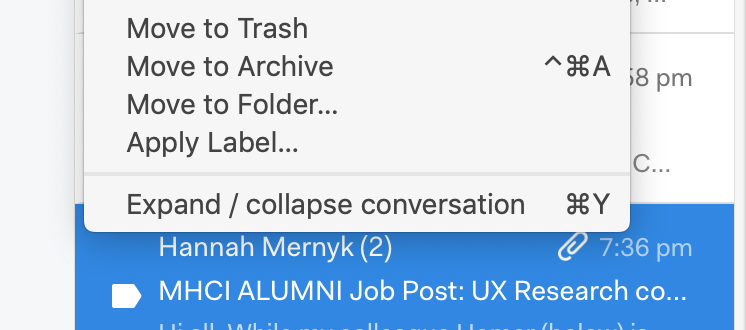
Then pressing Cmd+Y (or your favorite shortcut) will expand the thread you're reading.
 bengotow
on 9 Oct 2019
bengotow
on 9 Oct 2019
@bengotow, is keymap.json modified when Mailspring is updated? Like from an .rpm?
 tukusejssirs
on 17 Oct 2019
tukusejssirs
on 17 Oct 2019
Expand/ collapse conversation does not seem to be appearing on right click (windows version).
 mickey4322
on 14 Feb 2020
mickey4322
on 14 Feb 2020
@mickey4322, it does not appear on Linux (CentOS) either, but I don’t need the right-click menu as long as I can use a shortcut. :smiley:
tukusejssirs
on 14 Feb 2020
Related issues
 DanielRios549
·
3Comments
DanielRios549
·
3Comments
 justindoran
·
3Comments
justindoran
·
3Comments
 liam-wiltshire
·
3Comments
liam-wiltshire
·
3Comments
 spartero
·
3Comments
spartero
·
3Comments
 ghost
·
3Comments
ghost
·
3Comments
Most helpful comment
Hey! This will not likely be an option in the future because it's hard to keep the app's performance smooth when it expands really long conversations. There is a solution though! If you go to Preferences >Keymaps and choose "Edit Custom Shortcuts" at the bottom of the window, it will reveal a
keymap.jsonfile in the Finder.If you open that file in a text editor and add a line like this, you can choose any shortcut you'd like for the "Toggle expanded" menu item:
Then pressing Cmd+Y (or your favorite shortcut) will expand the thread you're reading.