Expected behavior
Back button should overlap toggle
Actual behavior
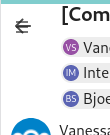
This has been a problem since quite some time and i cannot find any way how to fix it. For some reasons the toggle is overlapping the the back arrow even though it shouldnt, it should happen the other way around. I think its a old regression that we missed.
Apart from not disappearing when you add a background for the arrow - when you click it, it always triggers the toggle and not the back button. Which is annoying when you want to go back.
@skjnldsv @juliushaertl @ma12-co do you have any idea how to fix this?
 GretaD
>All comments
The main issue here is that the z-index of the app navigation toggle will always be the one of the parent (app navigation) as it is a child and the vue components set a higher z-index than the app content to overlap on mobile:

The only way to solve this would be to manually hide the navigation toggle if needed as done in contacts:
https://github.com/nextcloud/contacts/blob/23e887b0dbcc4f4dbd4fbd9e1244f1db4a7b055d/src/views/Contacts.vue#L27-L33
https://github.com/nextcloud/contacts/blob/23e887b0dbcc4f4dbd4fbd9e1244f1db4a7b055d/src/views/Contacts.vue#L837-L859
 juliushaertl
on 9 Nov 2020
juliushaertl
on 9 Nov 2020
Related issues
 StCyr
·
4Comments
StCyr
·
4Comments
 sscherfke
·
5Comments
sscherfke
·
5Comments
 Quix0r
·
5Comments
Quix0r
·
5Comments
 benks-io
·
4Comments
benks-io
·
4Comments
 HLFH
·
3Comments
HLFH
·
3Comments
Most helpful comment
The main issue here is that the z-index of the app navigation toggle will always be the one of the parent (app navigation) as it is a child and the vue components set a higher z-index than the app content to overlap on mobile:

The only way to solve this would be to manually hide the navigation toggle if needed as done in contacts:
https://github.com/nextcloud/contacts/blob/23e887b0dbcc4f4dbd4fbd9e1244f1db4a7b055d/src/views/Contacts.vue#L27-L33
https://github.com/nextcloud/contacts/blob/23e887b0dbcc4f4dbd4fbd9e1244f1db4a7b055d/src/views/Contacts.vue#L837-L859