Mail: Being able to navigate while writing a mail
Feature Request
To be able to compose in a new window. Just like other mail apps, would be nice to have this feature. Its more conformable to have your composer in the middle of the screen, without fearing you would accidentally click a message while you write. Also its less distracting.
 GretaD
All 12 comments
@GretaD do you want to analyze how for example Gmail, Microsoft365 and Apple Mail do this and post screenshots here so we can have that as a reference for designing it?
 jancborchardt
on 2 Apr 2020
jancborchardt
on 2 Apr 2020
Yes, i can analyze gmail.
GretaD
on 2 Apr 2020
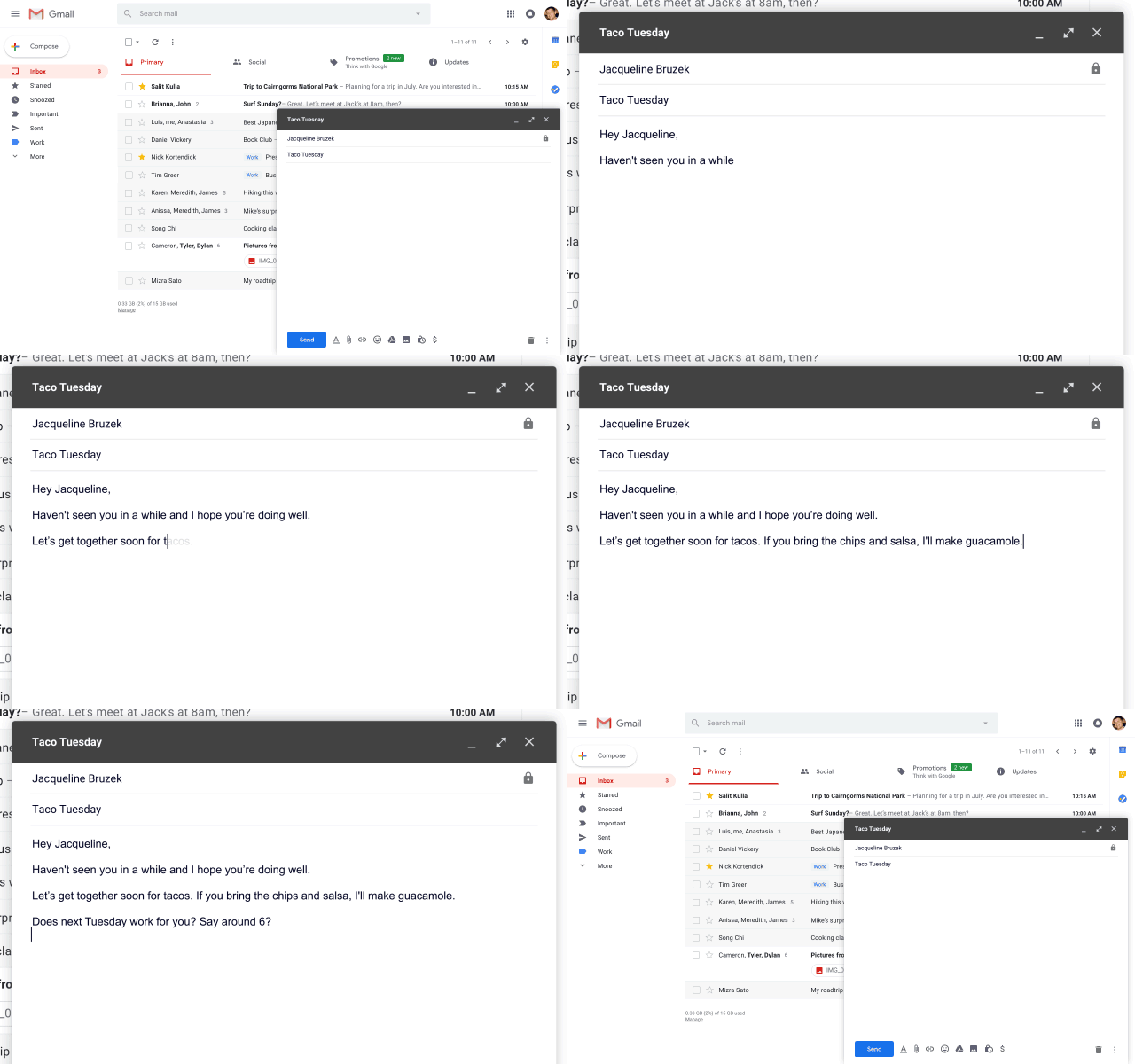
What’s definitely nice in Gmail is the ability to compose and still being able to navigate and read other mails. We could think about doing this pane-docked-to-bottom as they do? This is the default, and then you can either minimize it or fullscreen it.
jancborchardt
on 2 Apr 2020
Even better: if you have this, you could embed Mail into other apps' pages for mailto links and such
 ChristophWurst
on 2 Apr 2020
ChristophWurst
on 2 Apr 2020
Yes, gmail is the best option so far.
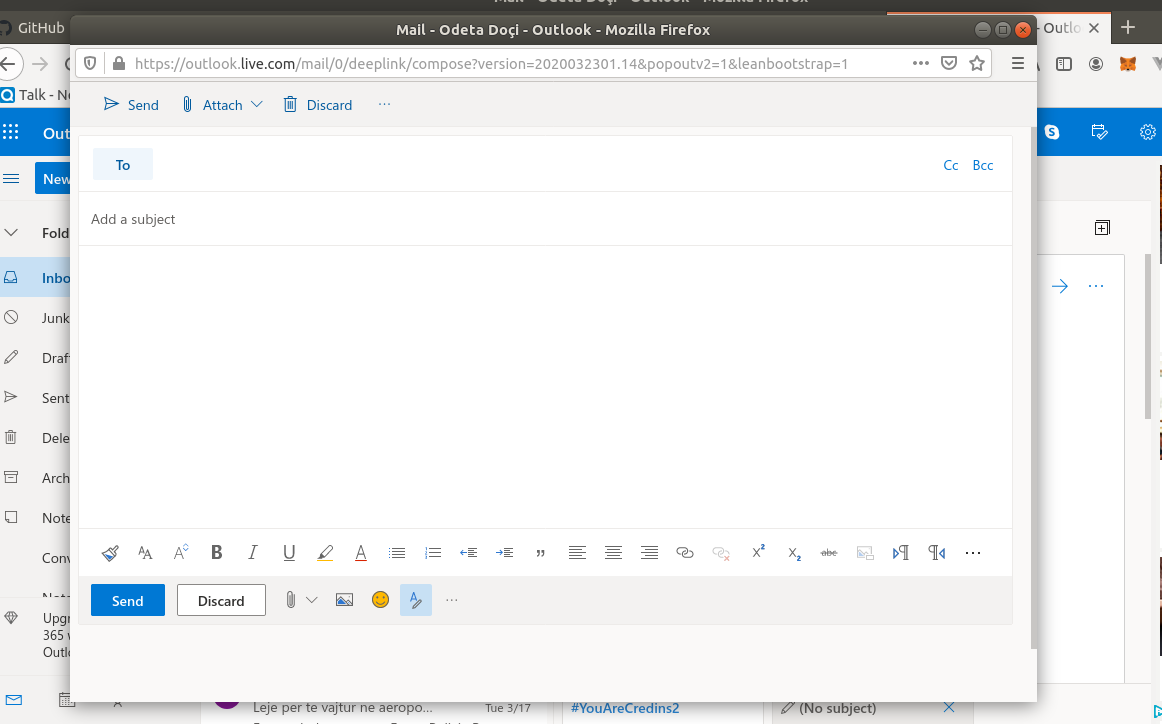
Outlook, has 2 steps to open in a new tab, when you click "New Message" it opens the composer on the third column, just like what we have it now. And then if you open in a new window it looks like this:
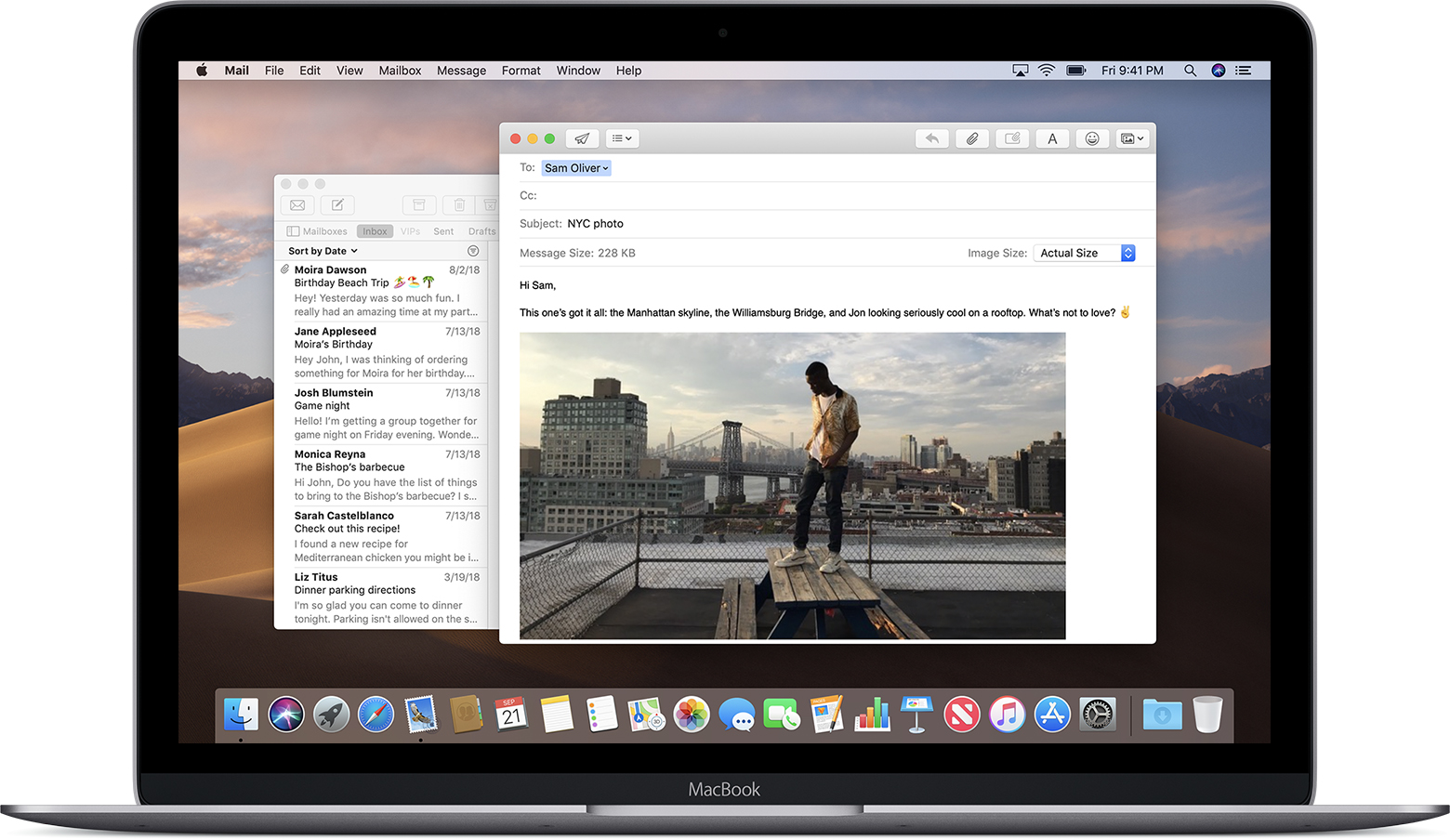
Apple(from internet) more or less like outlook.
GretaD
on 2 Apr 2020
Even better: if you have this, you could embed Mail into other apps' pages for mailto links and such
Yup, this would be a killer integration and we wouldn’t have to rip people out of the flow. We should then also make it the default just like Gmail does, so there’s no different modes.
jancborchardt
on 6 Apr 2020
Ideally I think this should be made available to other apps as well. This would be very useful for talk for example and it would definitely make sense to have a similar look when it is used with other apps. So in my opinion it would make sense to have a more generic approach for this component to make it reusable in other contexts.
 DrRSatzteil
on 19 Jun 2020
DrRSatzteil
on 19 Jun 2020
@jancborchardt how can we achieve the design from https://github.com/nextcloud/mail/issues/2831#issuecomment-607851153 in Nextcloud? Would you suggest using any of the existing components, like is this similar to anything that we already have, or do we need a new one for this?
ChristophWurst
on 18 Jan 2021
@jancborchardt how can we achieve the design from #2831 (comment) in Nextcloud? Would you suggest using any of the existing components, like is this similar to anything that we already have, or do we need a new one for this?
It seems it should be a new component. I can’t think of one which is similar. The issue though is that we need to make sure this works with other apps, e.g. when you collapse it, it should still show a header part in the bottom right of the screen – however in apps like Talk, when you have a call, there’s important stuff in the bottom right like your own call controls as well as the sidebar chat input box.
So possibly doing it like Outlook as @GretaD posted in https://github.com/nextcloud/mail/issues/2831#issuecomment-607904850 is a good intermediate step – we could just show the composer in a popup?
jancborchardt
on 27 Jan 2021
Sounds good.
In my understanding the docked mode would be the default if we have it. The problems in other apps are only there once we actually show Mail on other pages, so that is something for later and not important to this discussion right now.
The popup would be only optional and the default composer would still remain inside the main tab, right? Should there be an option to "move" the composer to a popup?
And then if you open in a new window it looks like this
@GretaD do they have a button for that?
ChristophWurst
on 28 Jan 2021
And then if you open in a new window it looks like this
@GretaD do they have a button for that?
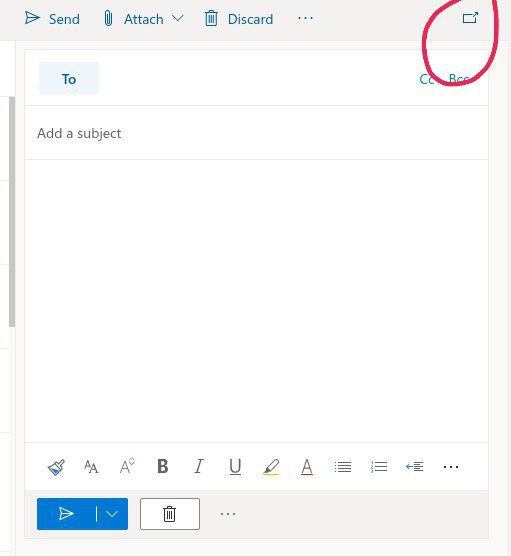
They have an icon Top Right.
GretaD
on 28 Jan 2021
The popup would be only optional and the default composer would still remain inside the main tab, right? Should there be an option to "move" the composer to a popup?
Yeah, that should most likely go into the 3-dot menu next to the "Reply"/"Send" button.
Icon can be icon-external and text: "Pop out message composer" (ideas for better wording?)
Important would be that any content or text which is already written when you pop out / pop in gets preserved.
jancborchardt
on 28 Jan 2021
Related issues
 Valdnet
·
3Comments
ChristophWurst
·
3Comments
Valdnet
·
3Comments
ChristophWurst
·
3Comments
 benks-io
·
4Comments
benks-io
·
4Comments
 stevleibelt
·
3Comments
stevleibelt
·
3Comments
 b1f17773
·
5Comments
b1f17773
·
5Comments
Most helpful comment
Even better: if you have this, you could embed Mail into other apps' pages for mailto links and such