Mahapps.metro: MetroWindow not detectable by applications as Screen2Gif and WinSnap
Describe the bug
For some reason, a MetroWindow isn't seen as a Window by applications like Screen2Gif and WinSnap.
Steps to reproduce
- Install WinSnap or Screen2Gif
- Try to record the window (Screen2Gif) or take a screenshot of the window (WinSnap)
Expected behavior
MetroWindow being like any other window and being selectable in applications that requires you to select windows.
Actual behavior
- Screen2Gif can't find Window.
- WinSnap returns a completely blank image.
Additional note
Happens only if the VS debugger is attached.
Environment
MahApps.Metro version: v2.1.0
Windows build number: Win10 2004 [Version 19041.329]
Visual Studio: 2019 16.6.1
Target Framework: .Net Core 3.1
 patriksvensson
All 18 comments
Update: At least WinSnap seems to work when built in Release mode.
patriksvensson
on 24 Jun 2020
Screen2Gif works for me although it doesn't always snap to the window right away to resize...
 RickStrahl
on 1 Jul 2020
RickStrahl
on 1 Jul 2020
Screen2Gif fails if one switches the UI to the new Style ("Neu" in the image below) but works for the old one ("Alt").
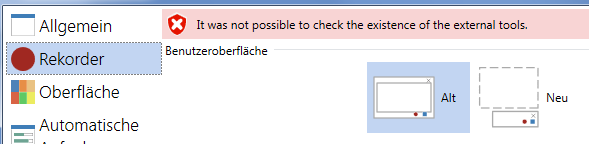
I think it is either a bug in ControlzEx or in Screen2Gif.
Happy coding
Tim
 timunie
on 2 Jul 2020
timunie
on 2 Jul 2020
@patriksvensson @RickStrahl
The main problem here is the WindowStyle="None" setting, which is the main feature for borderless windows.
With this setting (tested with plain WPF app) the window is filtered out by this (StateSystemOffscreen)
and
When I comment this out at ScreenToGif then it works. But I don't know which problems then will be raised.
So maybe @NickeManarin has an idea for this.
 punker76
on 9 Jul 2020
punker76
on 9 Jul 2020
@timunie The older UI works like the Sysinternals' Process Explorer tool (drag to find elements). The newer UI is supposed to work like the Snip and Sketch window selection mode.
@punker76 That code is there to prevent getting invisible windows and _non-windows_ elements such as tooltips.
Do you people have a sample app so I could test?
If an app (using MahApps) is built in release mode, it will be detected normally. Did I get that right?
 NickeManarin
on 10 Jul 2020
NickeManarin
on 10 Jul 2020
@NickeManarin you can use the sample App for this included in the source. In my case it never worked, but I did not double check if it works today.
timunie
on 10 Jul 2020
@NickeManarin I created a repo with 2 simple apps https://github.com/punker76/ScreenToGifFindWindowTest
punker76
on 10 Jul 2020
@punker76 Thanks!
I tested and I discovered that I had to remove/comment two verifications in order to list both of your sample apps (MahApps and WindowStyle=None).
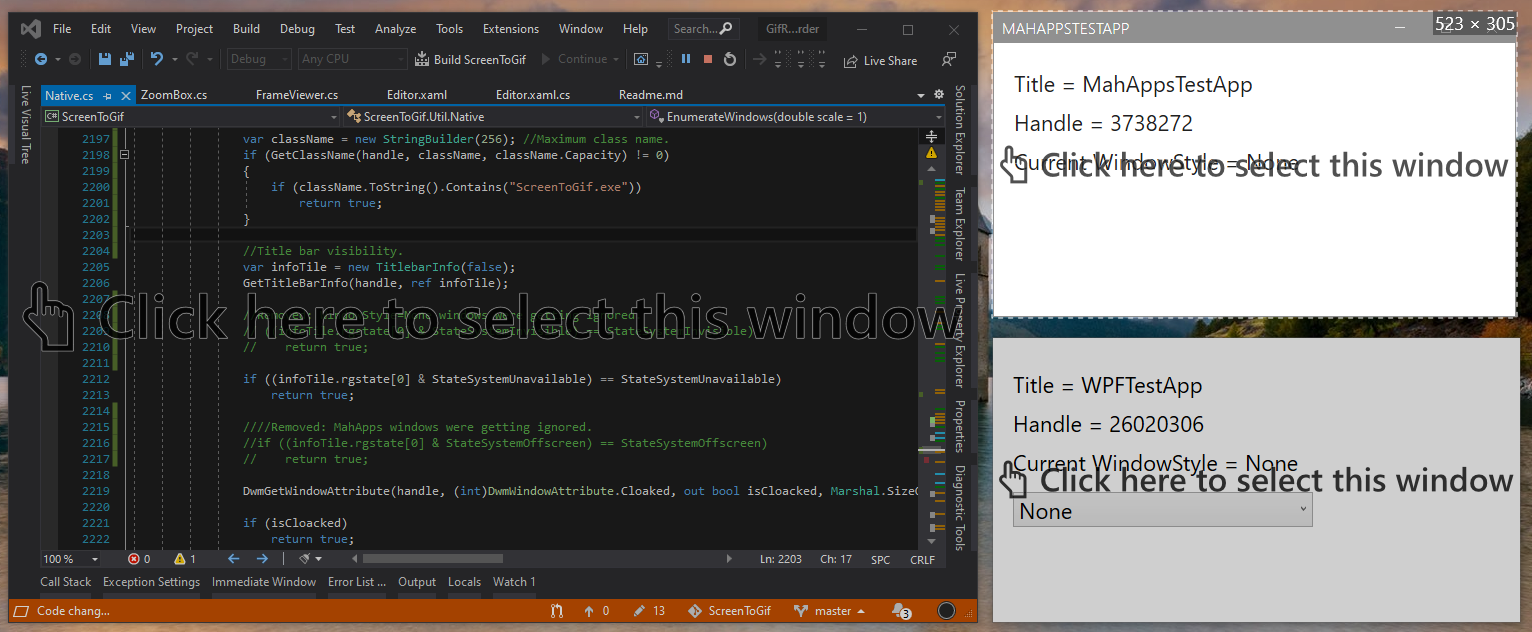
Ignoring StateSystemInvisible and StateSystemOffscreen does the job. I just had to add another check to ignore my own app (because it's a WindowStyle=None window).
Btw, how does Visual Studio deal with that?
It has no default window chrome, yet it's not filtered by StateSystemInvisible nor StateSystemOffscreen.
It would be better (in my opinion), if MahApps could simulate that behavior too.
NickeManarin
on 10 Jul 2020
@NickeManarin Yeah that would be cool. We also use our own window chrome stuff in ControlzEx. But I have no idea what VS do here to allow this. Maybe the VS team can help or @LyalinDotCom has an idea to help.
punker76
on 10 Jul 2020
Will try to assist, right now I am not sure who to ask but I am trying to figure it out...
 LyalinDotCom
on 11 Jul 2020
LyalinDotCom
on 11 Jul 2020
One of our engineers took a quick look but nothing stood out that can help. He did notice that an older version of Screen2Gif worked, but newer version reproduced the problem you describe. Might be worth pinging them to see what API's they are using if that company is willing to share the details, perhaps that will drive more clarity. Good luck, sorry we can't be of more help here
LyalinDotCom
on 14 Jul 2020
Hi @LyalinDotCom,
isn't ScreenToGif open source so that everyone can see the APIs they use? Or do you mean they use some closed source parts? If you are looking for the source code, here is a link: https://github.com/NickeManarin/ScreenToGif
Happy coding
Tim
timunie
on 15 Jul 2020
@LyalinDotCom @timunie
I'm the developer behind ScreenToGif, and yes, it's open source.
I already changed the code in order to start detecting WindowStyle=None windows in the newer recorder UI.
I just wondered what Visual Studio is doing that enables it to be detected as having a TitleBar, even when it looks like it has WindowStyle=None (due to having a custom window chrome/border).
Is VS 'faking' somehow a titlebar?
Because GetTitleBarInfo() Windows API does not return this two flags: StateSystemInvisible and StateSystemOffscreen.
I was using those two flags to filter out special 'windows', without titlebars, such as splash screens and tooltips, and noticed that VS was still being detected.
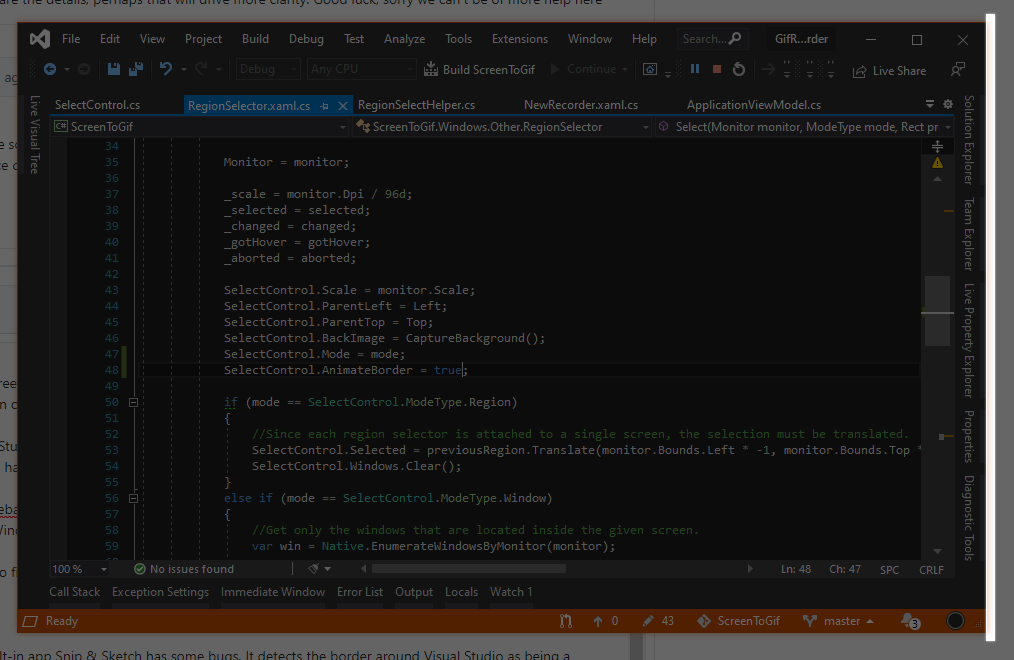
By the way, the Windows built-in app Snip & Sketch has some bugs.
It detects the border around Visual Studio as being a selectable window.
Also, there's no support for multi-DPI set of screens (it uses a single DPI for all displayed controls).
NickeManarin
on 15 Jul 2020
I worked with @LyalinDotCom and came up with a sample that creates a WPF window that is visible to ScreenToGif like VS is, and allows custom chrome. It can be found here:
https://github.com/LyalinDotCom/WPF_SingleBorderWindowNoChrome
I tried to comment the code to explain the basics, but if you have any questions, feel free to ask.
 Newrad0603
on 16 Jul 2020
Newrad0603
on 16 Jul 2020
Just to add here the basic story is that whatever API ScreenToGif is using simply won't work with that window capture mode if the window is a WPF one with WindowStyle=None. The sample shows you how to avoid needing to set the Window to "None" style yet get the same functionality.
So we still don't have a suggestion on how to improve ScreenToGif, but at least if any app really needs this functionality on a regular basis they can explore adjusting their app code.
_Big thank you to Andrew for giving this some of his spare time._
LyalinDotCom
on 17 Jul 2020
I read about this just for interest and want to leave this here: https://docs.microsoft.com/en-us/dotnet/api/system.windows.shell.windowchrome?view=netcore-3.1#windowchrome . Maybe this is what we are looking for. I think also that if this will be changed, it should be done at ControlzEx
timunie
on 17 Jul 2020
@timunie
I read about this just for interest and want to leave this here: https://docs.microsoft.com/en-us/dotnet/api/system.windows.shell.windowchrome?view=netcore-3.1#windowchrome . Maybe this is what we are looking for. I think also that if this will be changed, it should be done at ControlzEx
We are already using custom window chrome usage with extra changes to fix some stuff in it.
/cc @batzen
punker76
on 17 Jul 2020
SingleBorderWindow sounds like a nice alternative to None. But i guess this will interfere with our window glow. As Studio seems to use both (SingleBorderWindow + Glow) it should also work in ControlzEx.
Will experiment with these in ControlzEx when i find some spare time.
 batzen
on 17 Jul 2020
batzen
on 17 Jul 2020
Related issues
 seb30
·
12Comments
seb30
·
12Comments
 SteffanDonal
·
11Comments
SteffanDonal
·
11Comments
 oschwab
·
17Comments
oschwab
·
17Comments
 kayone
·
10Comments
kayone
·
10Comments
 SamOxyPlot
·
14Comments
SamOxyPlot
·
14Comments
Most helpful comment
I worked with @LyalinDotCom and came up with a sample that creates a WPF window that is visible to ScreenToGif like VS is, and allows custom chrome. It can be found here:
https://github.com/LyalinDotCom/WPF_SingleBorderWindowNoChrome
I tried to comment the code to explain the basics, but if you have any questions, feel free to ask.