Magisk: How to solve "Root overlay not showing" issue once for all
First of all: i really wanted to post this on xda, but my other account doesn't reach the 10 "helpful" posts, so if you are active in there, feel free to post this here to help out more people.
This thread is for help those people with this same issue.
Let's go right to the point:
I'm using a custom rom, GSI, and magisk is not working, so i did a lot of research and finally came with a working solution:
Setup:
First, you'll need a SQL Editor, you can find it on playstore.
I also modified one for get rid of ads, you can download it if you want. SQLite_Editor_2.0.8_NoAd - Mediafire
Next, you will need RAR app (or any other similar)
At this point you should have one installed already, but here is a link for it: RAR - PlayStore
And last, you'll need a custom app made by me, it's for get installed apps package name and uid, neccesary for editing magisk superuser database. And also it has a copy of the magisk.db file on it.
If you don't trust me, you don't need to, you can find another method somewhere. * MagiskRootFix - Mediafire
Steps:
Assuming everything is installed (including magisk), open RootFix, you will see a list of your installed apps. If you tap in one of them, you can copy the package name and uid.

• Tap on "Create magisk.db file", this will create a magisk database file in /sdcard/Databases.
• Next, open the SQL editor and open the created database file. Then tap in "policies".
• There is a table where all the allowed apps are located:

• As you can see, the first element is an app, all you need to do is add a new element, in the same format.
Just tap on the add symbol, then go to RootFix and copy the desired app uid and package name, by tapping it on the list:
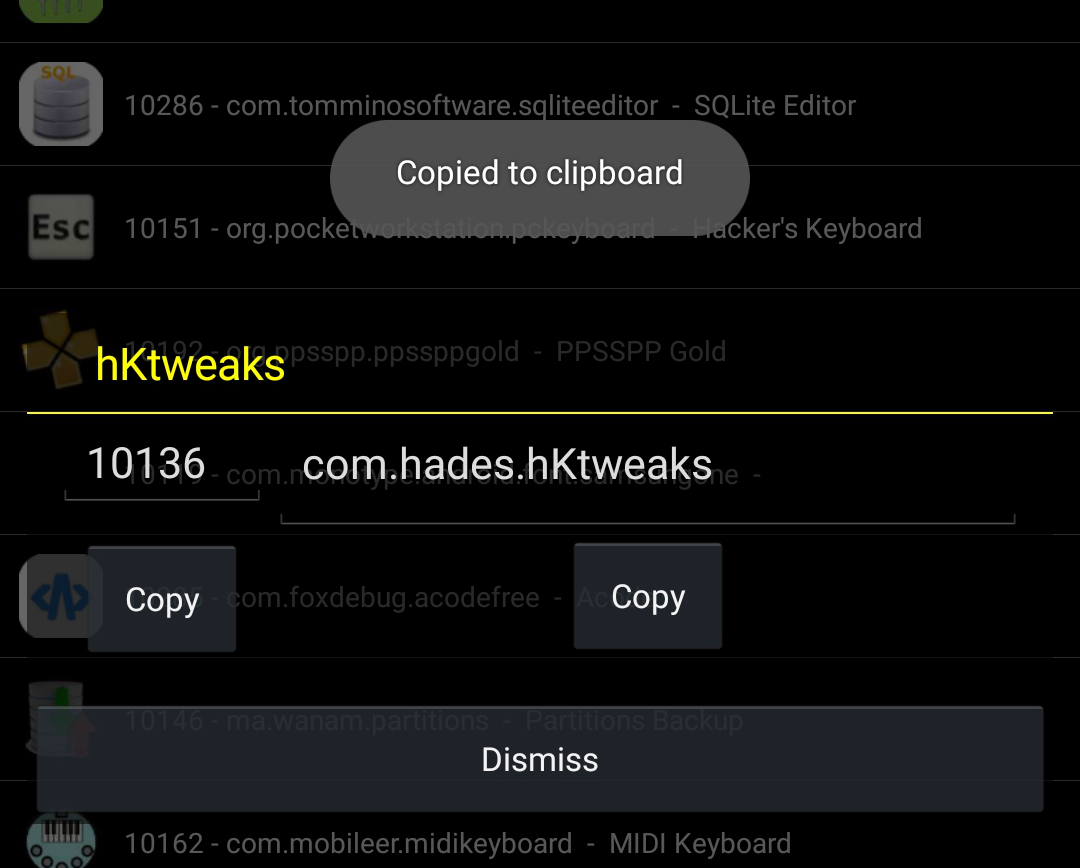
• And pasting it here:
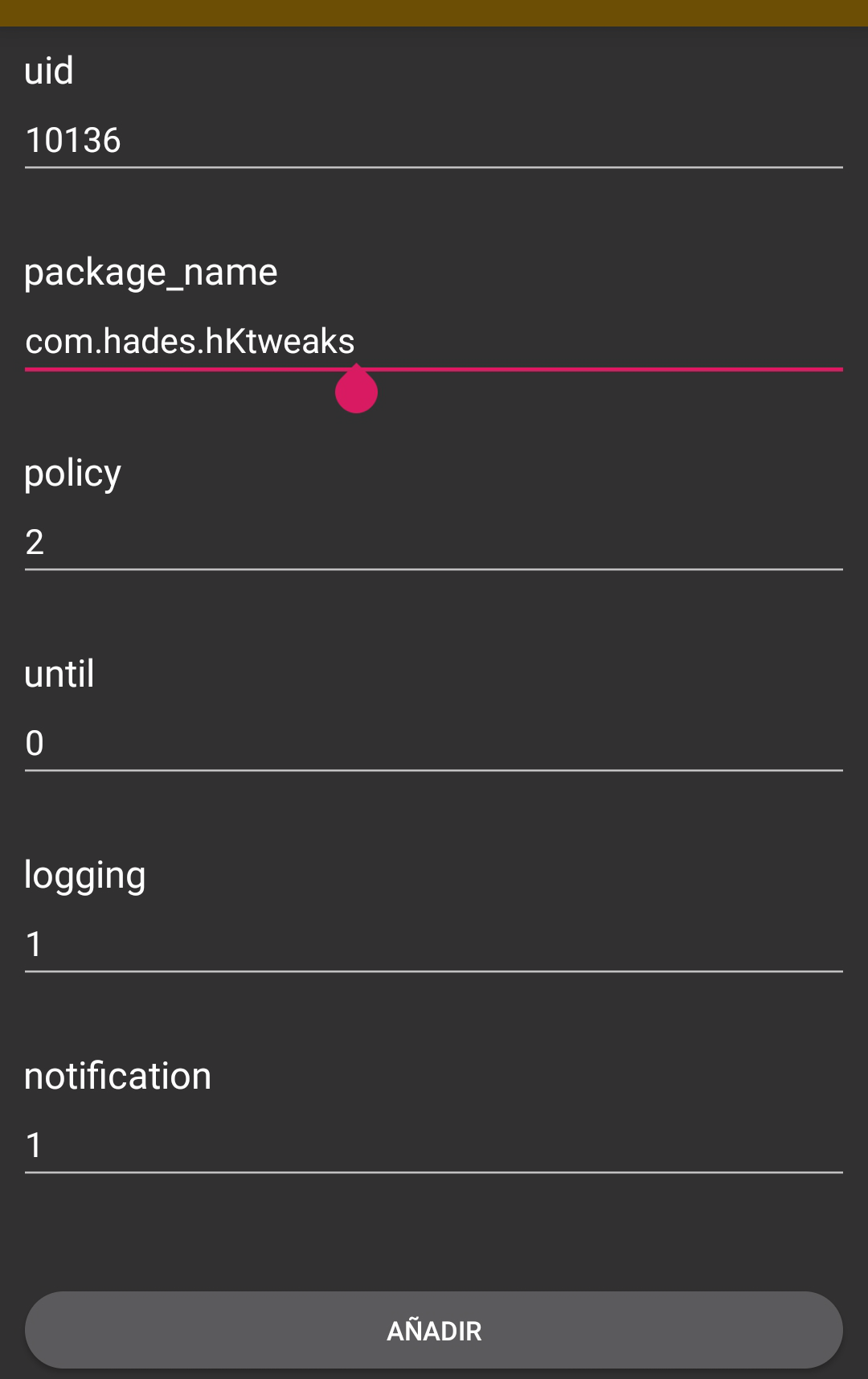
• Then tap "add" (The bottom button)
Just copy the last four values like in the picture. You can modify the permissions later in magisk manager.
You can add as many apps as you want.
• Once you're done, make sure to save the file, open RootFix again and tap "Build module".
• A folder called "magiskmod" will appear right next to the database file.
Open it and select all. Then compress it as .zip file:
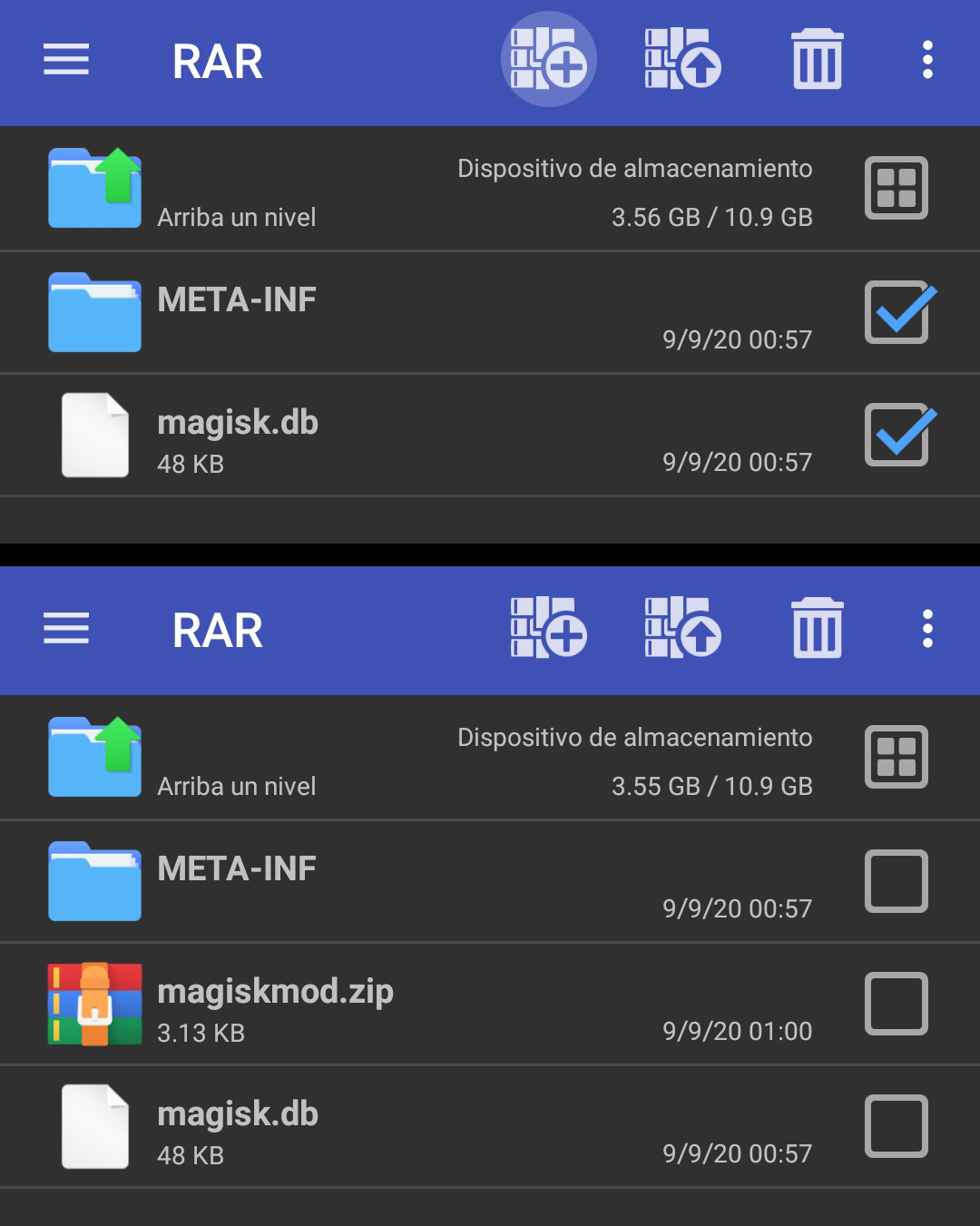
And finally, all left to do is flash the zip as a magisk module:
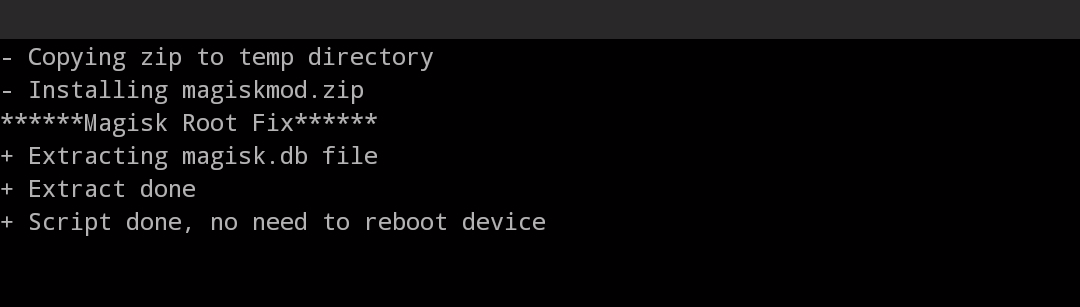
• And hopefully just go to Superuser section and all your apps will be there!
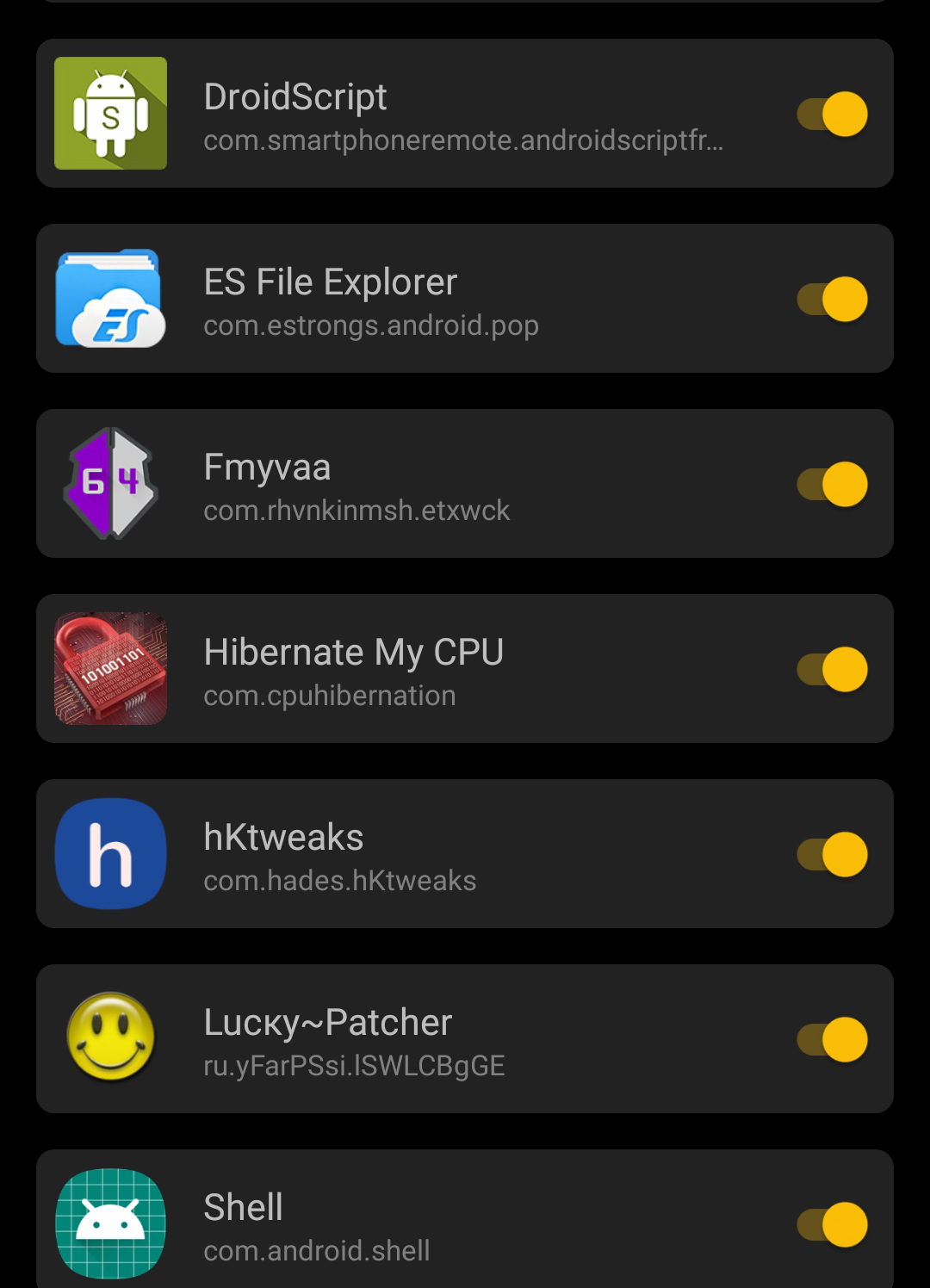
This is obviusly getting closed, but please, pin it or reference it in other issues with this problem.
 Andrew-afk
All 8 comments
Please check #2944, there is an issue somewhere, and nobody is providing relevant info to me.
This is NOT a solution 😕
 topjohnwu
on 9 Sep 2020
topjohnwu
on 9 Sep 2020
Please check #2944, there is an issue somewhere, and nobody is providing relevant info to me.
This is NOT a solution 😕
What? This is working for me, and i was having the same issue.
Yeah, all of us with this problem never gonna see that overlay again, this is the only way for now.
Luckely, there is one thing * you * can do: Add an option to the manager where there is a list of apps, and when we click in one, it ask us to add this app as root app, then write the data to the database file, via magisk flasher in background.
That is what this method is doing. And i'm pretty sure it will work too.
You can add also a different overlay, one which requires "show in top" option in app settings, with a confirmation and this adds the app to the database
Andrew-afk
on 9 Sep 2020
@Andrew-afk What you've done here is not a solution. It is a workaround.
The only way to find a solution is if those who are affected help providing the relevant information for @topjohnwu to be able to fix it properly.
 Didgeridoohan
on 9 Sep 2020
Didgeridoohan
on 9 Sep 2020
@Andrew-afk What you've done here is not a solution. It is a workaround.
The only way to find a solution is if those who are affected help providing the relevant information for @topjohnwu to be able to fix it properly.
Well, topjhonwu blocked magisk in purpose for those devices with GSIs installed, so there isn't really an official fix then.
This "workaround" works fine.
It's sad none of you have tried it to confirm that this works...
Andrew-afk
on 9 Sep 2020
No-one has "blocked" GSIs. They're just often too full of non standard hacks to properly be able to support them (I guess you've read #844).
And to be honest your workaround is also a bit of a non standard hack, which is why (and of course I'm only guessing here) it was closed.
Didgeridoohan
on 9 Sep 2020
No-one has "blocked" GSIs. They're just often too full of non standard hacks to properly be able to support them (I guess you've read #844).
And to be honest your workaround is also a bit of a non standard hack, which is why (and of course I'm only guessing here) it was closed.
I was expecting it to be closed anyways, github isn't for this things.
My workaround just uses the magisk module flasher to copy a file, that's it.
And, if the modules still working, then, why the overlay isn't showing?
Also, if magisk shows an overlay, why the option isn't showing in the android app manager?
I mean, if i go to "manage apps > magisk" there is no overlay option, shouldn't be one in there?
Andrew-afk
on 9 Sep 2020
No-one has "blocked" GSIs. They're just often too full of non standard hacks to properly be able to support them (I guess you've read #844).
And to be honest your workaround is also a bit of a non standard hack, which is why (and of course I'm only guessing here) it was closed.
Well, no replies. Of course something really is going on here.
Andrew-afk
on 11 Sep 2020
What kind of reply are you looking for? This ticket is closed and done with, work on trying to fix the real issue continues elsewhere...
Didgeridoohan
on 11 Sep 2020
Related issues
 Fs00
·
3Comments
Fs00
·
3Comments
 ThiefMaster
·
3Comments
ThiefMaster
·
3Comments
 ananjaser1211
·
4Comments
ananjaser1211
·
4Comments
 Madis0
·
3Comments
Madis0
·
3Comments
 Nanolx
·
4Comments
Nanolx
·
4Comments
Most helpful comment
No-one has "blocked" GSIs. They're just often too full of non standard hacks to properly be able to support them (I guess you've read #844).
And to be honest your workaround is also a bit of a non standard hack, which is why (and of course I'm only guessing here) it was closed.