Magisk shown as uninstalled after installing a module
Setup
- Device: Pixel3a
- Android: R, latest beta
- Magisk: latest from Canary builds
- Magisk module: https://github.com/ViRb3/magisk-frida (used to work 3-4 weeks ago in previous Magisk versions)
Patched the boot.img and got root. Alright so far.

Problem
Installing modules makes me to lose the ability of getting a root shell via su and tweaking modules is disabled because Magisk seems to be "uninstalled".
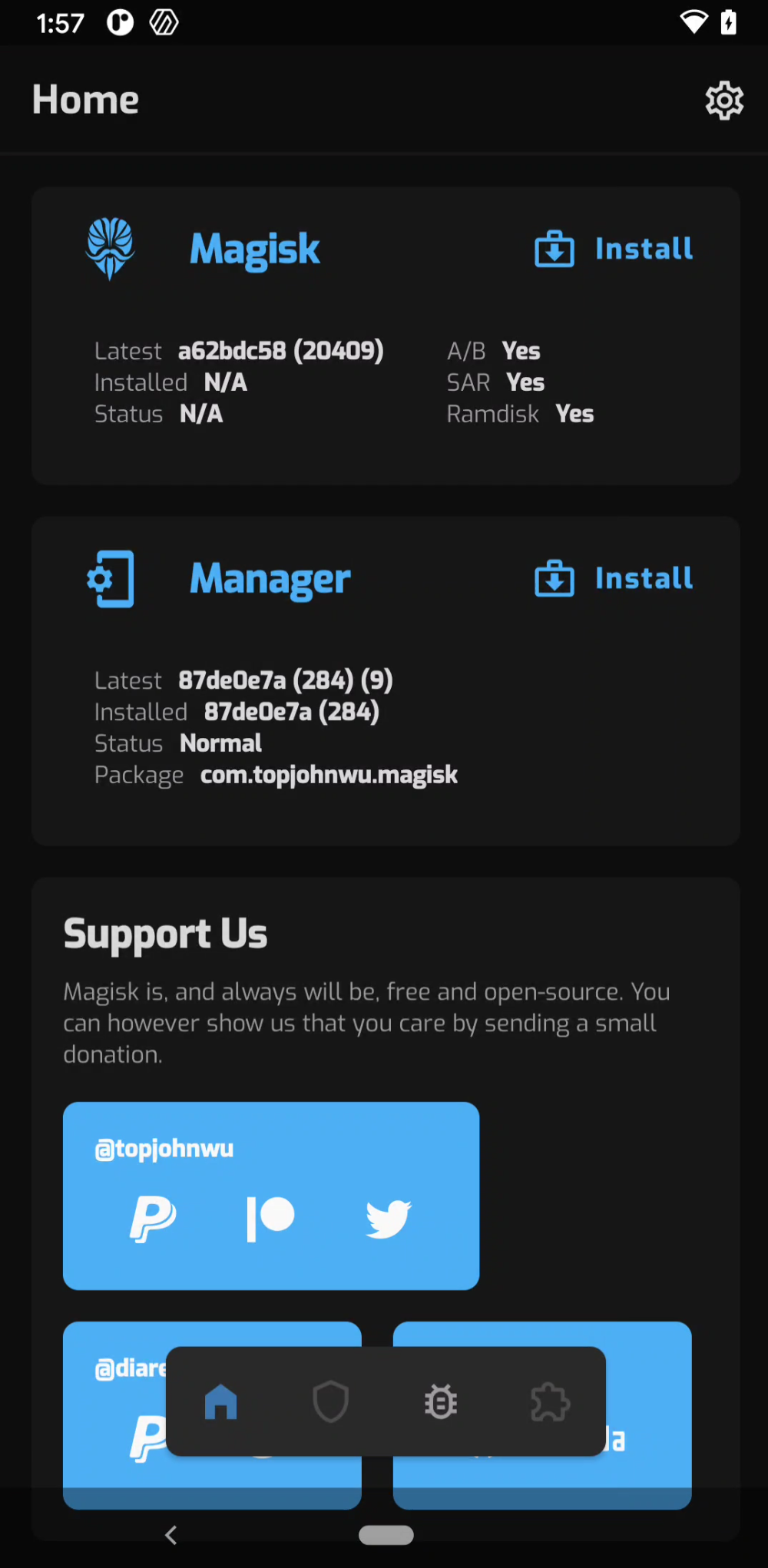
Logs
[13:39 edu@xps onedir] (master)>  adb shell
sargo:/ $ su
sargo:/ $ su
sargo:/ $ id
uid=2000(shell) gid=2000(shell) groups=2000(shell),1004(input),1007(log),1011(adb),1015(sdcard_rw),1028(sdcard_r),3001(net_bt_admin),3002(net_bt),3003(inet),3006(net_bw_stats),3009(readproc),3011(uhid) context=u:r:shell:s0
[13:40 edu@xps onedir] (master)>  tmp/platform-tools/adb shell su -c id
uid=0(root) gid=0(root) groups=0(root) context=u:r:magisk:s0
 enovella
All 7 comments
Hi,
ditto here https://github.com/topjohnwu/Magisk/issues/2779
;)
 laupuy
on 12 May 2020
laupuy
on 12 May 2020
I've reproduced this with a null module containing only a module.props file + the installer.
Once it's uninstalled su in a shell doesn't work, but adb shell su -c <command> does execute as root.
 daveholladay
on 12 May 2020
daveholladay
on 12 May 2020
Magisk 2aede977(20407) works as expected on exactly the same configuration.
daveholladay
on 13 May 2020
👍2
To recover your rootshell:
$ adb shell su -c rm -rf /data/adb/modules/$MODULE_NAME
FYI -- 122b4d66 (20411) has the same problem
enovella
on 17 May 2020
👍2
3xl same issue package rename before flashing module solved issue
 tnhillbilly17
on 19 May 2020
tnhillbilly17
on 19 May 2020
Latest build e02e46d0 (20414) fixes the issue.
enovella
on 19 May 2020
👍1
Was this page helpful?
0 / 5 - 0 ratings
Related issues
 Rakleed
·
4Comments
Rakleed
·
4Comments
 ananjaser1211
·
4Comments
ananjaser1211
·
4Comments
 pbbqdd
·
4Comments
pbbqdd
·
4Comments
 KaMyKaSii
·
3Comments
KaMyKaSii
·
3Comments
 HikariCalyx
·
3Comments
HikariCalyx
·
3Comments
Most helpful comment
FYI --
122b4d66 (20411)has the same problem