Magisk: Package parse error when trying to update a hidden Magisk Manager.
On a hidden Magisk Manager only, there is a parse error when trying to update the manager to the latest build. Unhiding MM in settings and it is successfully updated. Then it must be rehid. If the user had the update channel set to anything other than the Canary debug, then it must be changed back twice, also.
Attached are filtered logcats using LogcatX's per app logcat.
Log_2019-9-08_13-15-01.txt
Log_2019-9-08_13-13-49.txt
If there is any better way to log this issue, please let me know.
Nextbook Ares 8A, Intel x86, Android 6.0.1 tablet, updating Magisk 19307 to 19308, updating MM 232 to 233, debug build.
Several users in the Unofficial thread also reported this issue over the last few, unofficial, @ianmacd builds.
I believe it was the commits around August, 21st or 22nd, when this started, @ianmacd 2019082201 build, if I am not mistaken.
Thanks
 martyfender
All 3 comments
Happens to me on a redmi note 5 pro (whyred) android pie, only started on the latest magisk canary
 IdanHo
on 9 Sep 2019
IdanHo
on 9 Sep 2019
this seems to be back with the update from 7.3.5 to 7.4.0, but also, restoring to the "unhidden" magisk manager does not work, it tries to restore the updated version which is already failing to parse.
 lemmy04
on 3 Nov 2019
lemmy04
on 3 Nov 2019
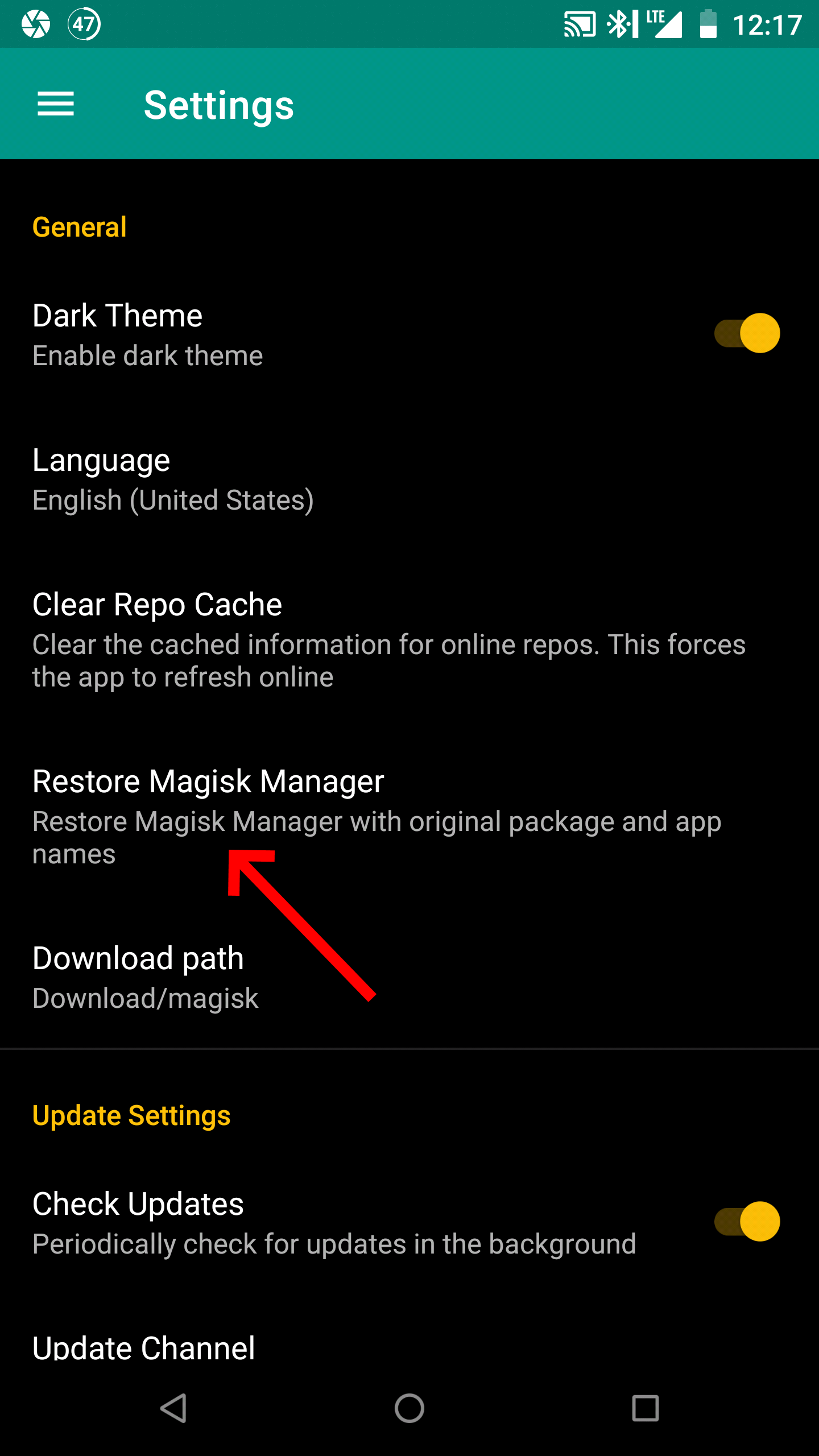
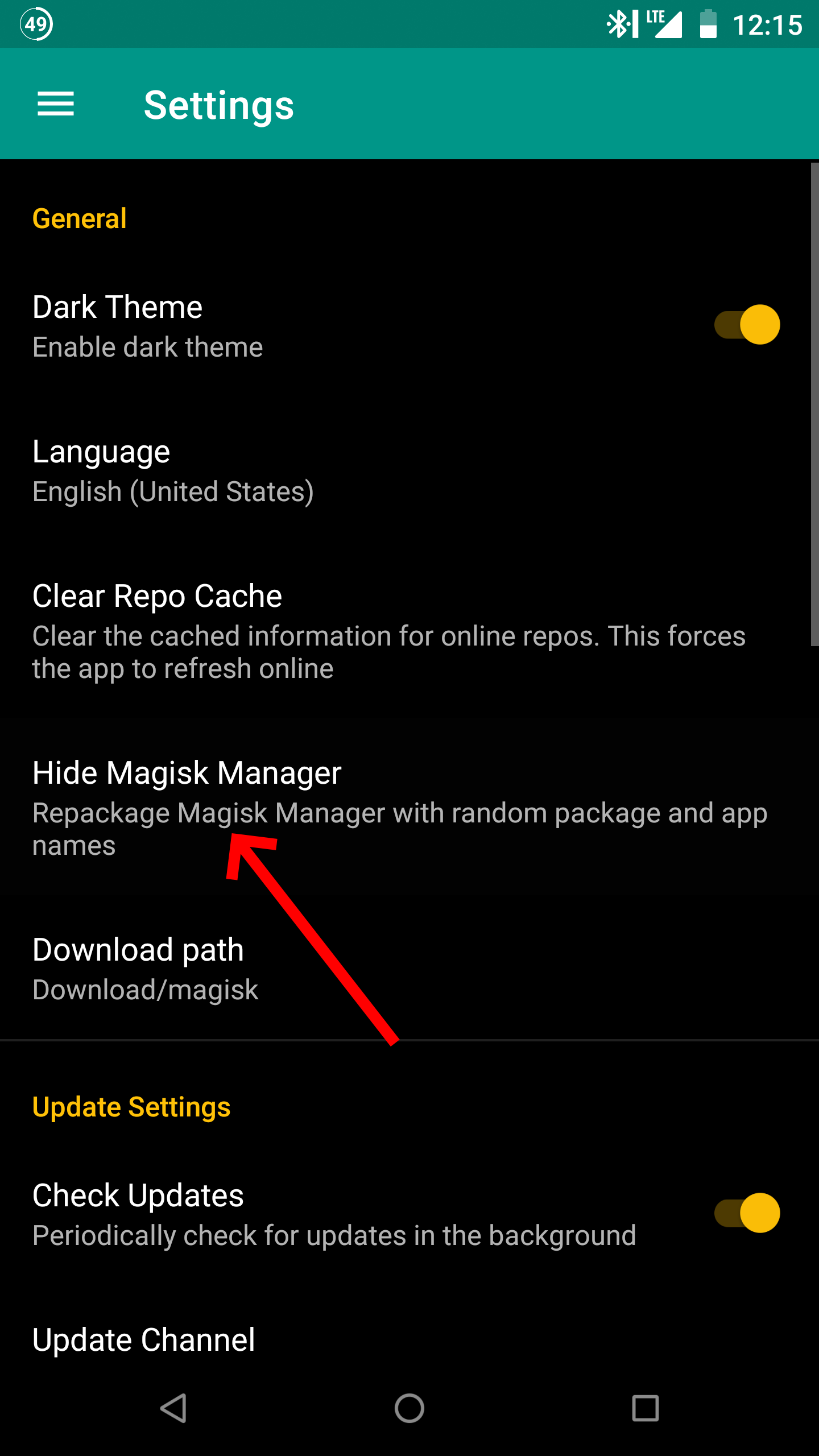
I was having this issue going from 7.3.5 to 7.4.0 on a Nexus 6p, and I did have my Magisk Manager hidden.
I attached screenshots of before when I was having the problem, as well as two screen shots showing how I was able to work around it. I had to go to settings, then tap on "Restore Magisk Manager", then I was able to update the app, then after updating, I was able to go back into settings and tap "Hide Magisk Manager" and it seems to all work fine again. (I got this idea from here)
Notably, I wasn't able to take a screenshot after hiding Magisk normally, I'm assuming this was due to the fact that it's hiding, but I was able to workaround not being able to take a screenshot by using an app called longshot.


 meadowsjared
on 8 Nov 2019
meadowsjared
on 8 Nov 2019
Related issues
 Fs00
·
3Comments
Fs00
·
3Comments
 pbbqdd
·
4Comments
pbbqdd
·
4Comments
 Kratos291
·
3Comments
Kratos291
·
3Comments
 georgekav2
·
3Comments
georgekav2
·
3Comments
 HikariCalyx
·
3Comments
HikariCalyx
·
3Comments
Most helpful comment
this seems to be back with the update from 7.3.5 to 7.4.0, but also, restoring to the "unhidden" magisk manager does not work, it tries to restore the updated version which is already failing to parse.