Magento2: URL Rewrite is lost when adding a existing product to another store view
Steps to reproduce (*)
- Magento 2.4.1. and 2.4-develop
- Setup two ore more store views.
- Enable URL rewrite.
- Create two root categories (one for each store view as usual).
- Add a product.
- Add the product to another store view (Product in Website).
Expected result (*)
- Existing Product URL: _example1.com/kilramar/smala/pro-basic_
Actual result (*)
- Becomes in the new store view: _example2.com/catalog/product/view/id/1/s/pro-basic/category/15/_
There is no way to make the product URL rewrited in the new store view, by saving either the product, and or the category.
Additional info from Engcom
Steps to reproduce
- Created two Sites, Stores, Storeviews.

Each Site has a different Base URL and Base Link URL. Use Web Server Rewrite is set to Yes
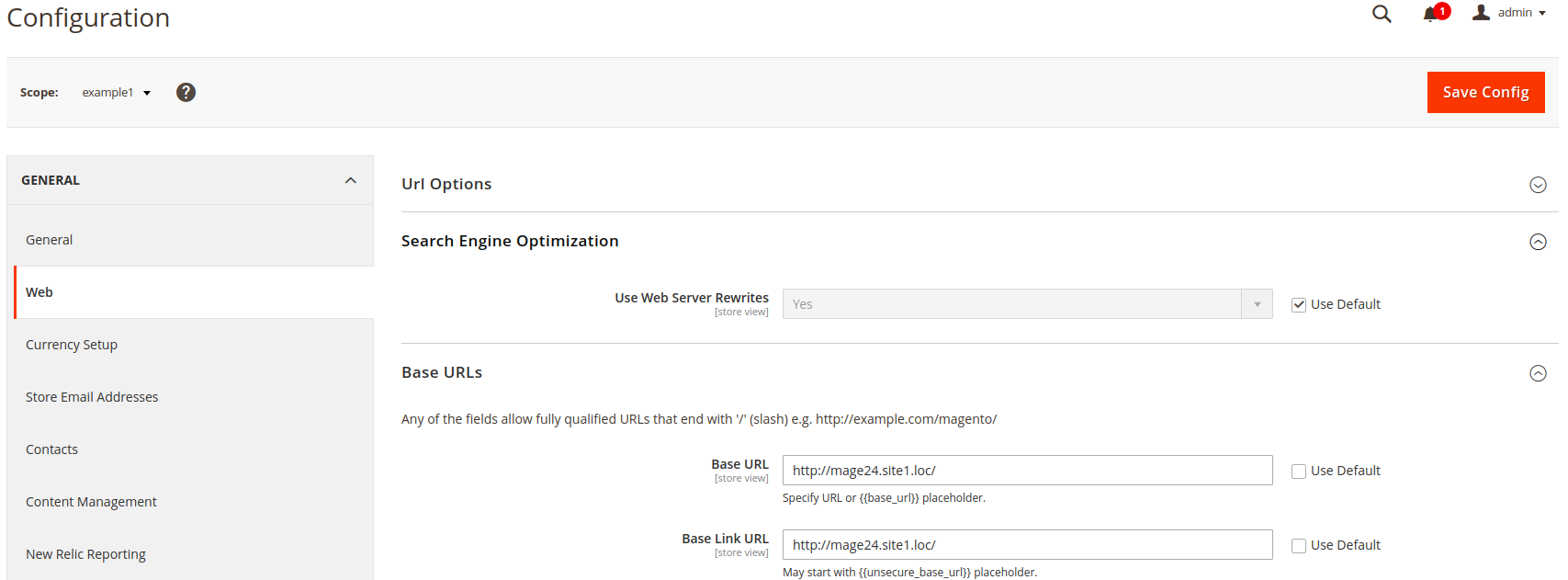
Each Store has a different Root Category and Default Store View

We have enabled Use Categories Path for Product URLs and Generate "category/product" URL Rewrites under Stores - Configuration - Catalog - Catalog - Search Engine Optimization

We have created a Simple product and Assigned it to the Category of the Site1

The product URL on Storefront is http://mage24.site1.loc/view1/categorya/suba/suba1/simple-product1.html
Then, we have assigned the product to another Web site under Product in Web Sites, but copy data not from the default values (also assigned Category)

Saved the product. Performed reindex and cache clean.
Actual result:
The product URL for the first site has not changed, remained
http://mage24.site1.loc/view1/categorya/suba/suba1/simple-product1.html The URL of the product from the second site is http://mage24.site2.loc/view2/catalog/product/view/id/1/s/simple-product1/category/12/
 AlldoGroup
All 10 comments
Hi @engcom-Bravo. Thank you for working on this issue.
In order to make sure that issue has enough information and ready for development, please read and check the following instruction: :point_down:
- [ ] 1. Verify that issue has all the required information. (Preconditions, Steps to reproduce, Expected result, Actual result).
Details
If the issue has a valid description, the labelIssue: Format is validwill be added to the issue automatically. Please, edit issue description if needed, until labelIssue: Format is validappears.
[ ] 2. Verify that issue has a meaningful description and provides enough information to reproduce the issue. If the report is valid, add
Issue: Clear Descriptionlabel to the issue by yourself.[ ] 3. Add
Component: XXXXXlabel(s) to the ticket, indicating the components it may be related to.[ ] 4. Verify that the issue is reproducible on
2.4-developbranchDetails
- Add the comment@magento give me 2.4-develop instanceto deploy test instance on Magento infrastructure.
- If the issue is reproducible on2.4-developbranch, please, add the labelReproduced on 2.4.x.
- If the issue is not reproducible, add your comment that issue is not reproducible and close the issue and _stop verification process here_![ ] 5. Add label
Issue: Confirmedonce verification is complete.[ ] 6. Make sure that automatic system confirms that report has been added to the backlog.
![m2-assistant[bot] picture](https://avatars0.githubusercontent.com/in/27048?v=4&s=40) m2-assistant[bot]
on 27 Oct 2020
m2-assistant[bot]
on 27 Oct 2020
Hello @AlldoGroup
Thank you for your report
We were not able to reproduce the issue using the provided Steps
Here are the steps we used
- Created two Sites, Stores, Stoeviews.
Each Site has a different Base URL and Base Link URL. Use Web Server Rewrite is set to Yes
Each Store has a different Root Category and Default Store View
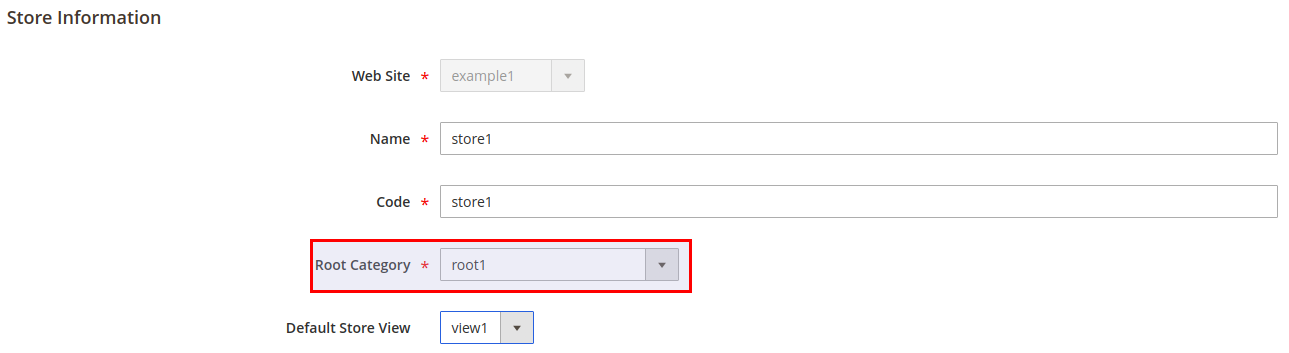
- We have enabled Use Categories Path for Product URLs and Generate "category/product" URL Rewrites under _Stores - Configuration - Catalog - Catalog - Search Engine Optimization_
- We have created a Simple product and Assigned it to the Category of the Main Web Site
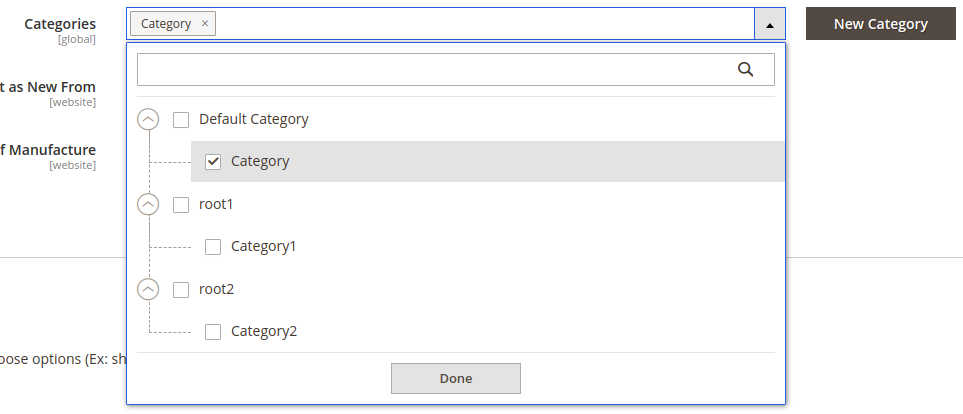
The product URL on Storefront ishttp://mage24.loc/category/sprod.html - Then, we have assigned the product to another Web site under Product in Web Sites (also assigned Category)
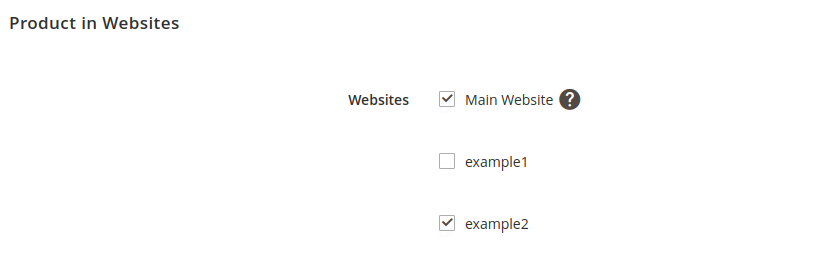
- Saved the product. Performed reindex and cache clean.
Actual result:
The product URL for the first site has not changed, remained http://mage24.loc/category/sprod.html The URL of the product from the second site is http://mage24.site2.loc/category2/sprod.html
Can you please add more information to the description of the issue, with screenshots, or maybe even video? This will help us to reproduce the issue and to provide a fix faster.
Thank you in advance
 engcom-Bravo
on 27 Oct 2020
engcom-Bravo
on 27 Oct 2020
Hello and thank you for your answer,
That's not how our 2.4.1 behave, we have the exact same settings, except that we have a deeper category structure.
Our product is also marked to the root category itself.
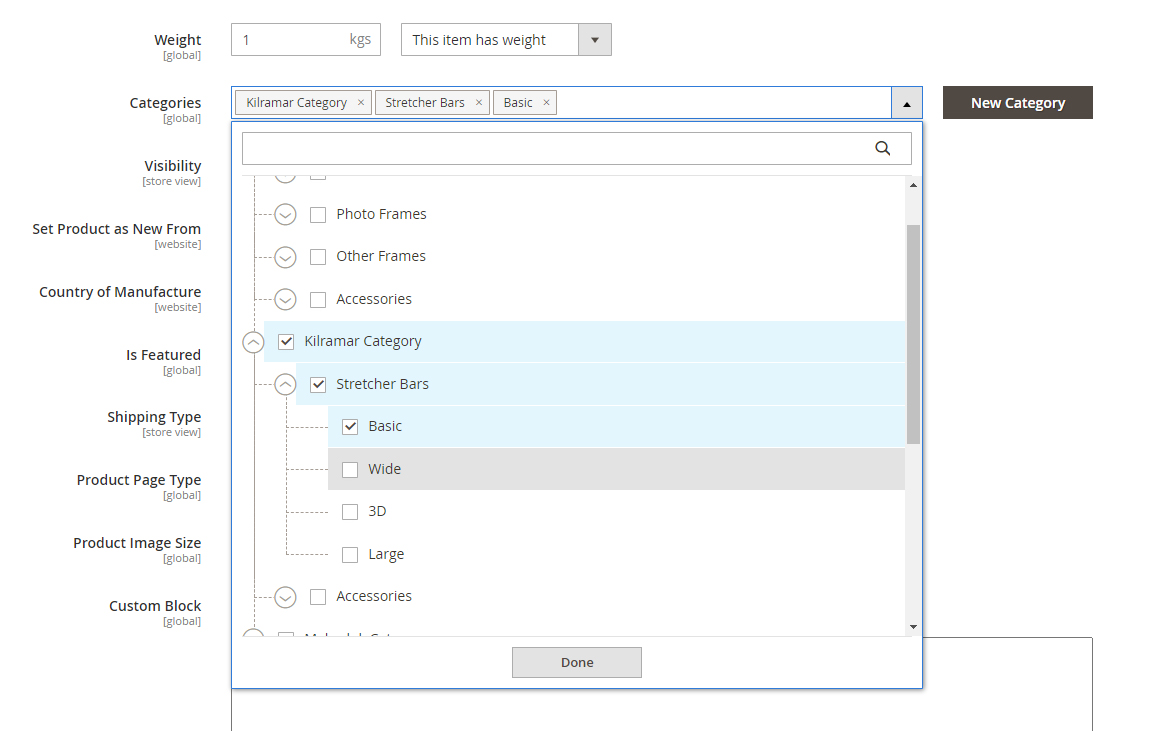
When and where is the URL rewrite generated when you add the simple product to the other store view?
I quote: _"5. Saved the product. Performed reindex and cache clean."_
What kind of reindex did you run?
Thanks,
AlldoGroup
on 27 Oct 2020
@AlldoGroup
Thank you for your response
_quote: "5. Saved the product. Performed reindex and cache clean."_
We perform full reindex, bin/magento indexer:reindex
Can you please answer, where do you Copy Data from when you assign a Product to another site?
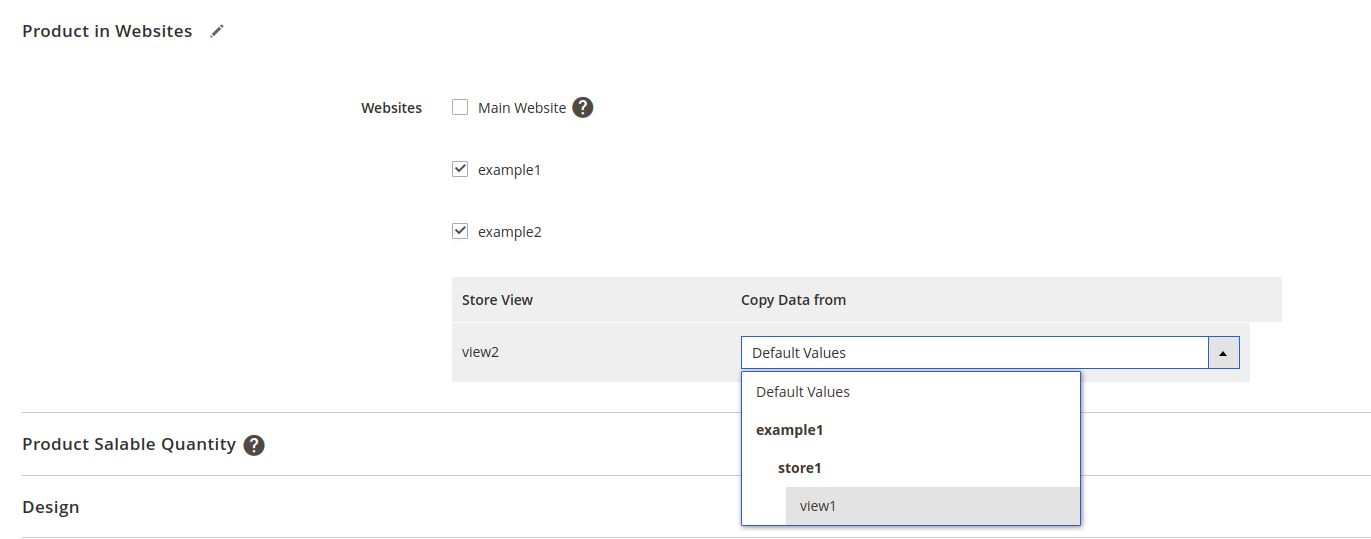
Thank you in advance
engcom-Bravo
on 29 Oct 2020
Hello,
We copied the product data from another store view. Note that all our products have "default values", and that we did not copied from the default values.
Thanks,
AlldoGroup
on 3 Nov 2020
More issues...
When adding a product to a certain store view, it chooses the wrong category, namely the default category name, and not the store view name.
Adding a product, and choosing the store view for it:
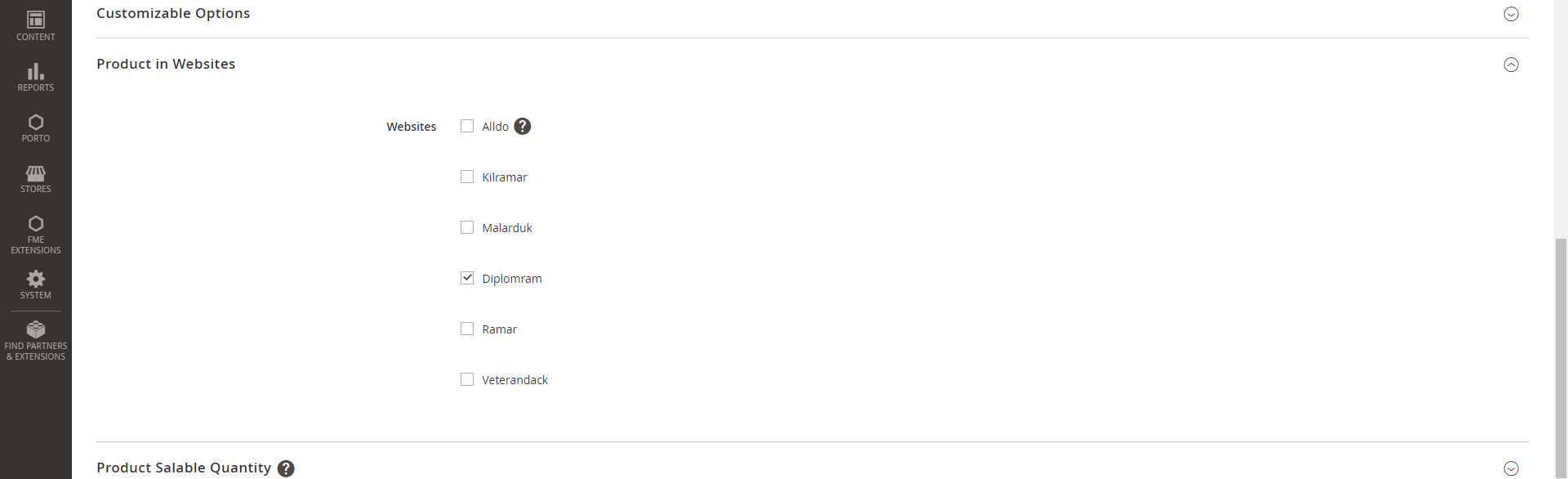
The thought category name for the actual store view:
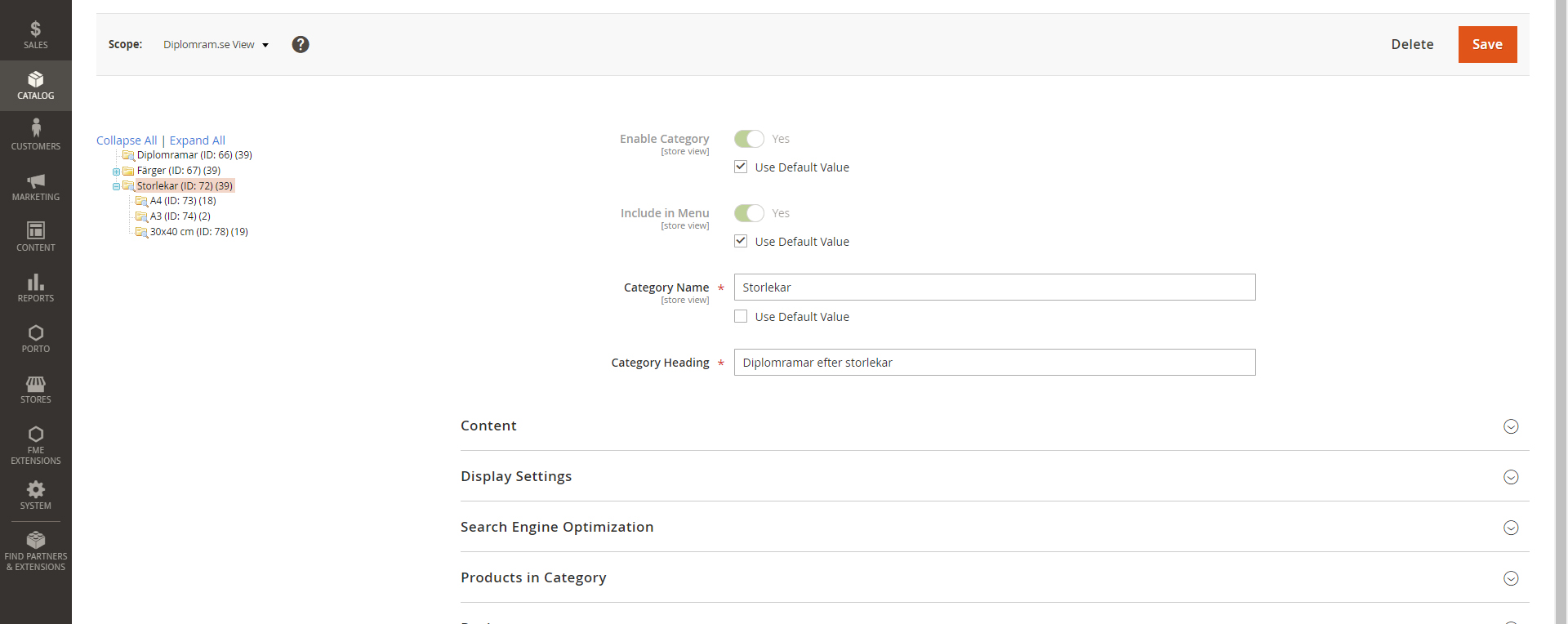
Magento is choosing the wrong category name (the default category name):
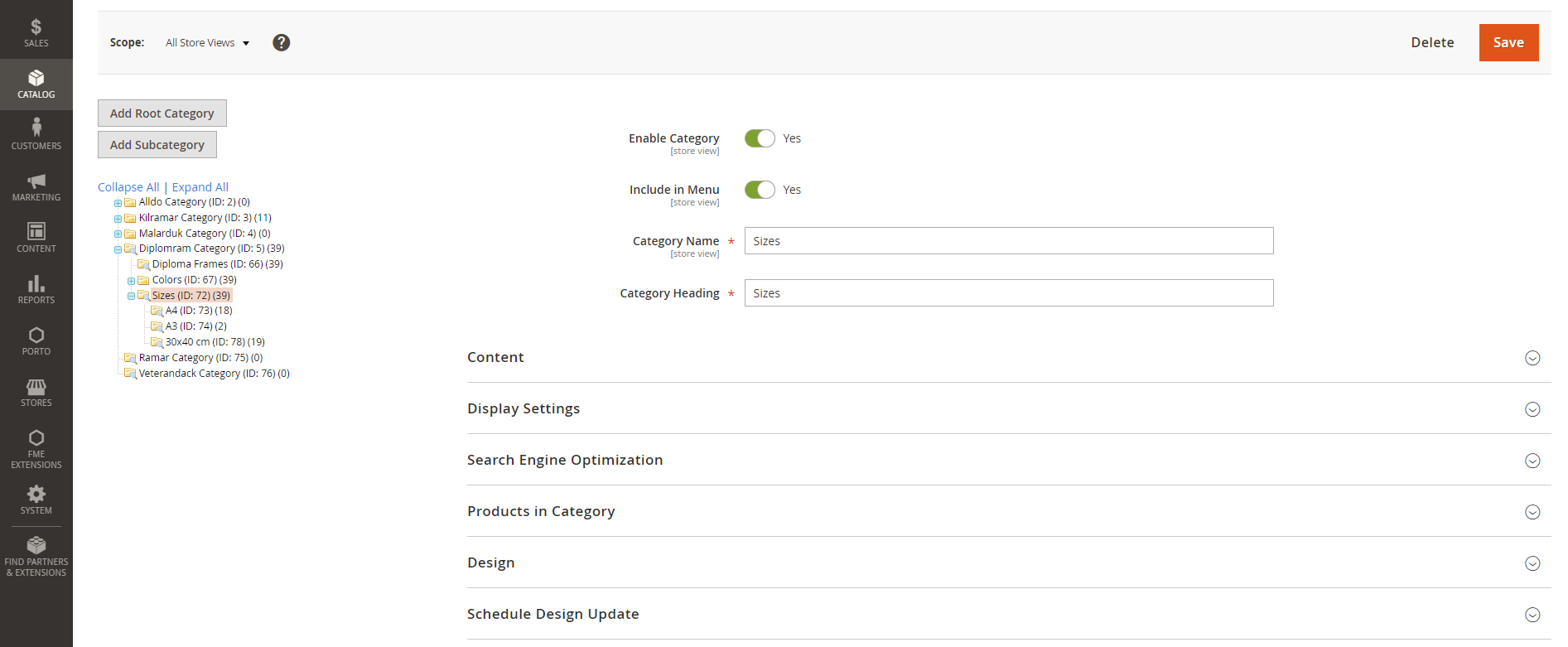
It should be "storlekar" and not "sizes" for this category.
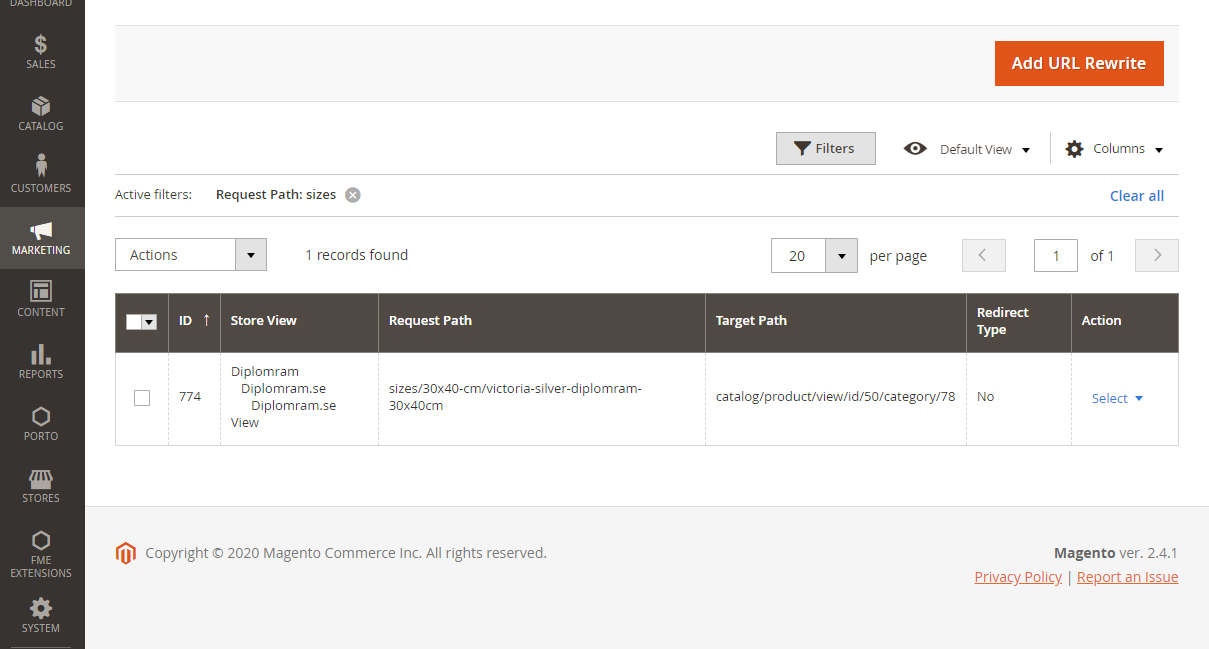
AlldoGroup
on 4 Nov 2020
@AlldoGroup We have reproduced the reported issue and added Additional info to the description
As for the previously mentioned quote :arrow_down:
_More issues...
When adding a product to a certain store view, it chooses the wrong category, namely the default category name, and not the store view name._
You may report a separate issue for that
Thank you
engcom-Bravo
on 4 Nov 2020
:white_check_mark: Confirmed by @engcom-Bravo
Thank you for verifying the issue. Based on the provided information internal tickets MC-38897 were created
Issue Available: @engcom-Bravo, _You will be automatically unassigned. Contributors/Maintainers can claim this issue to continue. To reclaim and continue work, reassign the ticket to yourself._
 magento-engcom-team
on 4 Nov 2020
magento-engcom-team
on 4 Nov 2020
Also reproducible on the latest 2.4-develop
 Pavel-Fekete
on 4 Nov 2020
Pavel-Fekete
on 4 Nov 2020
As for the previously mentioned quote ⬇️
_More issues... When adding a product to a certain store view, it chooses the wrong category, namely the default category name, and not the store view name._You may report a separate issue for that
Okey I will, I thought it was related to this issue.
Thank you,
AlldoGroup
on 5 Nov 2020
Related issues
 MauroNigrele
·
3Comments
MauroNigrele
·
3Comments
 comunidademagento
·
3Comments
comunidademagento
·
3Comments
 jzalenski
·
3Comments
jzalenski
·
3Comments
 xi-ao
·
3Comments
xi-ao
·
3Comments
 salelsol
·
3Comments
salelsol
·
3Comments