Magento2: Custom Customer attribute with input type multiselect is not saved in database Magento2.3.1
Preconditions (*)
- Magento 2.3.1
- PHP 7.2
Steps to reproduce (*)
- Create a customer custom attribute with input type multiselect int
- Go to the backend and try to save some data to created attribute
Expected result (*)
All attributes should save
Actual result (*)
- The new attribute appears in the form.
- The row is created in
customer_form_attributetable - Attribute still won't save and no error message even
InstallData.php
<?php

namespace MyCompany\MyNewAttribute\Setup;

use Magento\Customer\Model\Customer;
use Magento\Eav\Setup\EavSetupFactory;
use Magento\Framework\Setup\InstallDataInterface;
use Magento\Framework\Setup\ModuleContextInterface;
use Magento\Framework\Setup\ModuleDataSetupInterface;
use MyCompany\MyNewAttribute\Model\Entity\Attribute\Source\MyNewAttribute;
use Magento\Customer\Setup\CustomerSetupFactory;
use Magento\Eav\Model\Config as EavConfig;

class InstallData implements InstallDataInterface
{
    /**
     * @var EavSetupFactory
     */
    protected $eavSetupFactory;

    /**
     * @var EavConfig
     */
    private $eavConfig;

    /**
     * @var CustomerSetupFactory
     */
    private $customerSetupFactory;

    /**
     *
     * @param EavSetupFactory $eavSetupFactory
     */
    public function __construct(
        EavSetupFactory $eavSetupFactory,
        EavConfig $eavConfig,
        CustomerSetupFactory $customerSetupFactory
    ) {
        $this->eavSetupFactory = $eavSetupFactory;
        $this->eavConfig = $eavConfig;
        $this->customerSetupFactory = $customerSetupFactory;
    }

    /**
     *
     * @param ModuleDataSetupInterface $setup
     * @param ModuleContextInterface $context
     */
    public function install(ModuleDataSetupInterface $setup, ModuleContextInterface $context)
    {
        $eavSetup = $this->eavSetupFactory->create(['setup' => $setup]);
        $eavSetup->addAttribute(
            Customer::ENTITY,
            'my_new_attribute',
            [
                'type' => 'int',
                'label' => 'My New Attribue',
                'input' => 'multiselect',
                'source' => MyNewAttribute::class,
                'required' => false,
            ]
        );

        $usedInForms = [
            'adminhtml_customer',
            'customer_account_create'
        ];

        $attribute = $this->eavConfig->getAttribute(Customer::ENTITY, 'my_new_attribute');
        $attribute->setData('used_in_forms', $usedInForms);
        $attribute->save();
    }
}
 aario
aario
All 10 comments
Hi @aario. Thank you for your report.
To help us process this issue please make sure that you provided the following information:
- [ ] Summary of the issue
- [ ] Information on your environment
- [ ] Steps to reproduce
- [ ] Expected and actual results
Please make sure that the issue is reproducible on the vanilla Magento instance following Steps to reproduce. To deploy vanilla Magento instance on our environment, please, add a comment to the issue:
@magento-engcom-team give me 2.3-develop instance - upcoming 2.3.x release
For more details, please, review the Magento Contributor Assistant documentation.
@aario do you confirm that you was able to reproduce the issue on vanilla Magento instance following steps to reproduce?
- [ ] yes
- [ ] no
![m2-assistant[bot] picture](https://avatars0.githubusercontent.com/in/27048?v=4&s=40) m2-assistant[bot]
on 3 Apr 2019
m2-assistant[bot]
on 3 Apr 2019
Hi @engcom-backlog-nazar. Thank you for working on this issue.
In order to make sure that issue has enough information and ready for development, please read and check the following instruction: :point_down:
- [ ] 1. Verify that issue has all the required information. (Preconditions, Steps to reproduce, Expected result, Actual result).
Details
If the issue has a valid description, the labelIssue: Format is validwill be added to the issue automatically. Please, edit issue description if needed, until labelIssue: Format is validappears.
[ ] 2. Verify that issue has a meaningful description and provides enough information to reproduce the issue. If the report is valid, add
Issue: Clear Descriptionlabel to the issue by yourself.[ ] 3. Add
Component: XXXXXlabel(s) to the ticket, indicating the components it may be related to.[ ] 4. Verify that the issue is reproducible on
2.3-developbranchDetails
- Add the comment@magento-engcom-team give me 2.3-develop instanceto deploy test instance on Magento infrastructure.
- If the issue is reproducible on2.3-developbranch, please, add the labelReproduced on 2.3.x.
- If the issue is not reproducible, add your comment that issue is not reproducible and close the issue and _stop verification process here_!
[ ] 5. Verify that the issue is reproducible on
2.2-developbranch.Details
- Add the comment@magento-engcom-team give me 2.2-develop instanceto deploy test instance on Magento infrastructure.
- If the issue is reproducible on2.2-developbranch, please add the labelReproduced on 2.2.x[ ] 6. Add label
Issue: Confirmedonce verification is complete.[ ] 7. Make sure that automatic system confirms that report has been added to the backlog.
m2-assistant[bot]
on 4 Apr 2019
Hi @aario Thank you for your report.
The issue has been fixed in magento/magento2#20371 by @vivekkumarcedcoss in 2.3-develop branch
Related commit(s):
The fix will be available with the upcoming 2.3.2 release.
 ghost
on 4 Apr 2019
ghost
on 4 Apr 2019
Please don't rush to close the issue. It's not multiline field. It's multiselect field here!
I manually applied fixed #20371 and it didn't fix the problem.
The problem happens in:
vendor/magento/framework/Api/AbstractExtensibleObject.php:setCustomAttribute
When it calls:
vendor/magento/framework/Api/AbstractExtensibleObject.php:getCustomAttributesCodes
And the new attribute is not among the results. Therefore gets ignored.
Please reopen my issue.
aario
on 4 Apr 2019
@aario, Sorry, I didn't see what it was multiselect, i'm will recheck, :+1:
ghost
on 4 Apr 2019
@aario why your type is 'type' => 'int', ? and would be great if you add a you source class
ghost
on 4 Apr 2019
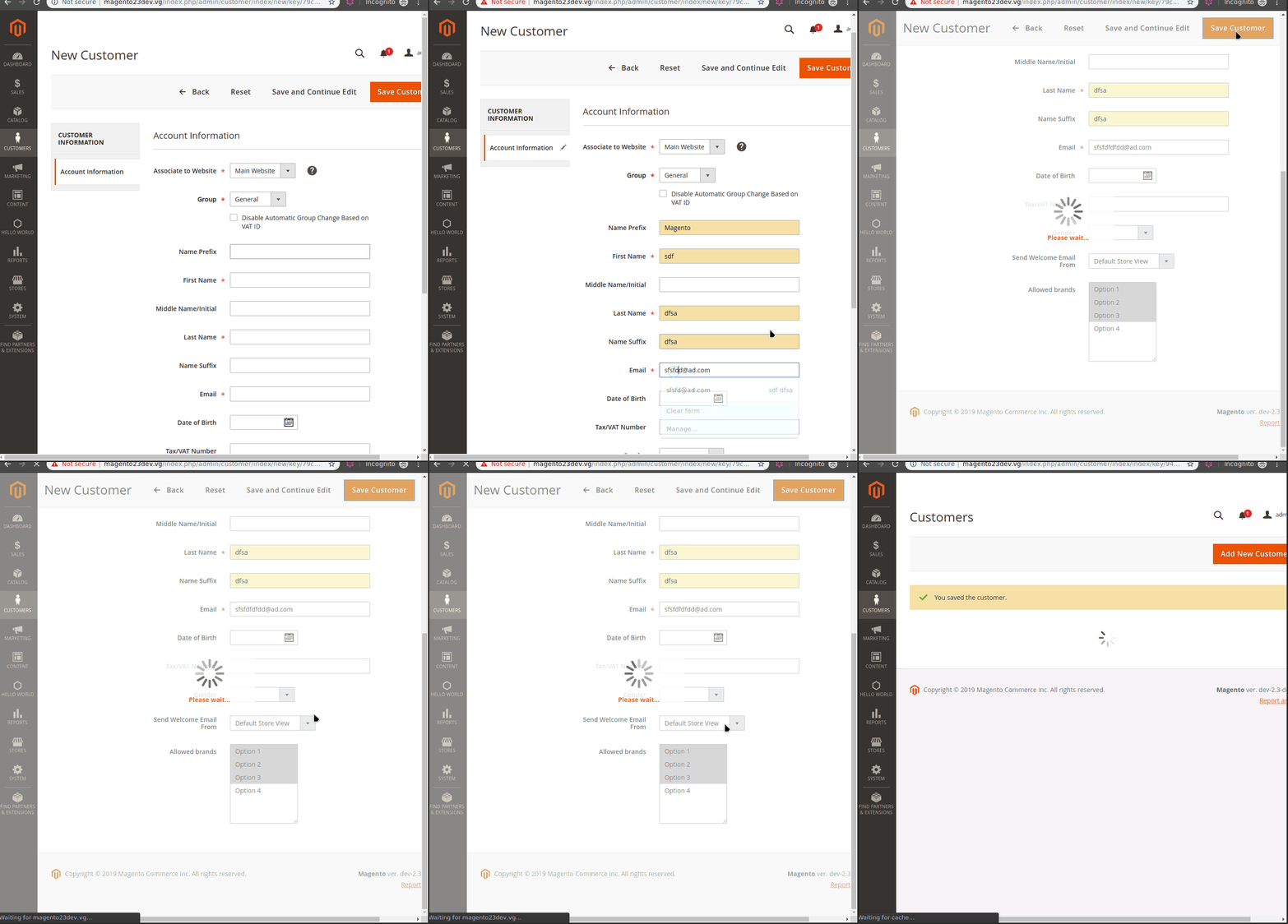
@aario i'm not able to reproduce because you have wrong install script, you use int, type which is wrong, please use this example.
$eavSetup->addAttribute(
Customer::ENTITY,
'my_new_attribute',
[
'type' => 'text',
'label' => 'Allowed brands',
'input' => 'multiselect',
'required' => false,
'visible' => true,
'user_defined' => true,
'sort_order' => 1000,
'position' => 1000,
'system' => 0,
'backend' => 'Magento\Eav\Model\Entity\Attribute\Backend\ArrayBackend',
'source' => 'Custom\QuoteAttr\Model\Entity\Attribute\Source\AllowedBrands'
]
);
ghost
on 4 Apr 2019
But I am able to use a multiselect attribute as int. It has name and value. Name is string, value is the id of the option which source model returns. Therefore these IDs which are of type int will be saved in database. I was able to trace the code further:
The problem happens in:
vendor/magento/framework/Api/AbstractExtensibleObject.php:setCustomAttribute
When it calls:
vendor/magento/framework/Api/AbstractExtensibleObject.php:getCustomAttributesCodes
And the new attribute is not among the results. Therefore gets ignored. This function calls:
``` vendor/magento/framework/Api/AbstractExtensibleObject.php:getEavAttributesCodes
vendor/magento/module-customer/Model/Metadata/CachedMetadata.php:getCustomAttributesMetadata
vendor/magento/module-customer/Model/Metadata/CustomerMetadata.php:getCustomAttributesMetadata
My attribute has:
_data->system
Equal to:
true
```
Which makes it a system attribue, therefore not a custom one. Now checking to find out why it is marked as a system attribute.
aario
on 4 Apr 2019
@aario maybe you wants to use select attribute ?
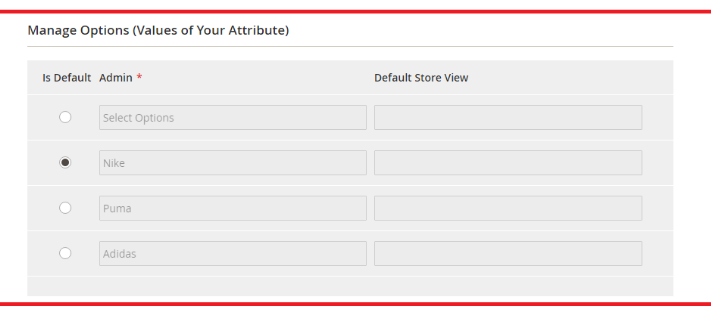
$eavSetup->addAttribute(
\Magento\Catalog\Model\Product::ENTITY, 'brands', [
'type' => 'int',
'backend' => ''Magento\Eav\Model\Entity\Attribute\Backend\ArrayBackend',
'frontend' => '',
'label' => 'Brands',
'input' => 'select',
'group' => 'General',
'class' => 'brands',
'source' => 'Vendor\Module\Model\Brands\Values',
'global' => \Magento\Eav\Model\Entity\Attribute\ScopedAttributeInterface::SCOPE_GLOBAL,
'visible' => true,
'required' => false,
'user_defined' => false,
'default' => '1',
'searchable' => false,
'filterable' => false,
'comparable' => false,
'visible_on_front' => false,
'used_in_product_listing' => true,
'unique' => false
]
);
class Values extends \Magento\Eav\Model\Entity\Attribute\Source\AbstractSource
{
protected $optionFactory;
public function getAllOptions()
{
$this->_options=[ ['label'=>'Select Options', 'value'=>''],
['label'=>'Nike', 'value'=>'1'],
['label'=>'Puma', 'value'=>'2'],
['label'=>'Adidas', 'value'=>'3']
];
return $this->_options;
}
public function getOptionText($value)
{
foreach ($this->getAllOptions() as $option)
{
if ($option['value'] == $value) {
return $option['label'];
}
}
return false;
}
public function getFlatColumns()
{
$attributeCode = $this->getAttribute()->getAttributeCode();
return [
$attributeCode => [
'unsigned' => false,
'default' => null,
'extra' => null,
'type' => Table::TYPE_INTEGER,
'nullable' => true,
'comment' => 'Custom Attribute Options ' . $attributeCode . ' column',
],
];
}
}
Solution
        $eavSetup->addAttribute(
            Customer::ENTITY,
            'my_new_attribue',
            [
                'type' => 'text',
                'label' => 'My New Attribue',
                'input' => 'multiselect',
                'source' => MyNewAttribute::class,
                'required' => false,
                'system' => false,
            ]
        );
Details
Attributes are by default system!
Attributes are by default marked as system in magento core in:
    Setup/EavSetup.php.Magento\Eav\Setup\EavSetup->addAttribute:825
        Model/Entity/Setup/PropertyMapper/Composite.php.Magento\Eav\Model\Entity\Setup\PropertyMapper\Composite->map:56
            Model/ResourceModel/Setup/PropertyMapper.php.Magento\Customer\Model\ResourceModel\Setup\PropertyMapper->map:26
Where:
        return [
            'is_visible' => $this->_getValue($input, 'visible', 1),
            'is_system' => $this->_getValue($input, 'system', 1),
            .
            .
            .
checks if in the system exists in the array from the install script, otherwise assumes it as 1! This might be a bug. Later as the attribute is neither a system attribute nor considered as a custom one, none of core components of Magento takes care of saving its value! So the value is lost. Therefore one must add:
'system' => false,
To make a custom attribute work. This also is not mentioned in the documentation here:
https://devdocs.magento.com/guides/v2.3/extension-dev-guide/attributes.html
@engcom-backlog-nazar Should the value be set to 0 by default, please reopen the bug so someone can make a pull request to change:
vendor/magento/module-customer/Model/ResourceModel/Setup/PropertyMapper.php:27
Type of a mutliselect must be text
Although a multiselect attribue might have varchar names and int values in its options variable in its source model class, magento core then saves it as a comma separated string value in database like:
1,3
Therefore the type should be text otherwise only the first selected one would be saved.
aario
on 4 Apr 2019
Related issues
 algostore
·
3Comments
algostore
·
3Comments
 spyrule
·
3Comments
spyrule
·
3Comments
 comunidademagento
·
3Comments
comunidademagento
·
3Comments
 gg24
·
3Comments
gg24
·
3Comments
 dmitry-fedyuk
·
3Comments
dmitry-fedyuk
·
3Comments
Most helpful comment
Solution
Details
Attributes are by default system!
Attributes are by default marked as system in magento core in:
Where:
checks if in the
systemexists in the array from the install script, otherwise assumes it as 1! This might be a bug. Later as the attribute is neither a system attribute nor considered as a custom one, none of core components of Magento takes care of saving its value! So the value is lost. Therefore one must add:To make a custom attribute work. This also is not mentioned in the documentation here:
https://devdocs.magento.com/guides/v2.3/extension-dev-guide/attributes.html
@engcom-backlog-nazar Should the value be set to 0 by default, please reopen the bug so someone can make a pull request to change:
Type of a mutliselect must be text
Although a multiselect attribue might have
varcharnames andintvalues in its options variable in its source model class, magento core then saves it as a comma separated string value in database like:Therefore the type should be
textotherwise only the first selected one would be saved.