Magento2: Bundle product bundle items options are not aligned properly when adding products on "Create New Order" page in admin area
Preconditions (*)
- Magento 2.2-develop or Magento 2.3-develop
- Bundle product with options
Steps to reproduce (*)
- Go to admin area
- Go to Sales -> Orders
- Press create a new order button
- Press Add Products button
- From the list, choose a bundle product and press "Configure"
Expected result (*)
Quantity label and input field are aligned
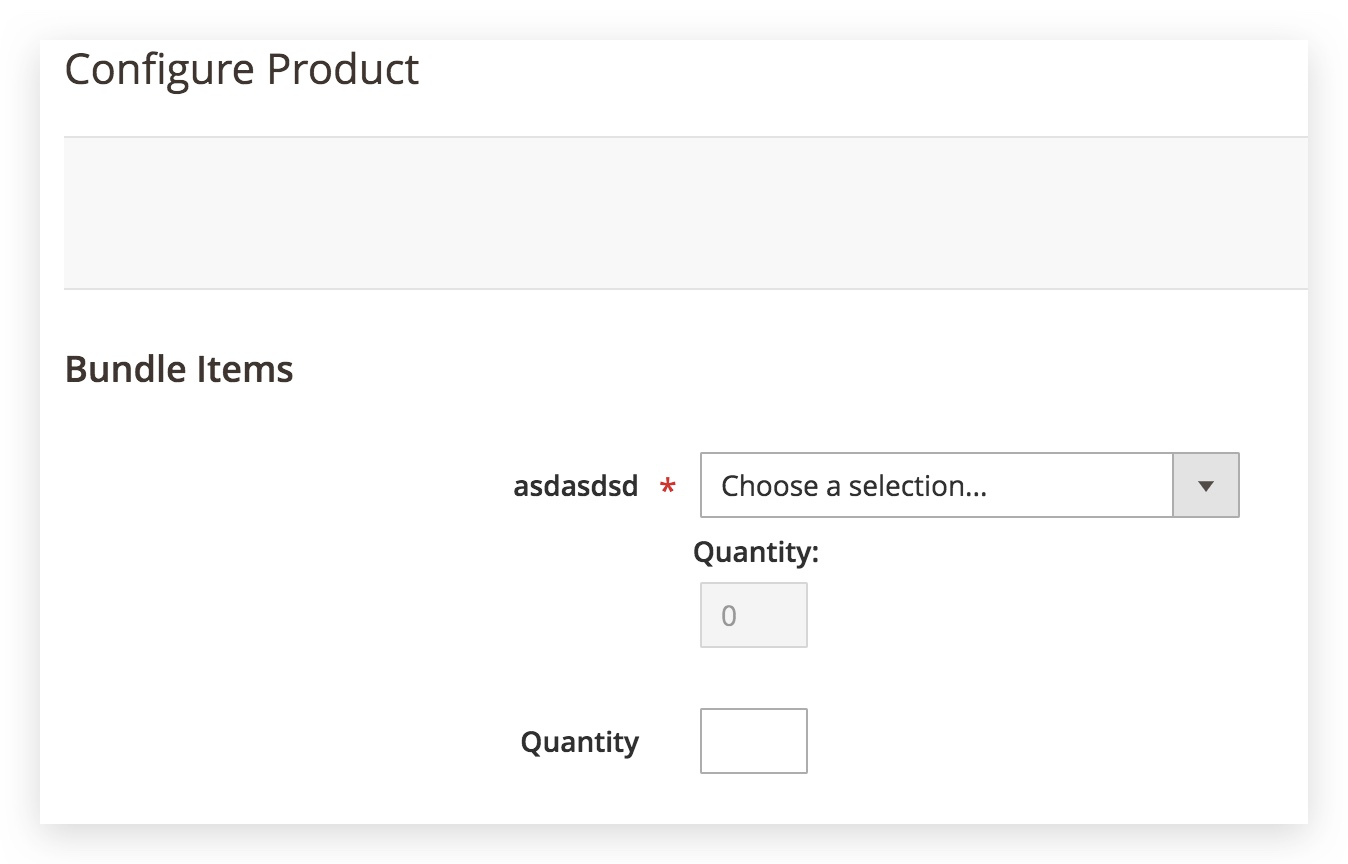
Actual result (*)
Quantity label and input field are not aligned
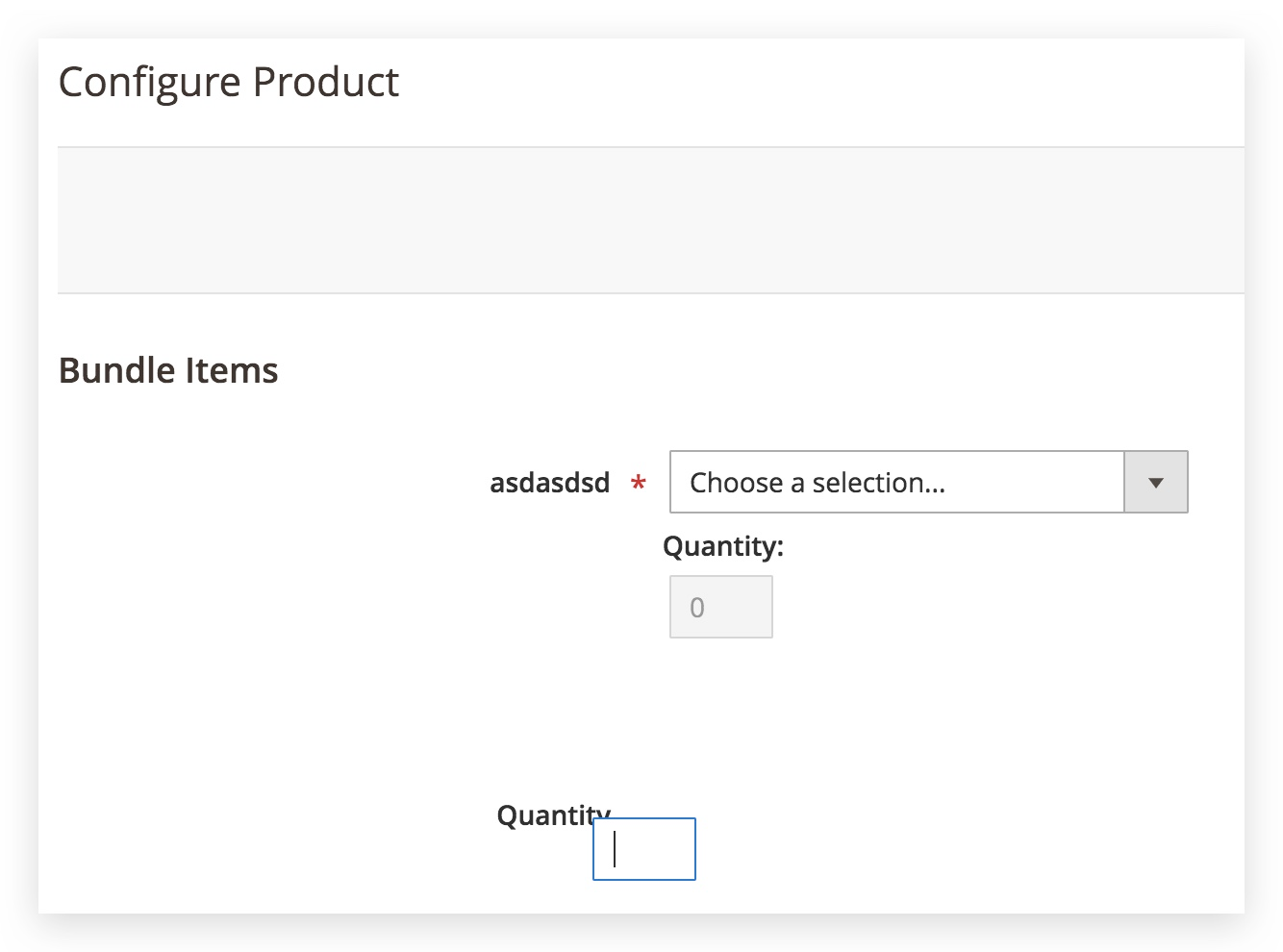
 vasilii-b
All 6 comments
Hi @vasilii-b. Thank you for your report.
To help us process this issue please make sure that you provided the following information:
- [ ] Summary of the issue
- [ ] Information on your environment
- [ ] Steps to reproduce
- [ ] Expected and actual results
Please make sure that the issue is reproducible on the vanilla Magento instance following Steps to reproduce. To deploy vanilla Magento instance on our environment, please, add a comment to the issue:
@magento-engcom-team give me $VERSION instance
where $VERSION is version tags (starting from 2.2.0+) or develop branches (for example: 2.3-develop).
For more details, please, review the Magento Contributor Assistant documentation.
@vasilii-b do you confirm that you was able to reproduce the issue on vanilla Magento instance following steps to reproduce?
- [ ] yes
- [ ] no
 magento-engcom-team
on 23 Jan 2019
magento-engcom-team
on 23 Jan 2019
Hi @nainesh2jcommerce. Thank you for working on this issue.
In order to make sure that issue has enough information and ready for development, please read and check the following instruction: :point_down:
- [ ] 1. Verify that issue has all the required information. (Preconditions, Steps to reproduce, Expected result, Actual result).
Details
If the issue has a valid description, the labelIssue: Format is validwill be added to the issue automatically. Please, edit issue description if needed, until labelIssue: Format is validappears.
[ ] 2. Verify that issue has a meaningful description and provides enough information to reproduce the issue. If the report is valid, add
Issue: Clear Descriptionlabel to the issue by yourself.[ ] 3. Add
Component: XXXXXlabel(s) to the ticket, indicating the components it may be related to.[ ] 4. Verify that the issue is reproducible on
2.3-developbranchDetails
- Add the comment@magento-engcom-team give me 2.3-develop instanceto deploy test instance on Magento infrastructure.
- If the issue is reproducible on2.3-developbranch, please, add the labelReproduced on 2.3.x.
- If the issue is not reproducible, add your comment that issue is not reproducible and close the issue and _stop verification process here_!
[ ] 5. Verify that the issue is reproducible on
2.2-developbranch.Details
- Add the comment@magento-engcom-team give me 2.2-develop instanceto deploy test instance on Magento infrastructure.
- If the issue is reproducible on2.2-developbranch, please add the labelReproduced on 2.2.x[ ] 6. Add label
Issue: Confirmedonce verification is complete.[ ] 7. Make sure that automatic system confirms that report has been added to the backlog.
magento-engcom-team
on 23 Jan 2019
@nainesh2jcommerce Thank you for verifying the issue. Based on the provided information internal tickets MAGETWO-97893 were created
magento-engcom-team
on 23 Jan 2019
@nainesh2jcommerce please, stop confirming issues you cannot reproduce. It's not a good practice at all. By doing that you make a mess in the entire process and confuse other people.
Thank you.
 rogyar
on 23 Jan 2019
rogyar
on 23 Jan 2019
Hi @rogyar, @nainesh2jcommerce .
I'm so sorry - this issue was on my local machine only. I didn't fetch all latest changes and didn't remove previous work.
Thank you!
vasilii-b
on 23 Jan 2019
Hi @rogyar ,
I'm sorry, there was little confusion for me, I was trying to reproduce the issue for previous ticket which was reproduce on my local and by mistake added lable for this ticket.
Thanks!
 nainesh2jcommerce
on 23 Jan 2019
nainesh2jcommerce
on 23 Jan 2019
Related issues
 kirashet666
·
3Comments
kirashet666
·
3Comments
 jzalenski
·
3Comments
jzalenski
·
3Comments
 MauroNigrele
·
3Comments
MauroNigrele
·
3Comments
 algostore
·
3Comments
algostore
·
3Comments
 gg24
·
3Comments
gg24
·
3Comments
Most helpful comment
Hi @rogyar ,
I'm sorry, there was little confusion for me, I was trying to reproduce the issue for previous ticket which was reproduce on my local and by mistake added lable for this ticket.
Thanks!