Machinelearningnotebooks: access to Azure ML workspace
Since 28/01/2019 I am not able to access my Azureml ws as befor and i get the error:
from azureml.core import Workspace
ws = Workspace.create(name = workspace_name,
subscription_id = subscription_id,
resource_group = resource_group,
location = workspace_region,
auth = auth,
exist_ok=True)
output:
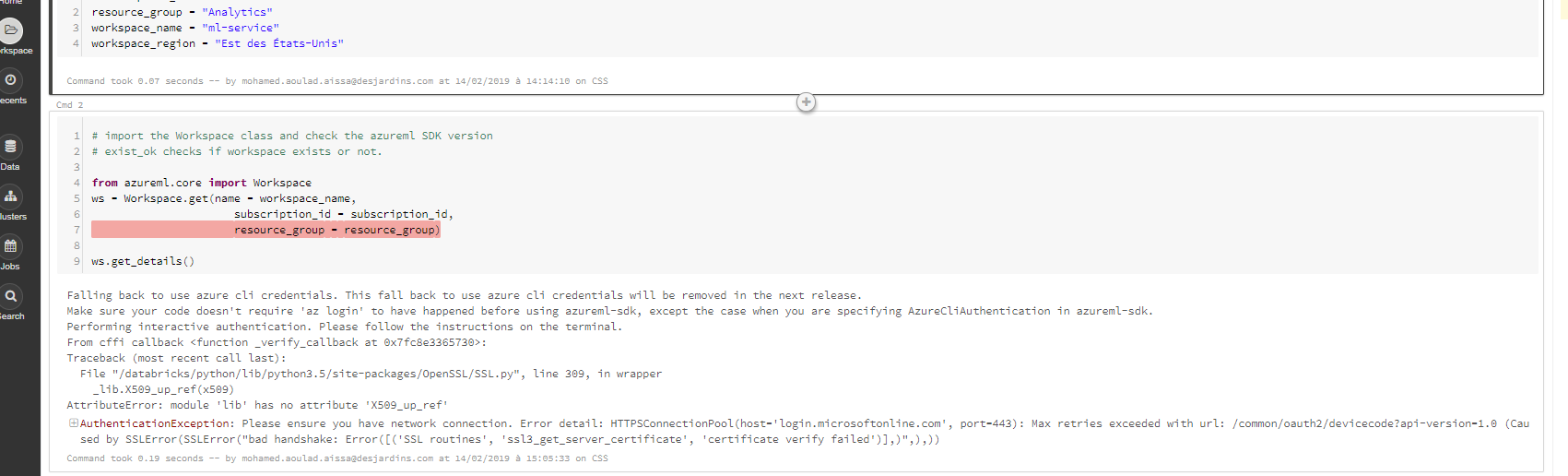
Falling back to use azure cli credentials. This fall back to use azure cli credentials will be removed in the next release.
Make sure your code doesn't require 'az login' to have happened before using azureml-sdk, except the case when you are specifying AzureCliAuthentication in azureml-sdk.
Performing interactive authentication. Please follow the instructions on the terminal.
From cffi callback
Traceback (most recent call last):
File "/databricks/python/lib/python3.5/site-packages/OpenSSL/SSL.py", line 309, in wrapper
_lib.X509_up_ref(x509)
AttributeError: module 'lib' has no attribute 'X509_up_ref'
 mohaissa
All 26 comments
mohaissa
on 14 Feb 2019
how did you construct your "auth" object?
also, what happens if you remove the "auth" parameter from the constructor? (you should be able to do device-login following on-screen instruction).
 hning86
on 14 Feb 2019
hning86
on 14 Feb 2019
Sorry on my code I did not use the ''auth'',
mohaissa
on 14 Feb 2019
Hi Hai,
As you know, there are two ways to access WS from Databricks:
• The first is with credentials as you mentioned in your tutorial, and this is the way I've been using since the beginning.
• The second way by using config.json file as on in your tutorial for using Jyputer Notebook and I tried this method for Databricks when the first did not work And I failed to connect.
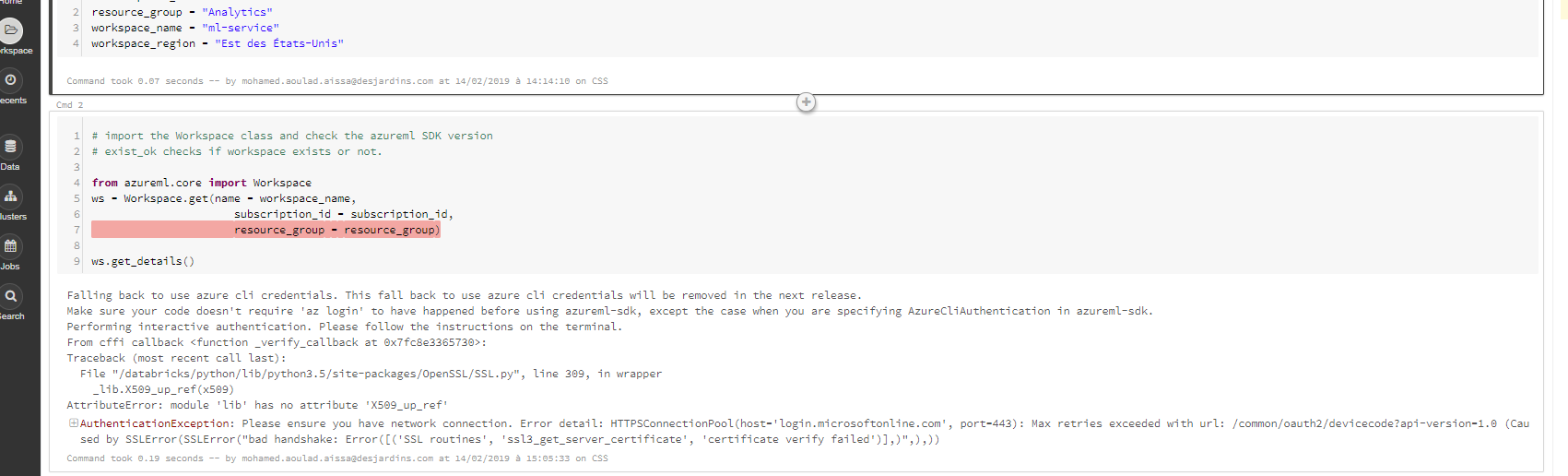
As you could see on the screenprint, I am not able to acess anymore, could you help with that please
Thanks
mohaissa
on 15 Feb 2019
pls make sure you follow the instruction here.
https://docs.microsoft.com/en-us/azure/machine-learning/service/how-to-configure-environment#azure-databricks
hning86
on 15 Feb 2019
Hi Hai,
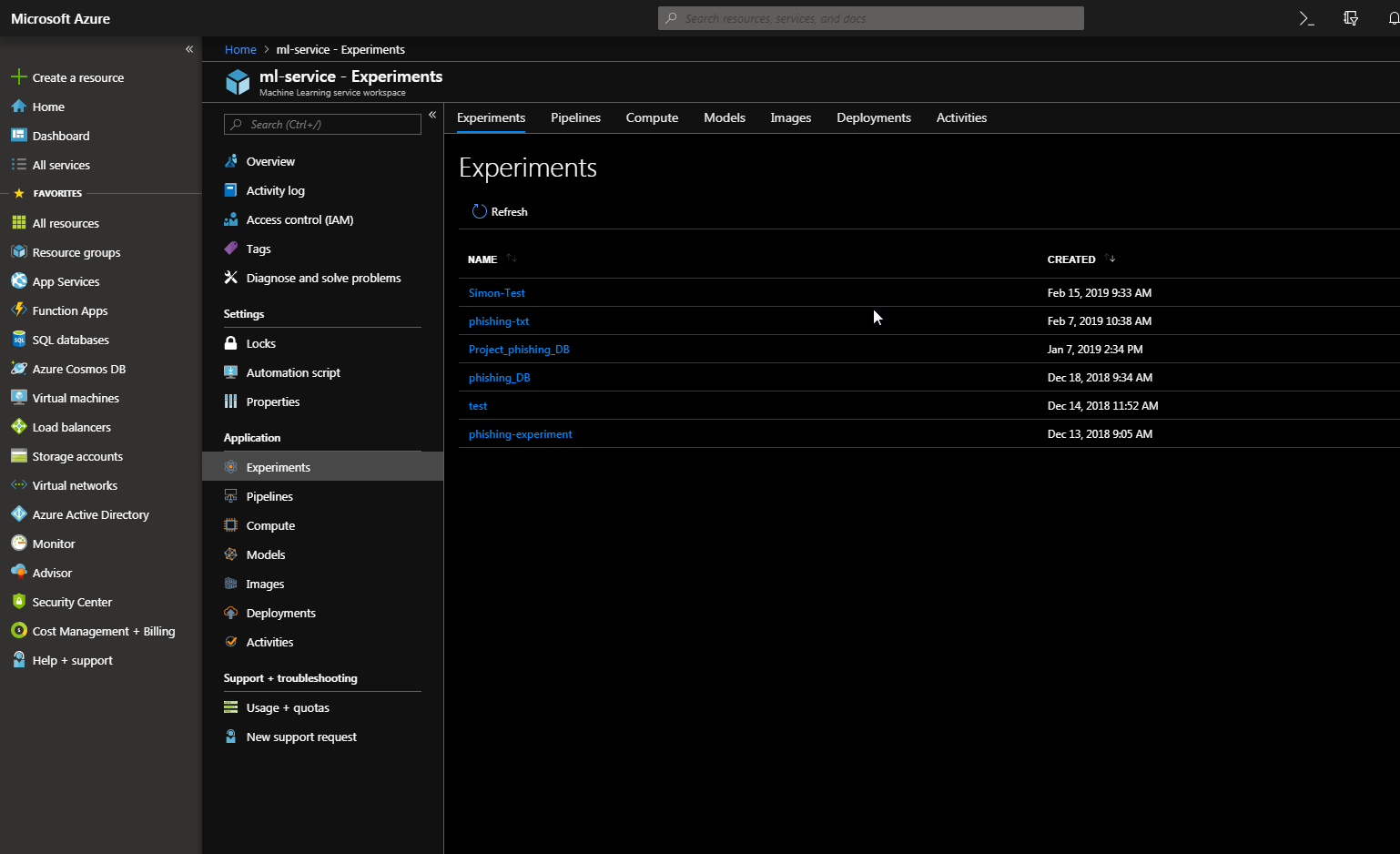
First thanks for you answer, I am relying on you to resolve this issue. I checked all the credentials and everything looks correct.
This is not the first time I access the Workspace from Databricks and had no problem since September 2018 and was able to continue the project until the "Deployment" step.
However, since January 28, 2019 I am unable to not connect and I'm really stuck :-(
mohaissa
on 15 Feb 2019
did you set the ADB cluster exactly following the instruction? can you try create a new cluster and install azureml-sdk[databricks] and see if that works?
hning86
on 16 Feb 2019
Hi Hai,
Yes sir I set the ADB cluster exactly following the instruction.
FYI, the access work fine before, just ask me to sign in, at https://microsoft.com/devicelogin and enter the code EXXXXX for authenticate. But since two weeks I am unable to access ,so I tryed a lot of thing like:
- Change the cluster several times
- Change the DB version (lower then 5.2)
- Create a new DB instance
- Create a new Azure WS
- Put DB and Azur WS on the same work space region
All that doesn't work, I have a ticket with Microsoft support (119021324001427)but look like no body knows how to resolve this issue.
Thanks
mohaissa
on 18 Feb 2019
try forcing an interactive log in:
from azureml.core.authentication import InteractiveLoginAuthentication
interactive_auth = InteractiveLoginAuthentication()
ws = Workspace.get(subscription_id="my-subscription-id",
               resource_group="my-ml-rg",
               workspace_name="my-ml-workspace",
               auth=interactive_auth)
Hi Hai,

mohaissa
on 19 Feb 2019
Hello @mohaissa ,
Please
- recreate a cluster
- install azureml-sdk[databricks]
if you still have issues please share pip freeze
 vizhur
on 21 Feb 2019
vizhur
on 21 Feb 2019
Hello @mohaissa ,
Either you can do what the above comment says that is to delete and recreate the adb cluster or if you want to use the same cluster then the following might help in resolving the issue.
1) Remove all the libraries that you have attached to the adb cluster including azureml-sdk or any other libraries.
2) Restart the cluster.
3) On restarting perform a "pip freeze" and if possible post that result here.
4) Attach azureml-sdk[databricks] library.
My guess is that you might have attached some other library apart from azureml-sdk[databricks] that broke the databricks python environment.
Please let us know if this works or not.
 adyada
on 21 Feb 2019
adyada
on 21 Feb 2019
Thank you for your help Guys
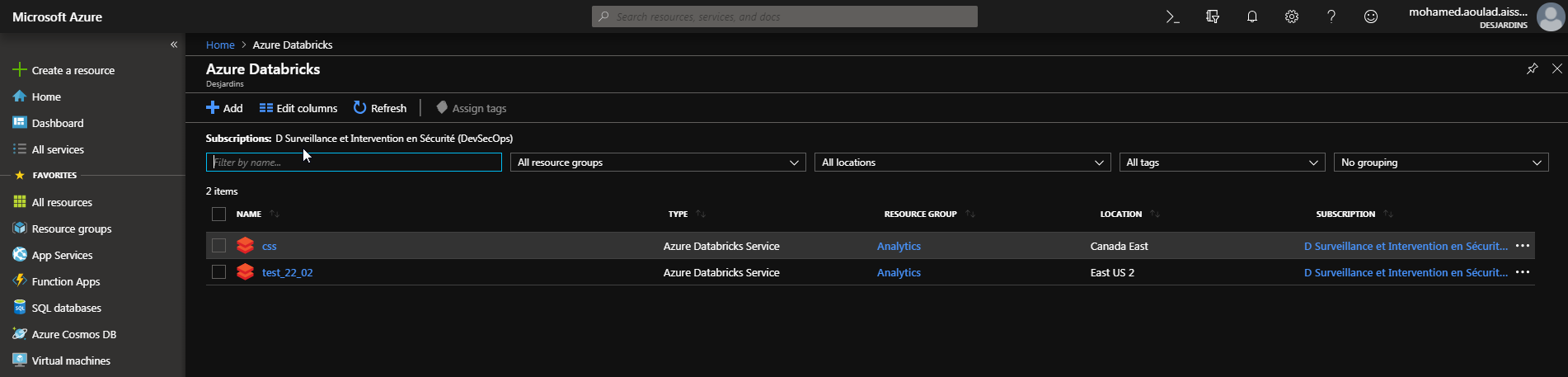
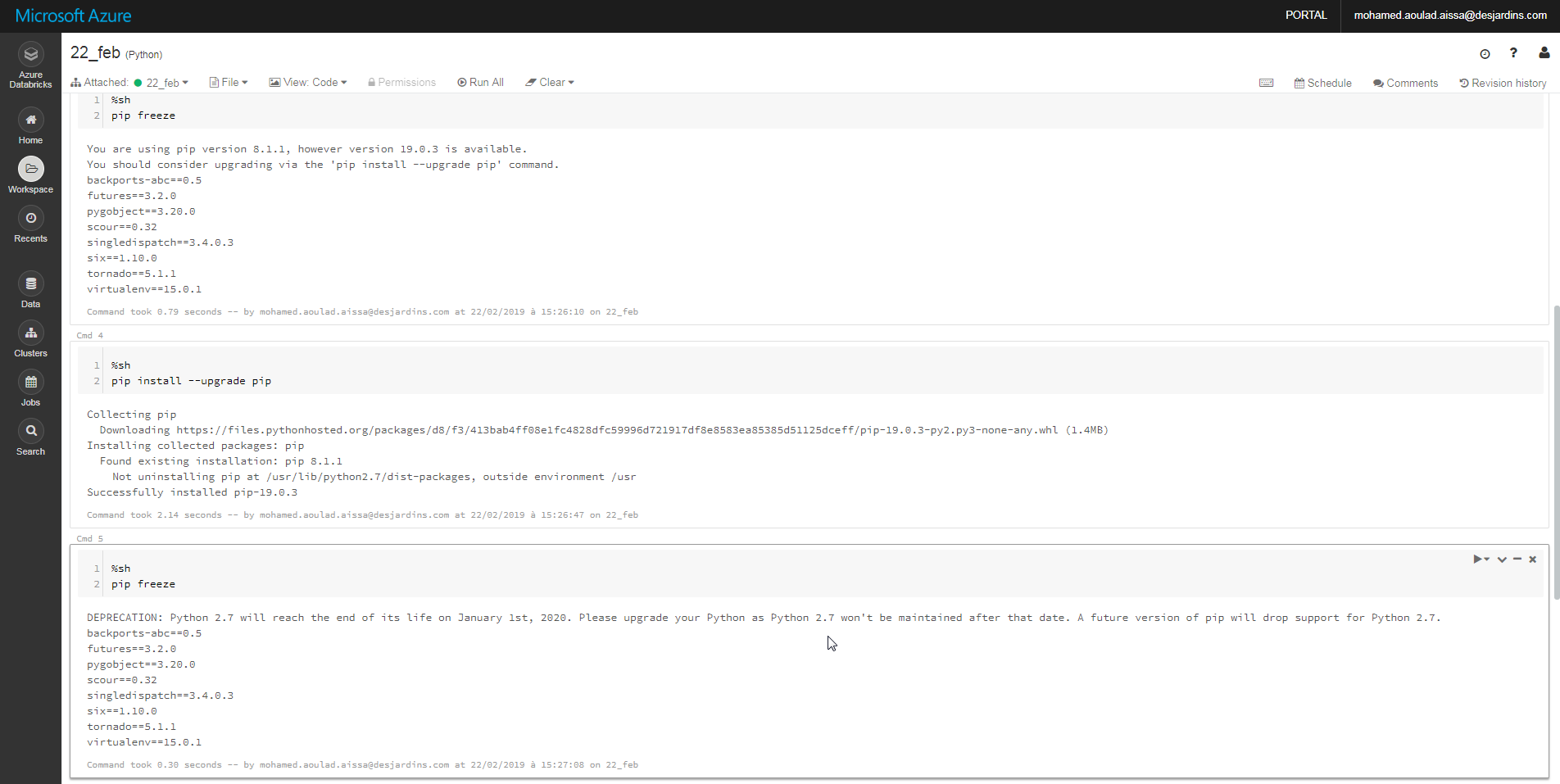
I created a new databricks instance, a new cluster and azureml-sdk library, I still have the same isue,see the images below:



mohaissa
on 22 Feb 2019
Did you add azureml-sdk or azureml-sdk[databricks] as the library? You will need to add azureml-sdk[databricks] as the library, this has some version pinnings that are needed for databricks. In your pip freeze I don't see azureml-sdk. Can you please try "!pip freeze"
adyada
on 22 Feb 2019
But there is no azureml-sdk[databricks] on PyPi
pip install azureml-sdk[databricks]
Collecting azureml-sdk[databricks]
Could not find a version that satisfies the requirement azureml-sdk[databricks] (from versions: )
No matching distribution found for azureml-sdk[databricks]
mohaissa
on 22 Feb 2019
@mohaissa
Could not find a version that satisfies the requirement azureml-sdk[databricks] (from versions: ) is actually strange as it should look for azureml-sdk, so there might be smth's wrong with the databricks. You can earlier databricks runtime versions
There is definitely azureml-sdk on PyPI.
https://pypi.org/project/azureml-sdk/
databricks just an extra on the package that would bring some packages that databricks environment require.
you can check that extra == 'databricks' is here: https://pypi.org/pypi/azureml-sdk/json
vizhur
on 23 Feb 2019
You need to install azureml-sdk[databricks] library on your cluster. Not azureml-sdk, but azureml-sdk[databricks] : http://prntscr.com/mpk05g
 artsheiko
on 24 Feb 2019
artsheiko
on 24 Feb 2019
Not able to install it,

mohaissa
on 25 Feb 2019
Hi @hning86
On your example (how-to-use-azureml/) Databricks, you just call azureml.core,
What is the difference btw azureml.core and azureml-sdk.
thanks
mohaissa
on 25 Feb 2019
@mohaissa
please install azureml-sdk[datatabricks], not azureml-sdk or azureml-sdk=='databricks'.
AzureML SDK is a set of 20+ packages that provide different features. In order to make it clear and simple for a user there is a metapackage called azureml-sdk. By default it will bring you core functionality and some of the features. You can customize your install by installing separate packages or providing extras on the azureml-sdk, like databricks, automl, notebooks, etc.
here you can find more information
https://docs.microsoft.com/en-us/python/api/overview/azure/ml/install?view=azure-ml-py
vizhur
on 25 Feb 2019
On my opinion, there is some issue with a library : why azureml-sdk cannot to connect, but azureml-sdk[databricks] can ? SSO is not a core functionality ?
And a key question : why azureml-core 1.0.10 worked well and 1.0.15 is not ? Even if there were some breaking changes in code, why we have nothing in release history about this ?
artsheiko
on 25 Feb 2019
Hi @mohaissa,
There is an issue with databricks that if you ever set a library to auto install on all clusters in a databrcicks workspace then it will be auto installed on all clusters in that databricks workspace without telling users. So, I guess you might be hitting this.
In this case, only solution I have found is to delete the cluster and databricks workspace both. And then recreate the databricks workspace and cluster, and then never set a library to autoinstall on all clusters as one can't remove them later on. You can backup notebooks etc somewhere before deleting databricks workspace.
@artsheiko
azureml-sdk[databricks] is specifically designed to be installed in databricks python environment, so it has some pinned versions of packages then azureml-sdk doesn't have. azureml-sdk[databricks]==1.0.15 should still work. Is it not working for you?
adyada
on 25 Feb 2019
azureml-sdk[databricks] and azureml-sdk[automl_databricks] are the only scenarios supported on ADB.
vizhur
on 25 Feb 2019
@adyada
agree with you, and this happened with me, but as you can see from the image, I created a new databricks instannce (22 Feb) and I created a new cluster but I still have the issue, note able de install azureml-sdk[databricks], please see the images.
@vizhur
Not able to install it

mohaissa
on 25 Feb 2019
Hi Guys
it,s work now
thansk for your help

mohaissa
on 25 Feb 2019
Thanks for your help
Interactive authentication successfully completed.
mohaissa
on 25 Feb 2019
Related issues
 swanderz
·
4Comments
swanderz
·
4Comments
 jmwoloso
·
4Comments
jmwoloso
·
4Comments
 jarandaf
·
4Comments
jarandaf
·
4Comments
 dumbledad
·
3Comments
dumbledad
·
3Comments
 AakanchJoshi
·
4Comments
AakanchJoshi
·
4Comments
Most helpful comment
Thanks for your help
Interactive authentication successfully completed.