Machinelearningnotebooks: Pipeline Portal UX: log StepRun's metrics to parent PipelineRun
Background
Now that we have a stable pipeline infrastructure, we're enabled to do A/B testing, i.e. change one parameter to see its effect on model accuracy.
To do so, I submit two PipelineRun's back to back with only one factor changed between them.
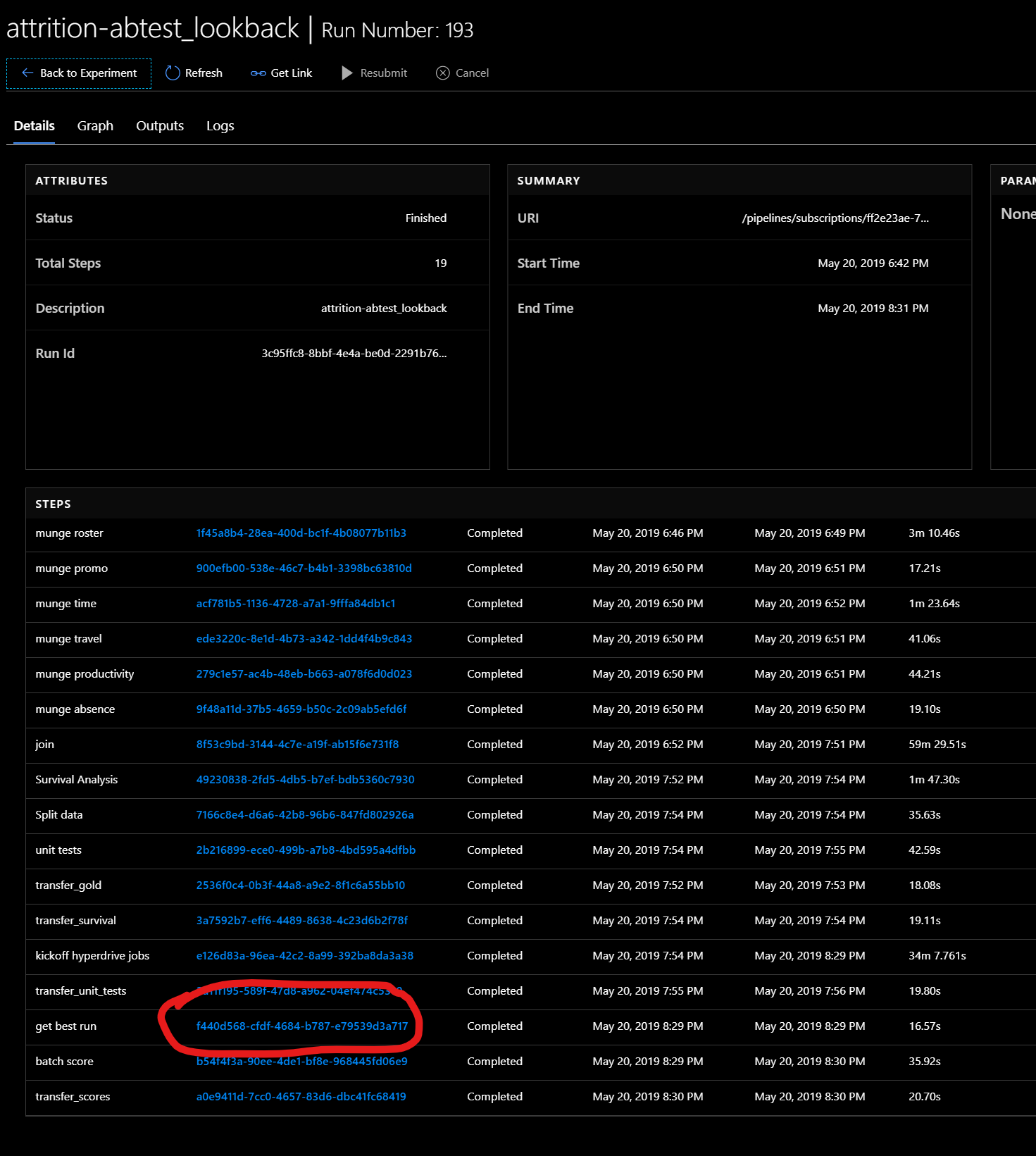
We've got a step called get_best_run which:
- fetches the the best run from the previous hyperdrive step, and
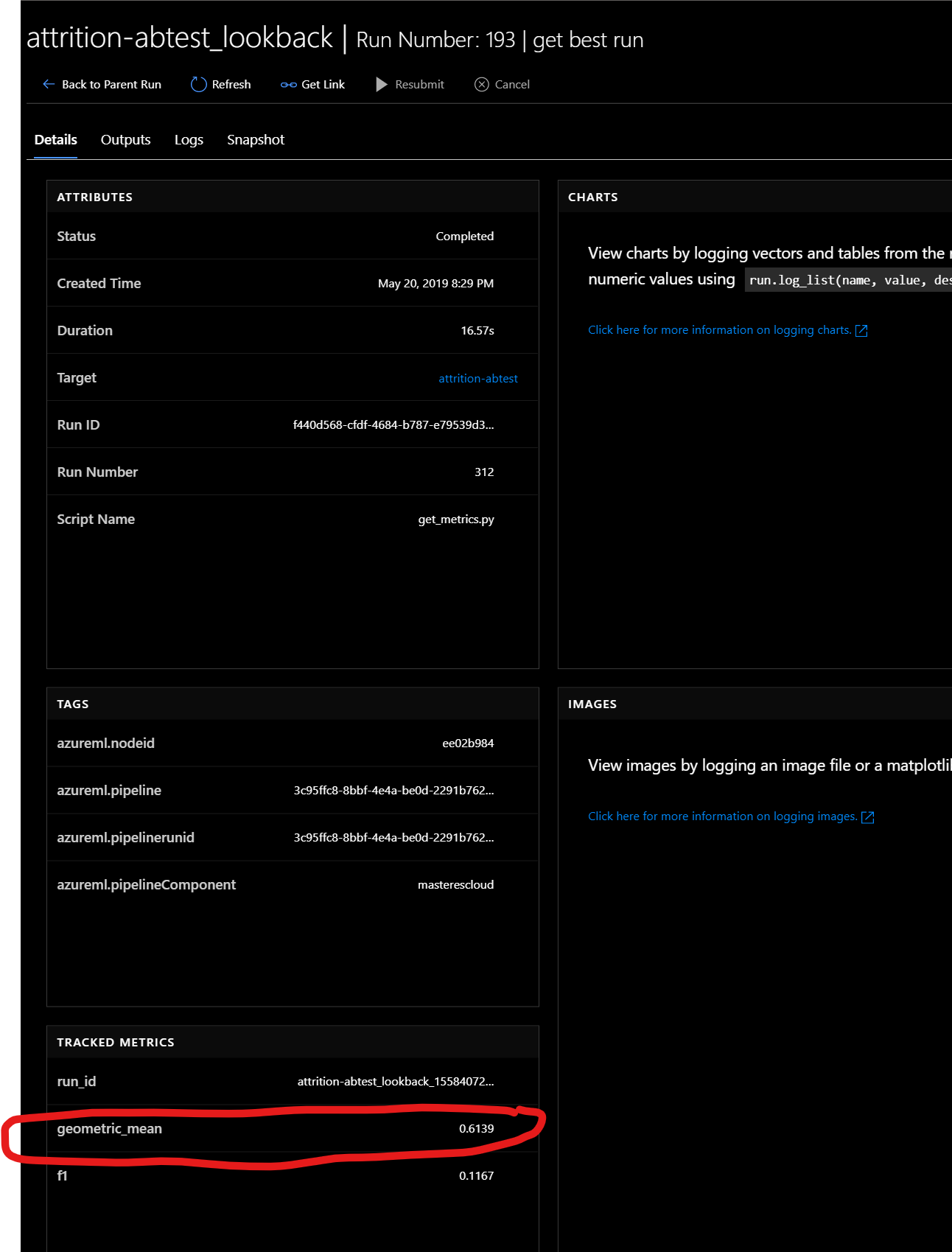
- logs the geometric_mean to the run.
I want to be able to compare,at a glance, get_best_run's geometric_mean between two PipelineRuns
Ask
It would be a HUGE win, if I could push a logged metric from a given step to the parent PipelineRun. This way, I could simply click on an experiment and see the resulting accuracy/lift of a model inline, without having to do a lot of extra clicking.
The difference is 3 clicks vs 11 clicks.
Desired UX
- Go to portal.azure.com
- Click on ML service workspace
- Click on Experiments in sidebar
Click on desired experiment
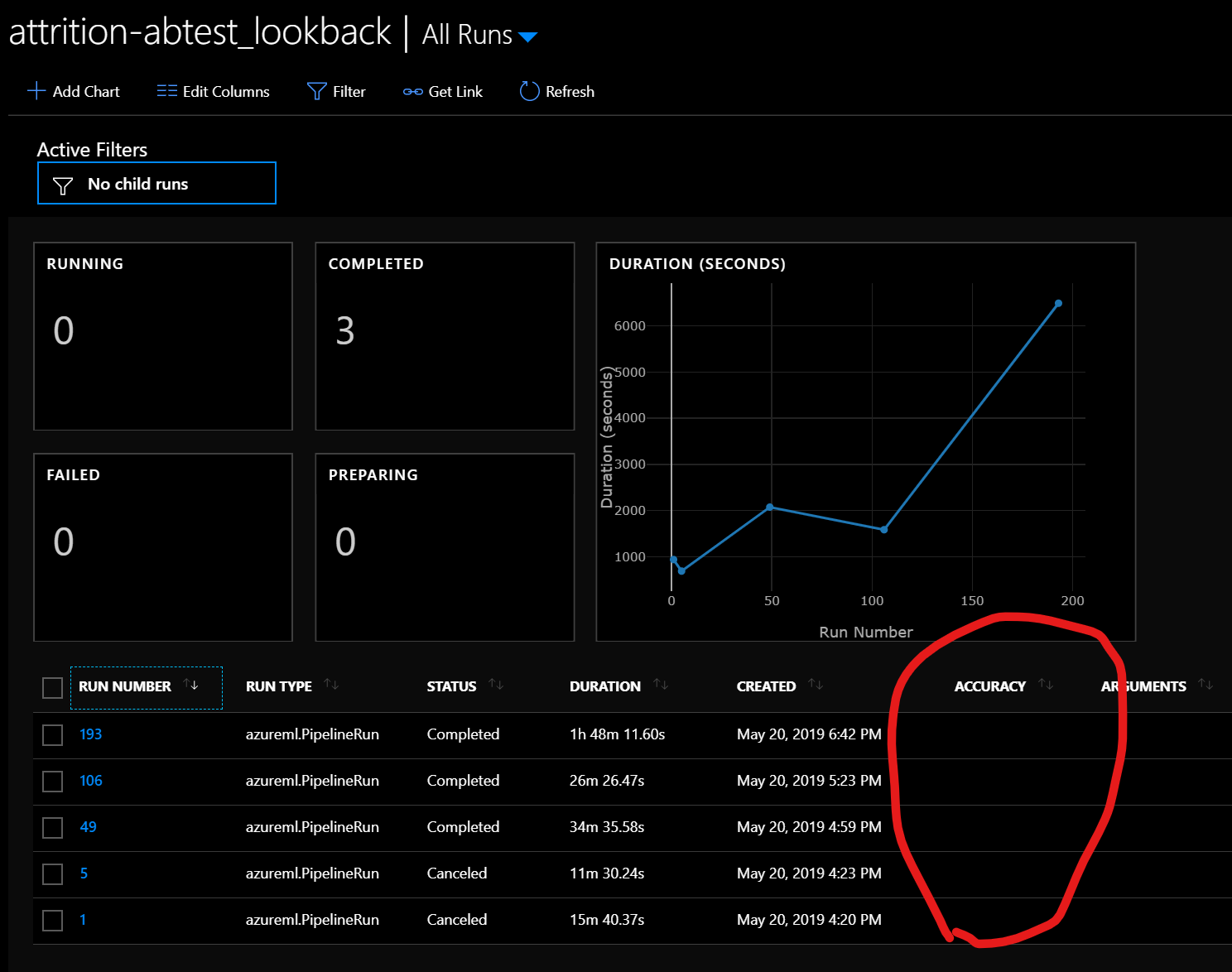
Current UX
Click on a
PipelineRun'srun_id- Click on the
get_best_run'srun_id, then find geometric_mean (and write it down somewhere so you don't forget :stuck_out_tongue:) - Click "Back to Parent"
- Click "Back to Experiment"
- Repeat steps 1-5 for other experimental PipelineRuns
 swanderz
All 4 comments
cc: @sanpil @jpe316 @heatherbshapiro
swanderz
on 22 May 2019
I have captured this request in our backlog. Thank you!
 sanpil
on 22 May 2019
sanpil
on 22 May 2019
To confirm, does the SDK not allow logging metrics to a parent PipelineRun from within a StepRun? The portal UX isn't as interesting to me as the ability to do so w/ the SDK
swanderz
on 22 May 2019
Yes, you are able to log to a parent of the current run. So in your pipeline step just execute:
from azureml.core import Run
Run.get_context().parent.log("foo", 100)
And you should get the below output:

 danielsc
on 10 Jul 2019
danielsc
on 10 Jul 2019
Related issues
 vineetgarhewal
·
3Comments
vineetgarhewal
·
3Comments
 jmwoloso
·
4Comments
jmwoloso
·
4Comments
 dumbledad
·
3Comments
dumbledad
·
3Comments
 AakanchJoshi
·
4Comments
AakanchJoshi
·
4Comments
 BillmanH
·
5Comments
BillmanH
·
5Comments